
Radiolink FLYCOLOR 55A ESC
Radiolink FLYCOLOR 55A 4-in-1 ESC Instruction Manual
Model: FLYCOLOR 55A ESC
Brand: Radiolink
1. හැඳින්වීම
This manual provides detailed instructions for the Radiolink FLYCOLOR 55A 4-in-1 Electronic Speed Controller (ESC). Designed for high-performance FPV racing drones and GPS multirotors, this ESC offers robust power delivery and versatile compatibility. Please read this manual thoroughly before installation and operation to ensure safe and correct usage.
2 ආරක්ෂිත තොරතුරු
No specific safety warnings were provided in the product information. However, when working with electronic speed controllers and drone components, always observe the following general safety precautions:
- Ensure all connections are secure and correctly polarized before applying power.
- Avoid short circuits, which can damage the ESC and battery.
- Always disconnect the battery before performing any maintenance or modifications.
- හොඳින් වාතාශ්රය ඇති ප්රදේශ වල ක්රියාත්මක කරන්න.
- ජලයෙන් හා තෙතමනයෙන් ඈත්ව සිටින්න.
- Recommended for users aged 14 years and up.
3. පැකේජ අන්තර්ගතය
පහත ලැයිස්තුගත කර ඇති සියලුම අයිතම ඔබේ පැකේජයට ඇතුළත් කර ඇති බව තහවුරු කරගන්න:
- FLYCOLOR 55A ESC x1
- ESC/Flight Controller Cable x1
- XT60 Power Cable x1
- Electrolytic Capacitor x1
- ඕ-මුද්ද x5
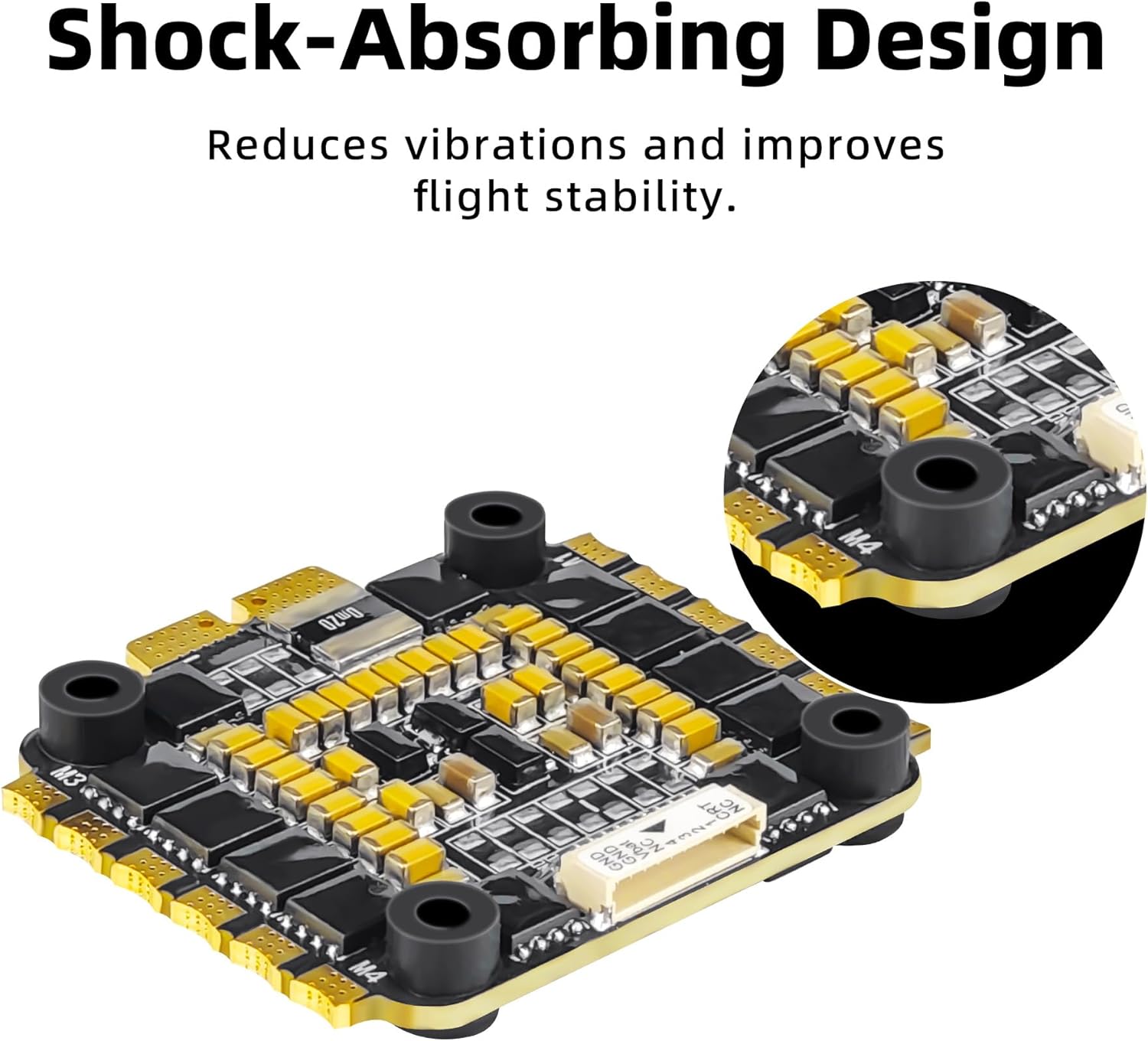
- Silicone Shock Absorber Column x4
- Package Bag x1

Image: Contents of the FLYCOLOR 55A ESC package, including the ESC, various cables, capacitor, O-rings, and silicone shock absorbers.
4. නිෂ්පාදන ලක්ෂණ
- Powerful 55A 4-IN-1 ESC: Supports 55A continuous current and 65A peak current, compatible with 3S-6S batteries.
- Versatile Throttle Modes: Bluejay firmware supports Dshot300 and Dshot600 modes; BLHeli-S supports Oneshot125, Oneshot42, and Multishot modes.
- High-quality Hardware: Features EFM8BB21 MCU (8-bit C8051 core) with an operating frequency up to 50 MHz. Includes a dedicated 3-in-1 driver IC for smoother motor startup.
- ප්රශස්ත කාර්ය සාධනය: Firmware specifically designed for multirotors to enhance performance. Hardware-generated motor PWM improves throttle response and reduces noise.
- සංයුක්ත මානයන්: Measures 45 x 41 x 5.8 mm and weighs 15.8 g, ideal for high-speed racing multirotors.
- ස්ථාවර පියාසැරිය: Equipped with shock-absorbing silicone columns to effectively reduce vibration impact and improve flight stability.

රූපය: අවසන්view of the 4-in-1 Brushless ESC features, highlighting MCU, motor support, battery compatibility, software, and operating frequency.

Image: Supported firmware details, indicating A-H-30 firmware and compatibility with Bluejay Configurator & BLHeliSuite.
5. පිරිවිතර
| පිරිවිතර | වටිනාකම |
|---|---|
| නිෂ්පාදන මානයන් | 1.77 x 1.77 x 0.2 අඟල් (45 x 41 x 5.8 මි.මී.) |
| අයිතමයේ බර | අවුන්ස 1.12 (ග්රෑම් 15.8) |
| අඛණ්ඩ ධාරාව | 55A |
| උච්ච ධාරාව | 65A |
| බැටරි සහාය | 3-6S LiPo |
| MCU | EFM8BB21 (8-bit C8051 core) |
| මෙහෙයුම් සංඛ්යාතය | 50 MHz දක්වා |
| Supported Throttle Modes | Dshot300, Dshot600, Oneshot125, Oneshot42, Multishot |
| නිෂ්පාදකයා | විනෝදාංශය |

Image: Visual representation of the ESC with key dimensions (45mm, 41mm, 5.8mm) and a list of specifications.
6. පිහිටුවීම සහ ස්ථාපනය
Proper installation is crucial for the performance and longevity of your ESC. Follow these guidelines:
6.1 සම්බන්ධතා රූප සටහන
Refer to the diagram below for correct wiring of the ESC to your motors and flight controller.
රූපය: ඉදිරිපස සහ පසුපස views of the ESC with labeled connection points for motors (M1-M4), battery (V+ and V-), and flight controller signals (CRT, S1-S4, VBAT, GND).
6.2 Capacitor Installation Note
It is highly recommended to install the provided electrolytic capacitor on your 4-in-1 ESC. Failure to do so may result in damage to the flight controller board, especially when the aircraft accelerates quickly.
When installing the capacitor, ensure you solder the positive (+) lead to the VCC (Battery Voltage Positive) pad and the negative (-) lead to the GND (Ground) pad of the ESC, where the battery and ESC board are connected. It is recommended that the capacitor be covered with heat-shrink tubing for protection.

Image: A visual guide showing the positive and negative soldering points for the electrolytic capacitor on the ESC board.
7. මෙහෙයුම
Once the ESC is correctly installed and configured with your flight controller firmware (e.g., Bluejay or BLHeli-S), it will control the speed of your drone's motors based on the signals received from the flight controller. Ensure your flight controller is properly calibrated and configured for the chosen throttle protocol (Dshot, Oneshot, Multishot).
7.1 යෙදුම
The FLYCOLOR 55A 4-in-1 ESC is suitable for 170-450 class multirotors, including freestyle FPV racing drones and GPS multirotors.

Image: A drone in flight, illustrating the typical application of the FLYCOLOR 55A ESC in a multirotor setup.
Video: A Radiolink M435 Heavy Lift Drone demonstrating its capability by lifting two water bottles. This showcases the power and stability provided by compatible ESCs like the FLYCOLOR 55A.
8. නඩත්තු කිරීම
To ensure the longevity and optimal performance of your ESC, consider the following maintenance tips:
- Regularly inspect all solder joints and connections for any signs of wear or damage.
- Keep the ESC clean and free from dust, dirt, and debris. Use compressed air or a soft brush for cleaning.
- Avoid exposing the ESC to extreme temperatures or direct sunlight for prolonged periods.
- Ensure adequate airflow around the ESC during operation to prevent overheating.
- If the ESC becomes wet, disconnect power immediately and allow it to dry completely before re-applying power.
9. දෝශ නිරාකරණය
If you encounter issues with your FLYCOLOR 55A ESC, consider the following common troubleshooting steps:
- Motors not spinning/stuttering: Check all motor connections. Verify ESC calibration and firmware settings (e.g., Dshot protocol). Ensure the battery is fully charged and capable of delivering sufficient current.
- ESC overheating: Check for proper airflow. Ensure motors are not overloaded or experiencing excessive resistance. Verify propeller size and pitch are appropriate for your setup.
- Intermittent power/connection issues: Inspect all wiring for loose connections or damaged insulation. Re-solder any suspicious joints.
- Unusual noises from motors: This could indicate motor desync. Check motor timing settings in the ESC firmware.
- Sudden power loss: බැටරි පරිමාව පරීක්ෂා කරන්නtage and connections. Ensure the electrolytic capacitor is properly installed and not damaged.
For more detailed troubleshooting or advanced configuration, refer to the specific documentation for Bluejay or BLHeli-S firmware, or contact Radiolink customer support.
10. වගකීම් සහ සහාය
Radiolink products are designed for reliability and performance. For warranty information and customer support, please refer to the official Radiolink website or contact the seller directly. You can often find full user manuals and FAQ troubleshooting files on the product's Amazon sales page or the Radiolink Direct store.
මාර්ගගත සහාය: For quick support, contact Radiolink's after-sales service or visit their online user instruction resources.
රේඩියෝලින්ක් සෘජු වෙළඳසැල: Visit the Radiolink Store on Amazon
Ask a question about this manual
Ask about setup, troubleshooting, compatibility, parts, safety, or missing instructions. Manuals+ will review the question and use this page’s manual context to help answer it.