
නිෂ්පාදනය අවසන්view
The Hikity DAB+ Android 15 Autoradio is an advanced 2 DIN car stereo system designed to enhance your in-car entertainment and navigation experience. It features a 7-inch IPS touchscreen, an octa-core processor, 4GB RAM, and 64GB ROM for smooth operation. Key functionalities include wireless CarPlay and Android Auto, Bluetooth 5.1, FM/RDS/DAB radio, built-in GPS, and a 36-band DSP for superior audio quality. A rear camera is included for added convenience.
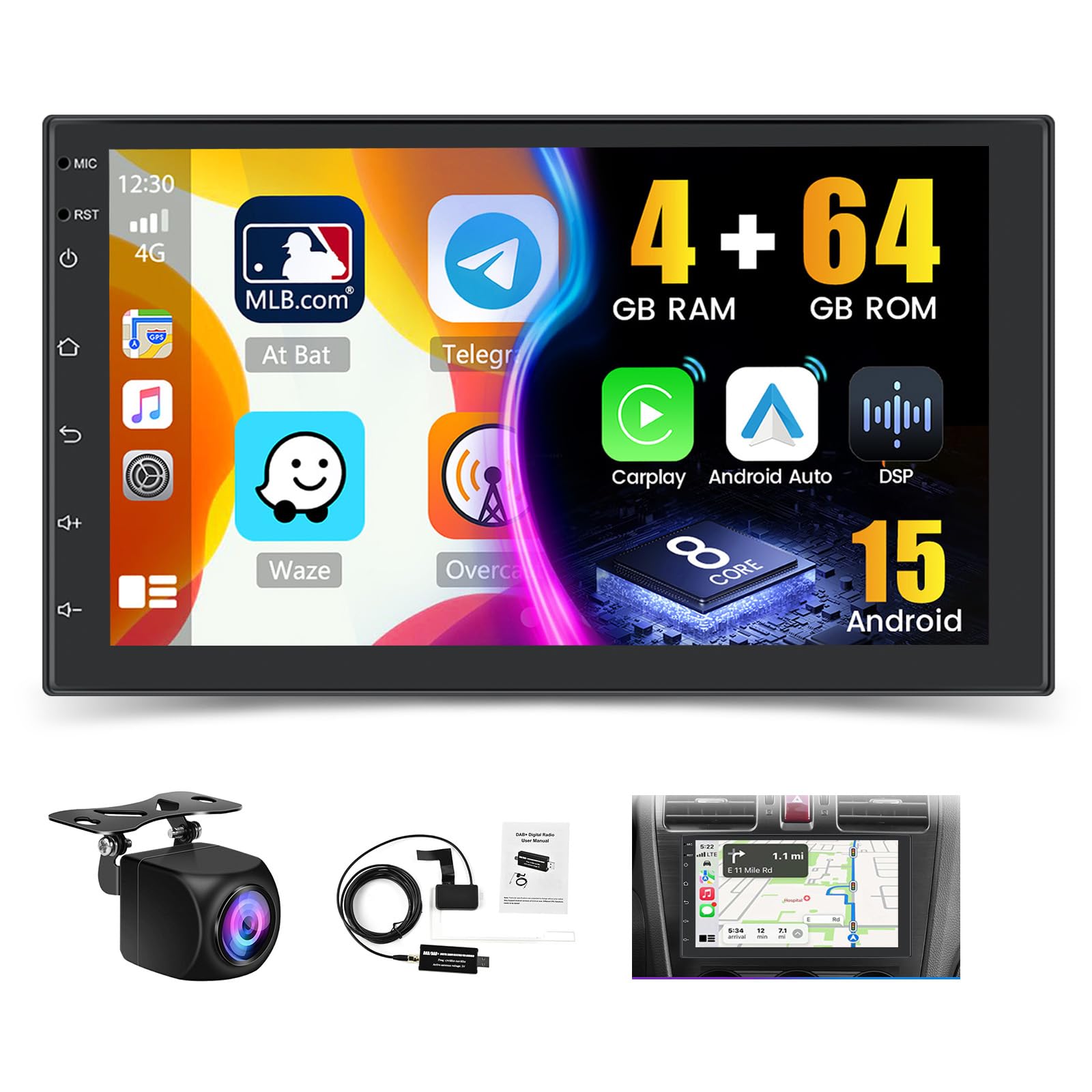
රූපය: අවසන්view of the Hikity Autoradio's core features including processor, memory, and connectivity options.
සැකසුම සහ ස්ථාපනය
This section provides guidance for the physical installation and initial setup of your Hikity Autoradio. Professional installation is recommended.
පැකේජයේ අන්තර්ගතය
ස්ථාපනය කිරීමට පෙර, සියලුම සංරචක පවතින බව තහවුරු කර ගන්න:
- Hikity Autoradio Unit
- බල කේබල් (විවිධ වර්ග)
- කැමරා ආදාන කේබලය
- RCA Cable Bundle
- GPS ඇන්ටනාව
- USB කේබලය
- සවිකරන වරහන්
- පරිශීලක අත්පොත (මෙම ලේඛනය)
- AHD පසුපස කැමරාව
- DAB+ Antenna (USB stick type)

Image: Product dimensions and a visual list of all items included in the package.
රැහැන් සම්බන්ධතා
Connect the power cables, speaker wires, and accessory cables according to your vehicle's wiring diagram. Ensure proper insulation for all connections.
- බල කේබලය: Connect to vehicle's power supply (constant 12V, accessory 12V, ground).
- RCA Input/Output: බාහිර සඳහා amplifiers or video displays.
- කැමරා ආදානය ආපසු හැරවීම: Connect the included AHD rear camera.
- USB කේබලය: For data transfer, charging, and connecting external devices.
- ජීපීඑස් ඇන්ටෙනාව: පැහැදිලි ස්ථානයක් සහිත ස්ථානයක සවි කරන්න. view අහසින්.
- ගුවන්විදුලි ඇන්ටනා: Connect your vehicle's FM/AM antenna.
- DAB+ ඇන්ටනාව: Connect the provided USB DAB+ receiver and antenna.

Image: DAB/DAB+ USB receiver and antenna for digital radio reception.
සවි කිරීම
Use the provided mounting brackets to secure the autoradio in your vehicle's 2 DIN slot. Ensure a snug fit and proper ventilation.

Image: Visual representation of the car stereo before and after installation, showcasing the 7-inch IPS touchscreen.
මෙහෙයුම් උපදෙස්
This section details the various functions and features of your Hikity Autoradio.
මූලික මෙහෙයුම
- බලය සක්රිය / අක්රිය: Press the power button or turn your vehicle's ignition key.
- ශබ්ද පාලනය: Use the on-screen controls or steering wheel controls (if configured).
- ස්පර්ශ තිරය: Navigate the interface by tapping, swiping, and pinching on the 7-inch IPS display.
රැහැන් රහිත CarPlay සහ Android Auto
Connect your compatible smartphone wirelessly or via USB to access navigation, music, calls, and messages directly on the autoradio screen.
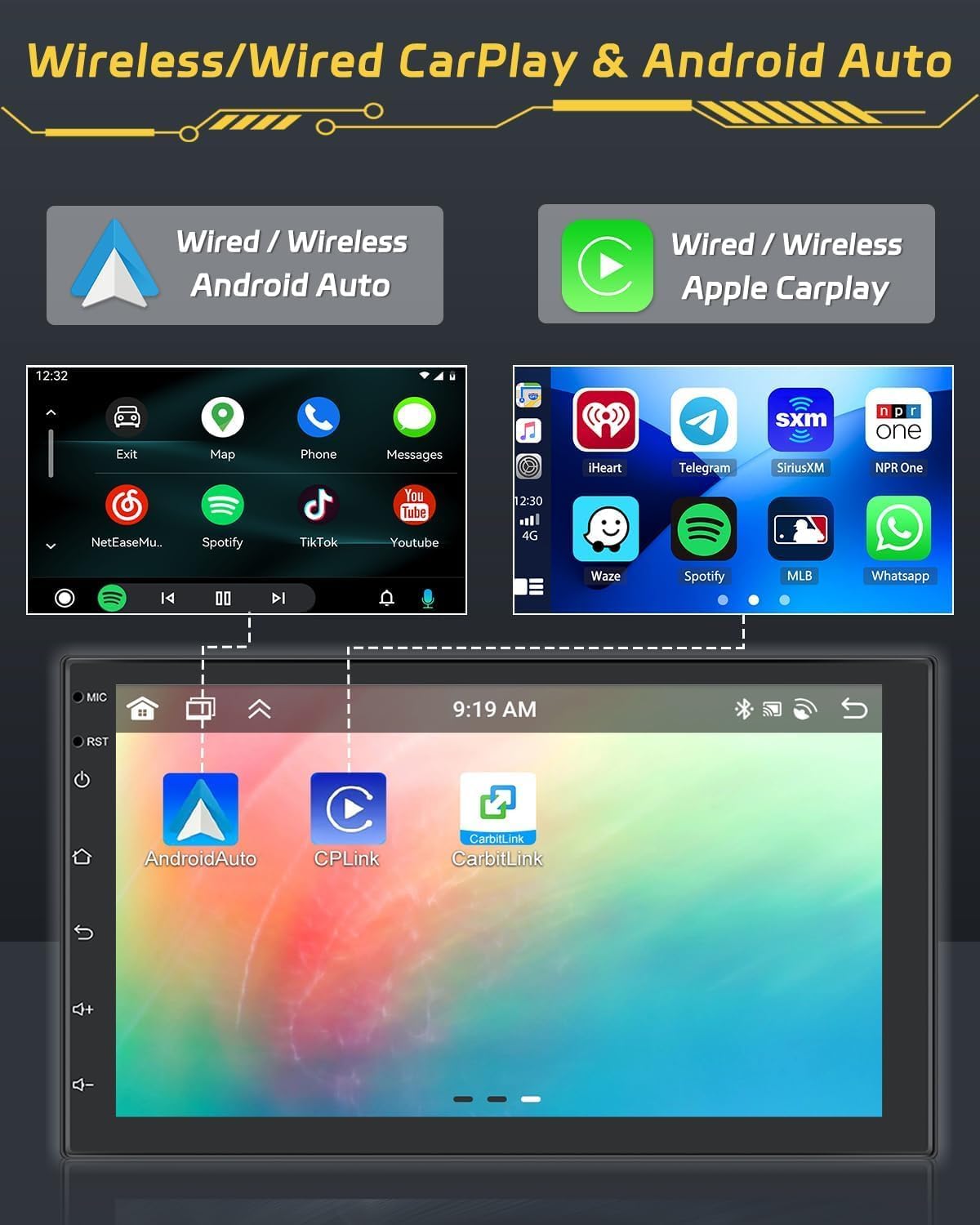
Image: Display of Wireless CarPlay and Android Auto functionality, showing smartphone integration.
බ්ලූටූත් 5.1
Pair your smartphone via Bluetooth for hands-free calling and audio streaming. Access your contacts and call history directly from the unit.

Image: Bluetooth 5.0 interface for hands-free calls and audio streaming.
Radio Functions (FM/RDS/DAB)
Tune into your favorite FM, RDS, or DAB+ radio stations. The DAB+ receiver provides access to a wider range of digital radio broadcasts.

Image: FM/RDS radio interface with station presets.
GPS Navigation
Utilize the built-in GPS module for accurate navigation. Download and use your preferred navigation apps from the Android app store.

Image: GPS navigation display showing a map and route details.
36EQ DSP Technology
Fine-tune your audio experience with the integrated 36-band Digital Sound Processor (DSP). Adjust frequency, equalization, and sound field settings to optimize sound quality and reduce distortion.

Image: DSP interface for advanced audio equalization and sound customization.
Three-Screen Split Function
Multitask efficiently by displaying up to three applications simultaneously on the screen. For example, use navigation, music, and a web බ්රවුසරය එකම අවස්ථාවේදීම.

Image: Demonstration of the three-screen split function, allowing multiple apps to run concurrently.
සුක්කානම් රෝද පාලනය (SWC)
Configure your vehicle's steering wheel buttons to control the autoradio functions. This feature enhances driving safety by keeping your hands on the wheel.

Image: SWC function interface for customizing steering wheel button controls.
Rear Camera Function
The included AHD rear camera automatically displays the rear view when reversing, aiding in parking and maneuvering. An optional front camera can also be integrated for dual recording.
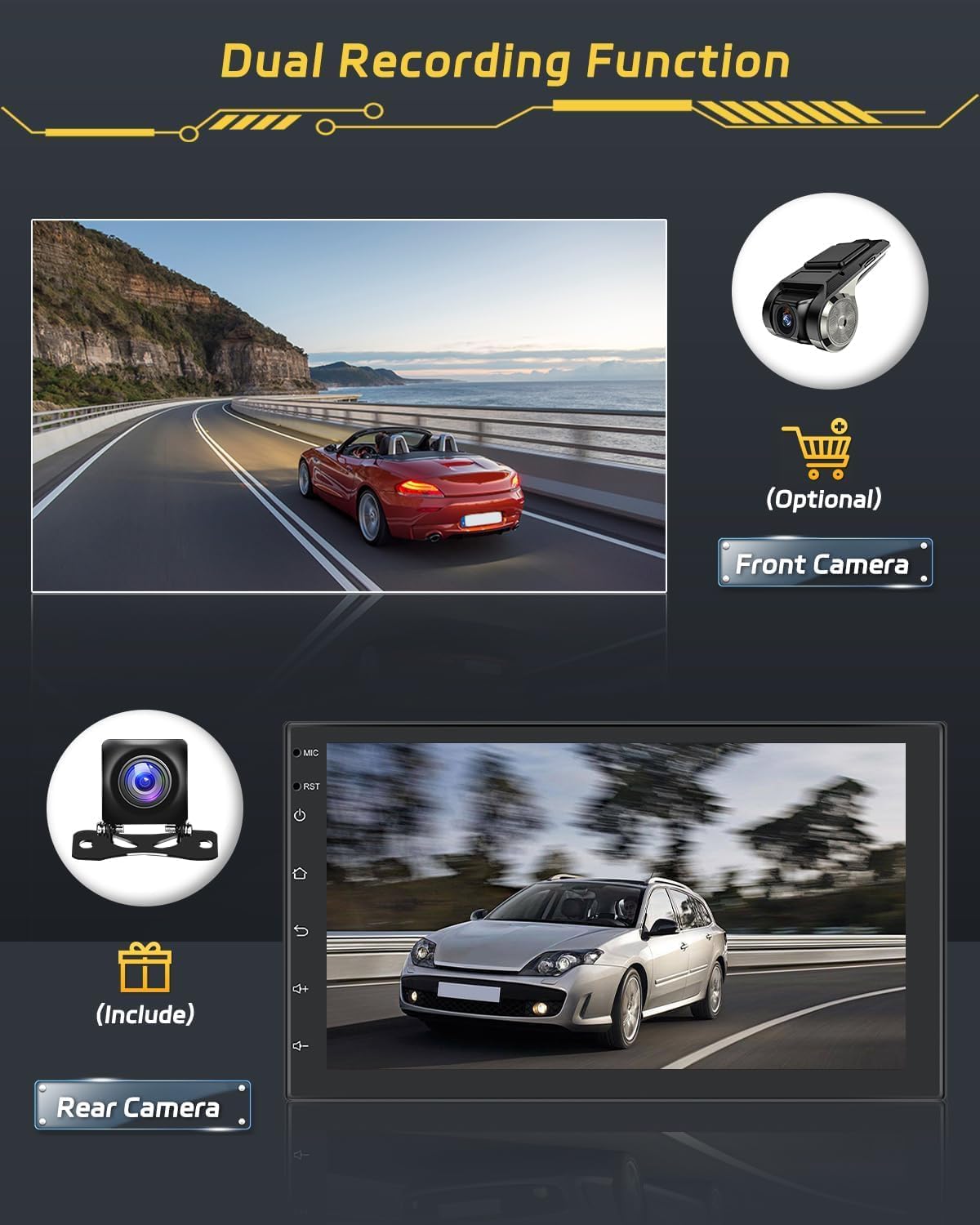
Image: Rear camera display and optional front camera for dual recording.
දර්පණ සබැඳිය
Mirror your smartphone's screen onto the autoradio display. This feature supports both wired and wireless connections. Note: Some phone models, such as Samsung and Huawei, may not be fully supported for Mirror Link functionality.

Image: Mirror Link function demonstrating smartphone screen mirroring.
WiFi සම්බන්ධතාවය
Connect the autoradio to a WiFi hotspot to access online features, download apps, and browse the internet.

Image: WiFi connection feature with online content streaming.
නඩත්තු කිරීම
Proper maintenance ensures the longevity and optimal performance of your autoradio.
පිරිසිදු කිරීම
Use a soft, dry cloth to clean the touchscreen and unit exterior. For stubborn smudges, a slightly damp cloth with a mild, non-abrasive cleaner can be used. Avoid harsh chemicals or abrasive materials that could damage the screen or finish.
මෘදුකාංග යාවත්කාලීන
Periodically check for available software updates to ensure your system has the latest features and performance improvements. Updates can typically be performed via WiFi connection or USB.
දෝෂගවේෂණය
This section addresses common issues you might encounter with your Hikity Autoradio.
| ගැටලුව | විය හැකි හේතුව | විසඳුම |
|---|---|---|
| ඒකකය බලය සක්රිය නොවේ. | වැරදි රැහැන් ඇදීම, පිපිරුණු ෆියුස්, වාහන බල ගැටළුව. | Check power connections (constant 12V, accessory 12V, ground). Inspect vehicle fuses. |
| ශබ්දයක් හෝ විකෘති වූ ශ්රව්යයක් නොමැත. | Speaker wiring issues, incorrect audio settings, DSP settings. | Verify speaker connections. Check volume levels and DSP equalizer settings. |
| ස්පර්ශ තිරය ප්රතිචාර නොදක්වයි. | මෘදුකාංග දෝෂයක්, තාවකාලික පද්ධති දෝෂයක්. | Perform a soft reset (refer to manual for specific reset button location, usually a small pinhole). If issue persists, contact support. |
| CarPlay/Android Auto disconnects frequently. | Weak WiFi signal, faulty USB cable, phone compatibility. | Ensure strong WiFi signal for wireless connection. Use a high-quality USB cable for wired connection. Check phone compatibility. |
| Poor radio reception (FM/DAB). | Antenna not properly connected, weak signal area, faulty antenna. | Ensure FM and DAB+ antennas are securely connected and properly positioned. Try in a different location. |
| Unit is slow or freezes. | Too many applications running, low memory, software issue. | Close unnecessary applications. Restart the unit. Ensure sufficient storage space. |
නිෂ්පාදන පිරිවිතර
| වෙළඳ නාමය | හයිකිටි |
| ආදර්ශ අංකය | Hikity-A3452A4B1DA-3UK |
| මෙහෙයුම් පද්ධතිය | Android 15 |
| ප්රොසෙසරය | 8-core |
| RAM | 4GB |
| ROM | 64GB |
| තිර ප්රමාණය | අඟල් 7 |
| සංදර්ශක වර්ගය | IPS Touchscreen with 2.5D Glass |
| සම්බන්ධතාවය | Bluetooth 5.1, Wi-Fi, AirPlay, FM, RDS, DAB+ |
| විශේෂ ලක්ෂණ | Wireless Android Auto, Wireless Apple CarPlay, Built-in GPS, DSP (36EQ), Split Screen, Rear Camera Input |
| ශ්රව්ය ප්රතිදාන ප්රකාරය | ස්ටීරියෝ |
| Surround Sound Config | නාලිකා 4.0 ක් |
| උපරිම ප්රතිදාන බලය | වොට් 445 |
| ආර්එම්එස් නිමැවුම් බලය | වොට් 45 |
| නිෂ්පාදන මානයන් | 2.5P x 17.2lx 10.2H සෙ.මී. |
| වර්ණය | කළු |
වගකීම් තොරතුරු
The Hikity Autoradio comes with a මාස 24ක වගකීමක් මිලදී ගත් දින සිට. මෙම වගකීම් සහතිකය සාමාන්ය භාවිතය යටතේ නිෂ්පාදන දෝෂ සහ අක්රමිකතා ආවරණය කරයි. වගකීම් හිමිකම් සඳහා කරුණාකර ඔබේ මිලදී ගැනීමේ සාක්ෂි තබා ගන්න.
පාරිභෝගික සහාය
For any technical assistance, troubleshooting, or warranty inquiries, please contact Hikity customer support. We offer online inquiry support with a response time typically within 24 hours.
Please visit the official Hikity store or contact your retailer for support details.
මාර්ගගත වෙළඳසැල: Hikity Amazon Store