
JTD 8541769993
JTD 5 Pack Remote Control Outlet Switch Instruction Manual
Model: 8541769993 | Brand: JTD
1. හැඳින්වීම
Thank you for choosing the JTD 5 Pack Remote Control Outlet Switch. This system provides a convenient way to remotely control hard-to-reach appliances and devices without built-in power ON/OFF switches. It helps eliminate wasteful standby power, reduce energy use, and save on electric bills.
පැකේජයේ අන්තර්ගතය:
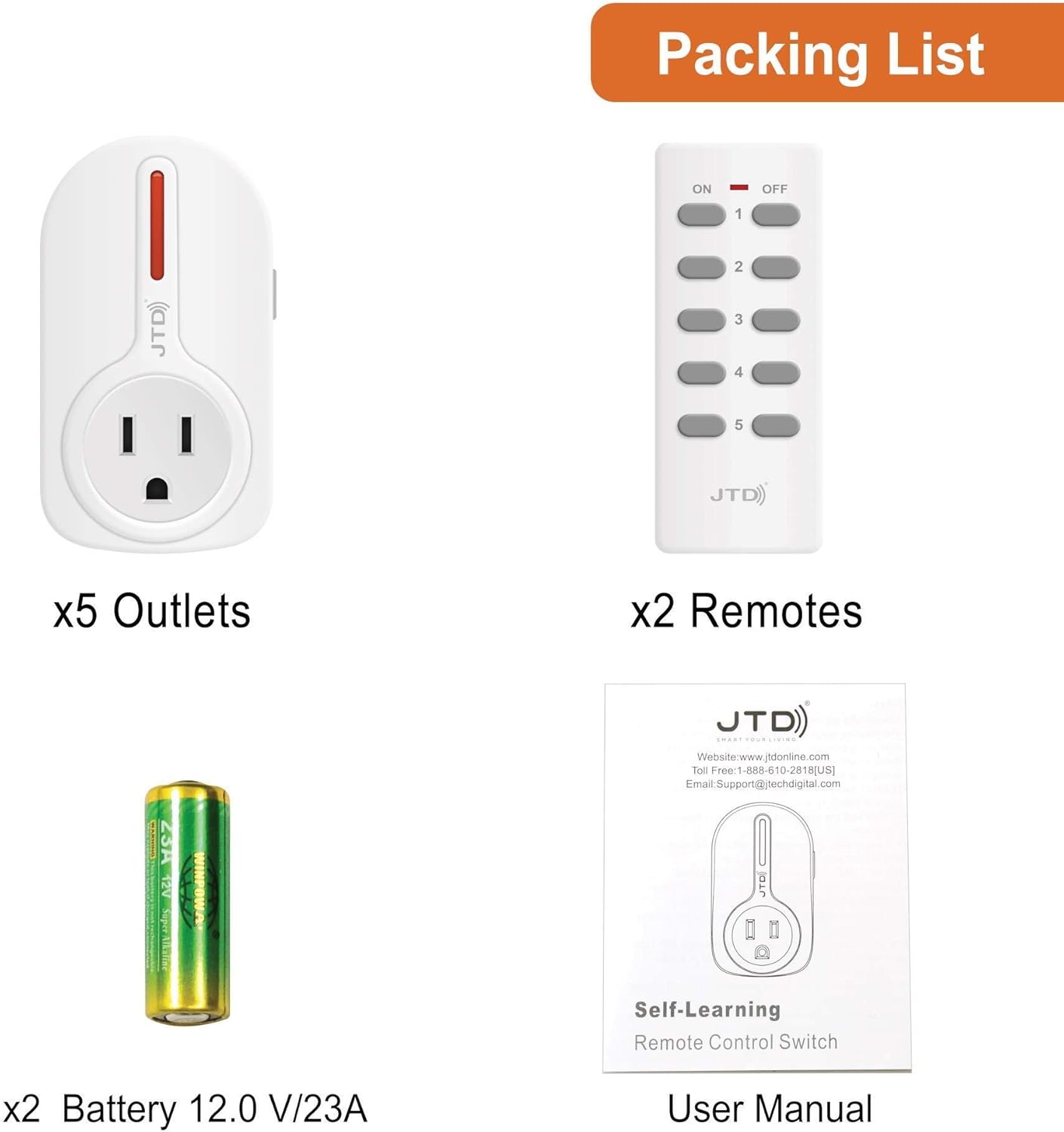
පැකේජයට ඇතුළත් වන්නේ:
- 5 x JTD Remote Control Outlets
- 2 x JTD Remote Controls
- 2 x 12V/23A Batteries (for remotes)
- 1 x පරිශීලක අත්පොත
2. නිෂ්පාදන සංරචක
Familiarize yourself with the components of your JTD Remote Control Outlet system:
Outlet and Remote Overview:

The image above illustrates the key features of both the outlet and the remote control. Each outlet has an LED indicator and a manual program/on/off button. The remote features individual ON/OFF buttons for up to five channels, corresponding to the five outlets.
මානයන්:
Understanding the dimensions of the components can assist in placement and installation.

පිටවන මානයන්

දුරස්ථ මානයන්
The outlets are designed with a thin and flat bottom to save space, allowing for the use of a second plug in a standard wall socket without obstruction.

The thin design ensures the bottom wall socket remains accessible.
3. සැකසුම් උපදෙස්
Follow these steps to set up your JTD Remote Control Outlets:
- දුරස්ථ බැටරි ස්ථාපනය කරන්න: Open the battery compartment on the back of each remote control and insert the provided 12V/23A battery, ensuring correct polarity.
- Plug in Outlets: Plug each JTD remote control outlet into a standard wall socket where you intend to use it. The LED indicator on the outlet will light up briefly.
- Pairing (Self-Learning): The JTD outlets are auto-programmable. To pair an outlet with a remote button:
- Press and hold the small program/on/off button on the side of the outlet until the LED indicator starts flashing.
- While the LED is flashing, press the desired 'ON' button (1-5) on your remote control. The outlet's LED will stop flashing and remain solid for a moment, indicating successful pairing.
- Repeat this process for each outlet and the corresponding remote button you wish to assign. You can assign multiple outlets to a single remote button if desired.
- පරීක්ෂණ ක්රියාකාරීත්වය: Once paired, press the 'ON' and 'OFF' buttons on the remote for each assigned channel to ensure the outlets respond correctly.
4. Operating the Remote Control Outlets
Using your JTD Remote Control Outlets is straightforward:
Controlling Appliances:
- Plug your desired appliance or lighting into the JTD remote control outlet.
- Use the corresponding 'ON' button (1-5) on the remote to turn the connected device ON. The remote's LED indicator will light up when a button is pressed.
- Use the corresponding 'OFF' button (1-5) on the remote to turn the connected device OFF.
පරාසය සහ සංඥාව:
The strong RF signal works through doors and walls, allowing operation up to 160 ft away in line of sight. This broad range provides flexibility in placing your controlled devices throughout your home.

Control multiple devices from anywhere within your home.
5. නඩත්තු කිරීම
To ensure the longevity and optimal performance of your JTD Remote Control Outlets, consider the following maintenance tips:
- පිරිසිදු කිරීම: Wipe the outlets and remote controls with a dry, soft cloth. Do not use liquid cleaners or aerosols.
- බැටරි ආදේශනය: If the remote's LED indicator does not light up or the range decreases significantly, it may be time to replace the 12V/23A battery.
- ගබඩා: දිගු කාලයක් භාවිතයේ නොමැති විට, උපාංග සෘජු හිරු එළියෙන් සහ අධික උෂ්ණත්වයන්ගෙන් ඈත්ව සිසිල් වියළි ස්ථානයක ගබඩා කරන්න.
- පාරිසරික තත්ත්වයන්: These devices are designed for indoor use only. Avoid exposure to moisture, high humidity, or corrosive environments.
6. දෝශ නිරාකරණය
If you encounter issues with your JTD Remote Control Outlets, try the following solutions:
| ගැටලුව | විය හැකි හේතුව | විසඳුම |
|---|---|---|
| අලෙවිසැල දුරස්ථ පාලකයට ප්රතිචාර නොදක්වයි. | Not paired correctly, remote battery low, out of range. | Re-pair the outlet with the remote button. Replace remote battery. Move closer to the outlet. |
| දුරස්ථ පාලක පරාසය අඩු කිරීම. | Low remote battery, signal interference. | Replace remote battery. Ensure no large metal objects or strong electronic devices are blocking the signal path. |
| Appliance not turning ON/OFF. | Appliance not properly plugged in, appliance fault, outlet not receiving power. | Check if the appliance is securely plugged into the outlet. Test the appliance in a different wall socket. Ensure the wall socket has power. |
| Multiple outlets respond to one button unexpectedly. | Accidental pairing of multiple outlets to one button. | Clear the pairing for the affected outlets by holding the program button until the LED flashes rapidly, then release. Re-pair each outlet individually to its desired button. |
7. පිරිවිතර
Key technical specifications for the JTD Remote Control Outlet Switch:
| විශේෂාංගය | විස්තර |
|---|---|
| ආදර්ශ අංකය | 8541769993 |
| වෙළඳ නාමය | JTD |
| අයිතමයේ බර | රාත්තල් 1.21 කි |
| පැකේජ මානයන් | අඟල් 8.62 x 4.49 x 2.44 |
| උපරිම බර පැටවීමේ ධාරිතාව | Up to 1200 watts (3rd Generation) |
| දුරස්ථ බැටරි වර්ගය | 1 x 12V/23A (included) |
| රැහැන් රහිත තාක්ෂණය | RF (රේඩියෝ සංඛ්යාතය) |
| මෙහෙයුම් පරාසය | අඩි 160 දක්වා (දෘශ්ය රේඛාව) |
| UPC | 766150281286 |
8. වගකීම් සහ සහාය
J-Tech Digital is committed to providing high-quality products and customer satisfaction.
- නිෂ්පාදක වගකීම: Enjoy a free 1 Year Manufacturer Warranty from J-Tech Digital.
- තාක්ෂණික සහාය: Free lifetime technical support is available from the manufacturer.
For further assistance or inquiries, please refer to the contact information provided in the original product packaging or visit the official JTD webඅඩවිය.
Ask a question about this manual
Ask about setup, troubleshooting, compatibility, parts, safety, or missing instructions. Manuals+ will review the question and use this page’s manual context to help answer it.