
iHome iHM78GT
iHome iHM78 නැවත ආරෝපණය කළ හැකි කුඩා ස්පීකර් උපදෙස් අත්පොත
Model: iHM78GT
හැඳින්වීම
The iHome iHM78 Rechargeable Mini Speakers offer a portable audio solution with surprising volume and bass response for their compact size. Designed for use with various audio devices, these speakers feature a unique vacuum bass design and a magnetic base for easy portability. This manual provides essential information for setting up, operating, and maintaining your iHM78 speakers.
පෙට්ටියේ ඇති දේ
- 2 x iHome iHM78 Mini Speakers
- 1 x USB ආරෝපණ කේබලය
- 1 x 3.5mm ශ්රව්ය කේබල්
- 1 x රැගෙන යන්න
- 1 x Cord Wrap
නිෂ්පාදන විශේෂාංග
- Plays audio from various devices (iPod, iPhone, iPad, computers, handheld game systems, etc.) via 3.5mm audio jack.
- Collapsible design for ultimate portability, fitting easily in your palm.
- Each speaker contains a built-in amplifier powered by a rechargeable lithium-ion battery.
- Vacuum bass design for enhanced low-frequency response and sound beyond size.
- Magnetic base keeps speakers together for compact travel and storage.
- Includes a convenient carry pouch and cord wrap for organization.
සැලසුම
- සංරචක ඉවත් කරන්න: ඇසුරුම්කරණයෙන් සියලුම අයිතම ප්රවේශමෙන් ඉවත් කරන්න.
- මූලික ගාස්තුව: It is recommended to fully charge the speakers before first use. Refer to the "Charging the Speakers" section for detailed instructions.
- Expand Speakers: Gently twist and pull the top section of each speaker upwards until it extends and locks into place. This expands the vacuum bass chamber for optimal sound.
- ශ්රව්ය මූලාශ්රය වෙත සම්බන්ධ වන්න: Plug the included 3.5mm audio cable into the audio output jack of your device (e.g., smartphone, laptop, MP3 player) and into the audio input jack on one of the iHM78 speakers.
- For Stereo Sound: If your audio source supports it and you have the necessary cabling (e.g., a Y-splitter or a cable designed for stereo output to two speakers), connect both iHM78 speakers to achieve a 2.0 stereo sound experience. Otherwise, each speaker can function independently.

Image: iHome iHM78 speakers shown connected to an iPhone, demonstrating typical audio source connection.
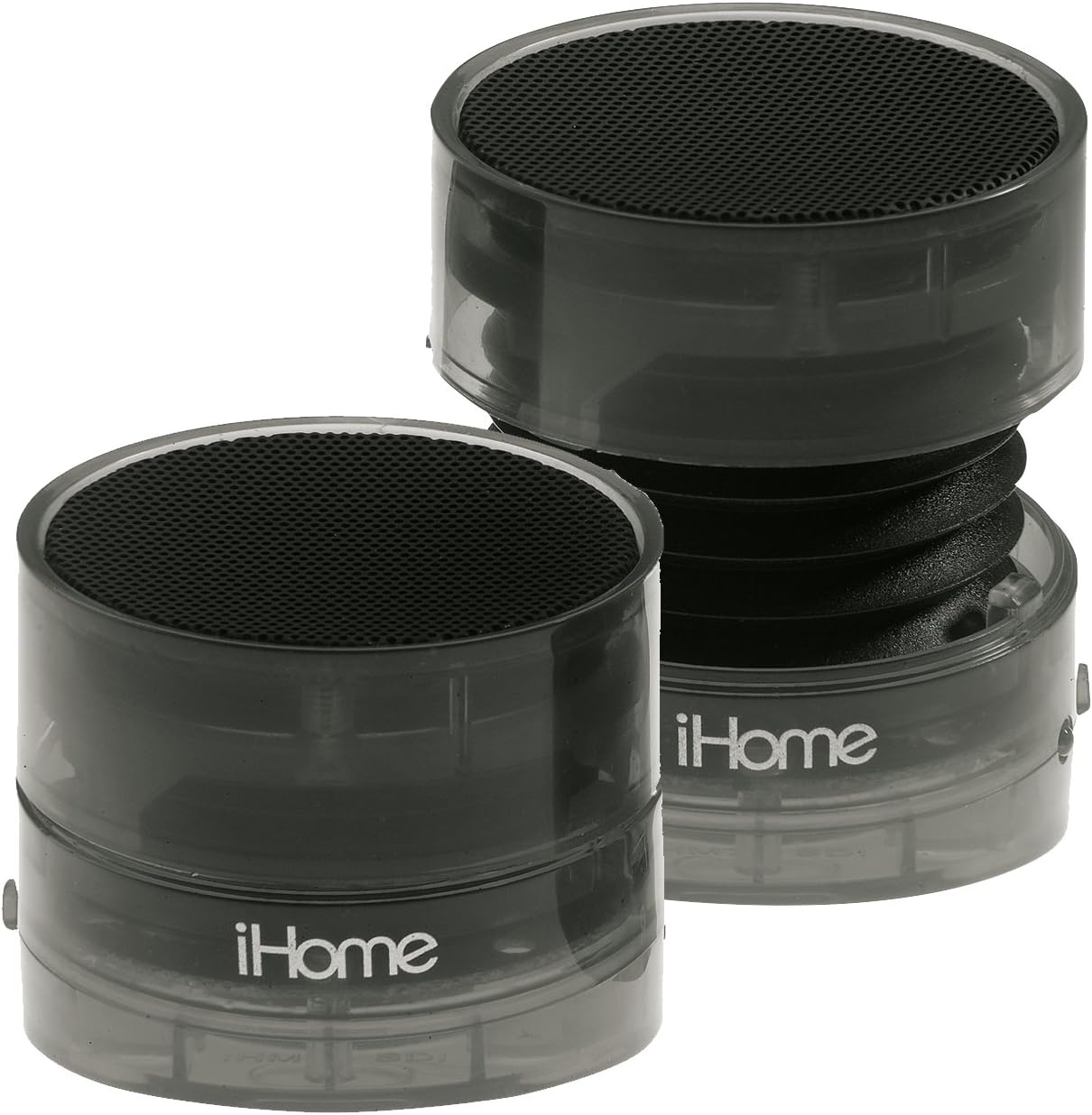
Image: Two iHome iHM78 speakers, illustrating their collapsible design for portability and expanded state for optimal sound.
මෙහෙයුම් උපදෙස්
- බලය සක්රිය / අක්රිය: Locate the power switch on each speaker. Slide it to the "ON" position to power on the speaker. Slide it to the "OFF" position to power off.
- ශබ්ද පාලනය: Adjust the volume directly on your connected audio device (e.g., smartphone, laptop). The iHM78 speakers do not feature independent volume controls.
- ශ්රව්ය නැවත ධාවනය: Once connected and powered on, begin playing audio from your connected device. The sound will be output through the iHM78 speakers.

රූපය: සමීප ඡායාරූපයක් view of the iHome iHM78 speaker's side, highlighting the power switch, 3.5mm audio input jack, and USB charging port.
කථානායකවරුන් අයකිරීම
The iHM78 speakers are powered by internal rechargeable lithium-ion batteries. Follow these steps to charge your speakers:
- Connect the included USB charging cable to the USB port on each speaker.
- Plug the other end of the USB cable into a powered USB port (e.g., a computer's USB port, a USB wall adapter, or a portable power bank).
- A charging indicator light (location may vary) will illuminate to indicate that the speakers are charging.
- සම්පූර්ණ ආරෝපණය සඳහා ආසන්න වශයෙන් පැය 6 ක් ගතවේ.
- Once fully charged, the indicator light may change color or turn off. Disconnect the speakers from the charging source.
- A full charge provides up to 6 hours of audio playback time, depending on usage and volume levels.
නඩත්තු කිරීම
- පිරිසිදු කිරීම: Use a soft, dry cloth to clean the exterior of the speakers. Do not use liquid cleaners or abrasive materials.
- ගබඩා: When not in use, collapse the speakers and store them in the included carry pouch to protect them from dust and damage. Store in a cool, dry place.
- බැටරි සත්කාර: To prolong battery life, avoid fully discharging the speakers frequently. If storing for an extended period, charge the speakers to about 50% capacity every few months.
- ආන්තික තත්වයන් වළක්වා ගන්න: Do not expose the speakers to extreme temperatures, direct sunlight, high humidity, or water. The speakers are not waterproof.
දෝෂගවේෂණය
- ශබ්දයක් නැත:
- ස්පීකර් දෙකම ක්රියාත්මක කර ඇති බව සහතික කර ගන්න.
- Check the battery level and charge the speakers if the battery is low.
- Verify that the 3.5mm audio cable connections are secure at both the speaker and the audio source.
- ඔබේ ශ්රව්ය මූලාශ්රයේ ශබ්දය වැඩි කර ඇති බවත් නිහඬ කර නොමැති බවත් සහතික කර ගන්න.
- Try a different audio source or cable to rule out issues with those components.
- විකෘති ශබ්දය:
- Reduce the volume on your audio source. High volume levels can cause distortion.
- Ensure the speakers are fully expanded.
- වෙනත් ඉලෙක්ට්රොනික උපාංගවලින් බාධා ඇත්දැයි පරීක්ෂා කරන්න.
- Speakers Not Charging:
- Verify the USB charging cable is securely connected to both the speaker and the power source.
- Try a different USB port or a different USB wall adapter.
- Ensure the power source is active and providing power.
- කෙටි බැටරි ආයු කාලය:
- Ensure the speakers are being charged for the full 6 hours.
- Battery performance may naturally decrease over time with repeated charging cycles.
පිරිවිතර
| වෙළඳ නාමය | iHome |
| ආකෘතිය | iHM78GT |
| ස්පීකර් වර්ගය | පරිගණක ස්පීකර් |
| සම්බන්ධතාවය | 3.5mm Audio Jack, USB (for charging) |
| බලශක්ති ප්රභවය | නැවත ආරෝපණය කළ හැකි ලිතියම්-අයන බැටරි |
| බැටරි ආයු කාලය | පැය 6 දක්වා |
| ආරෝපණ කාලය | ආසන්න වශයෙන් පැය 6 කි |
| ශ්රව්ය ප්රතිදානය | 2.0 Stereo (when properly configured) |
| Approximate Dimensions (each speaker, collapsed) | අඟල් 2.09 x 4.26 x 2.25 |
| Weight (each speaker) | අවුන්ස 5.4 කි |
| වර්ණය | Translucent Gunmetal Gray |
| ඇතුළත් සංරචක | 2 x Speakers, USB Charging Cable, 3.5mm Audio Cable, Carry Pouch, Cord Wrap |
වගකීම් සහ සහාය
The iHome iHM78 Rechargeable Mini Speakers come with a limited warranty provided by the manufacturer, Sound Design, Inc. For specific warranty terms and conditions, please refer to the documentation included with your original purchase. Keep your proof of purchase, such as a receipt, as it may be required for warranty claims.
For technical support, troubleshooting assistance, or to inquire about warranty service, please visit the official iHome website or contact their customer support directly. Contact information can typically be found on the product packaging or the iHome webඅඩවිය.