
تعارف
The BooaBei AI Smart Glasses W610 are designed to integrate advanced technology into your daily eyewear. These glasses feature an 8MP 2K HD camera, AI voice control, AI photo recognition, real-time translation capabilities, and immersive wireless audio. This manual provides essential information for setting up, operating, maintaining, and troubleshooting your smart glasses to ensure optimal performance and user experience.
ڇا شامل آهي
پڪ ڪريو ته سڀئي شيون پيڪيج ۾ موجود آهن:
- 1 x BooaBei AI Smart Camera Glasses
- 1 x APP Instruction Manual
- 1 x USB چارجنگ ڪيبل
- 1 x پيڪنگ باڪس
- 1 x Glasses Cloth
- 2 x Replaceable Lenses
- 2 x Silicone Ear Pads
سيٽ اپ ڪريو
شيشي کي چارج ڪرڻ
Before initial use, fully charge your BooaBei AI Smart Glasses. The glasses feature a 270mAh battery and typically require approximately 40 minutes for a full charge.
Video demonstrating how to connect the magnetic charging cable to the smart glasses.
ائپ تنصيب ۽ جوڙيو
To unlock the full functionality of your smart glasses, install the companion application and pair it with your device.
- پنھنجي موبائل فون تي بلوٽوٽ کي فعال ڪريو.
- Scan the QR code provided in the APP Instruction Manual or search for "HeyCyan" in your device's app store (available on App Store and Google Play).
- Download and install the "HeyCyan" application.
- Open the Bluetooth settings on your phone, search for the "BE 610" Bluetooth device, and connect it.
- Start the "HeyCyan" application to automatically connect the device.
- Allow the smart glasses to use wireless data when prompted.

Image illustrating the step-by-step process of connecting the smart glasses to a mobile phone using the HeyCyan application.
سڌو سنئون ايپ ڊائون لوڊ ڪرڻ لاءِ، دورو ڪريو: http://fitcloud.hetangsmart.com/qrcode/
آپريٽنگ هدايتون
ڪئميرا خاصيتون
The glasses are equipped with an 8-megapixel high-definition camera, capable of capturing detailed landscapes and portraits. A smart fill-in flash activates in low-light conditions to enhance image clarity.

Image showing the internal components and clarity of the 8MP 4K HD camera system.
EIS استحڪام: The Electronic Image Stabilization (EIS) feature helps reduce blur and noise in photos and videos, ensuring stable captures even during movement.

Image comparing video quality with and without EIS stabilization, highlighting improved clarity.
Stable Ultra HD Recording: Capture high-quality video with rich colors and clear audio. Built-in Wi-Fi allows for fast transfer of photos and videos to your mobile phone.
Video demonstrating the smart camera features and recording capabilities of the glasses.

Image illustrating the wireless transfer of media from the smart glasses to a smartphone.
AI وائس ڪنٽرول
Utilize the AI Intelligent Question and Answer feature, powered by advanced AI including GPT-4.0. Simply say "Hello Xiaocheng" to activate the smart assistant and receive instant answers to your questions on various topics.

Image depicting users interacting with the AI chat mode for intelligent question and answer.
AI Photo Recognition
Capture images through the camera, and the powerful image recognition technology will analyze the content. Recognition results are delivered audibly to your ears and displayed in detail on the accompanying app, providing comprehensive answers.

Image demonstrating AI photo recognition identifying various objects in a scene.
AI Real-Time Translation
Pair the glasses with the mobile app for instant and efficient translation. During conversations with foreign speakers, the glasses' audio app translates and replays in seconds. For international conferences, simultaneous interpretation is provided on your phone.

Image showing two individuals using the real-time AI translator feature during a conversation.
وڊيو شوasing the smart glasses' capabilities, including real-time translation.
Immersive Wireless Audio & Voice Calling
Experience HD Bluetooth calling and high-quality audio for music, videos, and movies. Dual-mic noise cancellation and beamforming technology ensure clear calls and rich sound, even in noisy environments.

Image illustrating the use of smart glasses for voice calls and immersive audio experiences.

Image demonstrating the dual-mic noise cancellation feature for clear audio in various environments.
رابطي
Featuring Bluetooth 5.3 for fast and stable connectivity with low power consumption. The glasses maintain a reliable range of 15–18 meters.
لينس متبادل
The lenses are easily removable and replaceable without tools. This allows for customization with blue light blocking lenses for work, transition lenses for outdoor use, or transparent lenses for night vision. A precision magnetic clasp ensures a secure fit.

Image displaying the different types of replaceable lenses available for the smart glasses.
پاڻي جي مزاحمت
The glasses are IP67 waterproof and sweatproof, designed for a comfortable and secure fit in all weather conditions. Precision sealing technology protects against rain, sweat, and dust.
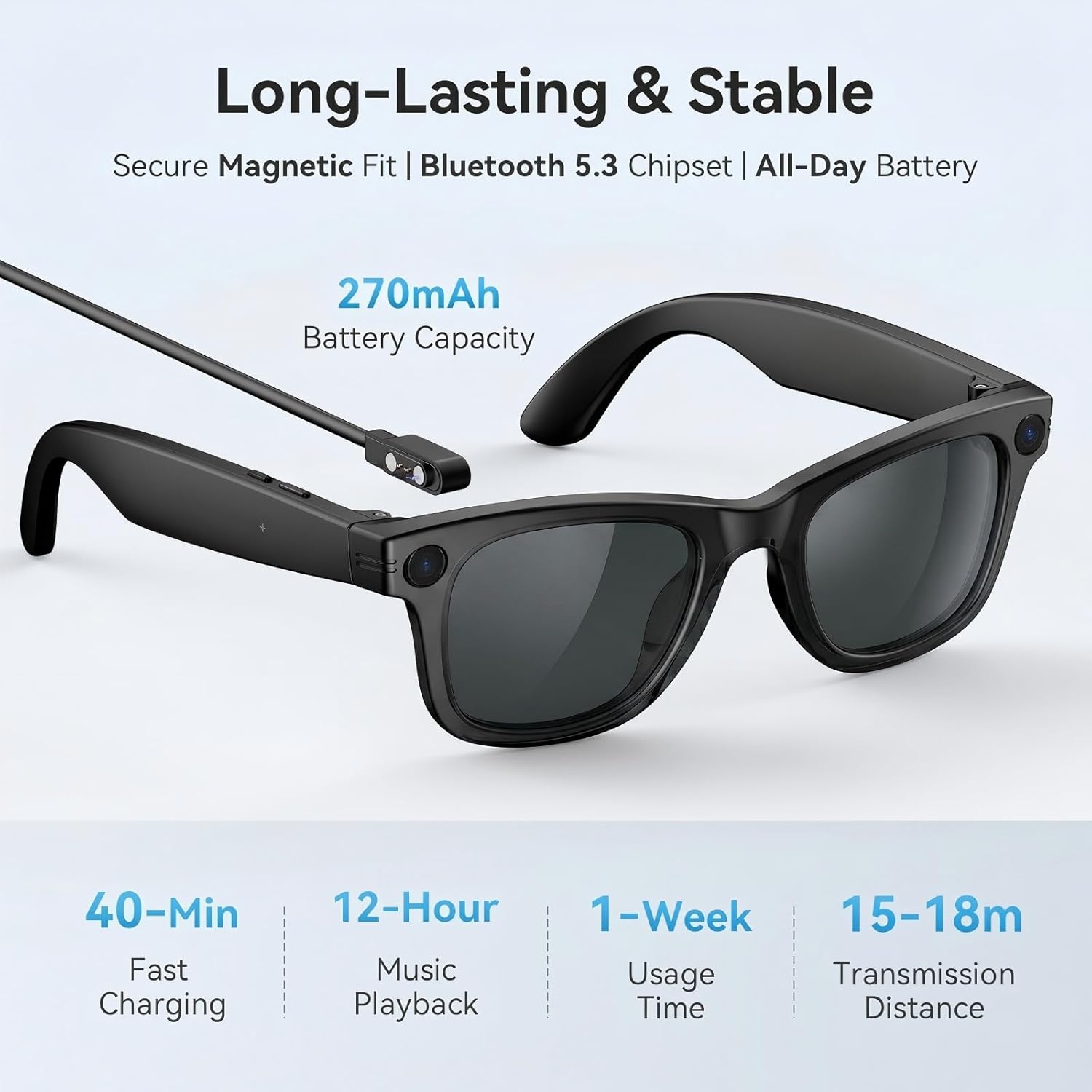
Image showing the smart glasses being used during physical activity, emphasizing their IP67 sweat and water resistance.
سار سنڀال
To ensure the longevity and optimal performance of your BooaBei AI Smart Glasses W610, follow these maintenance guidelines:
- صفائي: Use the provided glasses cloth to gently clean the lenses and frame. For stubborn smudges, lightly dampen the cloth with water or a lens cleaning solution. Avoid harsh chemicals or abrasive materials.
- اسٽوريج: When not in use, store the glasses in their protective packaging box to prevent scratches and damage.
- پاڻي جي نمائش: While IP67 rated for water and sweat resistance, avoid prolonged submersion or exposure to high-pressure water jets. Ensure the charging port is dry before connecting the charging cable.
- گرمي پد: Avoid exposing the glasses to extreme temperatures, both hot and cold, as this can affect battery life and electronic components.
مشڪلاتون
If you encounter issues with your BooaBei AI Smart Glasses W610, refer to the following common solutions:
- Glasses Not Turning On: Ensure the glasses are fully charged. Connect them to the charging cable and allow at least 10 minutes before attempting to power on again.
- Bluetooth ذريعي ڳنڍڻ جي قابل ناهي:
- Verify Bluetooth is enabled on your phone.
- Ensure the glasses are in pairing mode (refer to the APP Instruction Manual for specific steps).
- پنهنجو فون ۽ سمارٽ شيشو ٻئي ٻيهر شروع ڪريو.
- Clear the Bluetooth cache on your phone if issues persist.
- ايپ صحيح طريقي سان ڪم نه ڪري رهي آهي:
- Ensure the HeyCyan app is updated to the latest version.
- ايپ بند ڪريو ۽ ٻيهر کوليو.
- Reinstall the app if necessary.
- Check your phone's permissions for the app (e.g., access to camera, microphone, storage, network).
- خراب آڊيو معيار:
- Ensure the glasses are properly positioned on your face.
- Check for obstructions around the speakers or microphones.
- Verify the Bluetooth connection is stable and within range.
- Camera Not Recording/Taking Photos:
- Check the available storage capacity (32 GB internal memory).
- پڪ ڪريو ته ڪئميرا لينس صاف ۽ بي رڪاوٽ آهي.
- شيشي کي ٻيهر شروع ڪريو.
جيڪڏهن انهن قدمن سان مسئلو حل نه ٿيو ته مهرباني ڪري ڪسٽمر سپورٽ سان رابطو ڪريو.
وضاحتون
| خاصيت | تفصيل |
|---|---|
| ماڊل نمبر | W610 |
| آپريٽنگ سسٽم مطابقت | Android and iOS Systems |
| ميموري رکڻ جي صلاحيت | 32 جي بي |
| بيٽري جي گنجائش | 270 مليamp ڪلاڪ |
| بيٽري چارج وقت | 40 منٽ |
| بيٽري جي سراسري زندگي | 7 ڏينهن (اسٽينڊ بائي) |
| رابطي ٽيڪنالاجي | بلوٽوٿ 5.3، وائي فائي |
| پاڻي جي مزاحمت جي سطح | IP67 پنروڪ |
| شيءِ جو وزن | 42 گرام |
| خاص خاصيتون | AI Voice Wake-Up, AI Photo Recognition, AI Intelligent Question-And-Answer Interaction, AI Intelligent Translation, HD Photo And Video Recording (With Anti-Shake Function), Voice Recording, Wifi Image Transfer To Mobile Phone, Slide To Adjust Volume, Wear Detection, Call Noise Reduction, Intelligent Voice Assistant, Bluetooth Calling, Music Playback (Switch, Pause Music) |
| انساني انٽرفيس ان پٽ | Buttons, Touch Bar |
| ڪنٽرولر جو قسم | Siri (Intelligent Voice Assistant) |
| Case Material Type | TP tough material |
| Communication Feature | Phone Call, Video Call, Voice Call |
وارنٽي ۽ سپورٽ
BooaBei offers a 30-day worry-free return and exchange policy, along with a two-year manufacturer warranty for your smart glasses. For any questions or assistance, our customer support team is available 24/7.
Please refer to the contact information provided in your product packaging or visit the official BooaBei webحمايت لاء سائيٽ.