
1. پراڊڪٽ ختمview
The Philips 55MLED610/94 is a 55-inch 4K Ultra HD QLED Smart QD-Mini LED Google TV. It features advanced display technology, smart connectivity, and integrated audio solutions for an enhanced viewتجربو.

سامهون view of the Philips 55MLED610/94 55-inch 4K QD-Mini LED Google TV.
اهم خاصيتون:
- ڏيکاريو: 4K QD-Mini LED Panel, Philips Halo Control Technology, Dolby Vision, Local Dimming, 120 Hz Motion Clarity HSR, HDR 10+, 178 Degree Wide Viewing Angle, MEMC, ALLM.
- سمارٽ ٽي وي: Google TV operating system, 2GB RAM, 32GB ROM, Quad Core Processor, Dual band WIFI 5, Hands-Free Voice Control, Screen Mirroring, Google Assistant compatibility.
- آڊيو: 36 Watts Output, Dolby Atmos, Dolby Audio.
- رابطي: 3 HDMI Ports (including HDMI 2.1), 2 USB Ports, 1 LAN Port, 1 Antenna Input, 1 Satellite Input, 1 Digital Audio Out (Optical), 1 AV-IN, 1 Earphone port.
2. سيٽ اپ ۽ تنصيب
2.1 پيڪنگ ۽ مواد
Carefully unpack the television and ensure all components are present.
- 1N TV Unit
- 2N Stand Bases
- 1N تڪڙي شروعات گائيڊ
- 1N وارنٽي ڪارڊ
- 1N ريموٽ ڪنٽرول
- 2N AAA بيٽريون (ريموٽ لاءِ)
- 1N پاور ڪنڊ
- 4N Screws (for stand/mount)
- 1N AV Converting Cable

Illustration showing the TV unit and its included accessories for setup.
2.2 اسٽينڊ انسٽاليشن يا وال ماؤنٽنگ
The television supports both table-top stand installation and wall mounting.
- ٽيبل جبل: Attach the provided stand bases to the bottom of the TV unit using the included screws. Ensure the stand is stable on a flat surface.
- ڀت جبل: For wall mounting, use a compatible VESA wall mount (not included) and follow the instructions provided with the wall mount. Refer to the TV's back panel for mounting points.

ريڙهه view of the television, highlighting the mounting points and various input/output ports.
2.3 پردي کي ڳنڍڻ
Connect your external devices such as set-top boxes, gaming consoles, and audio systems to the TV using the appropriate ports.
- HDMI: Use HDMI ports for high-definition video and audio from devices like Blu-ray players or gaming consoles. HDMI 2.1 supports advanced features.
- USB: Connect USB drives for media playback or external storage.
- LAN: هڪ مستحڪم وائرڊ انٽرنيٽ ڪنيڪشن لاءِ.
- اينٽينا/سيٽلائيٽ: Connect your antenna or satellite dish for broadcast TV.
- ڊجيٽل آڊيو آئوٽ (آپٽيڪل): ٻاهرين سائونڊ سسٽم سان ڳنڍڻ لاءِ.
- AV-IN: پراڻن ڊوائيسز لاءِ جيڪي جامع وڊيو ۽ اسٽيريو آڊيو استعمال ڪن ٿا.
- ائڊفون: ذاتي ٻڌڻ لاءِ.

تفصيلي view of the television's input and output ports, including HDMI, USB, LAN, and audio connections.
3. آپريٽنگ هدايتون
3.1 شروعاتي پاور آن ۽ گوگل ٽي وي سيٽ اپ
After connecting the power cord, press the power button on the remote control or TV. Follow the on-screen instructions to complete the initial setup, including language selection, network connection (Wi-Fi or LAN), and Google account sign-in.

گوگل ٽي وي انٽرفيس، مختلف اسٽريمنگ ايپليڪيشنون ۽ مواد جون سفارشون ڏيکاري ٿو.
3.2 ريموٽ ڪنٽرول افعال
The provided remote control uses both IR and Bluetooth technology. Insert the two AAA batteries as indicated.

The remote control for the Philips 55MLED610/94 TV, featuring dedicated buttons for streaming services and Google Assistant.
- پاور بٽڻ: ٽي وي کي آن يا بند ڪري ٿو.
- نيويگيشن پيڊ: مينيو نيويگيشن ۽ چونڊ لاءِ.
- گوگل اسسٽنٽ بٽڻ: حڪمن ۽ ڳولا لاءِ آواز ڪنٽرول کي چالو ڪري ٿو.
- حجم/چينل بٽڻ: حجم کي ترتيب ڏئي ٿو ۽ چينل تبديل ڪري ٿو.
- ايپ شارٽ ڪٽ بٽڻ: Direct access to popular streaming services like Netflix and Prime Video.
3.3 Smart TV Features and Applications
The Google TV platform provides access to a wide range of applications and services.
- اڳ ۾ نصب ٿيل ائپس: Access popular streaming services such as Prime Video, Netflix, Hotstar, Zee5, YouTube, Eros Now, Hungama, JioCinema, and SonyLiv.
- گوگل اسسٽنٽ: Use hands-free voice control to search for content, control smart home devices, and get information.
- اسڪرين مررنگ (Miracast): Cast content from compatible mobile devices to the TV screen.
- Web برائوزر: پنهنجي ٽي وي تي سڌو سنئون انٽرنيٽ برائوز ڪريو.
3.4 ڊسپلي ۽ آڊيو سيٽنگون
پنهنجي تصوير ۽ آواز جي سيٽنگن کي بهتر بڻائڻ لاءِ ترتيب ڏيو viewٻڌڻ ۽ ٻڌڻ جو تجربو.
- تصوير جا طريقا: Select from various picture modes (e.g., Standard, Vivid, Movie, Game) or customize settings like brightness, contrast, color, and sharpness.
- ڊولبي ويزن ۽ HDR10+: The TV automatically detects and optimizes content for Dolby Vision and HDR10+ for enhanced dynamic range and color.
- آواز جا طريقا: Choose sound modes (e.g., Standard, Music, Movie) or adjust equalizer settings. Dolby Atmos provides immersive audio.
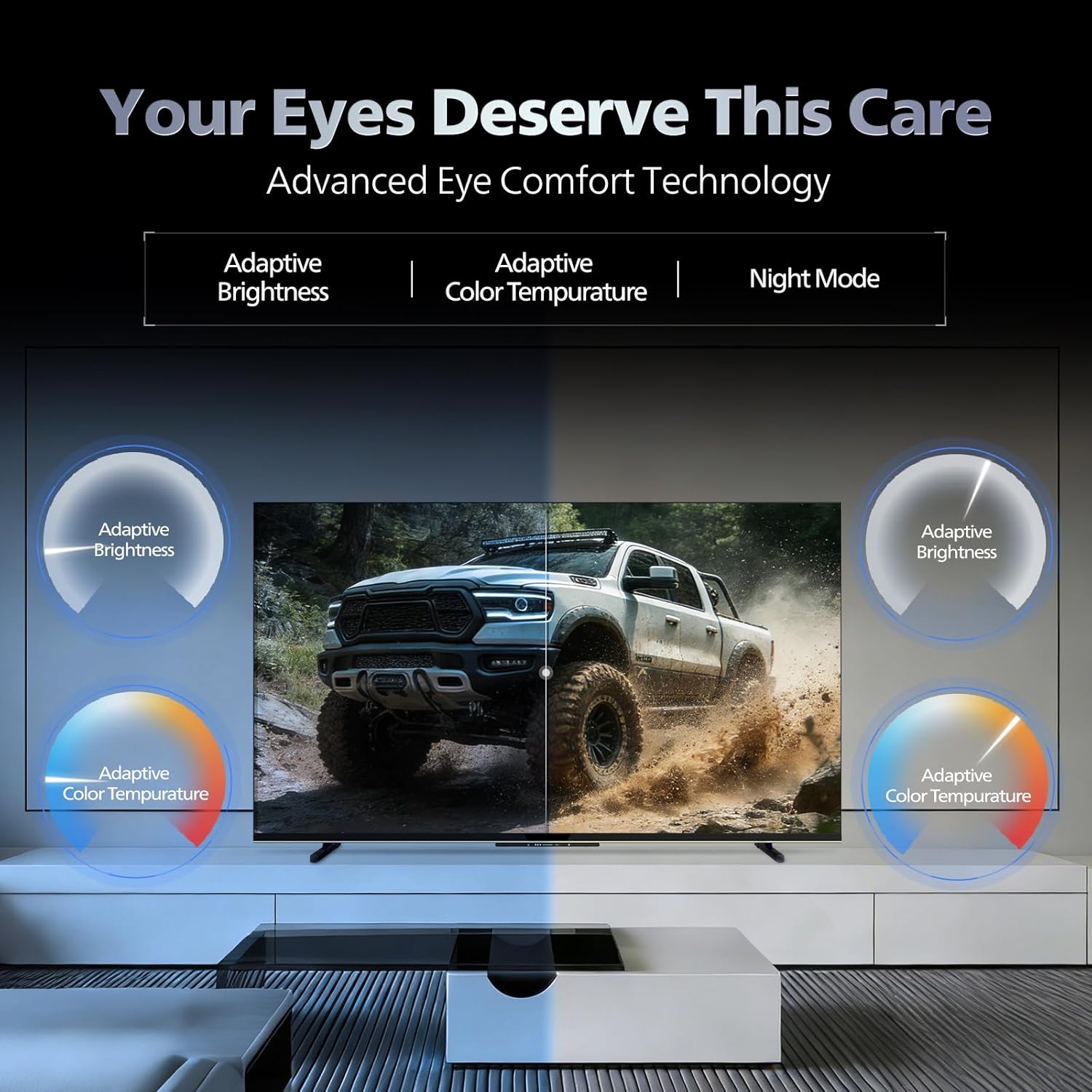
- اکين جي آرام واري ٽيڪنالاجي: Features like Adaptive Brightness, Adaptive Color Temperature, and Night Mode are available to reduce eye strain.

Visual representation of the TV's advanced eye comfort technology, including adaptive brightness and color temperature.

A visual demonstrating the immersive multi-dimensional audio experience provided by Dolby Atmos on the television.
4. سار سنڀال
4.1 ٽي وي صاف ڪرڻ
To clean the screen and cabinet, first unplug the power cord. Use a soft, lint-free cloth. For stubborn marks, lightly dampڪپڙي کي پاڻي يا نرم، غير رگڙندڙ اسڪرين ڪلينر سان ڍڪيو. ڪڏهن به ڪلينر کي سڌو سنئون اسڪرين تي نه اسپري ڪريو.
اهم: The television is پاڻي جي مزاحمت نه ڪندڙ. Avoid exposing it to liquids.
4.2 سافٽ ويئر اپڊيٽ
Ensure your TV's software is up to date for optimal performance and security. The TV will typically prompt you for available updates. You can also manually check for updates in the settings menu.
5. مسئلا حل ڪرڻ
If you encounter issues with your television, try the following basic troubleshooting steps before contacting support.
- طاقت ناهي: پڪ ڪريو ته پاور ڪنڊ ٽي وي ۽ ڪم ڪندڙ پاور آئوٽليٽ ٻنهي ۾ محفوظ طور تي پلگ ان ٿيل آهي. هڪ مختلف آئوٽليٽ آزمايو.
- ڪابه تصوير/آواز ناهي: سڀ ڪيبل ڪنيڪشن چيڪ ڪريو (HDMI، AV، اينٽينا). پڪ ڪريو ته ٽي وي تي صحيح ان پٽ سورس چونڊيو ويو آهي.
- ريموٽ ڪم نه ڪري رهيو آهي: ريموٽ ڪنٽرول ۾ بيٽريون تبديل ڪريو. پڪ ڪريو ته ريموٽ ۽ ٽي وي جي IR سينسر جي وچ ۾ ڪا به رڪاوٽ نه آهي.
- انٽرنيٽ ڪنيڪشن جا مسئلا: Restart your Wi-Fi router. Check the TV's network settings and ensure it's connected to the correct network. Try a wired LAN connection if possible.
- تصوير جي معيار جا مسئلا: تصوير جي سيٽنگن کي ترتيب ڏيو (چمڪ، برعڪس، تيز). پڪ ڪريو ته مواد جو ذريعو اعليٰ معيار جو آهي.
The television displaying a fast-paced gaming scene, highlighting its 120Hz refresh rate and gaming optimization features.
6. وضاحتون
| خاصيت | تفصيل |
|---|---|
| ماڊل نمبر | 55MLED610/94 |
| اسڪرين جي ماپ | 55 انچ (138 سينٽي) |
| ڊسپلي ٽيڪنالاجي | QD-مني LED |
| قرارداد | 4K الٽرا HD (3840 x 2160) |
| ريفريش جي شرح | 120 Hz HSR |
| HDR فارميٽ جي حمايت ڪئي وئي | HDR10+، ڊولبي ويزن |
| Viewزاويه | 178 درجا |
| آواز آئوٽ | 36 واٽ |
| آڊيو انڪوڊنگ | Dolby Atmos, Dolby Audio |
| آپريٽنگ سسٽم | گوگل ٽي وي |
| رام | 2 جي بي |
| روم | 32 جي بي |
| رابطي | Wi-Fi (Dual band WIFI 5), Bluetooth 5.1, 3 HDMI (1x HDMI 2.1 eARC), 2 USB, 1 LAN, 1 Antenna, 1 Satellite, 1 Digital Audio Out (Optical), 1 AV-IN, 1 Earphone |
| پيداوار جا طول و عرض (ڊي x ڊبليو x ايڇ) | 8D x 144.5W x 84H سينٽي ميٽر |
| Item Weight Without Stand | 9.4 ڪلوگرام |
| بجلي جو استعمال | 130 واٽ |
| توانائي جي درجه بندي | 3 اسٽار |
| سالياني توانائي واپرائڻ | 182 ڪلوواٽ / سال |
| شامل اجزاء | TV Unit, Stand Bases, Quick Start Guide, Warranty Card, Remote, Batteries, Power cord, Screws, AV Converting Cable |

Dimensional drawing of the Philips 55MLED610/94 TV, showing height, width, and depth measurements.
7. وارنٽي ۽ سپورٽ
7.1 وارنٽي ڄاڻ
A 1-year warranty is provided by the manufacturer from the date of purchase. Warranty claims can be processed using your Amazon e-invoice.
The warranty covers manufacturing defects but does not cover spares.
7.2 ڪسٽمر سپورٽ
For assistance, contact the brand's toll-free number: 18004256396. Please provide the product's model name (55MLED610/94) and seller's details from your invoice. The service center will schedule a convenient service slot.
ٺاهيندڙ: Radiant Appliances And Electronics Private Limited
Survey No. 111, 112, S-2 A 1, Ecity, Fabcity, Maheshwaram Mandal Raviryala Village, Ranga Reddy, Telangana- 501141
درآمد ڪندڙ: ٽي پي وي ٽيڪنالاجي انڊيا پرائيويٽ لميٽيڊ
Unit No. 307-308 3rd Floor, SEWA Corporate Park MG Road Gurugram Haryana 122002