
DOGOITM B0FP554VHH
DOGOITM GPS Wireless Dog Fence System Instruction Manual
Model: B0FP554VHH
1. تعارف
Thank you for choosing the DOGOITM GPS Wireless Dog Fence System. This system is designed to provide a safe and reliable containment solution for your pet using advanced GPS technology. Please read this manual thoroughly before operating the device to ensure proper use and to maximize its effectiveness and your pet's safety.
2. پراڊڪٽ ختمview
The DOGOITM GPS Wireless Dog Fence System utilizes a U-BLOX chip for accurate and real-time positioning, creating a customizable wireless boundary for your dog. It features multiple correction modes and is built to withstand outdoor conditions.
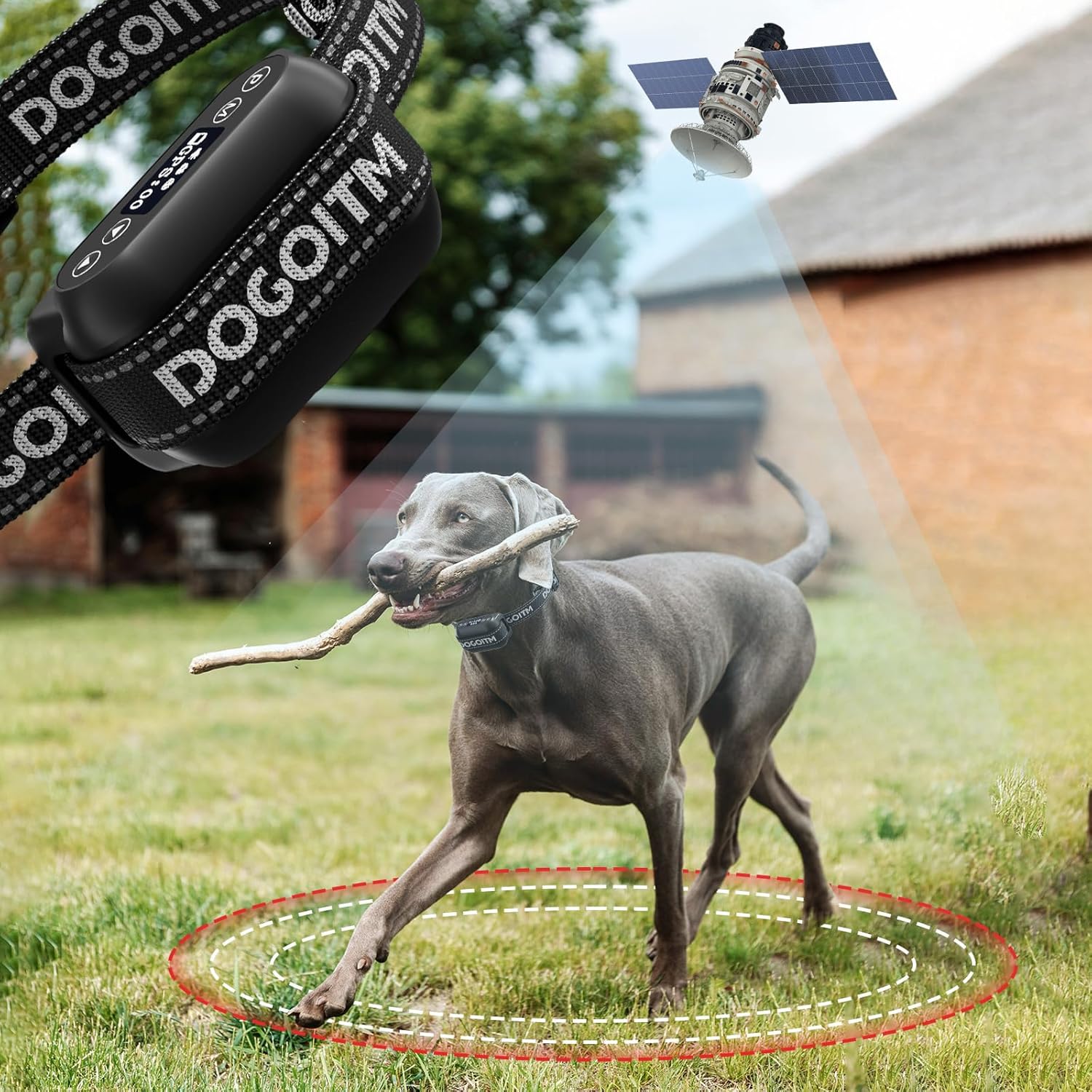
Figure 2.1: The DOGOITM GPS Wireless Dog Fence System collar, showing its connection to a satellite for boundary tracking.

Figure 2.2: Illustration of the wireless boundary, depicting the safe zone, wireless fence boundary, and correction zone around a GPS center point.
3. پيڪيج مواد
مھرباني ڪري تصديق ڪريو ته ھيٺ ڏنل سڀ شيون توھان جي پيڪيج ۾ شامل آھن:
- جي پي ايس وائرليس ڪتي باڑ ٽريننگ ڊيوائس (1 پي سيز)
- ڪالر (1 پي سيز)
- چارجنگ ڪيبل (1 پي سيز)
- برقي جھٽڪو ٽيسٽ لائيٽ (1 پي سيز)
- رابطي جا نقطا (3 جوڙو)
- سلڪون ڪپڙا (3 جوڙو)
- استعمال ڪندڙ دستي (1 سيٽ)
4. اهم خاصيتون
- Accurate GPS Wireless Boundary: Equipped with a U-BLOX chip for strong anti-interference, ultra-low power consumption, and high sensitivity. Connects to multiple satellites for precise positioning and real-time signal reception, ensuring accurate boundary enforcement.
- Ultra Long Control Range: Adjustable radius from 65 feet (minimum) to 3290 feet (maximum), adjustable in 10-foot increments. Ideal for various activity ranges. Note: Not suitable for small yards (less than 0.3 acres).

Figure 4.1: The system allows for a wide range of adjustable boundary sizes, from 65 to 3290 feet.
- Three Adjustable Correction Modes: Features Beep (0-1 level), Vibration (0-5 levels), and Shock (0-10 levels) modes. Intensity can be adjusted to suit your dog's temperament. Corrections activate when the dog exits the set boundary.

Figure 4.2: The three adjustable correction modes: Beep, Vibration, and Static Shock, with their respective intensity levels.
- Rechargeable and Waterproof Pet Containment System: Equipped with a rechargeable battery providing up to 50 hours of continuous operation. IPX6 waterproof design ensures functionality in humid environments and during water activities.

Figure 4.3: The device is IPX6 waterproof, allowing your dog to play freely in various water conditions.

Figure 4.4: The collar features a long-lasting rechargeable battery, providing up to 50 hours of use on a 5-hour charge.
- سيٽ اپ ڪرڻ آسان: Utilizes GPS technology, eliminating the need for a separate transmitter, app downloads, subscription fees, or digging. Simplifies installation significantly.

Figure 4.5: The system is designed for ease of use, requiring no app, subscription, or complex installation.
- Suitable for Most Dogs: Device size is 2.75*1.77*1.37 inches, weighing 0.27 lbs. The adjustable collar fits dogs weighing 10-120 lbs with neck sizes of 10-28 inches.

Figure 4.6: The adjustable collar accommodates a wide range of dog sizes and breeds.
5. سيٽ اپ گائيڊ
5.1 Setting Up the Collar
Follow these steps to properly attach the collar to the device and adjust its length:

Figure 5.1: Step-by-step instructions for assembling and adjusting the collar.
- Pass the collar through the device and release buckle.
- Slide and thread the collar into the hole of the glide buckle.
- Pass the excess belt through the release buckle.
- Cut off any excess collar material and carefully burn the end to prevent fraying.
5.2 Setting Up the GPS Device
Prepare the GPS device for operation by installing contact points and setting the boundary:

Figure 5.2: Step-by-step instructions for configuring the GPS device.
- Install the Contact Points: Securely attach the appropriate contact points to the device.
- Turn on the Device and Positioning: Power on the device. It will begin acquiring GPS signals for positioning.
- Set Distance: Press the 'M' key to enter the distance setting mode. Use the up and down keys to adjust the boundary radius to your desired value (65-3290 feet).
- Set Warning Mode: Press the 'M' key again to enter the warning mode setting. Use the up and down keys to adjust the intensity level for Beep, Vibration, and Shock modes.
- Use the Tool to Test the Electric Shock: Before placing on your dog, use the provided test light to verify the shock function.
- Wear the Device: Once configured, place the device on your dog. Your dog can now play freely within the defined safe boundary.
6. آپريٽنگ هدايتون
6.1 Understanding the Boundary System
The system establishes a circular boundary around a central GPS point. As your dog approaches the boundary, the device will activate the selected warning modes:
- محفوظ علائقو: Within this area, your dog can roam freely without any corrections.
- Wireless Fence Boundary: As your dog approaches this line, the device will initiate the first level of warning (e.g., beep).
- Correction Zone: If your dog continues past the boundary, the device will escalate the correction (e.g., vibration, then static shock) to encourage them to return to the safe zone.
6.2 Testing the Electric Shock Function
To ensure the static shock function is working correctly, use the provided test light:

Figure 6.1: Instructions for testing the static shock feature using the provided test light.
- Hold the test tool against the contact points on the device.
- Press the up and down keys together for 3 seconds.
- If the test tool lights up, the shock mode is functioning correctly.
7. سار سنڀال
- صفائي: Regularly wipe the device and collar with a damp cloth. Ensure contact points are clean and free of debris. Do not use harsh chemicals.
- چارج ڪرڻ: Recharge the device when the battery indicator is low. Use only the provided charging cable.
- اسٽوريج: When not in use for extended periods, store the device in a cool, dry place. Ensure it is fully charged before storage and periodically recharge it to maintain battery health.
- رابطي جا نقطا: Periodically check the contact points for wear and tear. Replace if necessary to ensure effective correction.
8. مسئلا حل ڪرڻ
| مسئلو | ممڪن سبب | حل |
|---|---|---|
| ڊوائيس چالو نه آهي. | گھٽ بيٽري. | ڊوائيس مڪمل طور تي چارج ڪريو. |
| Inconsistent boundary or corrections. | Poor GPS signal; dense tree cover; large buildings; device not properly positioned on dog. | Ensure clear line of sight to sky; test in an open area; adjust collar fit. |
| No static shock output during test. | Test light not properly placed; shock mode not activated; low battery. | Ensure test light touches both contact points; activate shock mode (refer to setup); charge device. |
| Dog not responding to corrections. | Collar too loose; contact points not making proper skin contact; correction intensity too low. | Tighten collar (two fingers snug); ensure contact points are appropriate length for dog's fur; increase correction intensity. |
| Device not holding charge. | Battery degradation; faulty charging cable. | Contact customer support for battery replacement or warranty claim; try a different charging cable. |
9. وضاحتون
| خاصيت | تفصيل |
|---|---|
| برانڊ | DOGOITM |
| ماڊل نمبر (ASIN) | B0FP554VHH |
| شيءِ جو وزن | 10.2 ounces (device) |
| پيداوار جي ماپ (LxWxH) | 5.4 x 3.9 x 1.9 انچ |
| بيٽري جو قسم | 1 ليتيم آئن بيٽري (شامل) |
| بيٽري جي زندگي | 50 ڪلاڪن تائين مسلسل استعمال |
| پنروڪ درجه بندي | IPX6 |
| Control Range Radius | 65 - 3290 feet (adjustable in 10 ft increments) |
| اصلاح جا طريقا | Beep (0-1), Vibration (0-5), Shock (0-10) |
| Collar Adjustable Range | 10 - 30 انچ |
| ڪتي جو مناسب وزن | 10 - 120 پائونڊ |
| رنگ | بيج |
10. وارنٽي ۽ سپورٽ
DOGOITM provides comprehensive after-sales support for your GPS Wireless Dog Fence System:
- وارنٽي: 2 سال ٺاهيندڙ وارنٽي.
- مفت متبادل: Within one year of purchase.
- مفت سار سنڀال: Within two years of purchase.
- ڪسٽمر سپورٽ: Our pet product experts are available to assist you with any questions or issues. Please contact us for support, and we will endeavor to solve your problem within 24 hours.
For warranty claims or technical assistance, please refer to the contact information provided on the product packaging or the official DOGOITM webسائيٽ.
Ask a question about this manual
Ask about setup, troubleshooting, compatibility, parts, safety, or missing instructions. Manuals+ will review the question and use this page’s manual context to help answer it.