1. تعارف
This manual provides essential information for setting up, operating, and maintaining your KUU XBOOK-3 14.1 inch Laptop. Please read this guide thoroughly before using your device to ensure proper function and longevity. Keep this manual for future reference.
2. حفاظت جي ڄاڻ
- ليپ ٽاپ کي انتهائي گرمي پد، سڌي سج جي روشني، يا وڌيڪ نمي جي سامهون نه رکو.
- ليپ ٽاپ تي ڳري شيون رکڻ کان پاسو ڪريو.
- صرف ڊوائيس سان مهيا ڪيل اصل پاور اڊاپٽر استعمال ڪريو.
- Keep the laptop away from liquids and strong magnetic fields.
- Do not attempt to disassemble or repair the laptop yourself. Contact qualified service personnel for assistance.
- وڌيڪ گرم ٿيڻ کان بچڻ لاءِ مناسب وائيٽليشن کي يقيني بڻايو وڃي.
3. پيڪيج مواد
Upon unpacking your KUU XBOOK-3 Laptop, please verify that all items listed below are present:
- KUU XBOOK-3 14.1 inch Laptop
- Power Adapter (12V 2A DC 3.5 Input)
- Keyboard Stickers (Spanish, Italian, German, French)
- استعمال ڪندڙ جو دستياب (ھي دستاويز)
4. پراڊڪٽ ختمview
Familiarize yourself with the key components and features of your KUU XBOOK-3 Laptop.
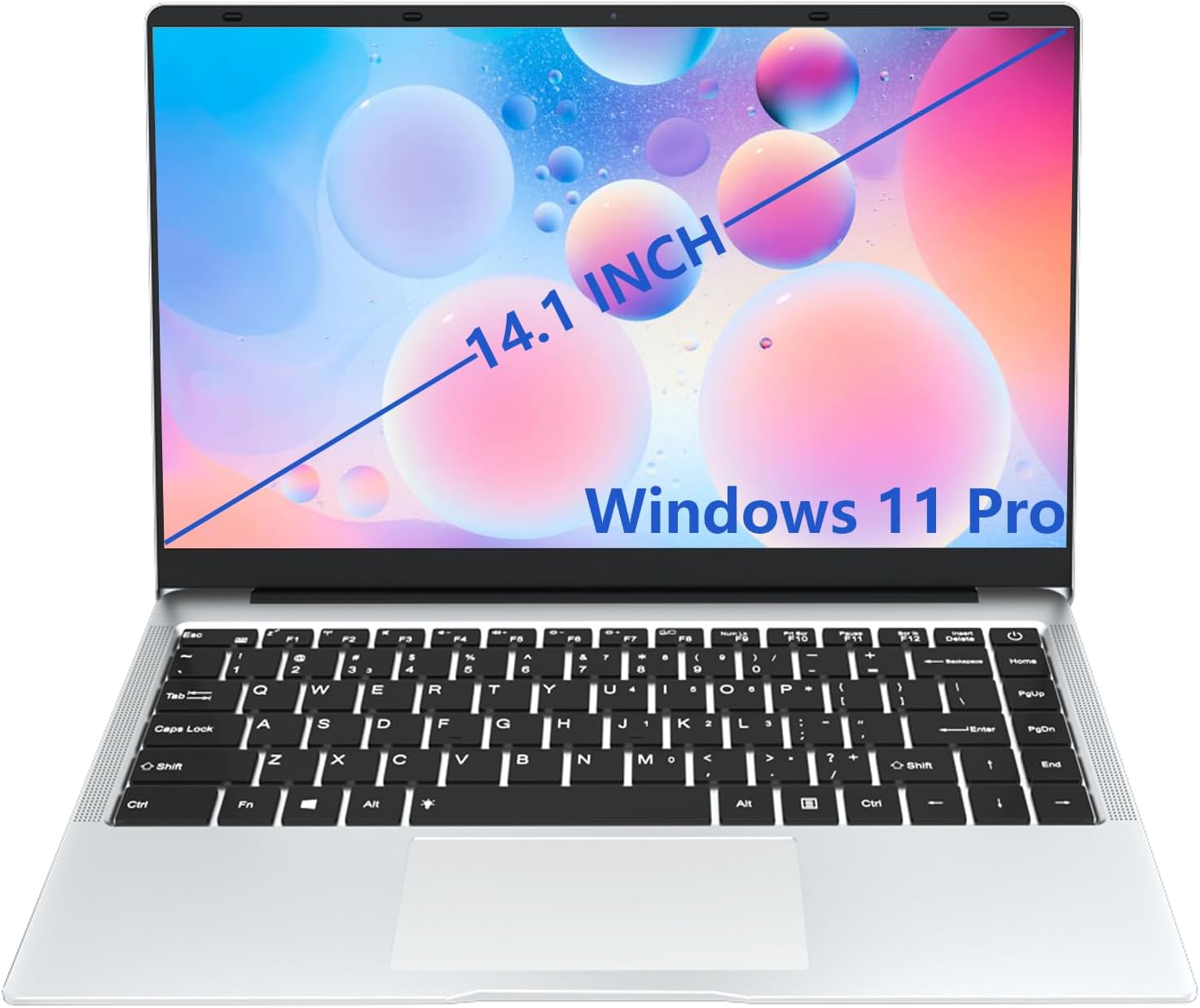
شڪل 4.1: The KUU XBOOK-3 Laptop in its standard open position, showcasing the 14.1-inch display and Windows 11 Pro operating system.
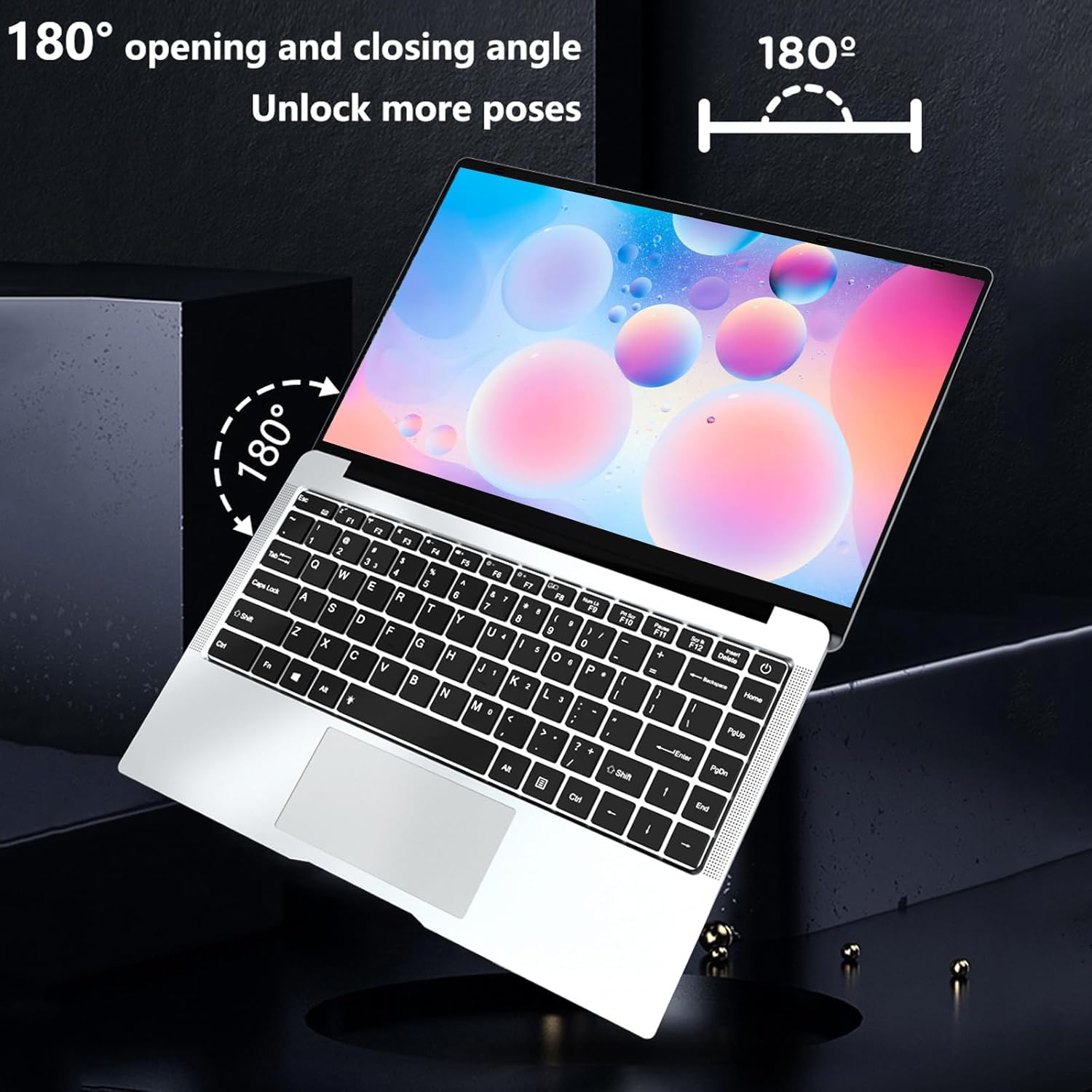
شڪل 4.2: The KUU XBOOK-3 Laptop's screen can open up to 180 degrees, offering flexible viewمختلف ڪمن لاءِ زاويه لڳائڻ.
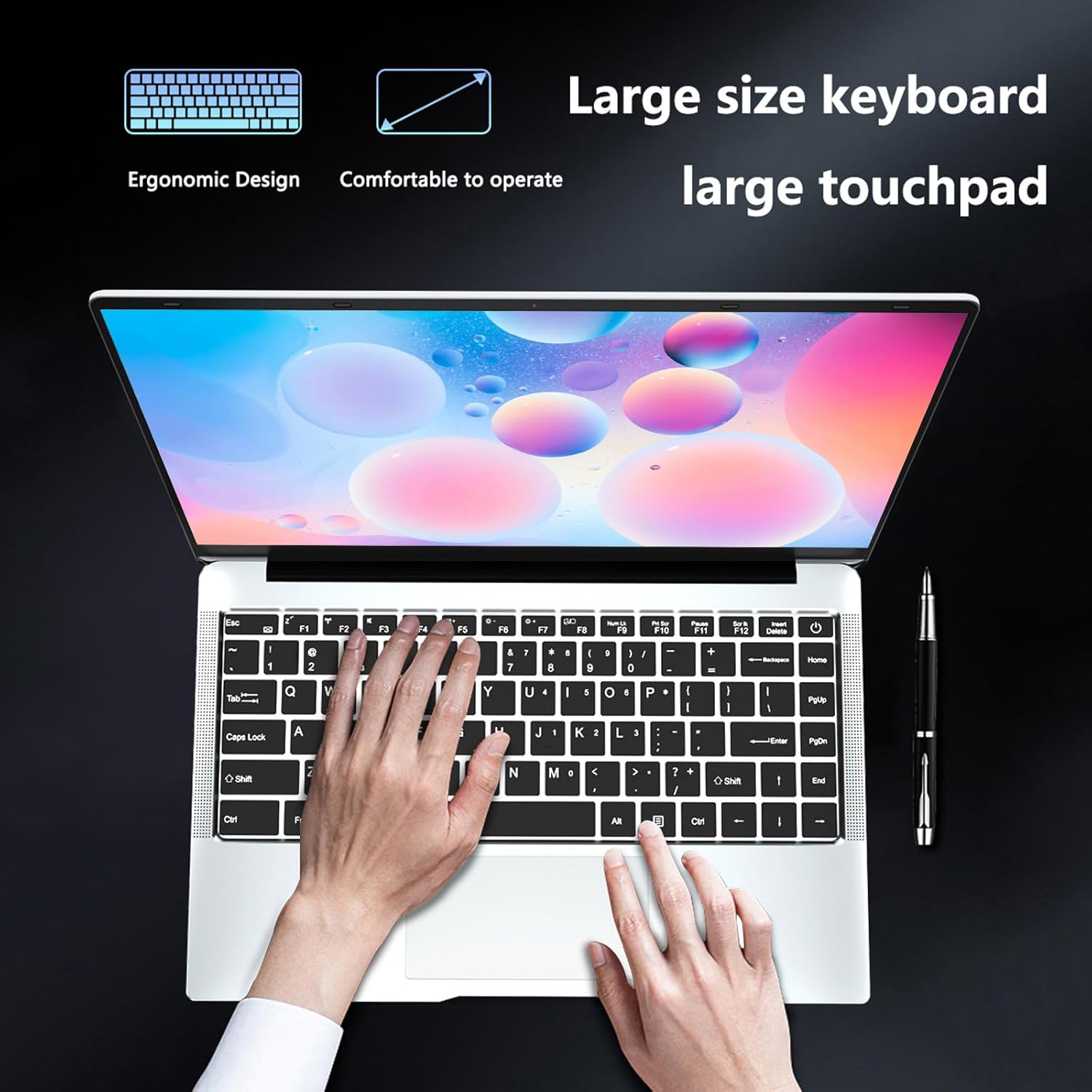
شڪل 4.3: The ergonomic design of the KUU XBOOK-3 features a large keyboard and a spacious touchpad for comfortable and efficient operation.

شڪل 4.4: پاسي view of the KUU XBOOK-3 Laptop, highlighting the available ports for connectivity, including miniSD, earphone jack, USB 2.0, USB 3.0, DC 3.5 charging port, and Mini HDMI.
5. سيٽ اپ
5.1 شروعاتي پاور آن
- بيٽري کي چارج ڪريو: Before first use, connect the power adapter to the DC 3.5 charging port on the laptop and then to a power outlet. Allow the laptop to charge for at least 30 minutes.
- پاور آن: Press and hold the power button (usually located on the top right of the keyboard) until the screen illuminates.
- ونڊوز 11 پرو سيٽ اپ: ونڊوز 11 پرو جي شروعاتي سيٽ اپ کي مڪمل ڪرڻ لاءِ اسڪرين تي ڏنل هدايتن تي عمل ڪريو. ان ۾ توهان جي ٻولي، علائقو چونڊڻ، وائي فائي نيٽ ورڪ سان ڳنڍڻ، ۽ صارف اڪائونٽ ٺاهڻ شامل آهي.
5.2 پردي کي ڳنڍڻ
Your KUU XBOOK-3 Laptop supports various external devices:
- USB ڊوائيسز: Connect USB mice, keyboards, external hard drives, or flash drives to the USB 2.0 or USB 3.0 ports.
- Disاهرين ڊسپلي: Use the Mini HDMI port to connect to an external monitor or projector. You may need an adapter (not included) for standard HDMI connections.
- آڊيو ڊوائيسز: Plug headphones or external speakers into the standard 3.5mm headphone jack.
6. توهان جي ليپ ٽاپ کي هلائڻ
6.1 ونڊوز 11 پرو بنياديات
Your laptop comes pre-installed with Windows 11 Pro, offering a secure and responsive operating environment. Familiarize yourself with the Start Menu, Taskbar, and File موثر نيويگيشن لاءِ ايڪسپلورر.
6.2 ڪي بورڊ ۽ ٽچ پيڊ
The laptop features a full-size QWERTY keyboard and a large touchpad. Keyboard stickers are provided for various language layouts if needed.
- ٽچ پيڊ اشارو: Refer to Windows 11 settings for customizing touchpad gestures (e.g., two-finger scroll, pinch-to-zoom).
- فنڪشن ڪيز (Fn): Use the 'Fn' key in combination with the F1-F12 keys to access special functions like brightness control, volume adjustment, and Wi-Fi toggle.
6.3 ڊسپلي سيٽنگون
The 14.1-inch IPS FHD (1920x1080) display offers clear visuals. You can adjust display settings through Windows 11:
- Right-click on the desktop and select 'Display settings' to change resolution, scale, and orientation.
- The screen supports a 180-degree opening angle for versatile use.

شڪل 6.1: The KUU XBOOK-3 features a micro-border full screen with a 5mm ultra-narrow frame, providing an immersive viewing experience with a 178° wide viewزاويه.
6.4 ڪنيڪٽوٽي (وائي فائي، بلوٽوٿ)
- وائي فائي: The laptop supports Dual Band Wi-Fi (802.11 A/B/G/N) for stable wireless internet access. To connect, click the Wi-Fi icon in the taskbar, select your network, and enter the password.
- بلوٽوٿ: Bluetooth 4.2 allows connection to wireless peripherals like headphones, speakers, or mice. Enable Bluetooth in Windows settings and pair your devices.
6.5 Ports and External Devices
The KUU XBOOK-3 is equipped with the following ports:
- 1 x USB 3.0 پورٽ
- 1 x USB 2.0 پورٽ
- 1 x Mini HDMI port
- 1 x Standard 3.5mm Headphone Jack
- 1 x MiniSD (TF Card) slot
- 1 x DC 3.5 charging port
7. سار سنڀال
7.1 صفائي
- اسڪرين ۽ ٻاهرين سطحن کي صاف ڪرڻ لاءِ نرم، لِنٽ کان پاڪ ڪپڙو استعمال ڪريو.
- ضدي نشانن لاءِ، ٿورو ڊيampڪپڙي کي پاڻي يا اسڪرين محفوظ ڪلينر سان ڌوئڻ ڏيو.
- ليپ ٽاپ تي سڌو سنئون مائع اسپري ڪرڻ کان پاسو ڪريو.
- مٽي ۽ ملبہ هٽائڻ لاءِ ڪيبورڊ ۽ ٽچ پيڊ کي باقاعدي صاف ڪريو.
7.2 بيٽري جي سنڀال
- بيٽري جي عمر وڌائڻ لاءِ، بيٽري کي بار بار مڪمل طور تي ڊسچارج ڪرڻ کان پاسو ڪريو.
- جيڪڏهن ليپ ٽاپ کي گهڻي وقت تائين استعمال نه ڪيو وڃي ته ان کي ٿڌي، سڪل جاءِ تي رکو، ۽ بيٽري کي تقريباً 50 سيڪڙو چارج ڪيو وڃي.
- The integrated Lithium Polymer battery (3800mAh, 7.6V) is not user-replaceable.
7.3 اسٽوريج جي واڌ
The KUU XBOOK-3 comes with a 256GB SATA SSD. You can expand storage:
- TF ڪارڊ: Insert a MicroSD (TF) card into the dedicated slot for additional storage, up to 1TB.
- External SSD: Connect an external SSD via the USB 3.0 port for portable storage.
8. مسئلا حل ڪرڻ
هي سيڪشن عام مسئلن کي حل ڪري ٿو جيڪي توهان کي پنهنجي KUU XBOOK-3 ليپ ٽاپ سان منهن ڏيڻا پوندا.
| مسئلو | ممڪن سبب | حل |
|---|---|---|
| ليپ ٽاپ آن نٿو ٿئي. | گهٽ بيٽري يا پاور اڊاپٽر جو مسئلو. | پڪ ڪريو ته پاور اڊاپٽر محفوظ طور تي ڳنڍيل آهي ۽ ليپ ٽاپ چارج ٿيل آهي. هڪ مختلف پاور آئوٽليٽ آزمايو. |
| وائي فائي ڪنيڪشن جا مسئلا. | Incorrect password, router problem, or Wi-Fi disabled. | Verify Wi-Fi password. Restart your router. Check if Wi-Fi is enabled in Windows settings or via Fn key. |
| سست ڪارڪردگي. | تمام گهڻيون ايپليڪيشنون هلندڙ، گهٽ اسٽوريج، يا پراڻا ڊرائيور. | غير ضروري ايپليڪيشنون بند ڪريو. ڊسڪ جي جاءِ خالي ڪريو. ونڊوز ۽ ڊوائيس ڊرائيورز کي اپڊيٽ ڪريو. |
| ٻاهرين ڊسپلي نه ملي. | Incorrect cable, display input, or Windows display settings. | Ensure Mini HDMI cable is connected properly. Select the correct input on your monitor. Press Windows key + P to cycle through display modes. |
جيڪڏهن توهان کي اهڙا مسئلا درپيش اچن ٿا جيڪي هتي شامل نه آهن، ته مهرباني ڪري سپورٽ سيڪشن جو حوالو ڏيو.
9. وضاحتون
KUU XBOOK-3 ليپ ٽاپ لاءِ تفصيلي ٽيڪنيڪل وضاحتون:
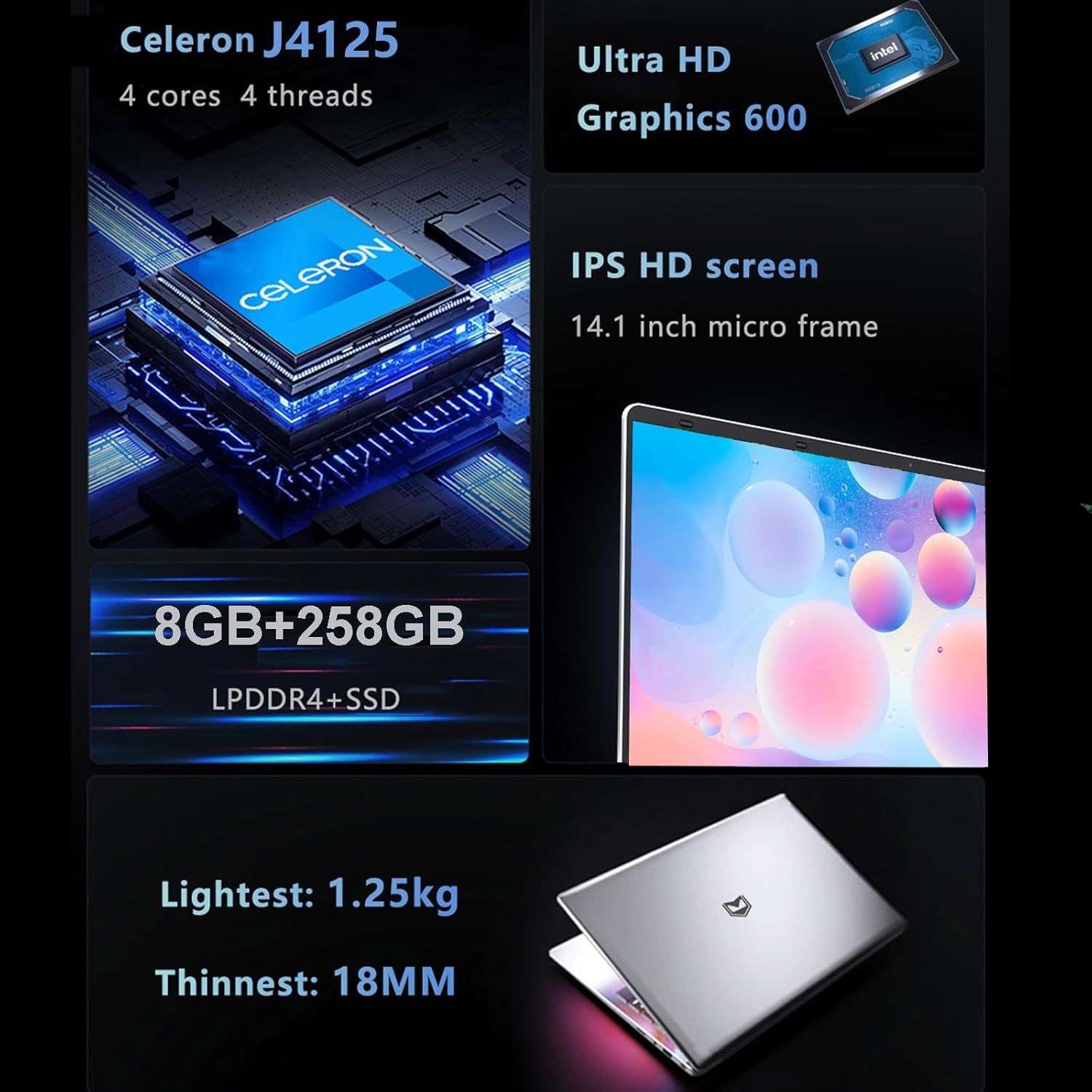
شڪل 9.1: Visual summary of the KUU XBOOK-3's core specifications, including processor, graphics, memory, storage, display, and physical attributes.
| خاصيت | تفصيل |
|---|---|
| ماڊل | ايڪس بڪ-3 |
| آپريٽنگ سسٽم | ونڊوز 11 پرو |
| پروسيسر | Intel Celeron J4125 (4 cores, 4 threads, 2GHz base, up to 2.7GHz burst) |
| گرافڪس | Intel UHD گرافڪس 600 |
| رام | 8GB LPDDR4 |
| ذخيرو | 256GB SATA SSD (expandable via TF card up to 1TB) |
| ڏيکاريو | 14.1 inch IPS FHD (1920x1080) |
| ڪئميرا | 0.3 Megapixels (300,000 pixels) |
| آڊيو | Built-in 8R/1.0W*2 Stereo Speaker |
| وائي فائي | Dual Band Wi-Fi (802.11 A/B/G/N) |
| بلوٽوٿ | بلوٽوٿ 4.2 |
| بندرگاهن | 1x USB 3.0, 1x USB 2.0, 1x Mini HDMI, 1x 3.5mm Headphone Jack, 1x MiniSD (TF Card) slot, 1x DC 3.5 Charging Port |
| بيٽري | 3800mAh, 7.6V Li-ion polymer battery |
| طول و عرض | 322mm x 210mm x 21mm |
| وزن | 1.4 ڪلو |
10. وارنٽي ۽ سپورٽ
Your KUU XBOOK-3 Laptop comes with a one-year VIP warranty service. For any questions or technical assistance, please contact KUU customer support through the retailer where you purchased the product or visit the official KUU webسپورٽ وسيلن لاء سائيٽ.
مھرباني ڪري وارنٽي دعوائن لاءِ خريد ڪرڻ جو پنھنجو ثبوت رکو.