تعارف
The Philips Air Performer 7000 Series (Model AMF765/30) is a versatile 2-in-1 device designed to purify the air and provide cooling. It effectively removes 99.97% of invisible particles and automatically adjusts its performance to maintain optimal air quality and comfort in your environment.
This manual provides essential information for the safe and efficient use of your Philips Air Performer. Please read it thoroughly before operating the device and retain it for future reference.
اهم حفاظتي ڄاڻ
Before using the appliance, read this user manual and the important information leaflet carefully and save them for future reference.
- حجم کي يقيني بڻايو وڃيtage اشارو ڪيو ويو آهي ڊوائيس تي مقامي مکيه حجم سان ملندو آهيtage ڳنڍڻ کان اڳ.
- جيڪڏهن پلگ، پاور ڪنڊ، يا اوزار پاڻ خراب ٿي وڃي ته اوزار نه هلايو.
- اوزار کي ٻارن جي پهچ کان پري رکو.
- ايئر انليٽ يا آئوٽليٽ کي بلاڪ نه ڪريو.
- فلٽر صاف ڪرڻ يا تبديل ڪرڻ کان اڳ هميشه اوزار کي ان پلگ ڪريو.
- صرف اصل فلپس متبادل فلٽر استعمال ڪريو.
پيداوار ختمview
The Philips Air Performer combines advanced air purification with a powerful fan for cooling. It features a multi-layer filtration system and smart sensing technology.

Image: The Philips Air Performer 7000 Series device, showcasing ان جي سهڻي ڊيزائن ۽ مربوط ڊسپلي.
اهم خاصيتون:
- Purifies rooms up to 70 m².
- HEPA and Activated Carbon filter system.
- Clean Air Delivery Rate (CADR) of 270 m³/hour.
- Connects to the Air+ app for smart control.
- Sleep mode with ultra-quiet operation.
سيٽ اپ ڪريو
- پيڪنگ کولڻ: Carefully remove the appliance and all packaging materials. Retain packaging for potential future transport.
- فلٽر لڳائڻ:
The filters are typically pre-installed but may have protective packaging. Open the filter compartment (usually at the base or back) and remove any plastic wrapping from the HEPA and Activated Carbon filters. Insert them correctly according to the markings.

تصوير: هڪ ڌماڪو ٿيو view showing the multi-layer filtration system of the Philips Air Performer, including HEPA and activated carbon filters.
- لڳائڻ: Place the appliance on a stable, level surface, ensuring at least 20 cm (8 inches) of clear space around the air inlets and outlets for optimal airflow.
- پاور ڪنيڪشن: پاور ڪنڊ کي گرائونڊ ٿيل برقي آئوٽليٽ ۾ لڳايو.
- ايپ ڪنيڪشن (اختياري): Download the Philips Air+ app from your device's app store. Follow the in-app instructions to connect your Air Performer for remote control and monitoring.
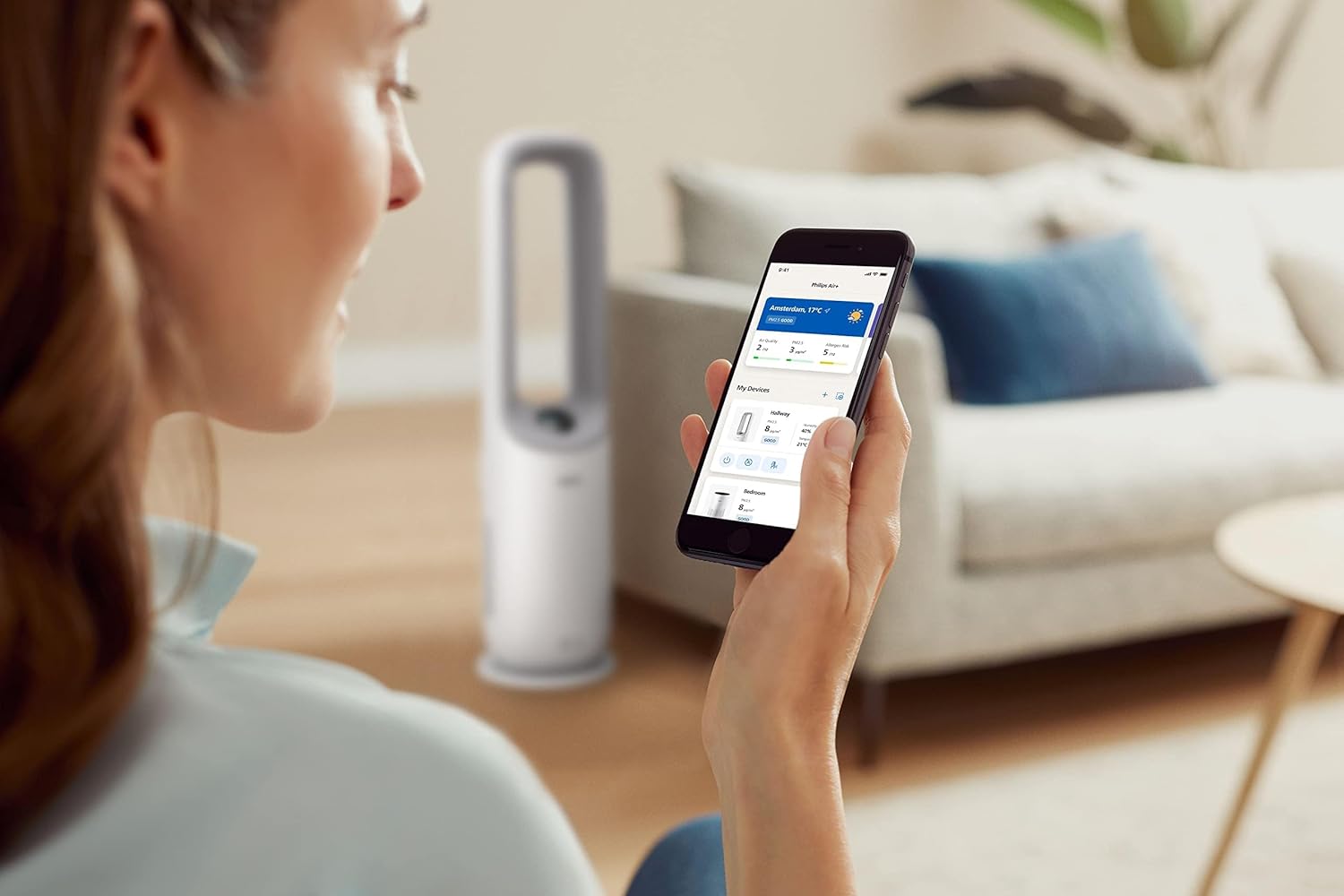
Image: A user interacting with the Philips Air+ mobile application, demonstrating remote control capabilities for the Air Performer.
آپريٽنگ هدايتون
پاور آن / آف
Press the power button on the device or in the Air+ app to turn the appliance on or off.
آپريٽنگ موڊس
- خودڪار موڊ: The appliance automatically adjusts fan speed and purification settings based on detected air quality.
- دستي فين جي رفتار: Adjust the fan speed manually using the control panel or app.
- سمهڻ جو طريقو: ننڊ دوران خاموش ڪم ڪرڻ لاءِ پنکڙي جي رفتار گھٽائي ٿو ۽ ڊسپلي لائيٽن کي مدھم ڪري ٿو.

Image: The Philips Air Performer operating in a dimly lit bedroom, highlighting its quiet sleep mode feature.
هوا جي وهڪري جي هدايت
The device may feature oscillation or adjustable airflow direction. Use the control panel or app to set the desired airflow for cooling.

Image: The Philips Air Performer emitting a powerful stream of purified and cooled air, demonstrating its fan function.
Smart Sensing and Coverage
The Air Performer continuously monitors air quality using advanced sensors, automatically adjusting its operation to maintain optimal conditions. Its design ensures efficient air circulation, purifying and cooling rooms up to 70 m².

Image: The Philips Air Performer using a red laser to detect airborne particles, illustrating its smart sensing capabilities.
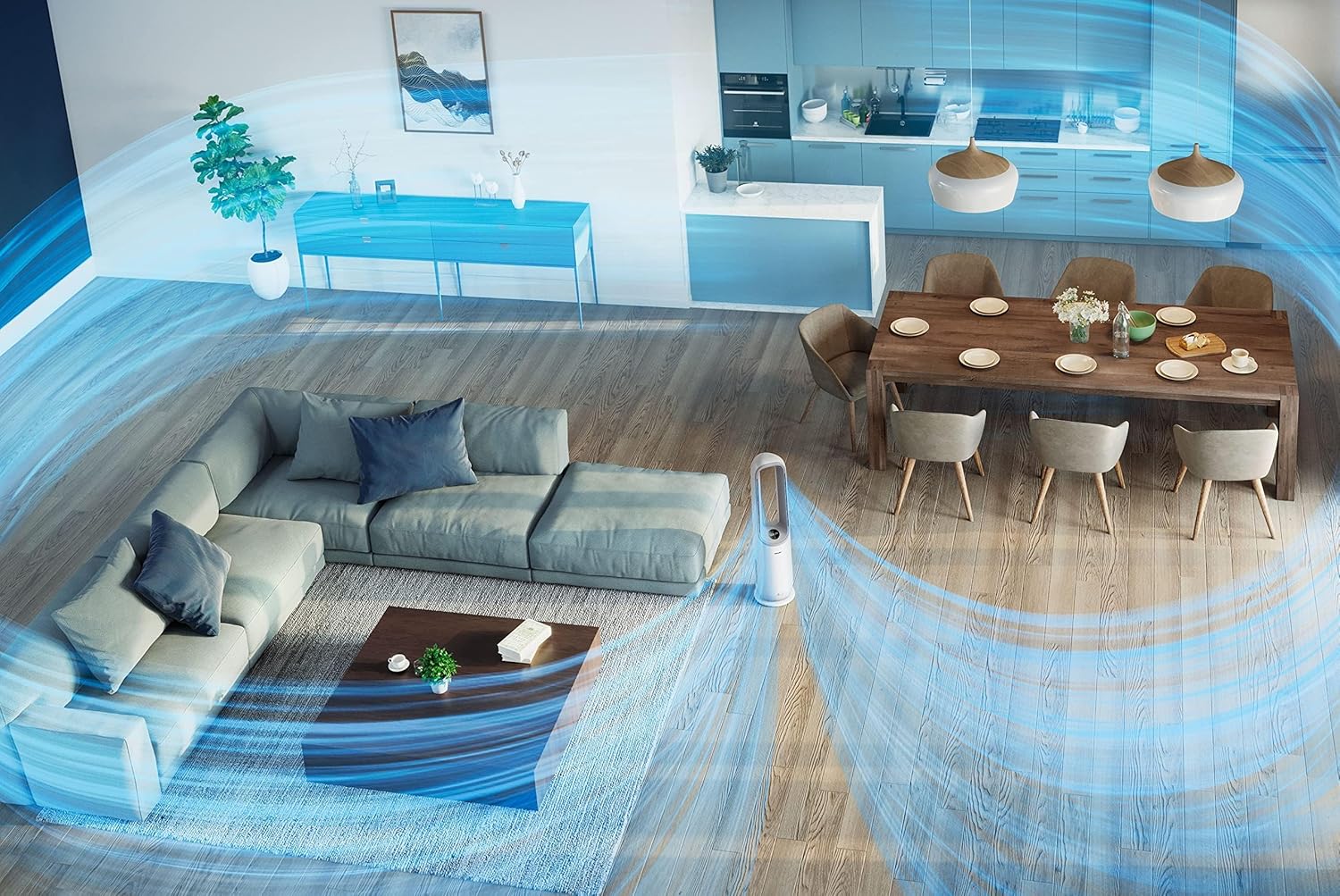
تصوير: هڪ هوائي view of a living space showing the Philips Air Performer effectively circulating purified air across the entire room.
سار سنڀال
اوزار جي صفائي
- هميشه صاف ڪرڻ کان پهريان اوزار کي انپلگ ڪريو.
- نرم، سڪل ڪپڙي سان ٻاهرين حصي کي صاف ڪريو. رگڙيندڙ صاف ڪندڙ يا محلول استعمال نه ڪريو.
- Clean the air inlet and outlet grilles with a soft brush or vacuum cleaner.
فلٽر متبادل
The appliance will indicate when filters need replacement. Refer to the Air+ app or the device display for filter status.
- بند ڪريو ۽ اوزار کي بند ڪريو.
- فلٽر رسائي پينل کوليو.
- Remove the used filters and dispose of them properly.
- Unpack new Philips original filters and insert them into the appliance.
- فلٽر رسائي پينل بند ڪريو.
- Plug in the appliance and reset the filter lifetime counter (if applicable, follow on-screen or app instructions).
نوٽ: Filter lifespan varies based on usage and air quality. Only use genuine Philips replacement filters to ensure optimal performance.
مشڪلاتون
| مسئلو | ممڪن سبب | حل |
|---|---|---|
| اوزار آن نه ٿو. | پلگ ان ٿيل ناهي؛ پاور او يوtage؛ خراب ٿيل تار. | Check power connection; verify power supply; inspect cord for damage. |
| خراب هوا صاف ڪرڻ جي ڪارڪردگي. | Filters are dirty or incorrectly installed. | Check filter status; clean or replace filters; ensure correct installation. |
| Fan not providing sufficient cooling. | Fan speed too low; blocked air outlets. | Increase fan speed; ensure clear path for airflow. |
| اوزار شور آهي. | Filters are very dirty; foreign object inside. | Replace filters; check for and remove any obstructions. |
| Cannot connect to Air+ app. | Bluetooth/Wi-Fi off; incorrect pairing steps. | Ensure Bluetooth/Wi-Fi is enabled; restart app and appliance; follow app pairing instructions carefully. |
وضاحتون
| خاصيت | تفصيل |
|---|---|
| ماڊل نمبر | AMF765/30 |
| پيداوار جي ماپ | 34.1 x 34.1 x 115.2 سينٽي |
| شيءِ جو وزن | 7.3 ڪلو |
| فلٽر جو قسم | HEPA، چالو ڪاربن |
| صاف هوا پهچائڻ جي شرح (CADR) | 270 m³/ڪلاڪ |
| Room Size (CADR) | 70 m² تائين |
| طاقت جو ذريعو | تار ٿيل برقي |
| ڪنٽرول جو طريقو | ايپ، ريموٽ ڪنٽرول |
| رنگ | اڇو |
| اسيمبلي گهربل | نه |
| بيٽرين جي ضرورت آهي | نه |
وارنٽي ۽ سپورٽ
This Philips Air Performer (Model AMF765/30) comes with a 2-year manufacturer's warranty. Please retain your proof of purchase for warranty claims.
For technical support, troubleshooting assistance, or to purchase replacement parts and filters, please visit the official Philips website or contact Philips customer service in your region. You can find contact information on the Philips webسائيٽ يا توهان جي پراڊڪٽ سان شامل وارنٽي ڪارڊ ۾.
آن لائن سپورٽ: www.philips.com/support


