
تعارف
خريد ڪرڻ لاءِ مهربانيasing the Helix True Wireless Earbuds. This manual provides essential information for setting up, operating, and maintaining your earbuds. Please read it carefully before use and retain it for future reference.

Image: Helix True Wireless Earbuds, black and white, resting inside their open black charging case. One earbud is also shown outside the case, indicating its design.
دٻي ۾ ڇا آهي
- سچو وائرليس ائربڊس (کاٻي ۽ ساڄي)
- چارج ڪيس
- USB چارجنگ ڪيبل
- استعمال ڪندڙ دستي
سيٽ اپ ڪريو
1. شروعاتي چارجنگ
Before first use, fully charge the earbuds and the charging case. Connect the USB charging cable to the charging case and a power source. The LED indicators on the case will show charging status.

Image: An open charging case with two earbuds inside. Three blue LED lights are visible on the case, indicating power status. Text overlays highlight "Superior HD Audio", "Hands-Free Calling", and "Power LED Indicators".
2. Power On/Off and Auto-Pairing
The earbuds feature auto on/off and pairing. Simply remove the earbuds from the charging case to power them on. They will automatically enter pairing mode or reconnect to the last paired device. Place them back into the case to power off and begin charging.
3. بلوٽوٽ جوئر
- Ensure the earbuds are charged and removed from the charging case.
- توهان جي ڊوائيس (اسمارٽ فون، ٽيبليٽ، وغيره) تي، بلوٽوٿ سيٽنگز ڏانهن وڃو.
- ڳولھيو new devices and select "Helix TW" from the list.
- هڪ دفعو ڳنڍيل، توهان جو ڊوائيس ڪامياب جوڙو ٺاهڻ جي نشاندهي ڪندو.
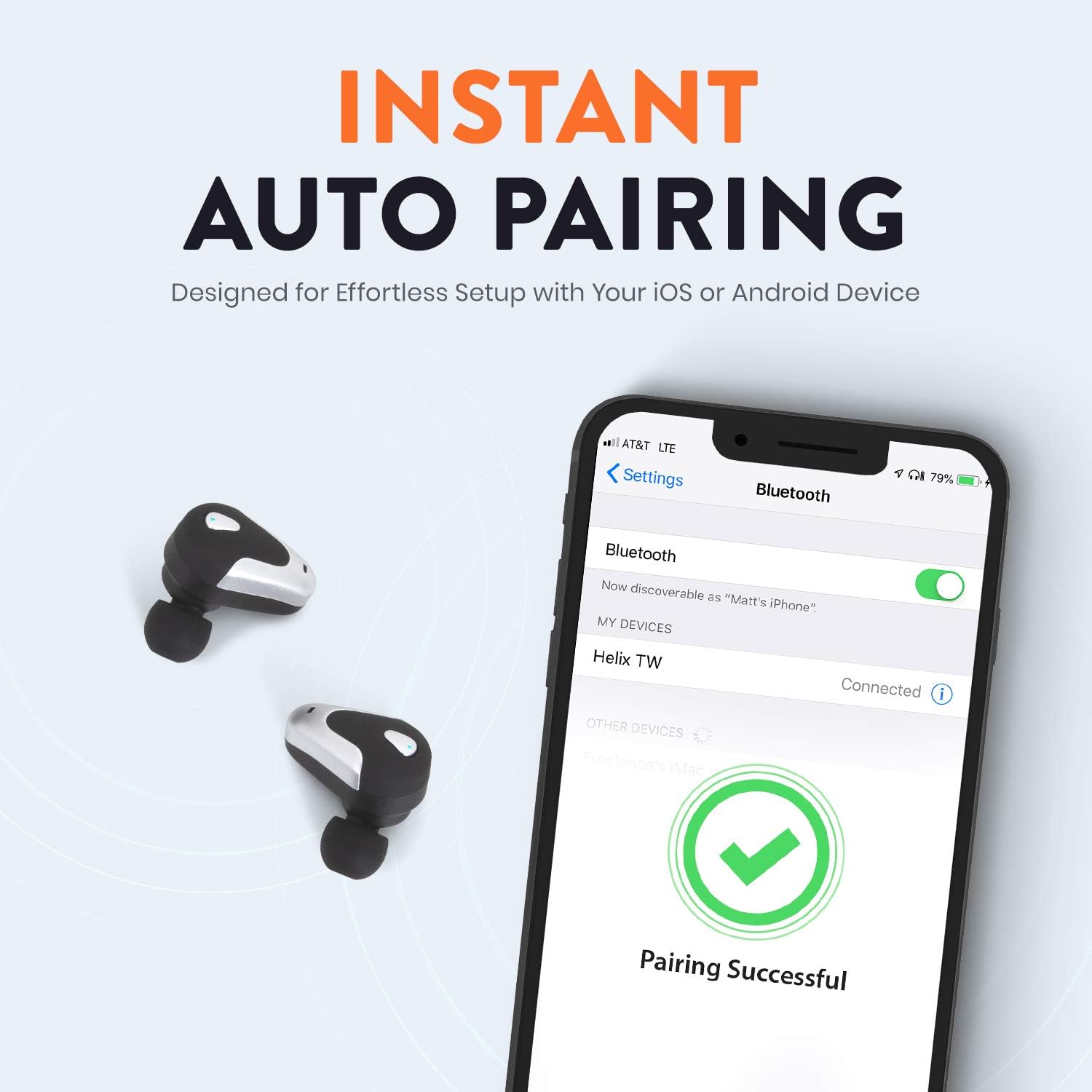
Image: A smartphone screen displaying Bluetooth settings, showing "Helix TW" as a connected device and a "Pairing Successful" message with a green checkmark. Two Helix earbuds are shown next to the phone.
4. SecureLock Fit
The Helix True Wireless Earbuds are designed with an ergonomic SecureLock Fit for comfort and stability during various activities. Gently insert the earbuds into your ears and twist slightly to secure them.

Image: A diagram illustrating the ergonomic SecureLock Fit of the earbuds, showing how they twist into the ear for a secure hold. In the background, people are exercising, suggesting the earbuds' suitability for active use.
آپريٽنگ هدايتون
آڊيو پلے بیک
- راند/روڪ: Tap the control area on either earbud once.
- اڳيون ٽريڪ: Double-tap the control area on the right earbud.
- پويون ٽريڪ: Double-tap the control area on the left earbud.
هينڊ فري ڪالنگ
- جواب/آخر ڪال: Tap the control area on either earbud once.
- ڪال رد ڪريو: Press and hold the control area on either earbud for 2 seconds.
وائيس اسسٽنٽ ڪنٽرول
Triple-tap the control area on either earbud to activate your device's voice assistant (e.g., Siri, Google Assistant).
بيٽري جي زندگي
The earbuds provide up to 4 hours of run time on a single charge. The charging case extends total listening time to approximately 16 hours.

Image: A graphic illustrating the battery life of the Helix earbuds. It shows "4 HOURS" for a single charge of the earbuds and "16 HOURS" when combined with the charging case.
HD آڊيو
Experience HD audio with unrivaled bass, midtones, and treble frequencies for a rich listening experience.

Image: A graphic titled "NEXT-LEVEL HD AUDIO" with sound wave patterns in blue, representing high-definition audio quality. Two Helix earbuds are depicted in the foreground.
سار سنڀال
- صفائي: Use a soft, dry cloth to clean the earbuds and charging case. Do not use abrasive cleaners or immerse in water.
- اسٽوريج: جڏهن استعمال ۾ نه هجي، ته ائربڊس کي انهن جي چارجنگ ڪيس ۾ محفوظ ڪريو ته جيئن انهن جي حفاظت ٿئي ۽ انهن کي چارج رکيو وڃي.
- پاڻي جي مزاحمت: The earbuds are water resistant, but not waterproof. Avoid prolonged exposure to water or submersion.
مشڪلاتون
| مسئلو | حل |
|---|---|
| ائربڊس ڊوائيس سان جوڙو نه پيا ٺاهين. |
|
| هڪ ڪنڊ مان آواز ڪونهي. |
|
| ائربڊس چارج نه ٿي رهيا آهن. |
|
| غريب آڊيو معيار. |
|
وضاحتون
| خاصيت | تفصيل |
|---|---|
| ماڊل نالو | هيلڪس |
| ماڊل نمبر | ETHTWB |
| رابطي ٽيڪنالاجي | بلوٽوٿ |
| بلوٽوت ورزن | 5.0 |
| بلوٽوٿ رينج | 10 ميٽر |
| بيٽري جي زندگي (ايربڊس) | 4 ڪلاڪ تائين |
| ڪل بيٽري جي زندگي (ڪيس سان) | 16 ڪلاڪ تائين |
| آڊيو ڊرائيور جو قسم | متوازن آرميچر ڊرائيور |
| تعدد جي حد | 20 Hz کان 20,000 Hz تائين |
| ڪنٽرول قسم | ميڊيا ڪنٽرول، وائيس اسسٽنٽ |
| مائڪروفون | Included for Hands-Free Calling |
| پاڻي جي مزاحمت جي سطح | پاڻي مزاحمتي |
| ڪن جي شڪل | ڪن ۾ |
| مواد | پلاسٽڪ |
| رنگ | ڪارو |
| شيءِ جو وزن | 3.2 اونس |
| ٺاهيندڙ | هيلڪس |
| يو پي سي | 816983019126 |
وارنٽي ڄاڻ
Specific warranty details are typically provided with your product packaging or available on the manufacturer's official webسائيٽ. مھرباني ڪري جامع وارنٽي شرطن ۽ ضابطن لاءِ پنھنجي خريداري سان شامل دستاويزن جو حوالو ڏيو.
حمايت
For further assistance, technical support, or customer service inquiries, please visit the official Helix website or contact their customer support channels as listed in your product documentation.
توھان پڻ دورو ڪري سگھو ٿا ايميزون تي هيلڪس اسٽور وڌيڪ پيداوار جي معلومات لاء.