
تعارف
The HyperX Alloy Core RGB Gaming Keyboard is designed to provide a responsive and durable typing experience with dynamic RGB lighting. This manual provides detailed instructions for setting up, operating, and maintaining your keyboard, ensuring optimal performance.

Image: The HyperX Alloy Core RGB Gaming Keyboard, showcasing ان جي مڪمل ترتيب ۽ ڊيزائن.
خاصيتون
- متحرڪ آر جي بي لائيٽنگ: Features a distinctive light bar and dynamic RGB lighting effects with multiple customizable patterns.
- پائيدار تعمير: Built with a reinforced plastic frame for enhanced durability and stability.
- Quiet and Responsive Keys: Equipped with soft-touch membrane keys that offer a quiet typing experience and anti-ghosting functionality for accurate input.
- اسپيل-مزاحمتي ڊيزائن: Tested to withstand up to 120ml of liquid spills, providing protection against accidental damage.
- وقف ٿيل ميڊيا ڪنٽرول: Convenient buttons for audio playback, volume adjustment, and mute functions.
- تڪڙي رسائي جا بٽڻ: Dedicated buttons for adjusting brightness, changing lighting modes, and activating game mode.
- Keyboard Lock Mode: Prevents accidental key presses during intense gaming sessions.
- مطابقت: Supports Windows 7, 8, 8.1, and 10.
- طول و عرض: Approximately 443.20mm (width) x 175.31mm (depth) x 35.68mm (height).
سيٽ اپ ڪريو
- ڪي بورڊ کوليو: احتياط سان ڪيبورڊ کي ان جي پيڪنگ مان هٽايو.
- ڪمپيوٽر سان ڳنڍيو: Plug the USB-A connector of the keyboard cable into an available USB port on your computer. The keyboard is a plug-and-play device and typically does not require additional drivers for basic functionality.
- ڪي بورڊ فوٽ کي ترتيب ڏيو: For ergonomic comfort, you can extend the adjustable feet located on the underside of the keyboard to tilt it to your preferred angle.
Video: This video demonstrates the physical handling of the keyboard, including adjusting the feet for optimal typing angle, and showcases the initial RGB lighting effects upon connection.

Image: A hand connecting the USB-A cable of the keyboard to a computer's USB port.
آپريٽنگ هدايتون
آر جي بي لائٽنگ ڪنٽرول
The HyperX Alloy Core RGB keyboard features dynamic RGB lighting. Use the dedicated quick access buttons located above the function keys to customize your lighting experience.
- روشني جي ترتيب: Press the sun icon button to cycle through different brightness levels.
- لائيٽنگ موڊ جي چونڊ: Press the color palette icon button to switch between various lighting effects (e.g., Color Cycle, Spectrum Wave, Breathing, Solid, 5 Zones, Aurora).
- Effect Speed: Use the FN key + Up/Down arrow keys to increase or decrease the speed of lighting effects.
- Solid Color Selection: Use the FN key + Left/Right arrow keys to switch between solid colors.
- 5-Zone Customization: For 5-zone lighting, press the FN key + F1-F5 keys multiple times to customize the color of each zone.
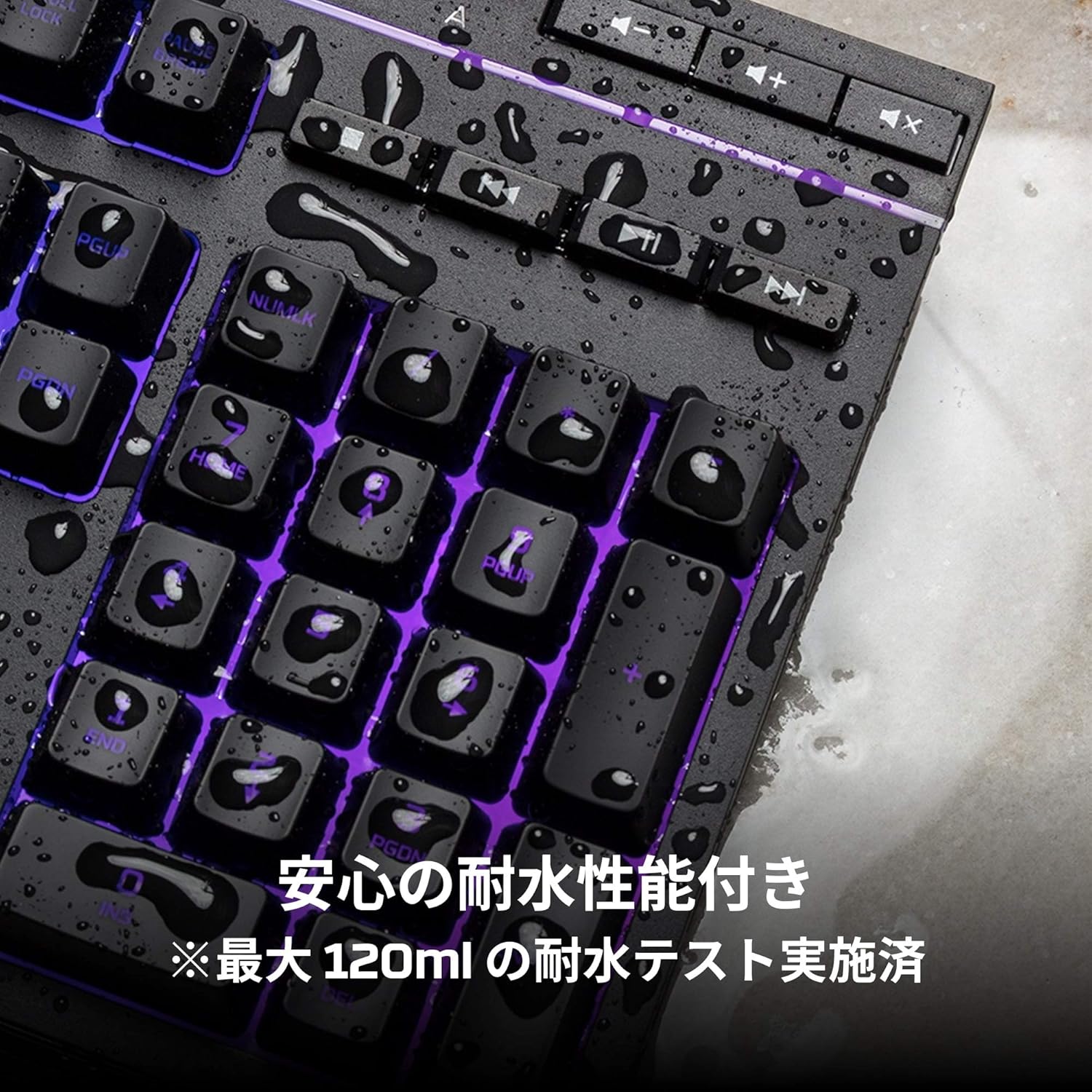
Image: Visual representation of various RGB lighting patterns and key combinations for controlling them.
ميڊيا ڪنٽرول
Dedicated media control buttons are located on the top right of the keyboard for easy access to audio functions.
- حجم مٿي / ھيٺ: سسٽم جي مقدار کي ترتيب ڏيو.
- خاموش: آواز کي خاموش يا خاموش ڪريو.
- راند/روڪ: ميڊيا پلے بیک کي ڪنٽرول ڪريو.
- پويون/اڳيون ٽريڪ: Skip to the previous or next media track.

Image: Close-up of the dedicated media control buttons on the top right of the keyboard.
Game Mode and Keyboard Lock
- راند جو طريقو: Press the game controller icon button to activate Game Mode, which disables the Windows key to prevent accidental interruptions during gameplay.
- ڪي بورڊ لاڪ: Press FN + F12 to enable keyboard lock mode, which temporarily disables all key inputs.
سار سنڀال
To ensure the longevity and optimal performance of your HyperX Alloy Core RGB keyboard, follow these maintenance guidelines:
- صفائي: Regularly clean the keyboard with a soft, dry cloth. For stubborn dirt, a slightly damp cloth can be used, ensuring no liquid enters the key switches.
- ڦُلڻ جي مزاحمت: While the keyboard is spill-resistant (up to 120ml), it is not waterproof. In case of a spill, immediately disconnect the keyboard from your computer, wipe off any liquid, and allow it to air dry completely before reconnecting.
- انتهائي حالتن کان بچڻ: Do not expose the keyboard to extreme temperatures, humidity, or direct sunlight.

Image: The keyboard with water droplets on its surface, illustrating its spill-resistant feature.
مشڪلاتون
If you encounter issues with your HyperX Alloy Core RGB keyboard, refer to the following common solutions:
- ڪي بورڊ جواب نه ڏئي رهيو آهي:
- پڪ ڪريو ته USB ڪيبل ڪيبورڊ ۽ ڪمپيوٽر ٻنهي سان محفوظ طور تي ڳنڍيل آهي.
- ڪيبورڊ کي پنهنجي ڪمپيوٽر تي ڪنهن ٻئي USB پورٽ سان ڳنڍڻ جي ڪوشش ڪريو.
- پنهنجي ڪمپيوٽر کي ٻيهر شروع ڪريو.
- Check if Keyboard Lock Mode (FN + F12) is active.
- آر بي جي روشني ڪم نه ڪندي:
- Ensure the brightness is not set to the lowest level using the brightness adjustment button.
- Cycle through different lighting modes using the lighting mode selection button.
- Verify that the keyboard is properly connected and receiving power.
- Keys Not Registering Correctly:
- ڪنهن به ملبي کي هٽائڻ لاءِ متاثر ٿيل چاٻين جي چوڌاري صاف ڪريو.
- Ensure your operating system is compatible (Windows 7/8/8.1/10).
- Game Mode Issues:
- Ensure Game Mode is properly activated by pressing the game controller icon button. The indicator light should be on.
If the issue persists after trying these steps, please contact HyperX customer support for further assistance.
وضاحتون
| خاصيت | تفصيل |
|---|---|
| برانڊ | هائپر ايڪس |
| ماڊل نمبر | HX-KB5ME2-JP |
| رابطي | USB-A |
| ڪي بورڊ جو قسم | جھلي گيمنگ ڪي بورڊ |
| Backlight رنگ | آر جي بي |
| خاص خاصيتون | Backlit, Spill-Resistant |
| طول و عرض (L x W x H) | 44.32 x 17.53 x 3.57 سينٽي |
| وزن | 1.1 ڪلو |
| مطابقت رکندڙ OS | ونڊوز 7/8/8.1/10 |
وارنٽي ۽ سپورٽ
The HyperX Alloy Core RGB Gaming Keyboard comes with a 2 سال وارنٽي خريداري جي تاريخ کان. مھرباني ڪري وارنٽي دعوائن لاءِ خريداري جو ثبوت رکو.
For technical support, warranty inquiries, or additional information, please visit the official HyperX support webسائيٽ يا انهن جي ڪسٽمر سروس کاتي سان رابطو ڪريو.
Official HyperX Webسائيٽ: www.hyperx.com