
1. Настройка
This section guides you through the initial setup of your CHUWI CoreBook X laptop.
1.1 Распаковка и первоначальное включение
- Осторожно извлеките ноутбук и все аксессуары из упаковки.
- Connect the provided USB-C power adapter to the laptop's USB-C port (PD Charging/USB 2.0) and then to a power outlet.
- Open the laptop lid. The laptop may power on automatically or you may need to press the power button located on the keyboard.
- Следуйте инструкциям на экране, чтобы завершить первоначальную настройку Windows 11 Pro, включая выбор языка, подключение к сети и создание учетной записи пользователя.
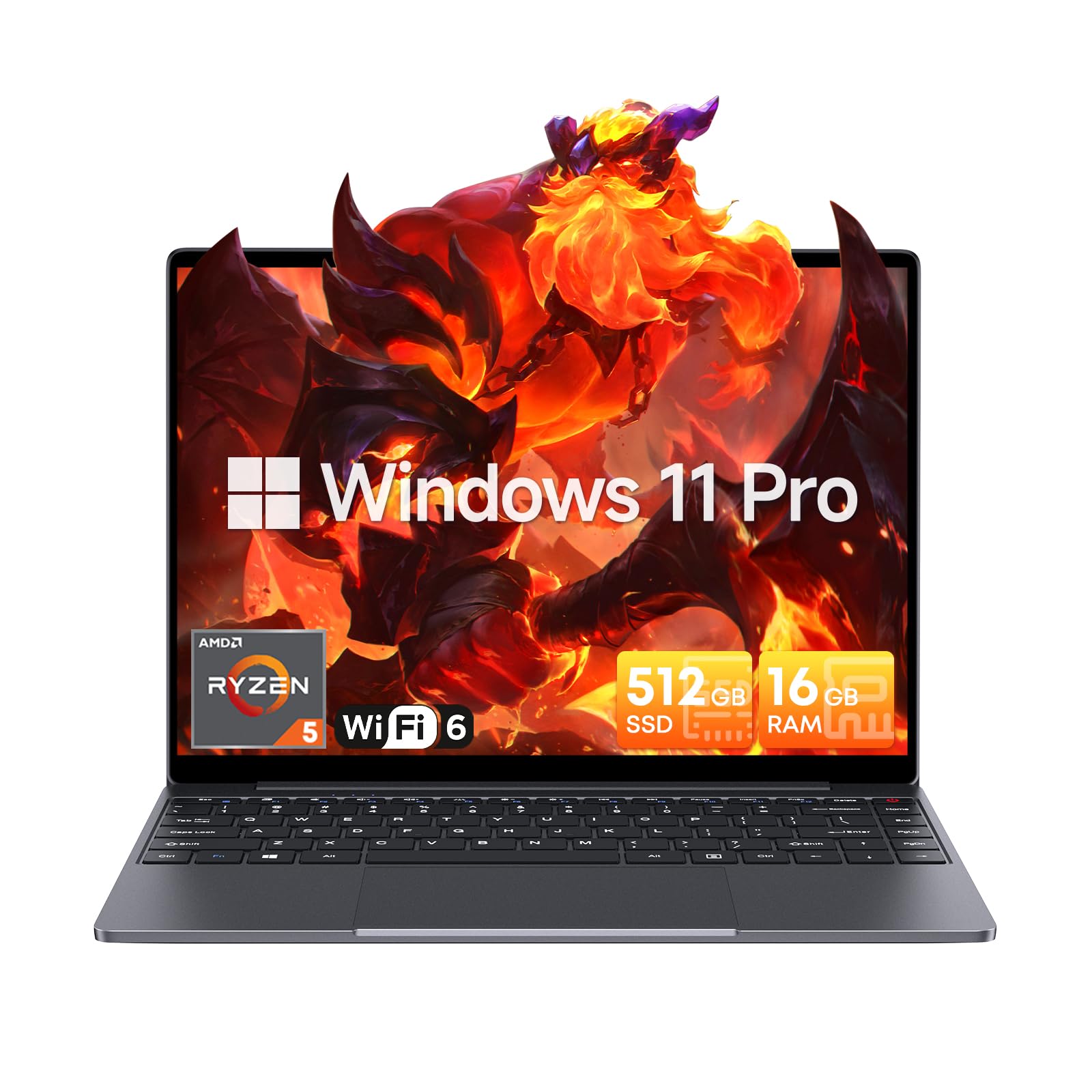
Image: The CHUWI CoreBook X laptop open on a desk, ready for use.
1.2 Подключение периферийных устройств
- USB-устройства: Connect USB mice, keyboards, or external storage devices to the available USB 3.0 ports.
- Внешний дисплей: Use the HDMI 1.4 port or the full-featured USB Type-C port to connect an external monitor.
- Аудиоустройства: Подключите наушники или внешние колонки к 3.5-мм аудиоразъему.
- TF-карта: Insert a TF card into the TF card slot for additional storage.

Изображение: подробное view of the laptop's ports, including TF Card Slot, 3.5mm Headphone Jack, USB 3.0 Port, Lock Slot, USB Type-C (PD Charging/USB 2.0), HDMI 1.4, and Full-featured USB Type-C Port.
1.3 Сетевое и Bluetooth-соединение
- Wi-Fi 6: Для подключения к беспроводной сети щелкните значок Wi-Fi на панели задач, выберите свою сеть и введите пароль.
- Bluetooth 5.2: To pair Bluetooth devices, go to Windows Settings > Bluetooth & devices, turn on Bluetooth, and select your device to pair.
2. Операционная
This section covers the basic operation of your CHUWI CoreBook X laptop.
2.1 Управление питанием
- Включение питания: Нажмите кнопку питания.
- Спящий режим: Close the lid or select "Sleep" from the Start menu.
- Неисправность: Select "Shut down" from the Start menu.
- Перезапуск: Select "Restart" from the Start menu.
2.2 Клавиатура и сенсорная панель
- The laptop features a full-sized backlit keyboard with white illumination. Use the function keys (Fn) in combination with other keys for shortcuts like adjusting brightness, volume, or toggling the backlight.
- The large touchpad supports multi-touch gestures for navigation. Refer to Windows settings for customizing touchpad gestures.

Изображение: крупный план view of the laptop's backlit keyboard and large touchpad, highlighting its navigation features.
2.3 Дисплей и звук
- The 14-inch IPS display offers a 2160*1440 resolution. Adjust display settings (brightness, resolution, scaling) through Windows Display Settings.
- The laptop is equipped with stereo speakers. Volume can be controlled via the keyboard function keys or the Windows sound settings.
- An HD webcam is integrated for video conferencing.

Image: The laptop's 14-inch 2K IPS display showcasing vibrant colors and a comparison of 3:2 and 16:9 aspect ratios.
2.4 Видео завершеноview
Video: An official product video demonstrating various features and usage scenarios of the CHUWI CoreBook X laptop, including its performance, display, and connectivity options.
3. Техническое обслуживание
Правильный уход обеспечивает долговечность и оптимальную производительность вашего ноутбука.
3.1 Очистка
- Для очистки экрана используйте мягкую безворсовую ткань. Для удаления стойких пятен...ampСлегка смочите ткань водой или средством для чистки экранов.
- Wipe the chassis and keyboard with a soft, dry cloth. Avoid using harsh chemicals or abrasive materials.
- Periodically use compressed air to clear dust from the vents to maintain efficient cooling.
3.2 Уход за аккумулятором
- Avoid fully discharging the battery frequently. Charge the laptop when the battery level is low.
- Store the laptop in a cool, dry place if not used for extended periods, with the battery charged to around 50-70%.
- Use only the original or certified compatible USB-C PD charger.
3.3 Модернизация хранилища и памяти
The laptop supports RAM and SSD upgrades.
- The 16GB DDR4 RAM can be expanded up to 64GB via 2 SODIMM slots.
- The 512GB PCIe SSD can be expanded up to 2TB using the M.2 2280 PCIe slot.
- A convenient detachable bottom cover allows for easier access to upgrade components without removing the entire back panel.

Image: The underside of the laptop with the detachable cover removed, revealing the dual-channel SO-DIMM slot for RAM upgrades.
4. Поиск Неисправностей
В этом разделе приведены решения распространенных проблем, с которыми вы можете столкнуться.
4.1 Общие проблемы и решения
- Ноутбук не включается:
- Убедитесь, что адаптер питания надежно подключен к ноутбуку и рабочей розетке.
- Убедитесь, что розетка исправна.
- Попробуйте удерживать кнопку питания в течение 10–15 секунд, чтобы выполнить полный сброс настроек.
- Проблемы с дисплеем (нет изображения, мерцание):
- Регулировка яркости экрана осуществляется с помощью функциональных клавир.
- Если подключен внешний монитор, попробуйте его отключить.
- Перезагрузите ноутбук.
- Проблемы с подключением Wi-Fi или Bluetooth:
- Убедитесь, что Wi-Fi/Bluetooth включен в настройках Windows.
- Перезагрузите маршрутизатор/модем для устранения проблем с Wi-Fi.
- Удалите и повторно выполните сопряжение устройств Bluetooth.
- Update network and Bluetooth drivers through Device Manager.
- Низкая производительность:
- Закройте ненужные приложения, работающие в фоновом режиме.
- Проверьте наличие обновлений Windows и драйверов.
- Убедитесь, что на SSD достаточно свободного места.
- Запустите сканирование на наличие вредоносных программ.
If you encounter issues not covered here or require further assistance, please refer to the Support section.
5. Технические характеристики
Detailed technical specifications for the CHUWI CoreBook X laptop.

Image: An illustration of the AMD Ryzen 5 processor, highlighting its core count, threads, and clock speed.
| Особенность | Спецификация |
|---|---|
| Название модели | Corebook X |
| Процессор | AMD Ryzen 5 (6 Cores, 12 Threads, up to 4.3 GHz) |
| Графика | AMD Radeon Graphics (1800MHz, Max 2GB Memory) |
| БАРАН | 16GB DDR4 (Expandable up to 64GB via 2 SODIMM slots) |
| Хранилище | 512GB PCIe SSD (Expandable up to 2TB via M.2 2280 PCIe slot) |
| Отображать | 14-inch IPS, 2160*1440 Resolution, 100% sRGB Color Gamut |
| Операционная система | Windows 11 Профессиональная |
| Связность | Wi-Fi 6 (802.11ax), Bluetooth 5.2 |
| Порты | USB Type-C (PD Charging/USB 2.0), USB 3.0, HDMI 1.4, Full-featured USB Type-C, 3.5mm Audio Jack, TF Card Slot, Lock Slot |
| Аккумулятор | 46.2Wh Lithium-Ion Battery, 65W USB-C PD Fast Charging |
| Клавиатура | Full-sized Backlit Keyboard with White Illumination |
| Сенсорная панель | Large Touchpad, Multi-touch |
| Webкулачок | HD Webкулачок |
| Размеры | 12.2"L x 9"W x 0.67"Th (17mm thin) |
| Масса | 2.2 фунта (1.4 кг) |
6. Гарантия
The CHUWI CoreBook X laptop comes with a 1-летняя гарантия производителя.
This warranty covers defects in materials and workmanship under normal use. It does not cover damage caused by accidents, misuse, unauthorized repairs, or modifications. Please retain your proof of purchase for warranty claims.
7 Поддержка
For technical assistance, warranty claims, or further inquiries, please contact CHUWI customer support.
- Поддержка производителя: Visit the official CHUWI webсайт для получения ресурсов поддержки, ответов на часто задаваемые вопросы и контактной информации.
- Поддержка продавцов: If purchased through a retailer, you may also contact the seller for assistance.