
Введение
This manual provides essential information for the safe and efficient operation of your CUKTECH 10 Ultra 120W Wall Charger. Please read it thoroughly before use and retain it for future reference. This charger features a smart control screen and multiple ports for versatile device charging.
Информация по безопасности
- Do not expose the charger to water, rain, or excessive moisture.
- Не допускайте падений и сильных ударов зарядного устройства.
- Do not disassemble, modify, or attempt to repair the charger yourself. Unauthorized repairs may void the warranty and pose safety risks.
- Ensure proper ventilation when in use to prevent overheating. Do not cover the charger.
- Use only compatible charging cables and devices. Incompatible accessories may cause damage or malfunction.
- Храните зарядное устройство в недоступном для детей и домашних животных месте.
- Отключайте зарядное устройство от розетки, когда оно не используется или во время грозы.
- Если зарядное устройство выделяет дым, необычные запахи или чрезмерно нагревается, немедленно отключите его от сети и прекратите использование.
Продукт болееview
The CUKTECH 10 Ultra 120W Wall Charger (Model AD1204US) is a high-performance charging device utilizing advanced GaN technology for efficient power delivery in a compact form factor. It is designed to charge multiple devices simultaneously.
- Многопортовая конструкция: Features three USB-C ports and one USB-A port, allowing up to four devices to be charged concurrently.
- Smart Control Screen: An integrated display provides real-time charging data, including total power output, individual port wattagе, томtage, current, and temperature status.
- Интеллектуальное распределение электроэнергии: The charger automatically adjusts power output to optimize charging for all connected devices.
- Расширенные функции безопасности: Equipped with multi-layered safety protections, including temperature control, overcurrent, overvoltagе и защита от короткого замыкания.

Image: The CUKTECH 10 Ultra charger connected to a laptop, illustrating its capability for fast charging. The screen displays charging wattage, indicating efficient power delivery to the connected device.
Настраивать
- Распаковать: Carefully remove the CUKTECH 10 Ultra 120W Wall Charger and the included 240W USB-C cable from its packaging.
- Подключение к электросети: Подключите зарядное устройство к стандартной настенной розетке переменного тока 120 В. Note: This charger is designed with US-style foldable pins and operates on 120V input voltage. Ensure compatibility with your local power supply.
- Подключаемые устройства: Use a compatible charging cable (such as the included 240W USB-C cable) to connect your device to one of the charger's available USB-C or USB-A ports.
- Проверить соединение: The smart screen on the charger will activate, displaying real-time charging information for the connected device(s).
Инструкция по эксплуатации
Подключение устройств для зарядки
- The charger is equipped with three USB-C ports and one USB-A port. Connect your devices using appropriate and certified charging cables.
- For optimal fast charging performance, ensure that your device and the charging cable support the required Power Delivery (PD) or other fast charging protocols.
- The charger can deliver up to 100W from a single USB-C port when used with a compatible device and cable. The total maximum output for all ports combined is 120W.
Using the Smart Display and Touch Control

Image: Close-up image of the CUKTECH 10 Ultra charger's smart display, highlighting its various information modes including total output power, power/current/voltage per port, and temperature status. A touch control area is also visible for interaction.
- Данные в реальном времени: The display automatically shows current charging information, such as total wattage, individual port wattagе, томtagе, и ток.
- Режимы цикла: Tap the touch-sensitive area located below the screen to cycle through different display modes and view подробная информация.
- Настройки доступа: Press and hold the touch area for approximately 2 seconds to enter the settings menu. Options may include screen lock, always-on display, or specific charging scenario settings.
Интеллектуальное распределение мощности

Image: The CUKTECH 10 Ultra charger simultaneously charging a laptop, tablet, smartphone, and smartwatch, demonstrating its capability to power multiple devices efficiently.
- When multiple devices are connected, the charger's intelligent system dynamically allocates the total 120W output across all active ports.
- This ensures that each connected device receives an optimized charge based on its power requirements and the overall load.
Обслуживание
- Уборка: Clean the exterior of the charger with a dry, soft, lint-free cloth. Do not use liquid cleaners, abrasive materials, or aerosols.
- Хранилище: Когда зарядное устройство не используется, храните его в прохладном, сухом месте, вдали от прямых солнечных лучей и экстремальных температур.
- Проверка кабеля: Regularly inspect all charging cables for any signs of wear, fraying, or damage. Replace damaged cables immediately to prevent safety hazards.
Поиск неисправностей
| Проблема | Возможная причина/решение |
|---|---|
| Устройство не заряжается |
|
| Медленная зарядка |
|
| Display not working or blank |
|
| Зарядное устройство нагревается во время использования |
|

Image: The CUKTECH 10 Ultra charger illustrating its advanced intelligent temperature shield, which performs over 36,000 hour temperature checks to ensure safe operation.
Технические характеристики
| Бренд | КУКТЕК |
| Номер модели | AD1204US |
| Vol входtage | 120 Volts (US-style foldable pins) |
| Общая выходная мощность Втtage | 120 Вт (макс.) |
| Выходной ток | 6 Ampс (макс.) |
| Выход Voltage | 20 Вольт (макс.) |
| Порты | 3 x USB-C, 1 x USB-A |
| Совместимые устройства | Cellular Phones, Headphones, Laptops, Smartwatches, Tablets |
| Включенные аксессуары | 1 x 240W USB-C to USB-C Cable (1 meter length) |

Image: The CUKTECH 10 Ultra charger demonstrating wide compatibility with a range of devices, including smartphones and tablets from different brands.
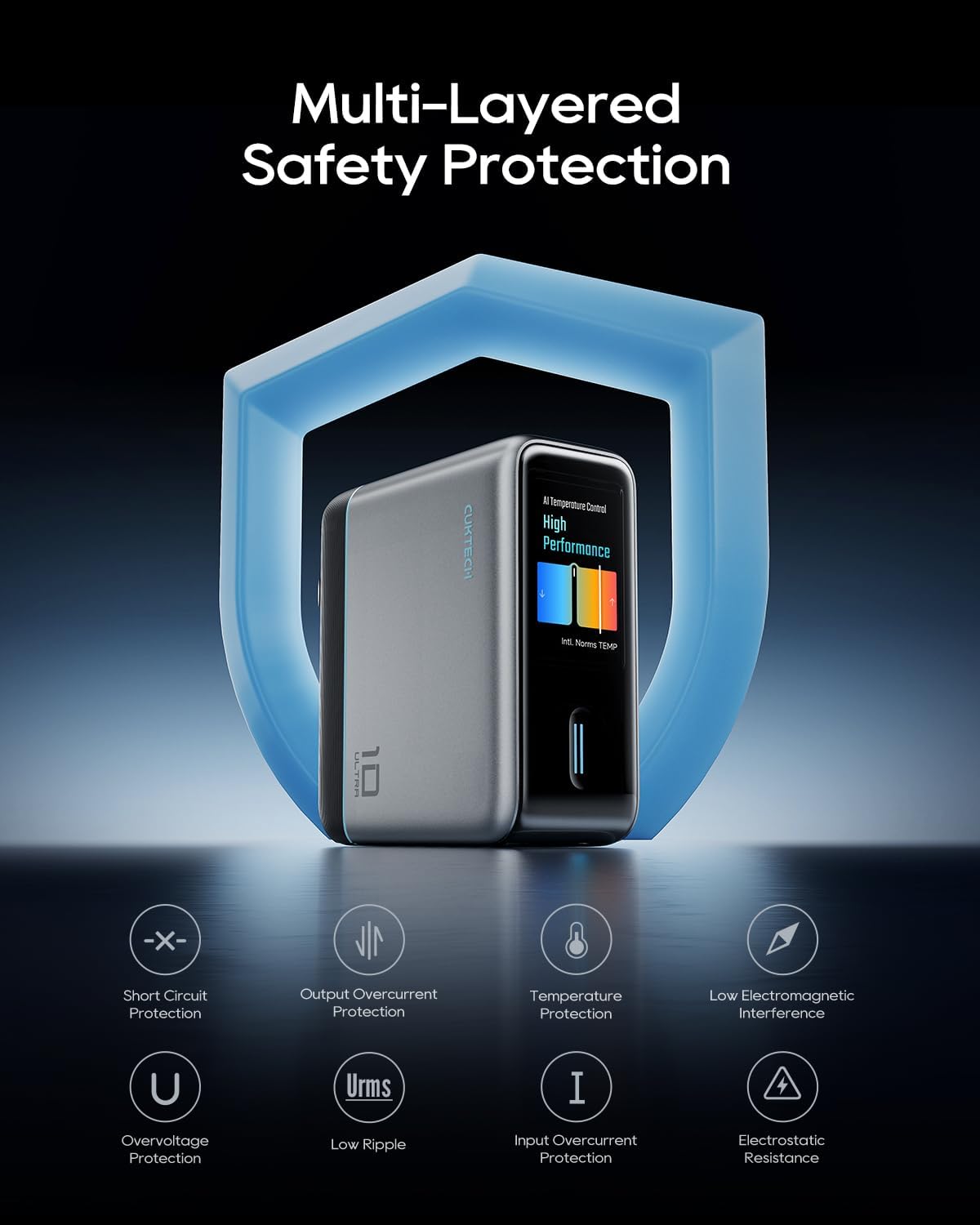
Image: The CUKTECH 10 Ultra charger highlighting its multi-layered safety protection features, including short circuit, overcurrent, temperature, and overvoltagэлектронная охрана.
Гарантия и поддержка
For detailed warranty information, technical support, or customer service inquiries, please visit the official CUKTECH website or contact their authorized support channels. It is recommended to retain your purchase receipt as proof of purchase for any warranty claims.
Более подробную информацию и контактные данные вы можете найти на CUKTECH Brand Store.