
1. Продукт закончилсяview
The Philips 55MLED610/94 is a 55-inch 4K Ultra HD QLED Smart QD-Mini LED Google TV. It features advanced display technology, smart connectivity, and integrated audio solutions for an enhanced viewопыт.

Передний view of the Philips 55MLED610/94 55-inch 4K QD-Mini LED Google TV.
Основные характеристики:
- Отображать: 4K QD-Mini LED Panel, Philips Halo Control Technology, Dolby Vision, Local Dimming, 120 Hz Motion Clarity HSR, HDR 10+, 178 Degree Wide Viewing Angle, MEMC, ALLM.
- Смарт ТВ: Google TV operating system, 2GB RAM, 32GB ROM, Quad Core Processor, Dual band WIFI 5, Hands-Free Voice Control, Screen Mirroring, Google Assistant compatibility.
- Аудио: 36 Watts Output, Dolby Atmos, Dolby Audio.
- Связь: 3 HDMI Ports (including HDMI 2.1), 2 USB Ports, 1 LAN Port, 1 Antenna Input, 1 Satellite Input, 1 Digital Audio Out (Optical), 1 AV-IN, 1 Earphone port.
2. Настройка и установка
2.1 Распаковка и содержимое
Carefully unpack the television and ensure all components are present.
- 1N TV Unit
- 2N Stand Bases
- Краткое руководство пользователя 1N
- Гарантийный талон 1N
- 1N Пульт дистанционного управления
- 2 батарейки AAA (для пульта дистанционного управления)
- Шнур питания 1N
- 4N Screws (for stand/mount)
- 1N AV Converting Cable

Illustration showing the TV unit and its included accessories for setup.
2.2 Установка на подставку или настенное крепление
The television supports both table-top stand installation and wall mounting.
- Крепление на стол: Attach the provided stand bases to the bottom of the TV unit using the included screws. Ensure the stand is stable on a flat surface.
- Настенное крепление: For wall mounting, use a compatible VESA wall mount (not included) and follow the instructions provided with the wall mount. Refer to the TV's back panel for mounting points.

Задний view of the television, highlighting the mounting points and various input/output ports.
2.3 Подключение периферийных устройств
Connect your external devices such as set-top boxes, gaming consoles, and audio systems to the TV using the appropriate ports.
- HDMI: Use HDMI ports for high-definition video and audio from devices like Blu-ray players or gaming consoles. HDMI 2.1 supports advanced features.
- USB: Подключайте USB-накопители для воспроизведения мультимедиа или использования в качестве внешнего носителя информации.
- LAN: Для стабильного проводного подключения к Интернету.
- Антенна/Спутник: Подключите антенну или спутниковую тарелку для просмотра телепередач.
- Цифровой аудиовыход (оптический): Для подключения к внешним звуковым системам.
- AV-IN: Для старых устройств, использующих композитное видео и стереозвук.
- Наушники: Для частного прослушивания.

Подробный view of the television's input and output ports, including HDMI, USB, LAN, and audio connections.
3. Инструкция по эксплуатации
3.1 Первоначальное включение и настройка Google TV
After connecting the power cord, press the power button on the remote control or TV. Follow the on-screen instructions to complete the initial setup, including language selection, network connection (Wi-Fi or LAN), and Google account sign-in.

The Google TV interface, showing various streaming applications and content recommendations.
3.2 Функции дистанционного управления
The provided remote control uses both IR and Bluetooth technology. Insert the two AAA batteries as indicated.

The remote control for the Philips 55MLED610/94 TV, featuring dedicated buttons for streaming services and Google Assistant.
- Кнопка питания: Включает и выключает телевизор.
- Панель навигации: Для навигации по меню и выбора.
- Кнопка Google Ассистента: Активирует голосовое управление для команд и поиска.
- Кнопки регулировки громкости/канала: Регулирует громкость и переключает каналы.
- Кнопки быстрого доступа к приложению: Direct access to popular streaming services like Netflix and Prime Video.
3.3 Smart TV Features and Applications
The Google TV platform provides access to a wide range of applications and services.
- Предустановленные приложения: Access popular streaming services such as Prime Video, Netflix, Hotstar, Zee5, YouTube, Eros Now, Hungama, JioCinema, and SonyLiv.
- Google Ассистент: Используйте голосовое управление без помощи рук для поиска контента, управления устройствами умного дома и получения информации.
- Дублирование экрана (Miracast): Cast content from compatible mobile devices to the TV screen.
- Web Браузер: Просматривайте интернет-страницы прямо на телевизоре.
3.4 Настройки дисплея и звука
Настройте параметры изображения и звука для оптимизации вашего звука. viewи опыт прослушивания.
- Режимы изображения: Select from various picture modes (e.g., Standard, Vivid, Movie, Game) or customize settings like brightness, contrast, color, and sharpness.
- Dolby Vision и HDR10+: The TV automatically detects and optimizes content for Dolby Vision and HDR10+ for enhanced dynamic range and color.
- Звуковые режимы: Choose sound modes (e.g., Standard, Music, Movie) or adjust equalizer settings. Dolby Atmos provides immersive audio.
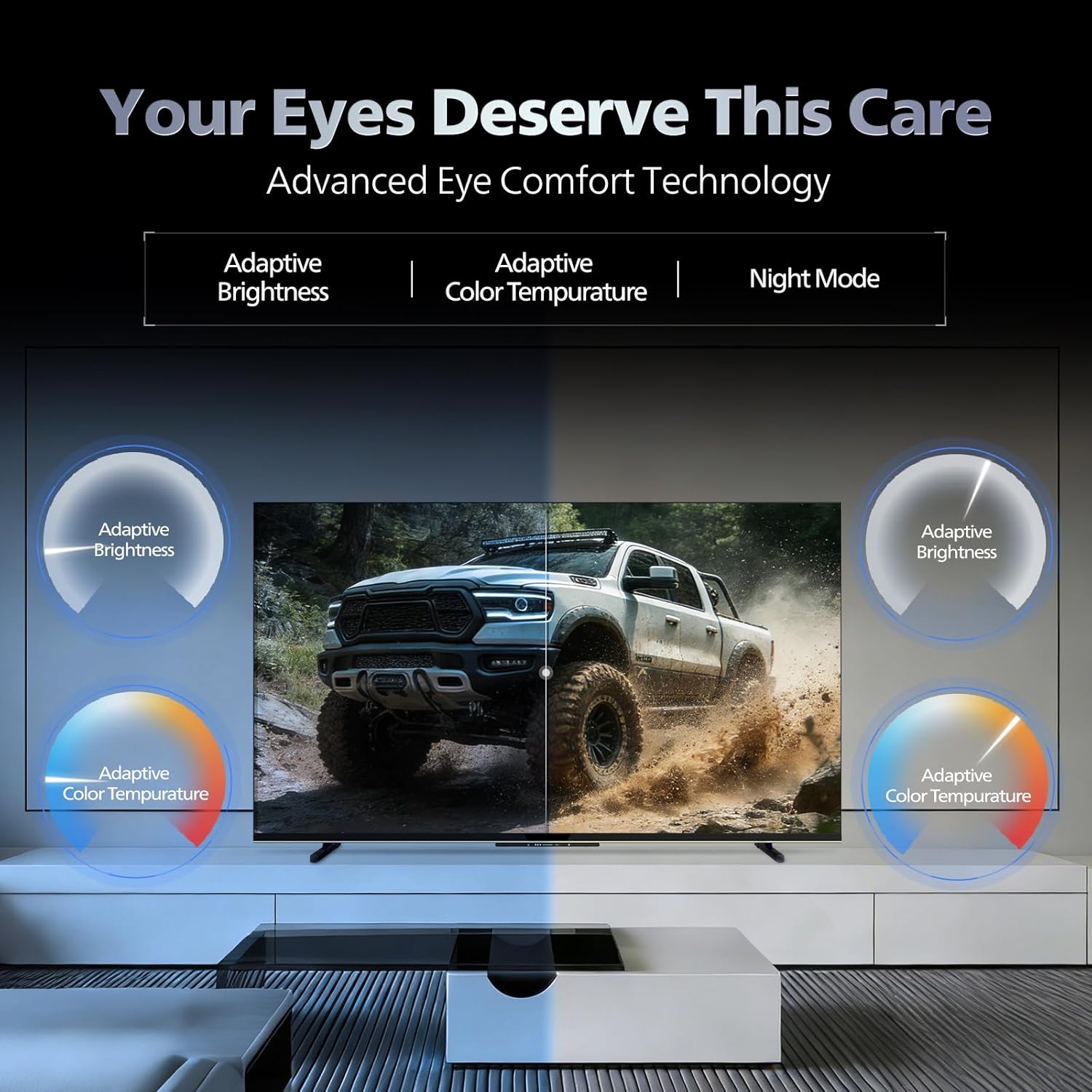
- Технология комфорта глаз: Features like Adaptive Brightness, Adaptive Color Temperature, and Night Mode are available to reduce eye strain.

Visual representation of the TV's advanced eye comfort technology, including adaptive brightness and color temperature.

A visual demonstrating the immersive multi-dimensional audio experience provided by Dolby Atmos on the television.
4. Техническое обслуживание
4.1 Чистка телевизора
To clean the screen and cabinet, first unplug the power cord. Use a soft, lint-free cloth. For stubborn marks, lightly dampСмочите ткань водой или мягким неабразивным чистящим средством для экрана. Никогда не распыляйте чистящее средство непосредственно на экран.
Важный: The television is не водостойкий. Avoid exposing it to liquids.
4.2 Обновления программного обеспечения
Ensure your TV's software is up to date for optimal performance and security. The TV will typically prompt you for available updates. You can also manually check for updates in the settings menu.
5. Поиск Неисправностей
If you encounter issues with your television, try the following basic troubleshooting steps before contacting support.
- Нет питания: Убедитесь, что шнур питания надёжно подключён к телевизору и исправной розетке. Попробуйте использовать другую розетку.
- Нет изображения/звука: Check all cable connections (HDMI, AV, Antenna). Ensure the correct input source is selected on the TV.
- Пульт дистанционного управления не работает: Замените батарейки в пульте дистанционного управления. Убедитесь, что между пультом дистанционного управления и ИК-датчиком телевизора нет препятствий.
- Проблемы с подключением к Интернету: Restart your Wi-Fi router. Check the TV's network settings and ensure it's connected to the correct network. Try a wired LAN connection if possible.
- Проблемы с качеством изображения: Отрегулируйте параметры изображения (яркость, контрастность, резкость). Убедитесь, что исходный контент высокого качества.
The television displaying a fast-paced gaming scene, highlighting its 120Hz refresh rate and gaming optimization features.
6. Технические характеристики
| Особенность | Деталь |
|---|---|
| Номер модели | 55MLED610/94 |
| Размер экрана | 55 дюйма (138 см) |
| Технология отображения | QD-Mini светодиод |
| Разрешение | 4K Ultra HD (3840 x 2160) |
| Частота обновления | 120 Hz HSR |
| Поддерживаемый формат HDR | HDR10+, Dolby Vision |
| Viewугол наклона | 178 градусов |
| Вывод звука | 36 Вт |
| Кодирование аудио | Dolby Atmos, Dolby Audio |
| Операционная система | Гугл ТВ |
| БАРАН | 2 ГБ |
| ПЗУ | 32 ГБ |
| Связность | Wi-Fi (Dual band WIFI 5), Bluetooth 5.1, 3 HDMI (1x HDMI 2.1 eARC), 2 USB, 1 LAN, 1 Antenna, 1 Satellite, 1 Digital Audio Out (Optical), 1 AV-IN, 1 Earphone |
| Размеры продукта (Д x Ш x В) | 8 см x 144.5 см x 84 см |
| Item Weight Without Stand | 9.4 Килограмма |
| Потребляемая мощность | 130 Вт |
| Энергетический рейтинг | 3 звезды |
| Годовое потребление энергии | 182 кВтч / год |
| Включенные компоненты | TV Unit, Stand Bases, Quick Start Guide, Warranty Card, Remote, Batteries, Power cord, Screws, AV Converting Cable |

Dimensional drawing of the Philips 55MLED610/94 TV, showing height, width, and depth measurements.
7. Гарантия и поддержка
7.1 Информация о гарантии
A 1-year warranty is provided by the manufacturer from the date of purchase. Warranty claims can be processed using your Amazon e-invoice.
The warranty covers manufacturing defects but does not cover spares.
7.2 Поддержка клиентов
For assistance, contact the brand's toll-free number: 18004256396. Please provide the product's model name (55MLED610/94) and seller's details from your invoice. The service center will schedule a convenient service slot.
Производитель: Radiant Appliances And Electronics Private Limited
Survey No. 111, 112, S-2 A 1, Ecity, Fabcity, Maheshwaram Mandal Raviryala Village, Ranga Reddy, Telangana- 501141
Импортер: TPV Technology India Private Limited
Unit No. 307-308 3rd Floor, SEWA Corporate Park MG Road Gurugram Haryana 122002