Введение
This manual provides essential information for the proper setup, operation, and maintenance of your Harman Kardon Enchant-900 Soundbar. Please read this manual thoroughly before using the product to ensure optimal performance and safety.
The Harman Kardon Enchant-900 Soundbar delivers an immersive audio experience with 3D surround sound, featuring Dolby Atmos and MultiBeam technology. Its distinguished design complements any home entertainment setup, while Harman PureVoice technology enhances dialogue clarity. Enjoy Ultra HD 4K pass-through with Dolby Vision for a complete cinematic experience.
Что в коробке?
Carefully unpack your soundbar and verify that all components listed below are present and in good condition. If any item is missing or damaged, contact your retailer.
- Harman Kardon Enchant-900 Soundbar
- Дистанционное управление
- HDMI-кабель
- Силовой кабель
- 2 x L-образных настенных кронштейна с винтами

Изображение: Спереди view of the Harman Kardon Enchant-900 Soundbar, showcasing его элегантный дизайн.
Настраивать
1. Размещение
The soundbar can be placed on a tabletop or mounted on a wall. For optimal audio performance, position the soundbar centrally below your television.
- Размещение на столе: Ensure the surface is stable and level. Do not block the speakers.
- Настенный монтаж: Use the provided L-shape wall-mount brackets and screws. Consult a professional for wall mounting if you are unsure.

Изображение: под углом view of the soundbar, suitable for illustrating tabletop placement.
2. Связи
Connect your soundbar to your television and power source using the following steps:
- HDMI ARC/eARC Connection: Connect one end of the provided HDMI cable to the HDMI ARC/eARC port on your soundbar and the other end to the HDMI ARC/eARC port on your television. This connection allows audio from your TV to be sent to the soundbar and enables control of the soundbar with your TV remote.
- Other HDMI Devices: If you have external devices like a Blu-ray player or gaming console, connect them to the HDMI IN ports on the soundbar.
- Optical Connection (Optional): If your TV does not have an HDMI ARC/eARC port, connect an optical cable (not included) from your TV's optical output to the OPTICAL IN port on the soundbar.
- Подключение питания: Подключите кабель питания к разъему питания звуковой панели, а затем к розетке.

Изображение: сзади view of the soundbar, showing the various input and output ports for connection.
3. Первоначальное включение
After all connections are made, press the power button on the soundbar or the remote control to turn it on. The soundbar will typically enter setup mode or automatically detect the input source.
Инструкция по эксплуатации
Основные элементы управления
Управлять саундбаром можно с помощью прилагаемого пульта дистанционного управления или кнопок на верхней панели устройства.
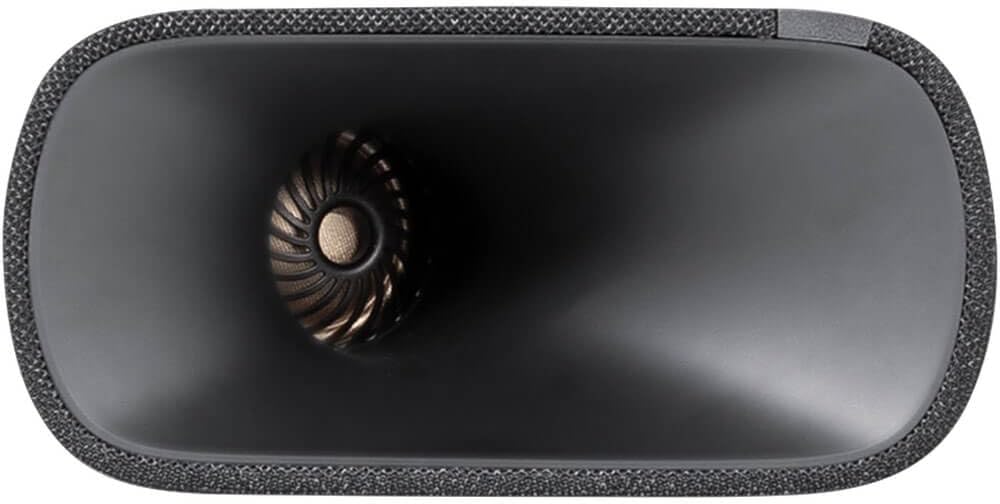
Image: Close-up of the soundbar's top panel, showing the integrated control buttons.
- Кнопка питания: Включает или выключает звуковую панель.
- Увеличение/уменьшение громкости: Регулирует уровень общей громкости.
- Источник/Ввод: Cycles through available input sources (HDMI, Optical, Bluetooth, Wi-Fi).
- Bluetooth-соединение: Запускает режим сопряжения Bluetooth для подключения мобильных устройств.
Звуковые режимы и функции
- Долби Атмос: Experience immersive 3D audio. Ensure your content and source device support Dolby Atmos for the full effect.
- Технология MultiBeam: Создает широкий спектр звуковtage without additional rear speakers.
- Harman PureVoice: Enhances dialogue clarity, making conversations easier to understand, especially in action-packed scenes. Activate this feature via the remote control or soundbar settings.
- Связь: Utilize Airplay, Bluetooth, or Wi-Fi for wireless audio streaming from compatible devices.
Обслуживание
To ensure the longevity and optimal performance of your Harman Kardon Enchant-900 Soundbar, follow these maintenance guidelines:
- Уборка: Для протирки поверхности саундбара используйте мягкую сухую ткань. Не используйте жидкие чистящие средства или абразивные материалы, так как они могут повредить покрытие.
- Вентиляция: Ensure that the soundbar's ventilation openings are not blocked. Adequate airflow prevents overheating.
- Хранилище: При длительном хранении саундбара отключите его от питания и храните в прохладном, сухом месте, желательно в оригинальной упаковке.
Поиск неисправностей
Если у вас возникли проблемы с вашей звуковой панелью, ознакомьтесь со следующими распространенными проблемами и решениями:
| Проблема | Возможное решение |
|---|---|
| Нет электричества |
|
| Нет звука |
|
| Плохое качество звука |
|
| Пульт дистанционного управления не работает |
|
Технические характеристики
Detailed technical specifications for the Harman Kardon Enchant-900 Soundbar:
| Название модели | HKENCH900BLKAM |
| Тип динамика | Саундбар |
| Цвет | Черный |
| Размеры продукта | 5.1"Д x 34.2"Ш x 2.6"В |
| Вес товара | 7.7 фунта |
| Максимальная выходная мощность динамика | 195 Вт |
| Технология связи | Airplay, Bluetooth, Wi-Fi |
| Тип крепления | Настольное крепление |
| СКП | 028292291883 |
| Производитель | Харман-Кардон |
Гарантия и поддержка
Harman Kardon products are designed for reliability and performance. For information regarding warranty coverage, technical support, or service, please refer to the warranty card included with your product or visit the official Harman Kardon webсайт.
Сохраните чек о покупке в качестве подтверждения покупки для предъявления гарантийных претензий.