1. Введение
Thank you for choosing the TizzyToy MT22 GPS Drone. This manual provides essential information for the safe operation, setup, and maintenance of your drone. Please read it thoroughly before your first flight to ensure proper usage and to maximize your flying experience.
The TizzyToy MT22 is a lightweight, foldable GPS drone equipped with dual 4K UHD cameras, designed for both beginners and experienced pilots. Key features include:
- Under 249g Weight: No FAA registration or Remote ID required in many regions.
- GPS Auto Return-to-Home (RTH): Ensures safe return in case of low battery or signal loss.
- Удержание высоты: Maintains a stable hover for easier control.
- Dual 4K UHD Cameras: Capture high-resolution photos and videos with a 90° adjustable lens.
- 5G WiFi FPV: Real-time video transmission to your mobile device.
- Увеличенное время полета: Up to 50 minutes with two modular batteries.
- Трансмиссия на большие расстояния: Reliable control up to 2,625 feet.
- Бесщеточные двигатели: Provide stable flight and require minimal maintenance.
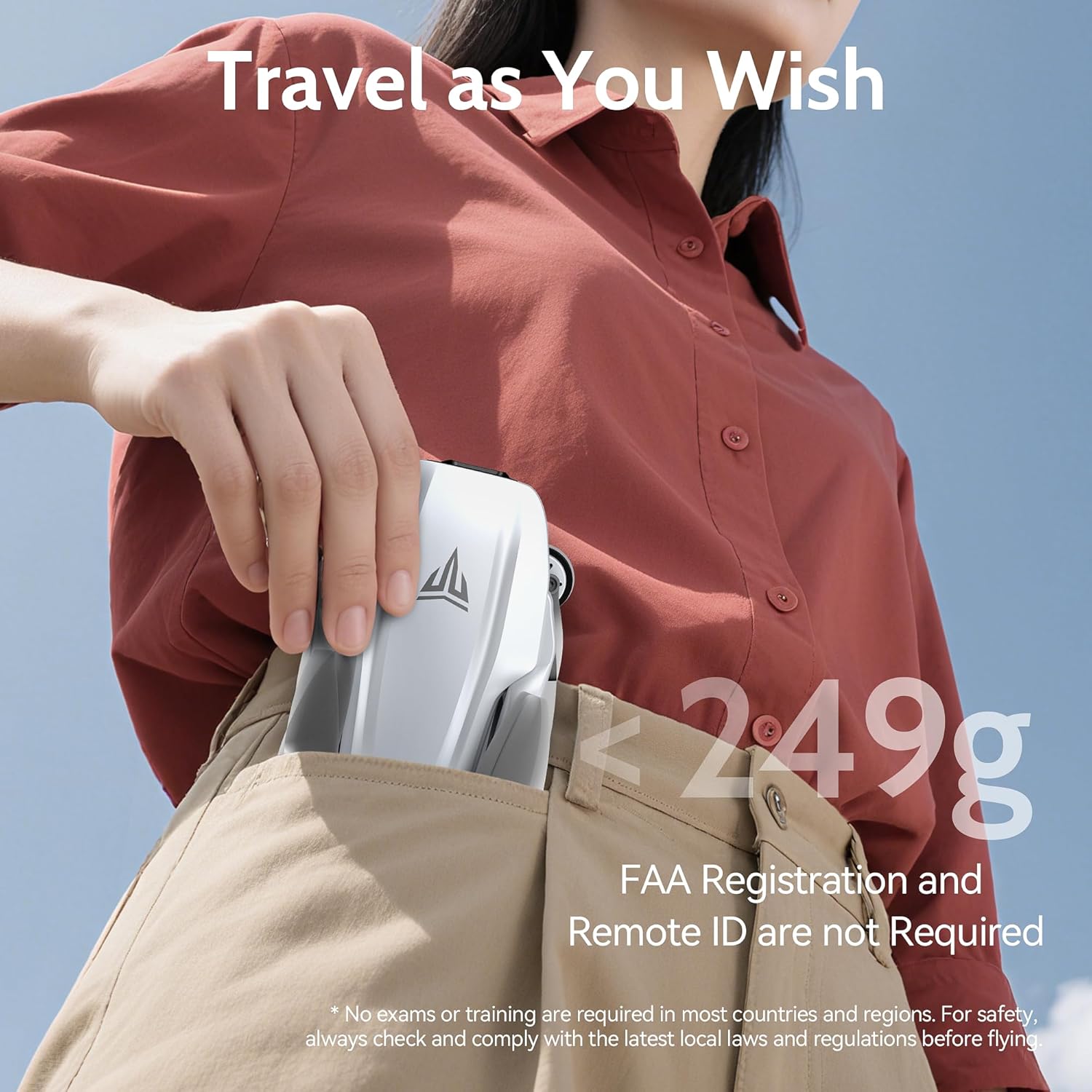
Image 1.1: The TizzyToy MT22 drone's compact, foldable design allows it to fit easily into a pocket, highlighting its portability and lightweight nature (under 249g).
2. Правила техники безопасности
Operating a drone requires responsibility. Adhere to the following safety guidelines to prevent accidents and ensure a pleasant flying experience.
- Местные правила: Always check and comply with local laws and regulations regarding drone operation before flying. While this drone is under 249g and may not require FAA registration in some regions, other local rules may apply.
- Предполетная проверка: Before each flight, ensure the drone, remote controller, and batteries are in good condition and fully charged.
- Условия окружающей среды: Do not fly in strong winds (the drone has Level 5 wind resistance, but extreme conditions should be avoided), heavy rain, snow, or fog. Maintain visual line of sight with the drone.
- Зона полета: Fly in open areas, away from people, animals, buildings, and obstacles. Avoid flying over crowds or private property.
- Безопасность аккумулятора: Use only original batteries and chargers. Do not overcharge or puncture batteries. Discontinue use if batteries show signs of damage or swelling.
- Безопасность пропеллера: Keep hands and face away from rotating propellers. Ensure propellers are correctly installed and free from damage before flight.
- Действия в чрезвычайных ситуациях: Familiarize yourself with the Return-to-Home (RTH) function and emergency stop procedures.

Image 2.1: The TizzyToy MT22 drone incorporates multiple safety features, including Geo-Fencing, One-Key Return, Signal-Loss Return, and Low Battery Return, enhancing flight safety and ease of use.
3. Содержимое упаковки
Пожалуйста, проверьте наличие всех предметов в вашей посылке:
- TizzyToy MT22 GPS Drone
- Пульт дистанционного управления
- Интеллектуальные полетные батареи (2 шт.)
- Запасные винты (комплект)
- Отвертка
- USB-кабели для зарядки (x3)
- Чехол для переноски
- Руководство пользователя (этот документ)
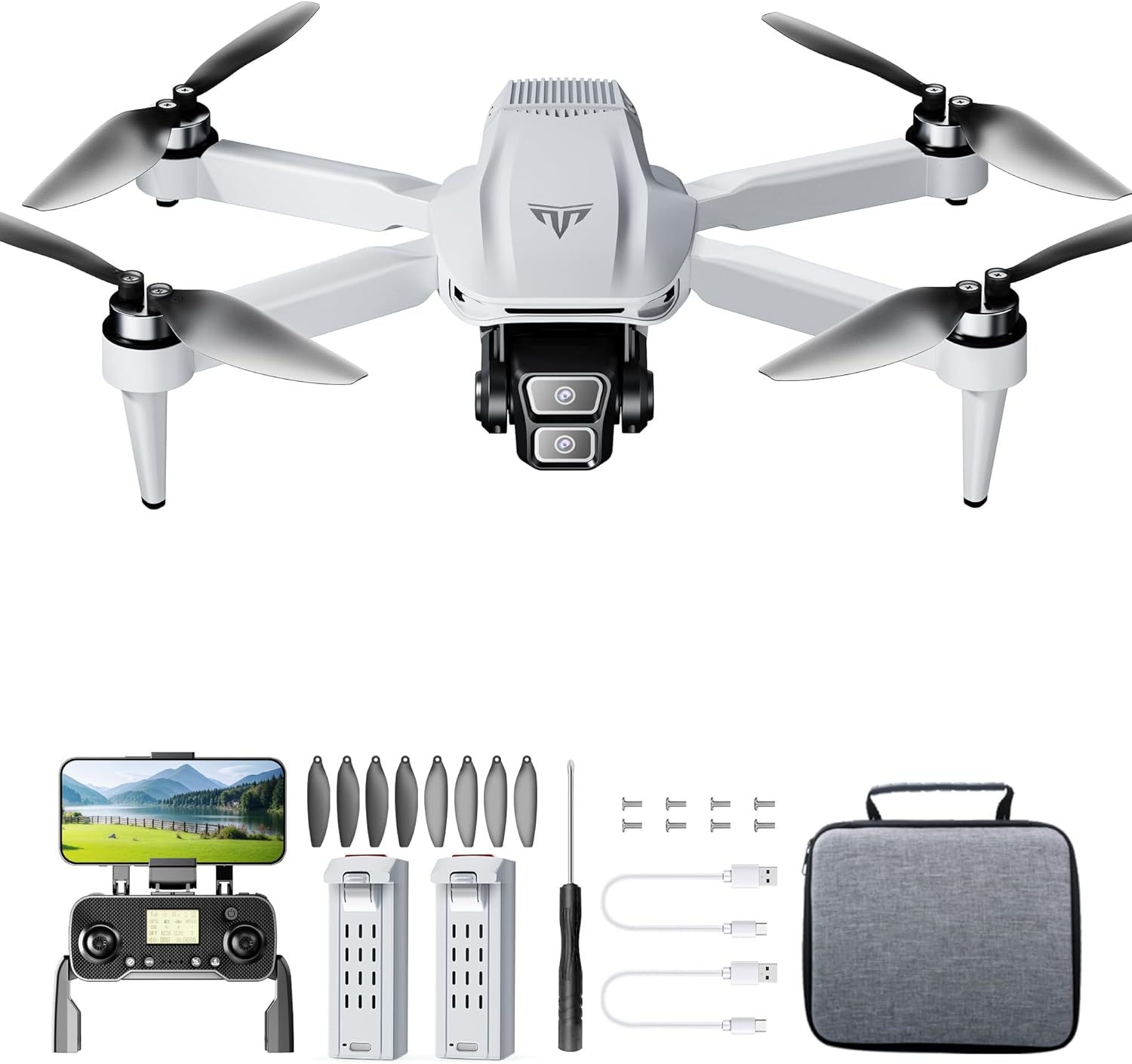
Изображение 3.1: оконченоview of the TizzyToy MT22 GPS Drone package contents, showing the drone, remote, batteries, and accessories.
4. Руководство по установке
4.1 Раскладывание дрона
- Разместите дрон на ровной поверхности так, чтобы камера была направлена вперед.
- Gently unfold the front arms until they lock into position.
- Unfold the rear arms until they lock into position.
4.2 Установка гребных винтов
Дрон поставляется с предустановленными пропеллерами. В случае необходимости замены:
- Определите маркировку «A» и «B» на пропеллерах и двигателях.
- Match the 'A' propellers to 'A' motors and 'B' propellers to 'B' motors.
- Use the provided screwdriver to secure the propellers with the small screws. Ensure they are firmly attached but not overtightened.
4.3 Зарядка аккумуляторов
Fully charge both the drone's intelligent flight batteries and the remote controller battery before first use.
- Аккумулятор Drone: Connect the drone battery to a USB power adapter (not included) using the provided USB charging cable. The indicator lights on the battery will show charging status. Charging typically takes 3-4 hours. The battery features auto power-off after full charge.
- Батарея пульта дистанционного управления: Connect the remote controller to a USB power adapter using its dedicated USB charging cable. The indicator light on the remote will show charging status.
4.4 Installing Drone Battery and SD Card
- Slide the fully charged intelligent flight battery into the battery compartment on the rear of the drone until it clicks into place.
- If using an SD card (not included), insert it into the SD card slot on the drone's body. Ensure the card is inserted correctly according to the diagram near the slot.
4.5 Pairing Remote Controller and App Connection
- Power on the drone by pressing the power button once, then pressing and holding it until the indicator lights illuminate.
- Включите пульт дистанционного управления.
- The drone and remote controller should automatically pair. If not, refer to the specific pairing instructions in the quick start guide or app.
- Download the TizzyToy FPV app from your mobile device's app store.
- Connect your mobile device to the drone's 5G WiFi network (usually named "TizzyToy_XXXXXX").
- Open the TizzyToy FPV app to view the live camera feed and access advanced flight functions.
5. Инструкция по эксплуатации
5.1 Предполетные проверки
- Убедитесь, что аккумуляторы дрона и пульта дистанционного управления полностью заряжены.
- Проверьте винты на наличие повреждений и убедитесь, что они надежно закреплены.
- Verify the flight environment is clear of obstacles and people.
- Confirm GPS signal acquisition (indicated by solid green lights on the drone or in the app).
- Ensure your mobile device is connected to the drone's WiFi and the app is functioning correctly.
5.2 Взлет и посадка
- Запуск двигателя: Push both control sticks on the remote controller down and outwards simultaneously to start the motors.
- Снимать:
- Ручной взлет: Slowly push the left joystick (throttle) upwards to ascend.
- Взлет одним нажатием: Press the dedicated One-Key Take-off button on the remote or in the app. The drone will automatically ascend to a safe height.
- Посадка:
- Ручная посадка: Slowly pull the left joystick (throttle) downwards until the drone lands.
- Посадка одним нажатием: Press the dedicated One-Key Landing button on the remote or in the app. The drone will automatically descend and land.
5.3 Основные элементы управления полетом
- Левый джойстик (газ/рыскание):
- Вверх/Вниз: Подъем/Спуск
- Left/Right: Rotate drone left/right (Yaw)
- Правый джойстик (вперед/назад/влево/вправо):
- Up/Down: Fly forward/backward (Pitch)
- Left/Right: Fly left/right (Roll)
5.4 функций GPS
- Режим GPS: The drone defaults to GPS mode when sufficient satellites are acquired, providing stable hovering and precise positioning.
- Возвращение домой (RTH):
- Умный возврат домой: Initiated by pressing the RTH button on the remote or in the app. The drone will return to its recorded home point.
- Возврат домой при низком заряде батареи: Automatically triggered when the drone's battery is critically low.
- Потеря сигнала RTH: Automatically triggered if the connection between the drone and remote controller is lost.
- Удержание высоты: The drone will automatically maintain its current altitude when the throttle stick is centered, allowing for easier control.
5.5 Работа камеры

Image 5.1: The TizzyToy MT22 features dual 4K UHD cameras with a 90-degree adjustable lens for versatile aerial photography and videography.
- Фото/Видео: Используйте специальные кнопки на пульте дистанционного управления или в приложении, чтобы делать фотографии или начинать/останавливать запись видео.
- Регулировка угла камеры: The camera lens can be adjusted by 90° via the remote controller or app to capture different perspectives.
- FPV (вид от первого лица) View): The 5G WiFi transmission allows for real-time video feed to your connected mobile device via the TizzyToy FPV app.
- Хранение на SD-карте: Фуtage can be stored directly onto an inserted SD card (up to 128GB, Class 10 or higher recommended) for higher quality recordings.
5.6 Интеллектуальные режимы полета
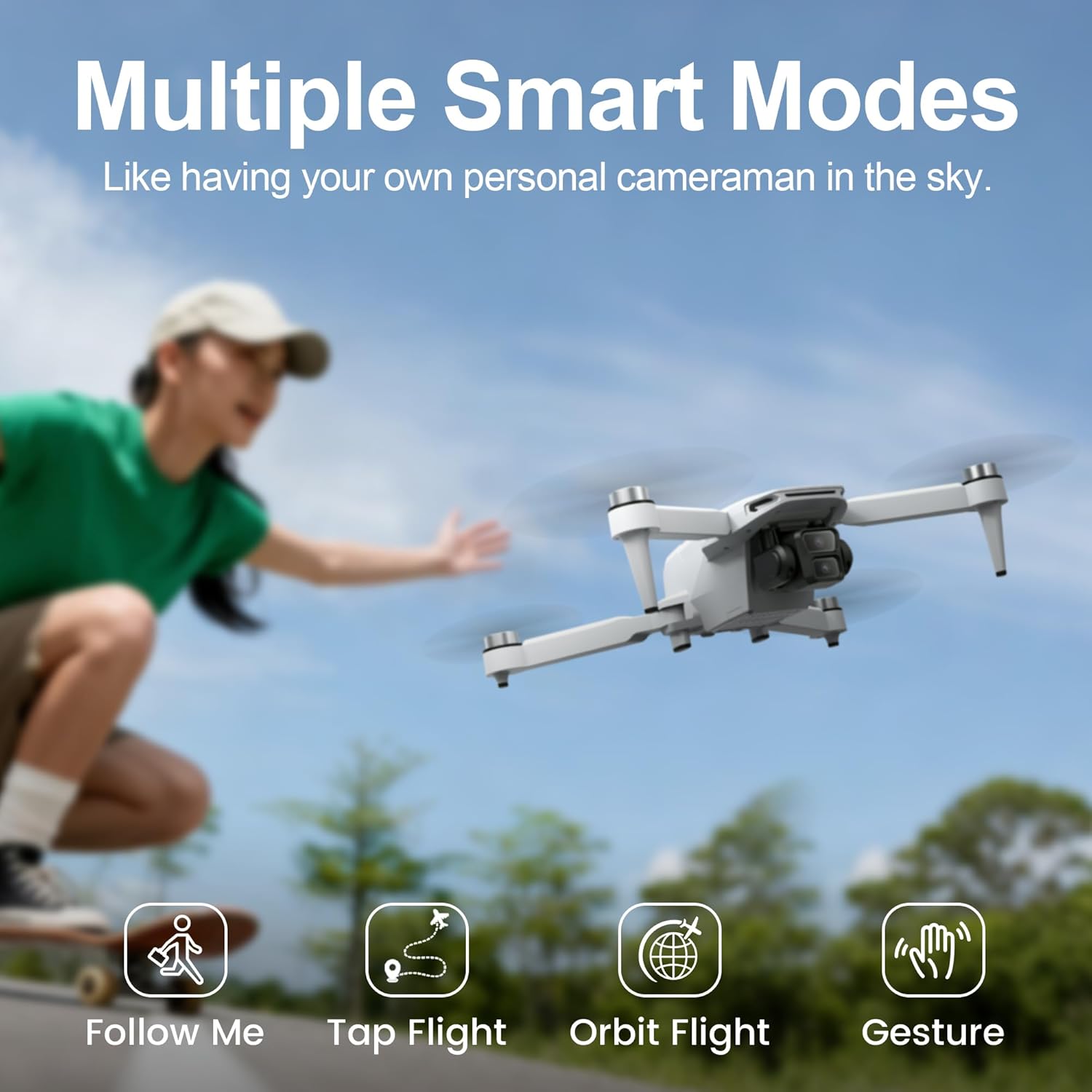
Image 5.2: The TizzyToy MT22 offers multiple smart flight modes, including Follow Me, Tap Flight, Orbit Flight, and Gesture Control, for enhanced creative possibilities.
Access these modes via the TizzyToy FPV app:
- Подписывайтесь на меня: The drone will automatically follow the subject (e.g., you with your mobile device).
- Tap Flight (Waypoint Flight): Нажимайте на точки на карте в приложении, и дрон полетит по заданному маршруту.
- Orbit Flight (Point of Interest): Select a central point, and the drone will circle around it at a set radius and altitude.
- Управление жестами: Выполните определенные жесты рукой, чтобы начать фото- или видеосъемку.
6. Техническое обслуживание
Regular maintenance ensures the longevity and optimal performance of your TizzyToy MT22 drone.
- Уборка: Use a soft, dry cloth to clean the drone body, camera lens, and motors after each flight. Avoid using liquids or solvents.
- Проверка винта: Regularly check propellers for cracks, bends, or other damage. Replace damaged propellers immediately using the provided spare parts and screwdriver.
- Уход батареи:
- Храните батареи в прохладном, сухом месте, вдали от прямых солнечных лучей и экстремальных температур.
- Do not fully discharge batteries for extended periods. Charge them to about 50-60% for long-term storage.
- Если батарея вздулась или приобрела признаки повреждения, прекратите ее использование и утилизируйте надлежащим образом.
- Хранилище: Когда дрон не используется, сложите его и храните в чехле, чтобы защитить от пыли и механических повреждений.
7. Поиск Неисправностей
If you encounter issues with your TizzyToy MT22 drone, refer to the following common problems and solutions:
| Проблема | Возможная причина | Решение |
|---|---|---|
| Дрон не включается. | Аккумулятор не заряжен или установлен неправильно. | Ensure battery is fully charged and correctly inserted. Press and hold power button to turn on. |
| Remote controller fails to connect. | Remote battery low; pairing failed. | Charge remote controller. Re-attempt pairing process as per section 4.5. |
| Нет сигнала GPS. | Flying indoors; insufficient satellites. | Fly outdoors in an open area. Wait for the drone to acquire sufficient GPS satellites (indicated by solid green lights). |
| Неустойчивый полет/дрейф. | Improper calibration; strong winds; damaged propellers. | Perform gyroscope and compass calibration (refer to app instructions). Avoid flying in strong winds. Check and replace damaged propellers. |
| Отсутствует видеопоток с FPV-камеры. | Mobile device not connected to drone's WiFi; app not open. | Ensure your phone is connected to the drone's 5G WiFi network and the TizzyToy FPV app is open. |
| Камера не записывает/не делает фотографии. | No SD card; SD card full or corrupted; insufficient permissions. | Insert a compatible SD card. Format the SD card via the app. Check app permissions on your mobile device. |
8. Технические характеристики
| Особенность | Деталь |
|---|---|
| Бренд | ТиззиТой |
| Модель | МТ22 |
| Масса | Under 249g (No FAA registration required in many regions) |
| Размеры (в сложенном виде) | Approximately 2.54 x 2.54 x 2.54 cm (1 x 1 x 1 inch) - Note: This dimension seems unusually small for a folded drone, likely a placeholder or error in source data. Actual folded dimensions would be larger. |
| Макс. время полета | Up to 50 minutes (with 2 batteries, 25 mins per battery) |
| Максимальный диапазон передачи | 2,625 футов (приблизительно 800 метра) |
| Камера | Dual 4K UHD, 90° Adjustable Lens |
| FPV-трансмиссия | 5G Wi-Fi |
| Тип двигателя | Бесщеточный двигатель |
| Слот для SD-карты | Yes (Card not included, supports up to 128GB) |
| Особенности GPS | Auto Return-to-Home (RTH), Altitude Hold |
| Сопротивление ветру | Уровень 5 |

Image 8.1: The TizzyToy MT22 drone offers a maximum flight time of 50 minutes, achieved with two intelligent flight batteries, each providing approximately 25 minutes of flight.
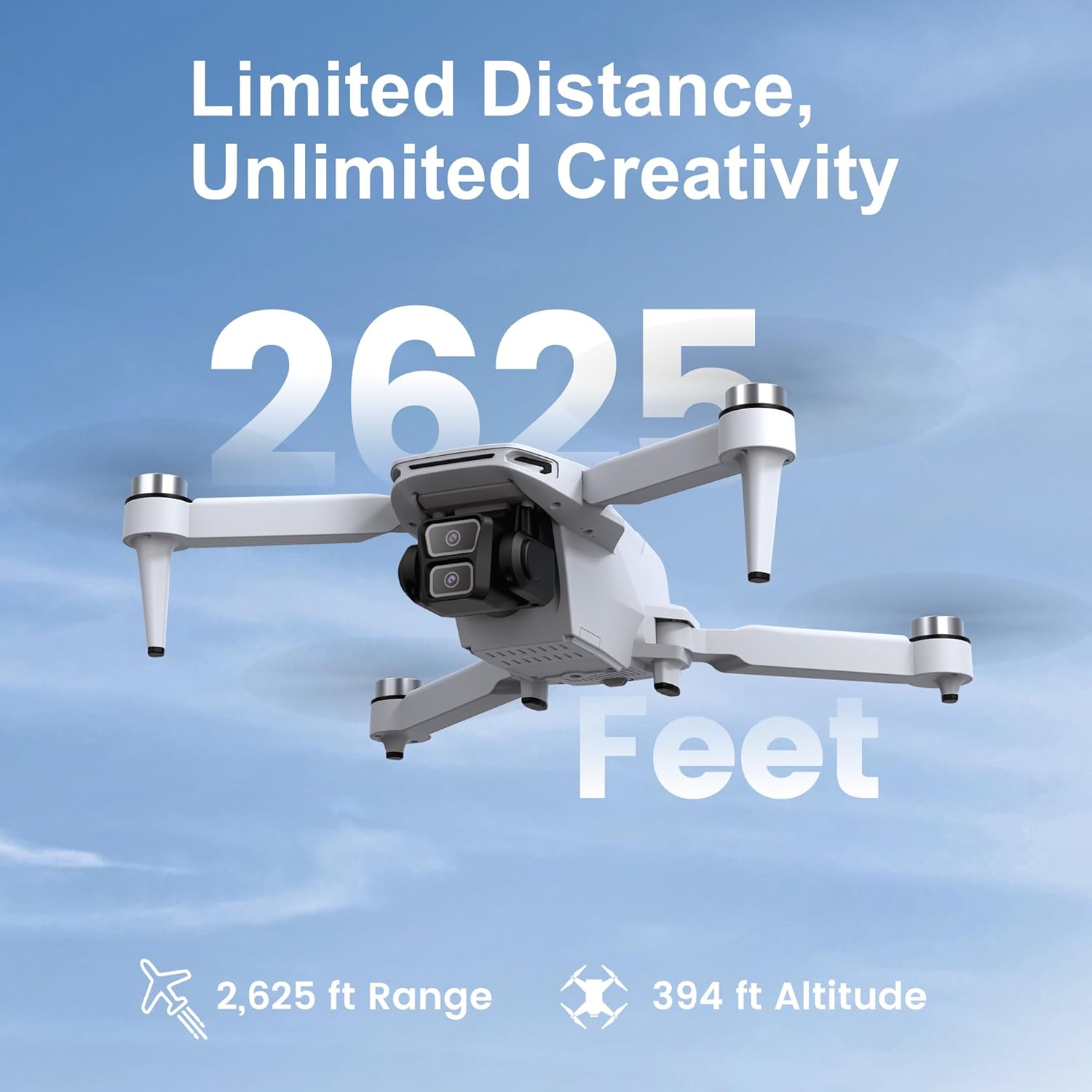
Image 8.2: The TizzyToy MT22 drone boasts a reliable transmission range of up to 2,625 feet, allowing for extensive exploration.
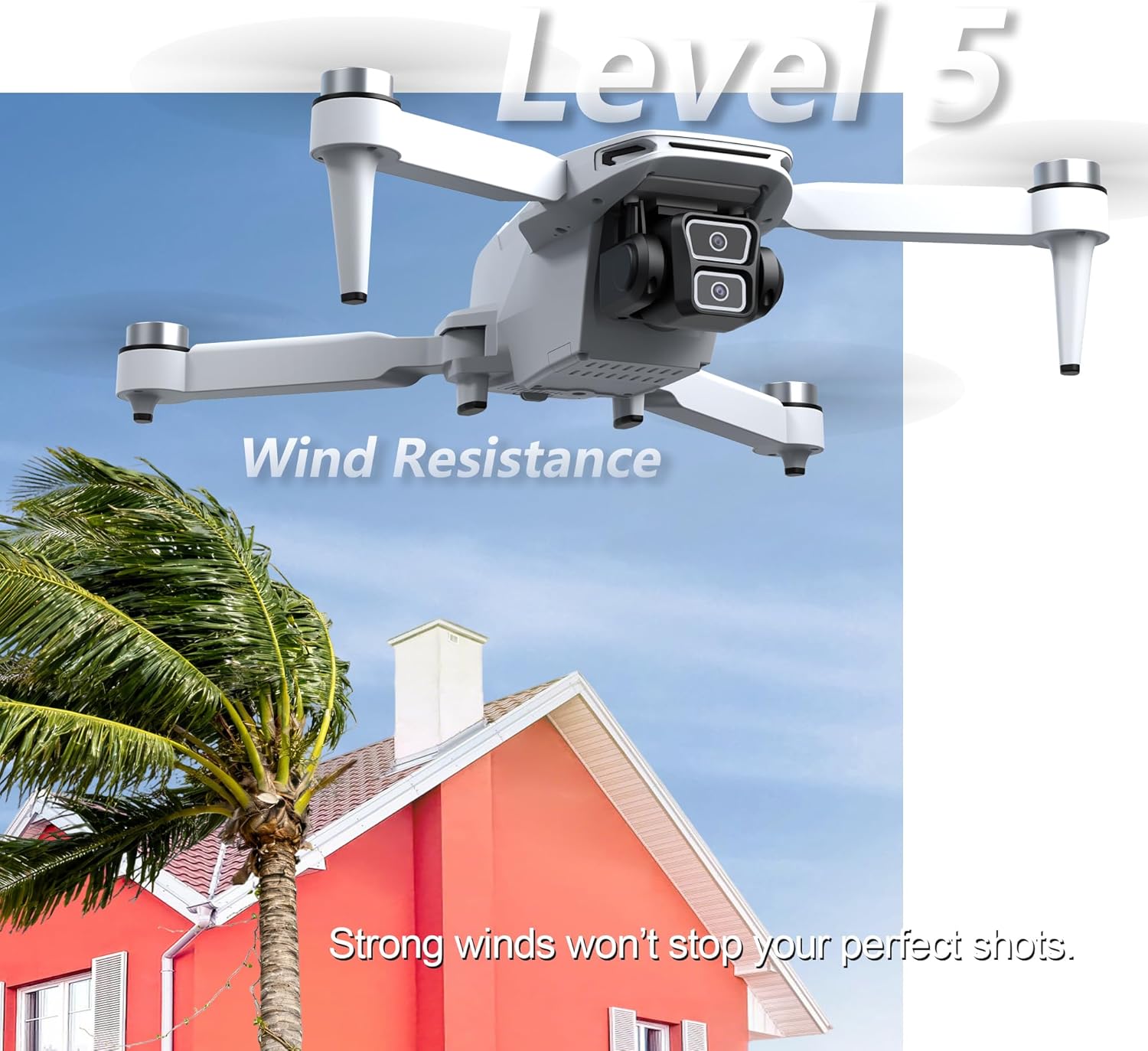
Image 8.3: The TizzyToy MT22 drone features Level 5 wind resistance, enabling stable flight even in moderate wind conditions.
9. Гарантия и поддержка
Specific warranty details are not provided within this manual. For information regarding warranty coverage, technical support, or service, please refer to the documentation included with your purchase or contact TizzyToy customer service directly through their official webсайт или розничный продавец, где был приобретен товар.