
1. Продукт закончилсяview
The AJAZZ AJ139 V2 MC is a versatile tri-mode gaming mouse designed for precision and responsiveness. It features a PAW3311 sensor for accurate tracking, a 1000Hz return rate for smooth performance, and a long-lasting 500mAh battery. Its compact and lightweight design makes it suitable for extended use and portability.
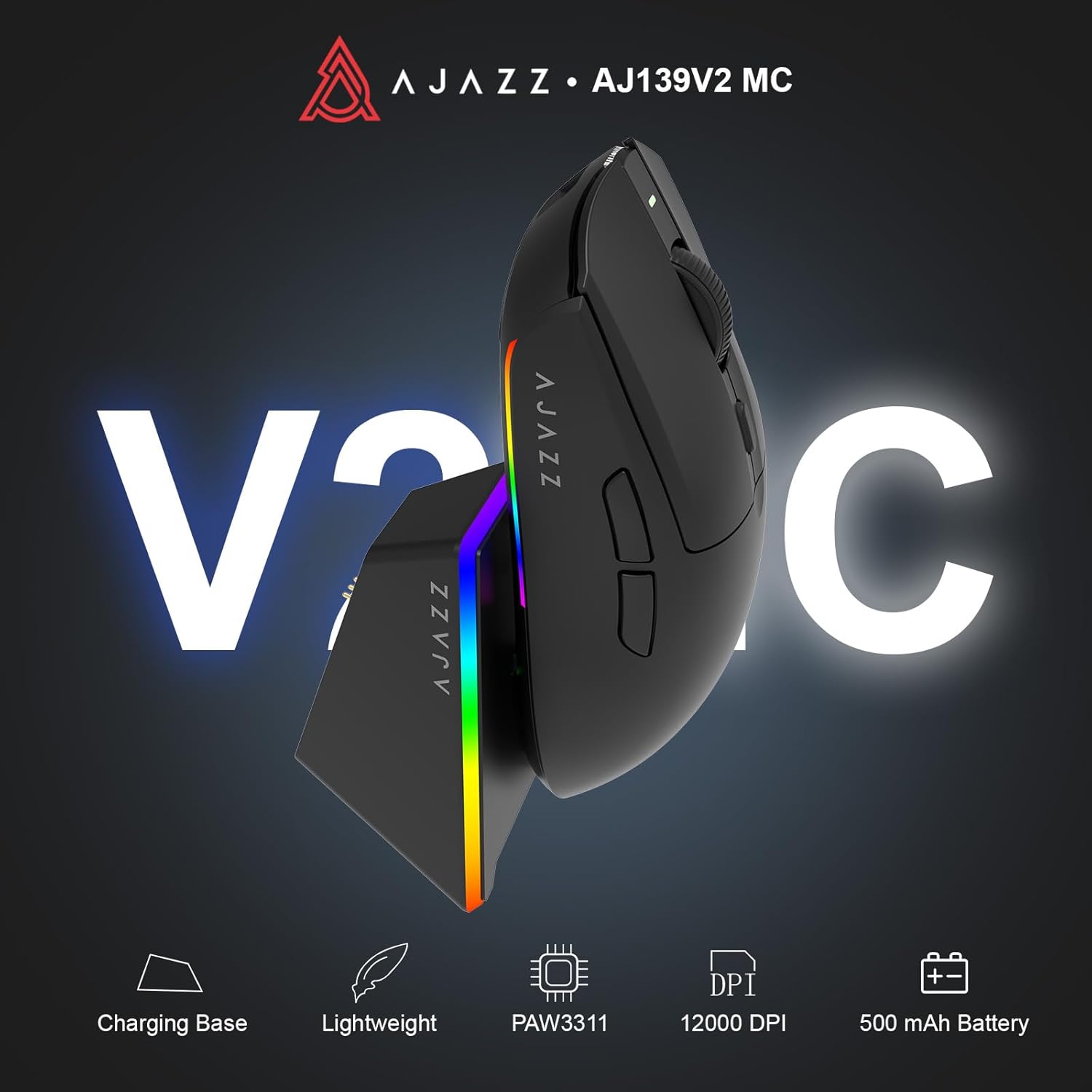
Figure 1.1: AJAZZ AJ139 V2 MC Gaming Mouse and Charging Dock.
Видео 1.1: Оверview of the AJAZZ AJ139 V2 MC Gaming Mouse, highlighting its features and design.
2. Содержимое упаковки
Убедитесь, что в упаковке присутствуют все предметы:
- Игровая мышь AJAZZ AJ139 V2 MC
- Зарядная док-станция
- Зарядный кабель USB-C
- USB-приемник (донгл) 2.4 ГГц
- Руководство пользователя
3.Основные характеристики
- PAW3311 Sensor Technology: Equipped with the PAW3311 sensor, this mouse ensures precise tracking and accurate cursor control for optimal performance.
- High 1000Hz Return Rate: Experience smooth and responsive performance with a 1000Hz return rate, enhancing your gaming or work experience.
- Длительный срок службы аккумулятора 500 мАч: The integrated 500mAh battery provides extended power, ensuring uninterrupted use for prolonged periods.
- Трехрежимное подключение: Supports versatile connectivity options including Wired, 2.4G Wireless, and Bluetooth, adapting to various devices and setups.
- Компактная и легкая конструкция: Weighing approximately 66 grams, the mouse features a compact design for easy portability and comfortable use during long sessions.
- Настраиваемая RGB-подсветка: Features integrated RGB lighting for personalized aesthetics.
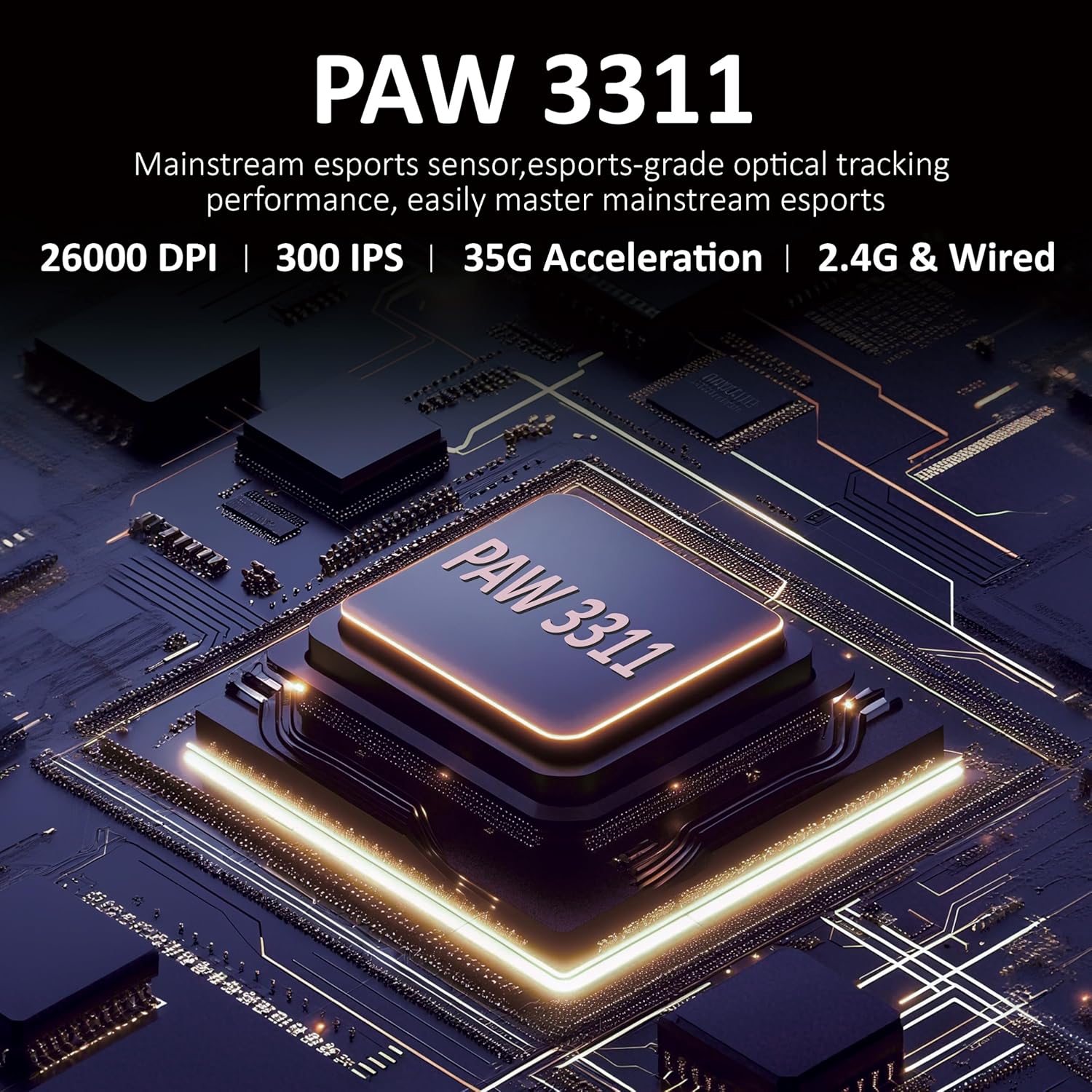
Рисунок 3.1: Подробная информация view of the PAW3311 sensor technology.
Video 3.1: Demonstration of the mouse's 500mAh battery life.

Figure 3.2: The lightweight design of the AJAZZ AJ139 V2 MC mouse.
4. Руководство по установке
4.1. Подключение мыши
The AJAZZ AJ139 V2 MC offers three connection modes:
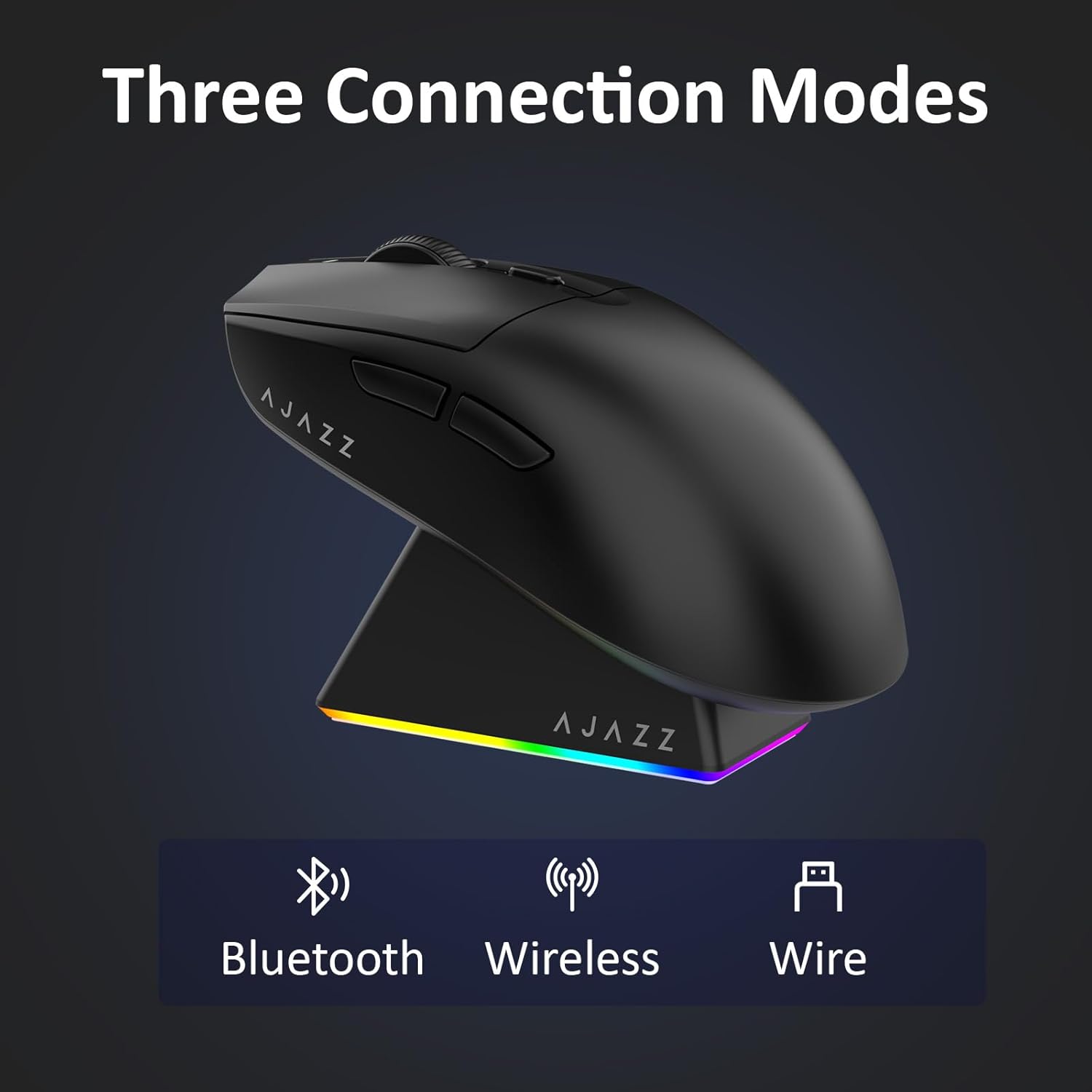
Рисунок 4.1: Визуальное представление трех режимов подключения.
- Беспроводной режим 2.4G:
- Найдите USB-приемник 2.4G, хранящийся в отсеке на нижней стороне мыши.
- Подключите USB-приемник к свободному USB-порту на вашем компьютере.
- Slide the switch on the bottom of the mouse to the '2.4G' position. The mouse will automatically connect.
- Режим Bluetooth:
- Передвиньте переключатель на нижней части мыши в положение «BT».
- Откройте настройки Bluetooth на вашем устройстве и выполните поиск новых устройств.
- Select 'AJAZZ AJ139 V2 MC' from the list to pair.
- Проводной режим:
- Connect the USB-C charging cable to the mouse and the other end to your computer's USB port.
- Мышь будет функционировать как проводное устройство и одновременно заряжаться.
4.2. Зарядка мыши
The mouse can be charged using the included charging dock or directly via the USB-C cable.
- Использование зарядной док-станции:
- Connect the USB-C charging cable to the charging dock and then to a power source (e.g., computer USB port, USB wall adapter).
- Place the mouse onto the charging dock, aligning the magnetic contacts. The RGB lighting on the dock and mouse will indicate charging status.
- Прямая зарядка через USB-C:
- Connect the USB-C charging cable directly to the mouse and a power source.
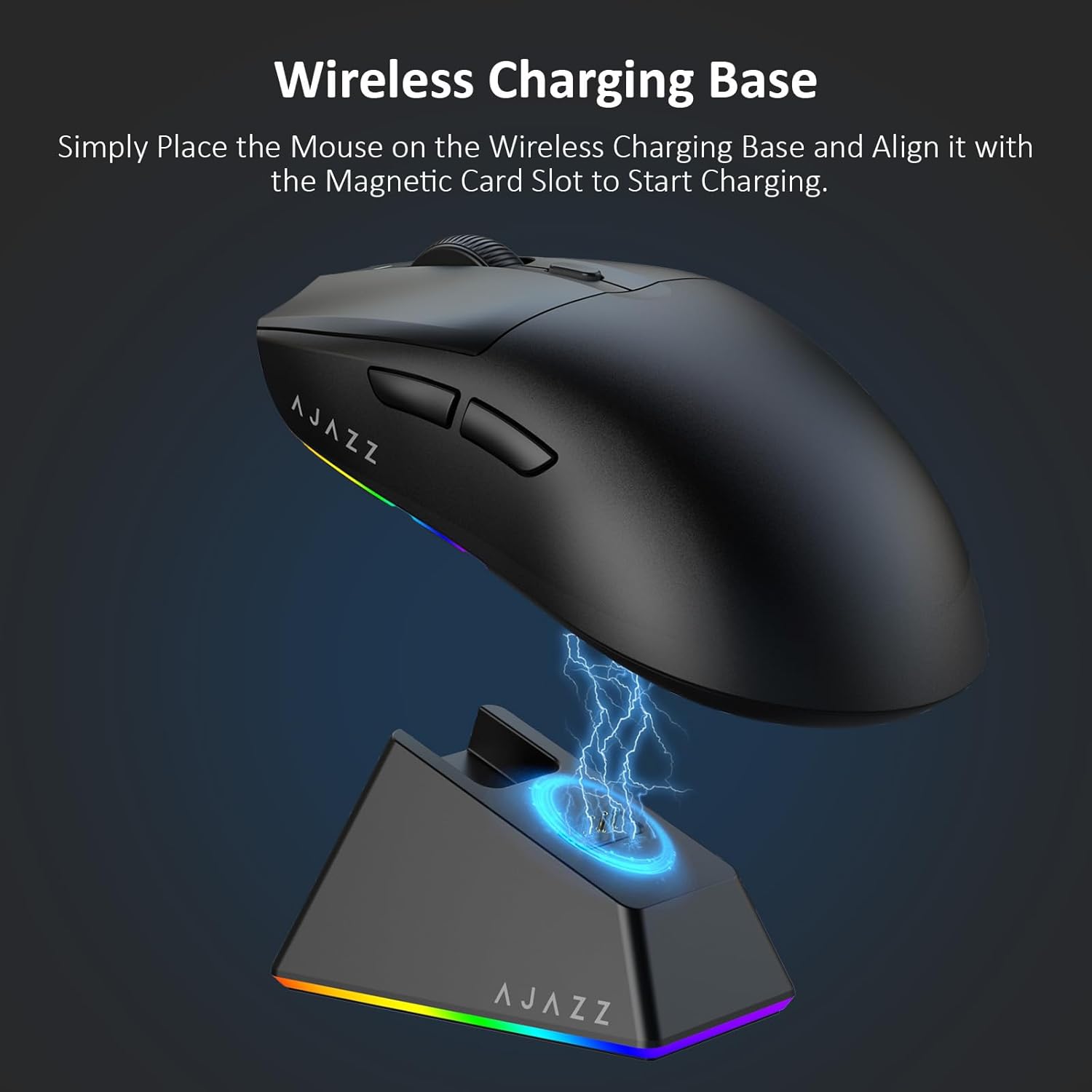
Figure 4.2: The mouse being charged on its wireless charging base.
5. Инструкция по эксплуатации
5.1. Регулировка DPI
The mouse features a dedicated DPI adjustment button on its underside, allowing you to cycle through different sensitivity levels. Press the button to change the DPI setting to suit your preference.
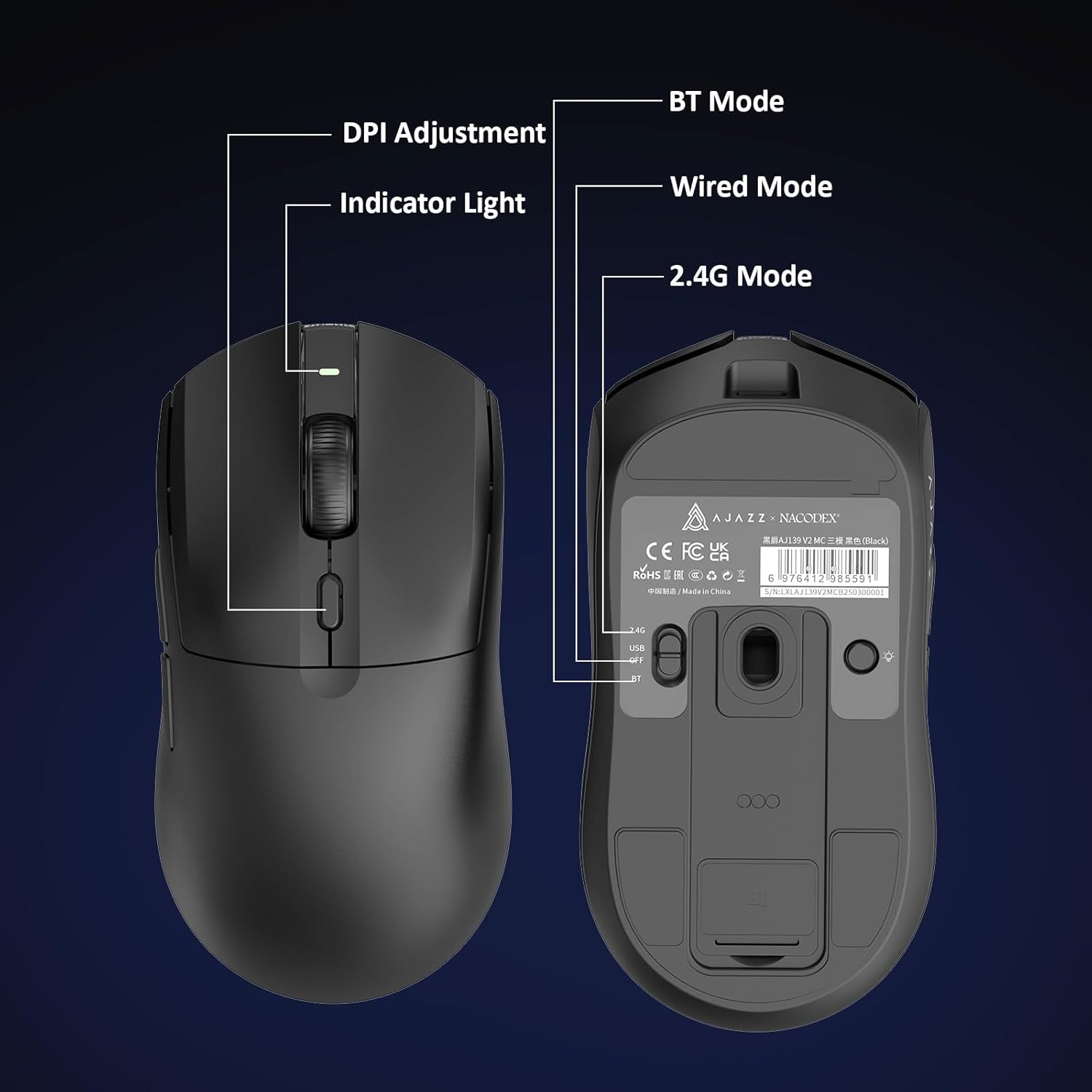
Figure 5.1: Location of the DPI adjustment button and connection mode switch on the mouse underside.
5.2 Функции кнопок
Мышь оснащена 6 программируемыми кнопками:
- Левая кнопка клика
- Кнопка правого клика
- Колесо прокрутки (активно нажимается)
- DPI Adjustment Button (on underside)
- Two Side Buttons (typically for forward/backward navigation)
For advanced customization of button functions and macros, please refer to the official AJAZZ software (downloadable from the manufacturer's webсайт).
5.3. Управление RGB-подсветкой
The mouse and charging dock feature customizable RGB lighting. Specific controls for lighting modes and colors are typically managed through the official AJAZZ software. A dedicated light button on the underside of the mouse allows for basic cycling or turning off the lighting.
6. Техническое обслуживание
- Уборка: Для очистки поверхности мыши используйте мягкую сухую ткань. Для удаления стойких загрязнений слегка протрите поверхность сухой тканью.amp можно использовать ткань, гарантируя, что влага не проникнет во внутренние компоненты.
- Уход за датчиком: Для сохранения точности отслеживания следите за чистотой оптического датчика на нижней стороне мыши и не допускайте попадания на него пыли и мусора.
- Срок службы батареи: Чтобы продлить срок службы аккумулятора, избегайте частой полной разрядки мыши. Заряжайте мышь, когда индикатор заряда батареи показывает низкий уровень заряда.
7. Поиск Неисправностей
| Проблема | Возможное решение |
|---|---|
| Mouse not responding in 2.4G Wireless mode. | Ensure the 2.4G USB receiver is securely plugged into a USB port and the mouse switch is set to '2.4G'. Try a different USB port. |
| Mouse not pairing via Bluetooth. | Ensure the mouse switch is set to 'BT' and your device's Bluetooth is enabled and discoverable. Try unpairing and re-pairing the device. |
| Мышь не заряжается. | Verify the USB-C cable is properly connected to both the dock/mouse and the power source. Ensure the mouse is correctly seated on the charging dock's magnetic contacts. |
| Inconsistent tracking or cursor movement. | Очистите оптический датчик на нижней стороне мыши. Убедитесь, что вы используете мышь на подходящей поверхности (например, на коврике). |
| RGB-подсветка не работает. | Check the mouse's software settings for lighting control. Ensure the mouse has sufficient battery charge. |
8. Технические характеристики
| Особенность | Спецификация |
|---|---|
| Бренд | AJAZZ |
| Название модели | Aj139 V2 MC |
| Цвет | V2 MC Black |
| Технология связи | Bluetooth, USB, беспроводная связь 2.4G |
| Технология обнаружения движения | Оптический (датчик PAW3311) |
| Mouse Maximum Sensitivity | 12000 Dots per Inch (DPI) |
| Ставка возврата | 1000 Гц |
| Емкость аккумулятора | 500мАч |
| Количество кнопок | 6 |
| Ориентация руки | Верно |
| Совместимые устройства | Настольный компьютер |
| Операционная система | Окна |
| Диапазон | 10 метров |
| Вес товара | 4 унции (приблизительно 113 грамма) |
| Размеры товара Д x Ш | 5"Д x 2.5"Ш (приблизительно 12.7 см x 6.35 см) |
| Особенность украшения | RGB-освещение |
| Материал корпуса | Пластик |
| Заканчивать | Матовый |
9. Гарантия и поддержка
This product comes with a standard manufacturer's warranty. For detailed warranty information, please refer to the official AJAZZ webсайте или обратитесь к продавцу.
For technical support, troubleshooting assistance, or any product-related inquiries, please visit the AJAZZ official support page or contact their customer service team.
Интернет-ресурсы:
AJAZZ Official Store