1. Введение
This manual provides detailed instructions for the installation, operation, and maintenance of your MakeSkyBlue 60A MPPT Solar Charge Controller V124. This device is designed to efficiently manage power flow from your solar panels to your battery bank, ensuring optimal charging and system protection. Please read this manual thoroughly before installation and use to ensure safe and correct operation.
2.Основные характеристики
- 100% MPPT-контроллер: Features intelligent Maximum Power Point Tracking for high conversion efficiency and greater solar energy harvest. Includes a built-in DSP controller for fast response and stable performance.
- Upgraded Large-Terminal Design: Equipped with larger wiring ports for easier and more secure installation, improving current flow and system stability.
- Широкая совместимость с аккумуляторами: Supports 12V/24V/48V auto-recognition and is compatible with LiFePO₄, AGM, Gel, and Lead-Acid batteries.
- Умный ЖК-дисплей: Easy-to-read backlit screen displays real-time system status, error codes, cumulative power generation, and adjustable parameters.
- Интеллектуальная защита аккумулятора: Built-in safeguards protect against overcharging, overvoltage, short-circuit, and low voltage, extending battery life and ensuring safe operation.
3. Информация по технике безопасности
- Always connect the battery to the charge controller first, then the solar panels, and finally the load. Disconnect in reverse order.
- Ensure proper ventilation around the controller to prevent overheating. Maintain a minimum spacing of 75mm (3 inches) on all sides for adequate airflow.
- Максимальный входной объем фотоэлектрических модулейtage is 160V. Exceeding this voltage can damage the controller.
- Use appropriate wire gauges for all connections to prevent overheating and ensure efficient power transfer.
- Install the controller in a dry, well-ventilated area, away from flammable materials and direct sunlight.
- Не пытайтесь разбирать или ремонтировать контроллер самостоятельно. Обратитесь к квалифицированному специалисту для обслуживания.
4. Продукт закончилсяview
The MakeSkyBlue 60A MPPT Solar Charge Controller V124 is designed for robust performance and ease of use. Below are key visual references for the product and its components.

Рисунок 4.1: Передняя часть view of the MakeSkyBlue 60A MPPT Solar Charge Controller V124, showing the LCD display, control buttons, and connection terminals.

Figure 4.2: Close-up of the controller's LCD display, detailing icons for daytime, charging, battery, discharging, load, parameter value, and current reading.
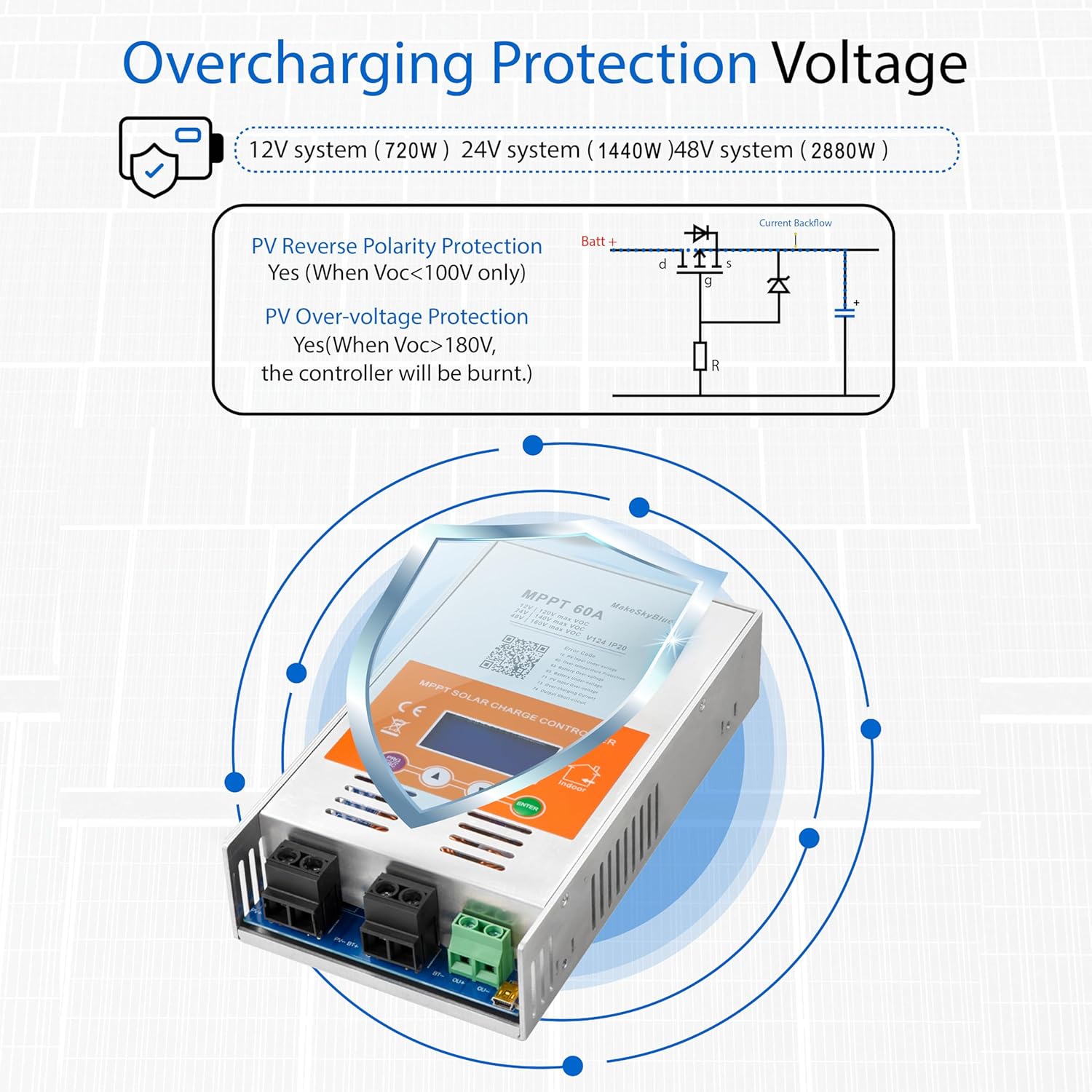
Figure 4.3: Physical dimensions (8.46 x 4.52 x 1.96 inches) and weight (3.08 lbs) of the MakeSkyBlue 60A MPPT Solar Charge Controller V124.
5. Настройка и установка
Follow these steps for safe and correct installation of your MPPT solar charge controller.
5.1 Монтаж контроллера
- Choose a dry, well-ventilated location, preferably indoors, away from direct sunlight, high temperatures, and moisture.
- Ensure there is at least 75mm (3 inches) of clear space around all sides of the controller for proper heat dissipation and airflow.
- Mount the controller securely to a wall or stable surface using appropriate screws and mounting brackets.
5.2 Подключение проводки
Always connect in the following sequence: Battery → Solar Panels → DC Load. Disconnect in reverse order.

Figure 5.1: Diagram illustrating the connection of the MakeSkyBlue 60A MPPT Solar Charge Controller V124 to a bank of batteries, highlighting the solar input and battery connections.
- Подключите аккумулятор: Connect the positive and negative terminals of your battery bank to the corresponding battery terminals on the charge controller. Ensure correct polarity. The controller will auto-detect the battery voltage (12 В / 24 В / 48 В).
- Подключите солнечные панели: Connect the positive and negative leads from your solar panel array to the PV input terminals on the controller. Ensure correct polarity and that the total PV open-circuit voltagе не превышает 160В.
- Подключение нагрузки постоянного тока (опционально): If using a DC load directly from the controller, connect its positive and negative leads to the load terminals.
5.3 Parallel Operation (If applicable)
For systems requiring multiple controllers in parallel, follow the guidelines provided in the video below. Each controller should be connected to the same battery bank, with individual connections to separate photovoltaic arrays.
Video 5.1: This video demonstrates the installation and configuration of multiple HHJ60-PRO controllers for parallel operation, including mounting and wiring connections to a shared battery bank and separate PV arrays.
5.4 Unboxing and Basic Connections
For a visual guide on unboxing and making basic connections, refer to the following video:
Video 5.2: This video provides a manual overview of the 60A MPPT Solar Charge Controller, demonstrating the unboxing process and basic wiring connections.
6. Инструкция по эксплуатации
The controller features a smart LCD display for monitoring and adjusting parameters.
6.1 ЖК-дисплейview
Figure 6.1: Close-up of the controller's LCD display, detailing icons for daytime, charging, battery, discharging, load, parameter value, and current reading.
The LCD display provides real-time information about your solar system's performance. Use the buttons below the screen to navigate through different display modes and access settings.
6.2 Настройки параметров
To adjust parameters such as battery type, charge voltage, and load control modes, press the 'PRG/ESC' button to enter the programming mode. Use the up/down arrows to navigate and 'ENTER' to confirm selections. Refer to the full user manual for a complete list of adjustable parameters and their ranges.
6.3 MPPT Tracking Demonstration
Observe the controller's efficient MPPT tracking and stable power output in the demonstration video below.
Video 6.2: This video demonstrates the MakeSkyBlue controller's super fast tracking, real PV input, and stable output, showcasing its efficient operation.
7. Совместимость аккумуляторов
The MakeSkyBlue 60A MPPT Solar Charge Controller V124 offers wide compatibility with various battery types, automatically recognizing 12V, 24V, and 48V systems.

Figure 7.1: Visual representation of battery types compatible with the controller, including Lithium, Sealed Lead Acid, and Vented Gel batteries.
Supported battery chemistries include:
- LiFePO₄ (фосфат лития-железа)
- AGM (абсорбирующий стеклянный мат)
- Гель
- Свинцово-кислотный
8. Поиск Неисправностей
The Smart LCD Display can show various error codes to help diagnose issues. Refer to the QR code on the product label or the full user manual for a comprehensive list of error codes and their solutions. Common issues and basic checks include:
- Нет дисплея/питания: Check battery connections and ensure they are secure and correctly polarized. Verify battery voltagе находится в пределах рабочего диапазона.
- Нет зарядки: Check solar panel connections and polarity. Ensure sufficient sunlight. Verify PV input voltage is within the controller's specifications (Max 160V).
- Overcharging/Overvoltage: The controller has built-in protection. If this occurs, check battery settings and ensure they match your battery type.
- Высокая температура: Ensure adequate ventilation around the controller. Check for obstructions to airflow. The fan will activate to dissipate heat when necessary.

Figure 8.1: Illustration of the controller's temperature protection, showing fan activation and deactivation temperatures.
9. Технические характеристики
Detailed technical specifications for the MakeSkyBlue 60A MPPT Solar Charge Controller V124.
| Спецификация | Ценить |
|---|---|
| Номер модели | 60А-В124 |
| Номинальный ток заряда | 60А |
| Том системыtage | 12V/24V/48V Auto Detection |
| Максимальный входной объем PVtage | 160В |
| Тип дисплея | ЖК-дисплей |
| Размеры продукта | 4.5 x 2 x 8.46 дюйма |
| Вес товара | 3.08 фунта |
| Материал | Металл |
| Цвет | Апельсин |
| Требуются батареи | Нет |
| Включенные компоненты | Solar Charge Controller, Mounting Brackets, User Manual |
10. Гарантия и поддержка
Specific warranty information for the MakeSkyBlue 60A MPPT Solar Charge Controller V124 is not provided in this document. For warranty details, technical support, or service inquiries, please contact MakeSkyBlue customer service directly through their official website or the retailer where the product was purchased. Ensure you have your product model number and purchase date available when contacting support.