
1. Введение
This manual provides detailed instructions for the installation, operation, and maintenance of your Lian Li SP1000P Platinum 1000W SFX Power Supply. Please read this manual thoroughly before using the product to ensure proper functionality and safety.
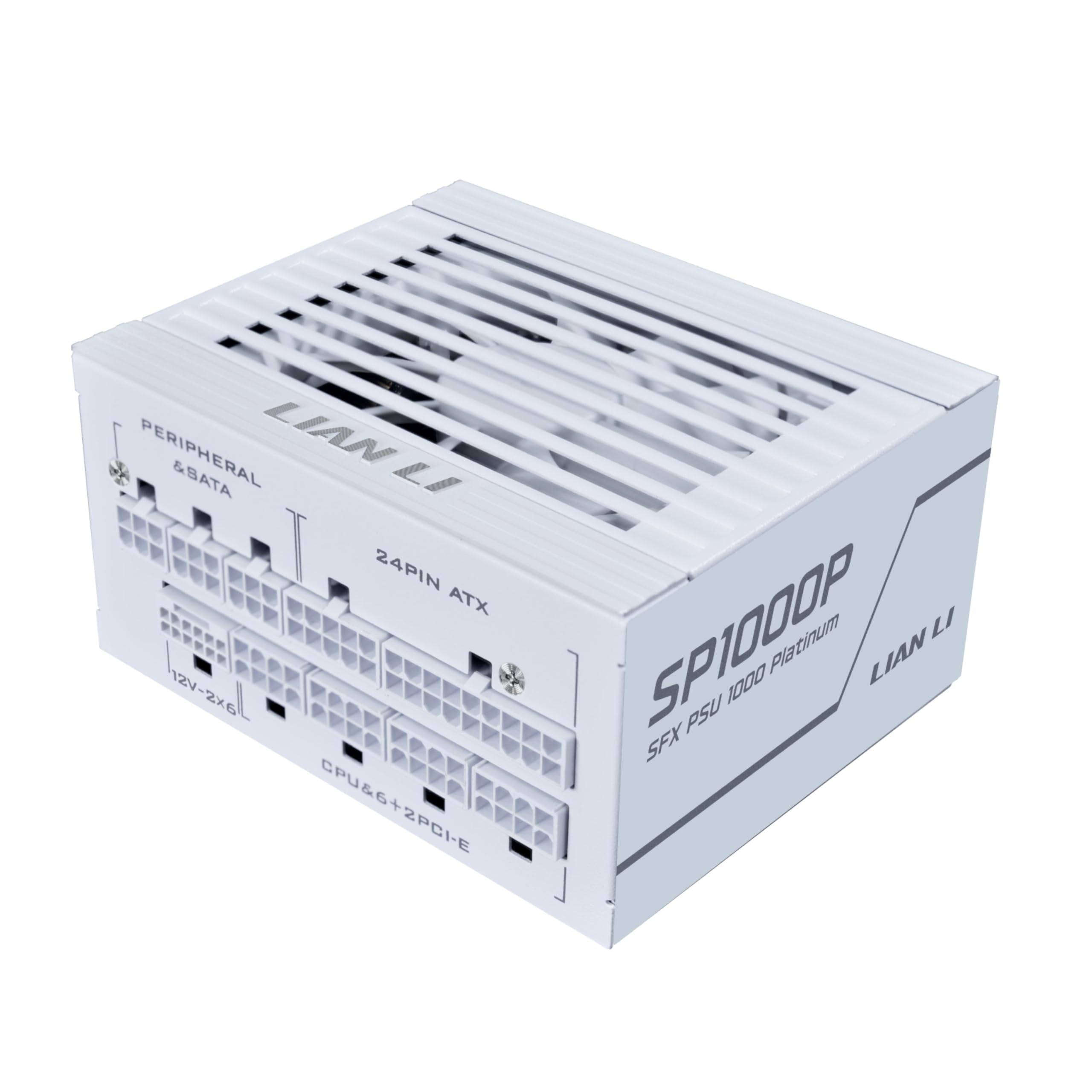
Image 1.1: The Lian Li SP1000P Platinum 1000W SFX Power Supply.
2. Информация по технике безопасности
Всегда соблюдайте следующие меры предосторожности:
- Перед установкой или техническим обслуживанием убедитесь, что источник питания отключен от основной розетки.
- Не вскрывайте блок питания. Внутри нет деталей, которые пользователь мог бы обслуживать самостоятельно. Вскрытие устройства аннулирует гарантию.
- Установите блок питания в хорошо проветриваемом месте, чтобы предотвратить перегрев.
- Используйте только модульные кабели, входящие в комплект поставки блока питания. Использование несовместимых кабелей может привести к повреждению блока питания или подключенных компонентов.
- Перед включением системы убедитесь в надёжности всех кабельных соединений.
3. Содержимое упаковки
Проверьте наличие всех предметов в посылке:
- Lian Li SP1000P Platinum 1000W SFX Power Supply
- Modular Cable Set (including 12V-2x6, 24-pin ATX, CPU/ATX 12V, PCI-E, SATA, SATA-PATA connectors)
- SFX-to-ATX Mounting Bracket
- AC Power Cord with In-line Switch
- Хомуты для кабеля
- Руководство пользователя
Video 3.1: Unboxing the Lian Li SP Platinum PSU. This video demonstrates the contents of the product package, including the power supply unit, modular cables, and accessories.
4. Настройка и установка
4.1. Физическая установка
The Lian Li SP1000P features a compact SFX form factor, making it suitable for small-form-factor cases. An included SFX-to-ATX bracket allows for installation in standard mid-tower and full-tower ATX cases.

Image 4.1: Dimensions of the SFX Power Supply (125mm W x 63.5mm H x 100mm D).

Image 4.2: The included SFX-to-ATX bracket for versatile case compatibility.
Video 4.1: SFX ATX Bracket Installation Guide. This video demonstrates how to install the SFX power supply using the ATX bracket in a PC case.
4.2. Кабельные соединения
Connect the necessary modular cables to your components. The SP1000P comes with flexible, braided cables for easier routing and a clean build.
- 12V-2x6 Connector: For next-generation GPUs, ensure the blue-marked 12V-2x6 connector is fully inserted until the colored part disappears into the socket. This provides visual confirmation of a secure connection.
- 24-контактный ATX: Подключитесь к материнской плате.
- CPU/ATX 12V: Connect to your CPU power input on the motherboard. Two full sets are provided for high-end motherboards.
- PCI-E: Подключитесь к вашей видеокарте (видеокартам).
- SATA/SATA-PATA: Connect to storage drives and other peripherals.

Image 4.3: Proper insertion of the 12V-2x6 connector for secure power delivery to GPUs.

Image 4.4: The flexible braided modular cables designed for easy cable management.
4.3. Internal Power Switch Cable
The included AC power cord with an integrated on/off switch is useful for systems where the PSU's main switch is difficult to access. Ensure the switch on this cable is in the ON position when connecting or disconnecting the main power cable to the PSU.

Image 4.5: The convenient internal power switch cable for easy power control.
5. Инструкция по эксплуатации
5.1. Smart Cooling Feature
The SP1000P features a smart cooling system with a zero-RPM mode. The fan remains off for silent operation when the power load is at or below 40%. As the system load increases above 40%, the fan will gradually ramp up to maintain optimal temperatures and ensure long-term reliability.

Image 5.1: Illustration of the Smart Cooling feature with fan speed and noise level graphs relative to power output.
5.2. Включение и выключение
After all connections are made and secured, ensure the main power switch on the PSU (or the in-line switch if used) is in the 'ON' position. Then, power on your computer system as usual.
6. Техническое обслуживание
Для обеспечения долговечности и оптимальной работы вашего блока питания следуйте этим рекомендациям по техническому обслуживанию:
- Удаление пыли: Periodically clean the exterior of the power supply and the fan grille to prevent dust buildup, which can impede airflow and lead to overheating. Use compressed air or a soft brush.
- Проверка кабеля: Regularly check all modular cable connections to ensure they remain secure and free from damage.
- Среда: Эксплуатируйте блок питания в чистом, сухом и хорошо проветриваемом помещении. Избегайте экстремальных температур и влажности.
7. Поиск Неисправностей
Если у вас возникли проблемы с блоком питания, выполните следующие общие действия по устранению неисправностей:
- Нет питания:
- Ensure the main power cable is securely connected to both the PSU and the wall outlet.
- Verify that the power switch on the PSU (and the in-line switch if used) is in the 'ON' position.
- Проверьте все соединения модульных кабелей, особенно 24-контактный кабель ATX и кабель питания процессора, чтобы убедиться, что они полностью вставлены.
- Нестабильность системы/сбои:
- Ensure the 12V-2x6 connector for your GPU is fully inserted, as indicated by the disappearance of the blue colored part.
- Убедитесь, что потребляемая мощность вашей системы не превышает мощность блока питания в 1000 Вт.
- Unusual Noise (e.g., Coil Whine):
- While some electronic components can exhibit minor coil whine under certain loads, persistent or loud noise may indicate an issue. Ensure the PSU is properly mounted and not vibrating against the case.
- If the noise is excessive or concerning, contact Lian Li support.
If problems persist after following these steps, please contact Lian Li customer support for further assistance.
8. Технические характеристики
The following table details the technical specifications of the Lian Li SP1000P Platinum 1000W SFX Power Supply:
| Особенность | Деталь |
|---|---|
| Название модели | SP1000P.W |
| Бренд | Лиан Ли |
| Совместимые устройства | Desktop Computer, Gaming PC |
| Тип разъема | АТХ |
| Выход Втtage | 1000 Вт |
| Форм-фактор | SFX |
| Метод охлаждения | Воздух |
| Размеры изделия (Д x Ш x В) | 4.92 x 2.5 x 3.94 дюйма |
| Количество вентиляторов | 1 |
| Максимальный входной объемtage | 120 вольт (переменный ток) |
| Минимальная входная громкостьtage | 120 вольт (переменный ток) |
| Производитель | ЛИАН ЛИ |
| СКП | 840353051003 |
| Номер детали производителя | SP1000P.W |

Image 8.1: Detailed specifications for the SP1000P and SP850P models.
9. Гарантия
The Lian Li SP1000P Platinum 1000W SFX Power Supply comes with a Гарантия 10 год from the date of purchase. This warranty covers defects in materials and workmanship under normal use. For warranty claims or further details, please refer to the official Lian Li webсайт или обратитесь в службу поддержки клиентов.
10 Поддержка
For technical support, product inquiries, or assistance with troubleshooting, please visit the official Lian Li webна сайте или обратитесь в службу поддержки клиентов. Сохраните чек и серийный номер продукта при обращении за поддержкой.