
1. Введение
The CUBOT Kingkong 11 is a rugged 5G smartphone designed for durability and high performance. It features a powerful processor, extensive memory, a large battery, and an advanced camera system, all housed in a robust, water-resistant, and dustproof body.
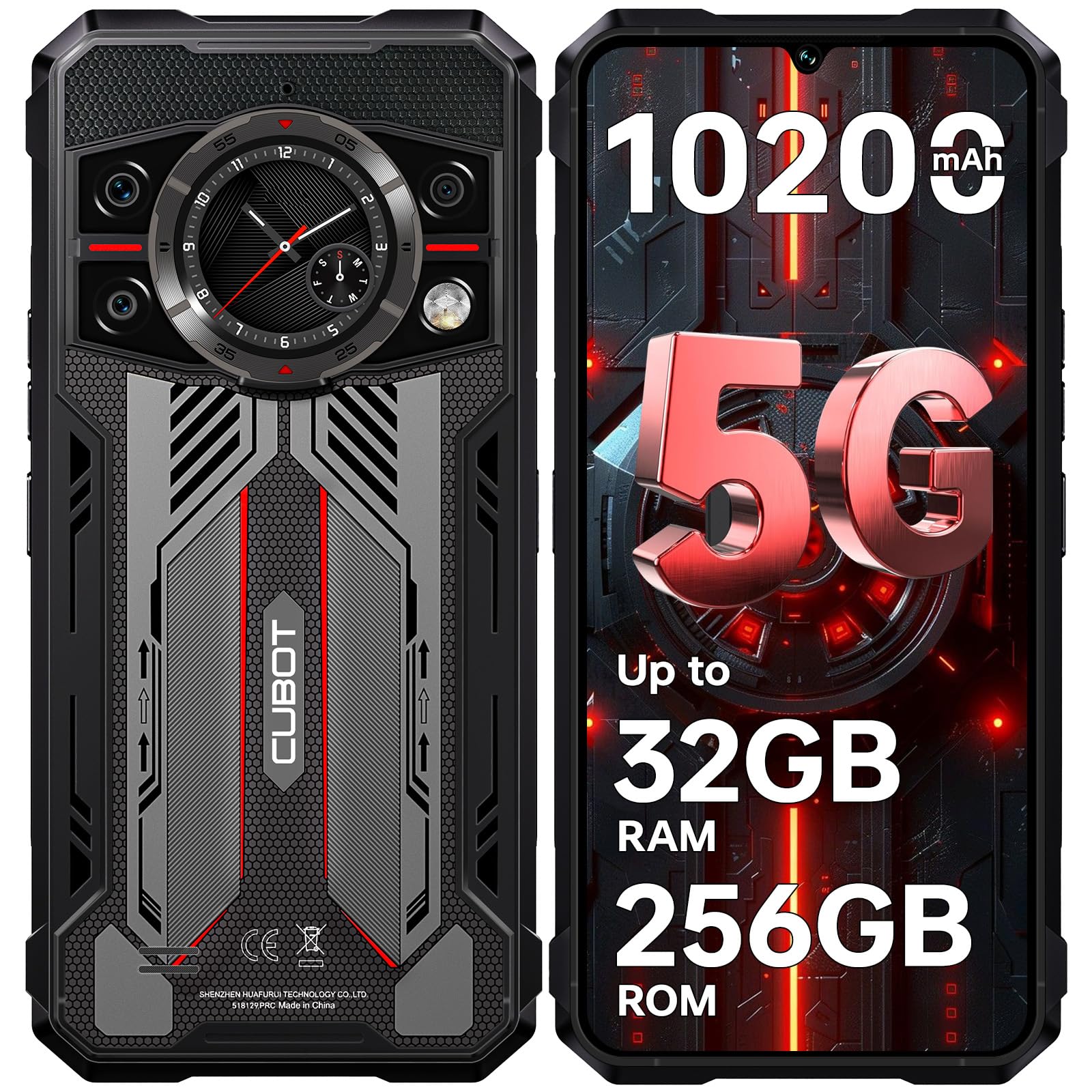
Изображение: спереди и сзади view of the CUBOT Kingkong 11 5G smartphone, highlighting its rugged design.
2. Начальная настройка
2.1. Установка SIM-карт и карты MicroSD
The CUBOT Kingkong 11 supports dual SIM cards and a MicroSD card for expanded storage.
- Найдите лоток для SIM-карты на боковой панели устройства.
- Чтобы открыть лоток, воспользуйтесь прилагаемым инструментом для извлечения SIM-карты.
- Аккуратно вставьте карты Nano-SIM и/или MicroSD в соответствующие слоты. Убедитесь в правильной ориентации.
- Аккуратно задвиньте лоток обратно в устройство, пока он не встанет на один уровень с боковой поверхностью.

Image: Close-up of the CUBOT Kingkong 11 showing the SIM card tray with waterproof seals.
2.2. Включение и первоначальная зарядка
- Press and hold the power button located on the side of the device until the CUBOT logo appears.
- For first-time use, it is recommended to fully charge the device. Connect the USB-C cable to the phone and the 33W fast charger to a power outlet.
- Индикатор заряда батареи на экране покажет состояние зарядки.

Image: Illustration of the 10200mAh battery capacity and 33W fast charging capability of the CUBOT Kingkong 11.
2.3. Конфигурация программного обеспечения
Follow the on-screen prompts to complete the initial setup, including language selection, Wi-Fi connection, Google account login, and security settings (Face ID/Fingerprint).
3. Операция
3.1. Операционная система Android 15
The CUBOT Kingkong 11 runs on Android 15, offering an intuitive user interface and enhanced features. Navigate through apps, customize settings, and utilize smart functions for an optimized experience.

Image: Screenshot of the Android 15 operating system interface on the CUBOT Kingkong 11.
3.2. Main Display (6.72" FHD+ 120Hz)
The 6.72-inch FHD+ display provides vibrant visuals with a 120Hz refresh rate for smooth scrolling and gaming. The 1080x2400 resolution ensures clear and detailed content viewинж.

Image: Visual representation of the 6.72-inch FHD+ display with 120Hz refresh rate on the CUBOT Kingkong 11.
3.3. Rear Smart Display (1.46")
The 1.46-inch rear smart display provides quick access to essential information such as time, notifications, battery status, and compass without activating the main screen. This feature is useful for quick glances during activities.

Image: The 1.46-inch rear smart display of the CUBOT Kingkong 11, showing widgets for clock, camera, music, battery, calls, compass, and alarm.
3.4. Система камер
Устройство оснащено универсальной системой из четырех камер:
- Основная камера 108 МП: Captures high-resolution photos with impressive detail.
- Фронтальная камера 32 МП: For high-definition selfies and video calls.
- 24-мегапиксельная камера ночного видения: Equipped with infrared LEDs for clear imaging in complete darkness.
- Макрообъектив 8 МП: Allows for close-up photography, capturing intricate details of small subjects.

Изображение: Оверview of the CUBOT Kingkong 11's quad-camera system, including the 108MP main, 32MP front, 24MP night vision, and 8MP macro lenses, with example photos.
3.5. Связь и навигация
The Kingkong 11 supports 5G full-band connectivity for fast data speeds. It includes NFC for contactless payments and data transfer, and a quadruple positioning system (GPS+GLONASS+BeiDou+Galileo) for accurate navigation.

Image: Graphic illustrating the CUBOT Kingkong 11's 5G ultra-fast global coverage and connectivity features.
4. Техническое обслуживание
4.1 Долговечность и защита
The CUBOT Kingkong 11 is certified with IP68/IP69K for dust and water resistance, and MIL-STD-810H for shock resistance. It can withstand submersion in water up to 5 meters for 30 minutes.
- Водостойкость: Ensure all ports (USB-C, SIM tray) are properly sealed before exposing the device to water. After exposure to water, dry the device thoroughly before charging.
- Устойчивость к пыли: The device is designed to prevent dust ingress. Clean any accumulated dust from ports and crevices using a soft, dry brush.
- Сопротивление удару: While rugged, avoid intentional drops or impacts from extreme heights to preserve the device's integrity.

Image: Visual representation of the CUBOT Kingkong 11's IP68, IP69K, and MIL-STD-810H certifications for water, dust, and shock resistance.
4.2. Уборка
Use a soft, lint-free cloth to clean the screen and body of the phone. For stubborn smudges, a slightly damp можно использовать ткань, которую следует немедленно высушить.
5. Поиск Неисправностей
5.1. Устройство не включается.
- Убедитесь, что аккумулятор заряжен. Подключите зарядное устройство и подождите несколько минут, прежде чем снова попытаться включить устройство.
- Нажмите и удерживайте кнопку питания не менее 10–15 секунд, чтобы выполнить принудительную перезагрузку.
5.2. Poor Performance/Lag
- Закройте ненужные фоновые приложения.
- Очистите кэш часто используемых приложений.
- Обеспечьте достаточно места для хранения. Рассмотрите возможность переезда крупногабаритных вещей. fileна карту MicroSD или в облачное хранилище.
- Периодически перезагружайте устройство.
5.3. Проблемы с зарядкой
- Убедитесь, что зарядный кабель и адаптер надежно подключены и не повреждены.
- Попробуйте использовать другое совместимое зарядное устройство и кабель.
- Check the USB-C port for any debris or obstruction.
5.4. Проблемы с сетевым подключением
- Убедитесь, что SIM-карты правильно вставлены и активированы.
- Check network settings (e.g., APN settings) with your service provider.
- Включать и выключать режим полета.
- Перезагрузите устройство.
6. Технические характеристики
| Особенность | Деталь |
|---|---|
| Бренд | КУБОТ |
| Модель | КУБОТ КИНГКОНГ 11 |
| Операционная система | Андроид 15 |
| Процессор | 5G Dimensity 7025 Octa-Core |
| БАРАН | Up to 32 GB (16 GB physical + 16 GB extended) |
| Внутреннее хранилище | 256 ГБ |
| Расширяемое хранилище | До 1 ТБ через карту MicroSD |
| Основной дисплей | 6.72 inches FHD+ (1080x2400), 120Hz refresh rate, 450 nits brightness |
| Задний дисплей | 1.46 inches Smart Display |
| Основная камера | 108 МП |
| Передняя камера | 32 МП |
| Камера ночного видения | 24 MP with IR LED |
| Макрообъектив | 8 МП |
| Емкость аккумулятора | 10200 мАч |
| Зарядка | Быстрая зарядка 33 Вт, обратная зарядка OTG |
| Связность | 5G, NFC, две SIM-карты |
| Навигация | GPS + ГЛОНАСС + BeiDou + Galileo |
| Прочность | IP68/IP69K, MIL-STD-810H (Water resistant up to 5m for 30 min) |
| Безопасность | Face ID, датчик отпечатков пальцев |
| Размеры | 22.4 x 17.3 x 4.2 см (Упаковка) |
| Масса | 700 г (Упаковка) |

Image: Energy label for the CUBOT Kingkong 11, showing battery life and durability ratings. View Информационный лист о продукте EPREL
7. Гарантия и поддержка
CUBOT offers a comprehensive support package for the Kingkong 11:
- Возврат: Возврат товара возможен без проблем в течение 30 дней с момента покупки.
- Гарантия: A two-year warranty covers manufacturing defects.
- Техническая поддержка: Доступна долгосрочная техническая поддержка.
- Обслуживание клиентов: 24/7 online customer service is provided for any inquiries during your ownership.
For assistance, please contact CUBOT customer service through their official channels.