
1. Введение
Спасибо за покупкуasing the Nillkin Foldable Bluetooth Keyboard. This compact and versatile keyboard is designed to enhance your productivity across multiple devices, offering a comfortable typing experience with an integrated touchpad and numeric keypad. Please read this manual carefully to ensure proper use and maintenance of your device.
2. Продукт закончилсяview
Основные характеристики:
- Складная и портативная конструкция: Weighing approximately 238g, this keyboard folds to a compact size (18.2 x 10.8 x 1.6cm when folded) for easy portability.
- Встроенная сенсорная панель и цифровая клавиатура: Features a large, responsive touchpad (59mm x 64mm) for smooth cursor control and multi-gesture operations. The touchpad can be switched to a numeric keypad using Fn + Right Command key.
- Удобный набор текста: Utilizes a pantograph key structure with a 19mm key pitch and 1.2mm key travel for quiet and efficient typing, similar to a laptop keyboard.
- Long Battery Life & Energy Saving: Built-in large capacity battery provides over 1 week of continuous use and 150 days of standby time on a single charge. Features automatic sleep mode after 10 minutes of inactivity and auto power on/off upon folding/unfolding.
- Возможность подключения нескольких устройств: Supports simultaneous connection to up to 3 devices via Bluetooth 5.0, compatible with Android, Windows, iPad OS, macOS, and iOS. Easily switch between devices with a single touch.
- Durable Silicone Material: Made with organic silicone material that is skin-friendly, durable, and resistant to extreme temperatures (-40℃ to 200℃).
- Convenient Indicators: Five LED lamps on the top indicate battery level and connection status.
Содержимое упаковки:
- Nillkin Foldable Bluetooth Keyboard x 1
- Зарядный кабель USB-C x 1
- Руководство пользователя х 1
- Сумка для хранения x 1
Размеры продукта:
- Unfolded Size: 34.2 cm (L) x 10.8 cm (W) x 0.95 cm (H)
- Folded Size: 18.2 cm (L) x 10.8 cm (W) x 1.6 cm (H)
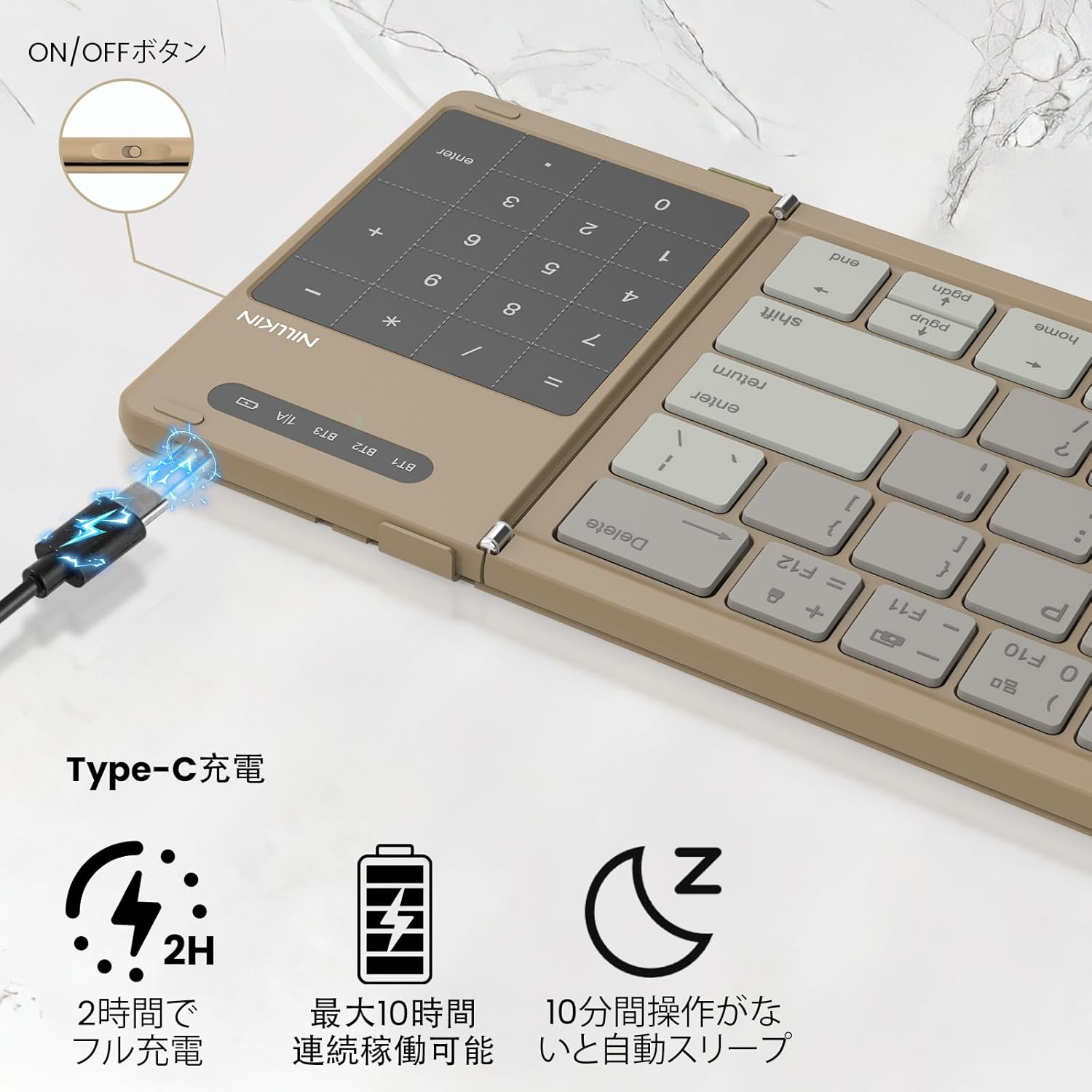
Image: Nillkin Foldable Bluetooth Keyboard showing its unfolded and folded dimensions.

Image: The Nillkin keyboard in its compact, folded state.
3. Настройка
3.1. Зарядка клавиатуры
- Connect the provided USB-C charging cable to the keyboard's charging port and a power source.
- The red indicator light will stay on during charging.
- The indicator light will turn off when charging is complete. A full charge takes approximately 2 hours.

Image: The keyboard connected via USB-C for charging, showing the charging indicator.
3.2. Сопряжение по Bluetooth
- Разложите клавиатуру, чтобы она автоматически включилась.
- Turn on Bluetooth on your device (e.g., iPad, smartphone, computer).
- Нажимать Fn + Q (для BT1), Fn + W (для BT2), или Fn + E (для BT3) для выбора канала Bluetooth.
- Нажимать Фн + С to enter pairing mode. The blue indicator light will flash.
- On your device, search for "Cube Pocket Keyboard" in the Bluetooth settings and tap to connect.
- Once connected, the blue indicator light on the keyboard will turn off.
Video: This video demonstrates the Bluetooth pairing process for the Nillkin Foldable Bluetooth Keyboard, including how to select a channel and enter pairing mode.
4. Инструкция по эксплуатации
4.1. Переключение между несколькими устройствами
After successfully pairing with up to three devices (BT1, BT2, BT3), you can quickly switch between them by pressing Fn + Q, Fn + W, или Fn + E соответственно.

Image: The keyboard demonstrating multi-device connectivity and switching between a smartphone, laptop, and tablet.
4.2. Numeric Keypad / Touchpad Toggle
The integrated touchpad can function as a numeric keypad. To switch between touchpad mode and numeric keypad mode, press Fn + Right Command key. This allows for convenient numerical input without needing a separate mouse.

Image: Illustration of the touchpad and numeric keypad functionality, highlighting the toggle feature.
4.3. Мультимедийные и сочетания клавиш
The keyboard features various multimedia and shortcut keys for enhanced productivity:
- Pressing a multifunction key alone will activate numeric input mode.
- Нажатие Shift + Multifunction Key allows for symbol input.
- Нажатие Fn + Multifunction Key activates multimedia functions (e.g., brightness, volume, media control).
- For Windows users, Fn + Shift + Multifunction Key can be used for specific shortcut functions.

Image: A visual guide to the Fn key shortcuts for various functions like brightness, volume, and media control.
4.4. Переключение языка
- iOS / Mac: Нажимать Ctrl + Пробел.
- Андроид: Нажимать Ctrl + Пробел or Shift + Пробел.
- Окна: Нажимать Альт + Шифт.
4.5. Проверка уровня заряда батареи
Чтобы проверить уровень заряда батареи, нажмите Fn + Command:
- Green light flashes 3 times: 70% - 100% battery.
- Blue light flashes 3 times: 30% - 70% battery.
- Red light flashes 3 times: 0% - 30% battery.
5. Техническое обслуживание
- Поддерживайте чистоту клавиатуры, протирая ее мягкой сухой тканью.
- Avoid exposing the keyboard to extreme temperatures, direct sunlight, or liquids.
- Store the keyboard in its provided pouch when not in use to protect it from dust and scratches.
6. Поиск Неисправностей
- Клавиатура не подключается: Ensure Bluetooth is enabled on your device and the keyboard is in pairing mode. Try restarting both the keyboard and your device.
- Клавиши не отвечают: Check the battery level and charge the keyboard if necessary. Ensure the keyboard is properly connected via Bluetooth.
- Проблемы с тачпадом: For iPad users, ensure "Settings → General → Trackpad" is turned on. Some gestures may not be supported depending on the OS or application.
- Unexpected input: Ensure the keyboard is placed on a stable surface. If keys are registering multiple presses or not at all, try cleaning around the keys.
7. Технические характеристики
| Особенность | Описание |
|---|---|
| Бренд | Нилкин |
| Модель | B0FDKPY2P2 |
| Технология связи | Блютус 5.0 |
| Совместимые устройства | iPad OS, Windows 10+, Mac OS X 10.10+, Android 4.3+, Smartphones, Tablets, Laptops, PCs |
| Раскладка клавиатуры | QWERTY |
| Тип переключателя | Mechanical (Pantograph) |
| Источник питания | Питание от батареи |
| Материал | АБС-пластик, силикон, поликарбонат |
| Цвет | Хаки |
8. Гарантия и поддержка
Nillkin products come with a 2-year manufacturer's warranty from the date of purchase. In case of any issues, please contact customer service. We offer a 30-day quality guarantee (return/exchange for defective products) and 2-year after-sales service.
To contact support, navigate to "Account Service" → "Order History" → "Contact Seller". We aim to respond within 24 hours.