
MZYMI GT100
Инструкция по эксплуатации беспроводной игровой гарнитуры MZYMI GT100 2.4 ГГц
Модель: GT100
Введение
Welcome to the MZYMI GT100 Wireless Gaming Headset user manual. This guide provides detailed instructions for setting up, operating, and maintaining your new headset. Please read this manual thoroughly before use to ensure optimal performance and longevity of your device.
Содержимое упаковки
The MZYMI GT100 Wireless Gaming Headset package includes:
- MZYMI GT100 Wireless Gaming Headset
- USB-приемник 2.4 ГГц
- Аудиокабель Type-C — 3.5 мм
- Зарядный кабель Type-C к USB
- Руководство пользователя

Image: The MZYMI GT100 headset and all included accessories: headset, 2.4GHz receiver, Type-C to 3.5mm audio cable, Type-C to USB charging cable, and user manual.
Продукт болееview
Ознакомьтесь с компонентами и элементами управления гарнитуры.
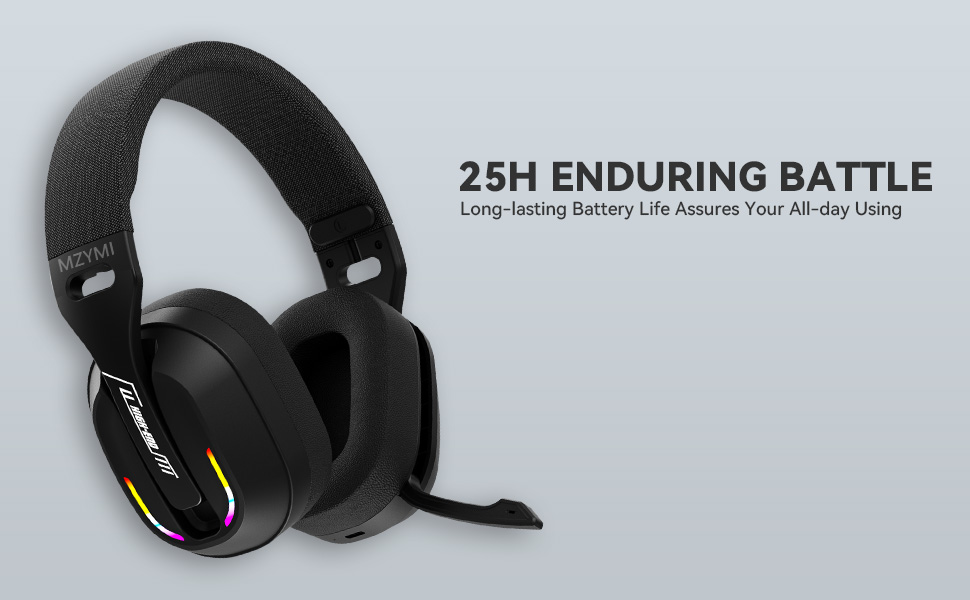
Image: Diagram illustrating the MZYMI GT100 headset with labels for buttons, ports, and the detachable 2.4GHz receiver.
Особенности гарнитуры:
- Кнопка увеличения громкости/перехода к следующему треку
- Кнопка уменьшения громкости/предыдущего трека
- Кнопка режима (М) (for switching between 2.4GHz and Bluetooth modes)
- Кнопка питания
- Световой индикатор
- Type-C Charging port / 3.5mm audio output
- Выдвижной микрофон

Image: Close-up of the MZYMI GT100 headset showing the control buttons on the earcup.
The microphone is designed to be retractable, allowing it to be folded up when not in use.

Image: The MZYMI GT100 headset with its microphone extended, ready for use. The microphone can be folded away when not needed.
Настройка и подключение
1. 2.4GHz Wireless Connection (for PC, PS5, PS4)
The 2.4GHz USB receiver provides a stable, low-latency wireless connection.

Image: The MZYMI GT100 headset with the 2.4GHz USB receiver and Type-C adapter.
- Insert the 2.4GHz USB receiver into an available USB port on your PC, PS5, or PS4. If your device uses a Type-C port, attach the Type-C adapter to the USB receiver first.
- Включите гарнитуру, нажав и удерживая кнопку питания.
- Press the 'M' button twice to switch to 2.4GHz mode. The indicator light will confirm the connection.
2. Bluetooth 5.4 Connection (for mobile devices, laptops)
For Bluetooth connection, ensure your device has Bluetooth 5.4 or higher for optimal performance.
- Включите гарнитуру.
- Press the 'M' button to switch to Bluetooth mode. The indicator light will blink, indicating pairing mode.
- On your device, search for "MZYMI GT100" in the Bluetooth settings and select to pair.
3. Проводное подключение (аудиокабель 3.5 мм)
For devices like Xbox Series consoles or when wireless is not preferred, use the included 3.5mm audio cable.
- Connect one end of the Type-C to 3.5mm audio cable to the headset's Type-C port.
- Connect the 3.5mm jack to your device's audio output (e.g., Xbox controller).
- Note: The microphone may not be available when connected to Nintendo Switch via wired mode.
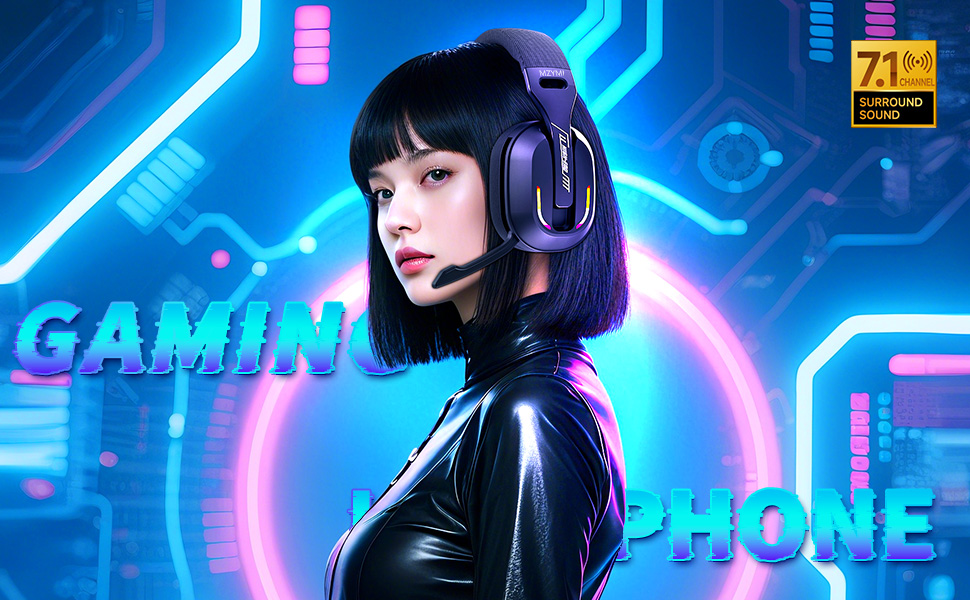
Image: The MZYMI GT100 headset connected to various devices, including a PC, laptop, Xbox One controller, mobile devices, PS4/PS5, and Nintendo Switch, highlighting its multi-platform compatibility.
Инструкция по эксплуатации
Управление
The headset features intuitive on-ear controls:
- Увеличение громкости (+): Нажмите, чтобы увеличить громкость. Удерживайте, чтобы перейти к следующему треку.
- Звук тише (-): Нажмите, чтобы уменьшить громкость. Удерживайте, чтобы перейти к предыдущему треку.
- Кнопка режима (M): Double-press to switch between 2.4GHz and Bluetooth modes.
- Кнопка питания: Press and hold to power on/off. Single press to answer/hang up calls or play/pause music.

Изображение: подробное view of the control buttons on the headset's earcup, including volume controls, mode switch, power button, and indicator light.
Использование микрофона
The Environmental Noise Canceling (ENC) microphone ensures clear communication.
To use the microphone, simply pull it down from the earcup. Push it back up to retract it when not in use.
Динамическое RGB-освещение
Гарнитура оснащена динамической RGB-подсветкой на амбушюрах.
To adjust or turn off the lighting, use the multi-functional button controls as indicated in the product diagram.

Image: The MZYMI GT100 headset with its vibrant RGB lighting activated on the earcups, adding a visual element to the gaming experience.
Зарядка и срок службы аккумулятора
The headset is equipped with a long-lasting battery.
- Время зарядки: Полная зарядка занимает примерно 2.5 часа.
- Срок службы батареи: Up to 25 hours of use (actual time may vary based on volume and lighting usage).
- Use the included Type-C to USB charging cable to charge the headset.
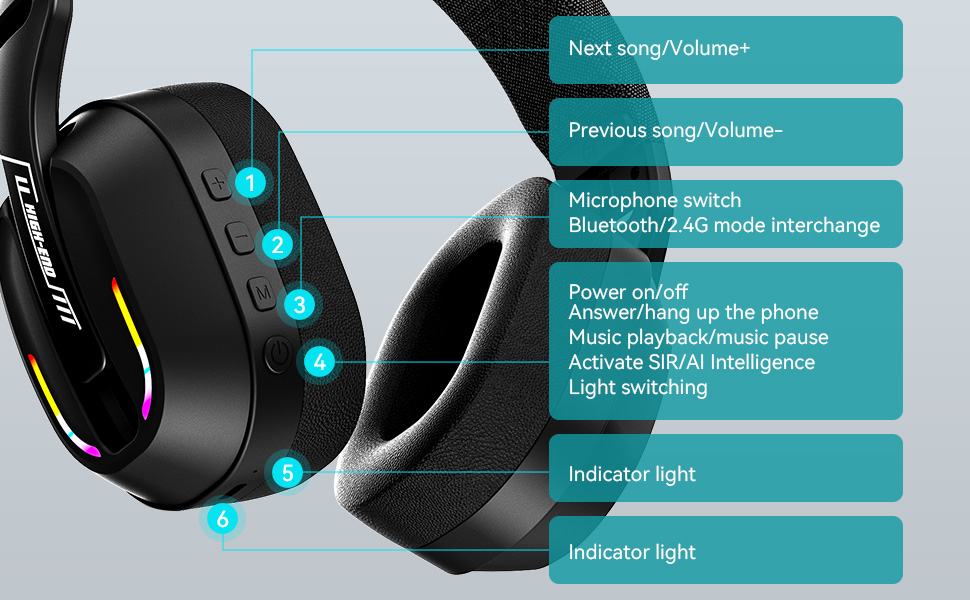
Image: The MZYMI GT100 headset highlighting its extended battery life, suggesting it can last for long gaming sessions.
Совместимость
The MZYMI GT100 headset offers broad compatibility across various gaming platforms and devices:
- ПК: Compatible via 2.4GHz USB receiver or wired connection.
- PlayStation 5 (PS5) / PlayStation 4 (PS4): Compatible via 2.4GHz USB receiver or wired connection.
- Nintendo Switch: Compatible via 2.4GHz USB receiver or wired connection. Note: Microphone functionality may be limited in Switch wired mode.
- Xbox Series (Wired Mode Only): Requires 3.5mm cable connection.
- Mobile Devices / Laptops: Compatible via Bluetooth 5.4 or wired connection.
Image: This image visually confirms the headset's versatility, showing connections to various gaming consoles and personal computing devices.
Технические характеристики
| Особенность | Деталь |
|---|---|
| Название модели | ГТ100 |
| Технология связи | Wireless (2.4GHz, Bluetooth 5.4), Wired (3.5mm Jack) |
| Размер драйвера | 40 мм |
| Контроль шума | Экологическое шумоподавление (ENC) |
| Версия Bluetooth | 5.4 |
| Время зарядки | 2.5 часов |
| Вес товара | 4.6 унции (130 граммов) |
| Размеры продукта | 6 x 3 x 6 дюйма |
Поиск неисправностей
Нет звука / Разрыв соединения
- Убедитесь, что гарнитура включена и полностью заряжена.
- For 2.4GHz mode, verify the USB receiver is properly inserted and the headset is in 2.4GHz mode (double-press 'M' button).
- For Bluetooth mode, ensure Bluetooth is enabled on your device and the headset is paired. Try re-pairing if necessary.
- For wired mode, check the 3.5mm cable connection at both ends.
- Confirm audio output settings on your device are configured to the headset.
If using with Xbox, remember only wired mode is supported.
Микрофон не работает
- Ensure the microphone is pulled down and not retracted.
- Проверьте настройки микрофонного входа на вашем устройстве.
- Note: Microphone may not be available when connected to Nintendo Switch via wired mode.
Плохое качество звука
- Ensure the headset is within range of the 2.4GHz receiver or Bluetooth device.
- Проверьте наличие помех от других беспроводных устройств.
- Adjust volume levels on both the headset and your device.
Техническое обслуживание и уход
- Keep the headset clean and free of ear wax to maintain optimal sound performance.
- Use a soft, dry cloth to clean the headset. Avoid using chemical cleaners.
- Do not apply excessive pressure to the earcups or headband.
- Если не используете, храните в сухом и прохладном месте.
Гарантия и поддержка
For warranty information or technical support, please refer to the contact details provided with your purchase or visit the official MZYMI webсайт.
Ask a question about this manual
Ask about setup, troubleshooting, compatibility, parts, safety, or missing instructions. Manuals+ will review the question and use this page’s manual context to help answer it.