
1. Введение
This manual provides detailed instructions for the installation, operation, and maintenance of your ikasus Android 13 Double Din Car Stereo Radio. This unit is designed to enhance your driving experience with advanced features including Android 13 OS, a 9.7-inch touchscreen, Wireless Carplay, Wired Android Auto, GPS navigation, Bluetooth, WiFi, FM/RDS radio, DSP, and support for a backup camera. Please read this manual thoroughly before installation and use to ensure proper function and safety.
2. Содержимое упаковки
Убедитесь, что все перечисленные ниже предметы включены в ваш пакет:
- 1 автомобильный MP5-плеер
- 1 х Кабель питания
- 1 х GPS-антенна
- 1 х резервная камера
- 1 x RCA-кабель входа и выхода
- Кабели 2 x USB
- 2 металлические рамы
- 4 х Винта
- 1 х Руководство по эксплуатации

Figure 2.1: All components included in the ikasus Android 13 Car Stereo package.
3. Настройка и установка
This car stereo is specifically designed for Ford F250 Super Duty models from 2005-2016. Please note that this is NOT a plug-and-play unit and requires wire cutting for installation. Professional installation is recommended.
3.1 Установка оконченаview
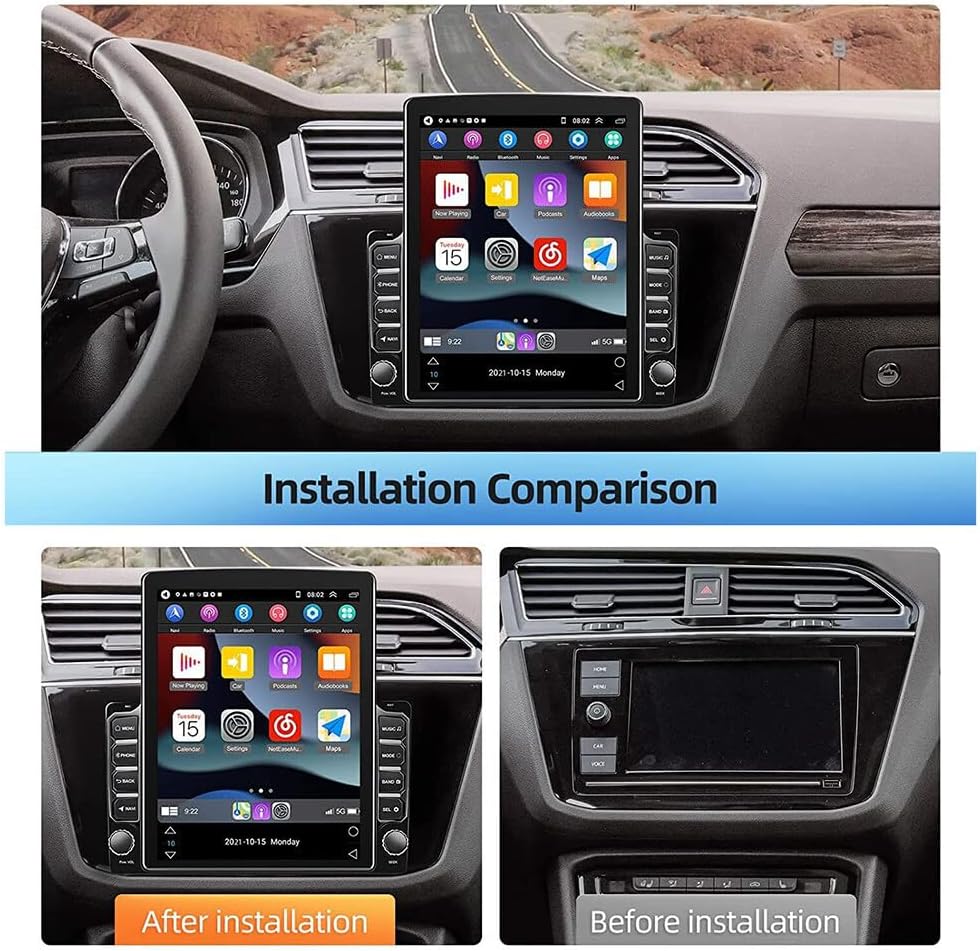
Figure 3.1: Visual comparison of the dashboard before and after the stereo installation.
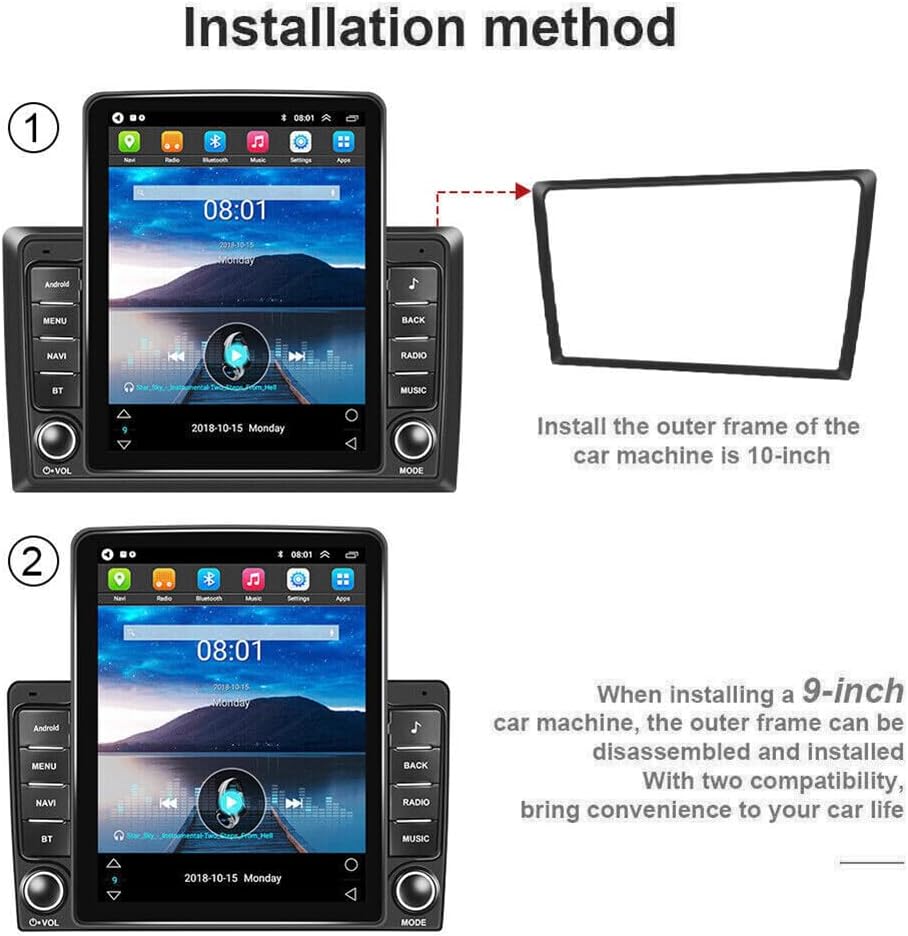
Figure 3.2: Step-by-step diagram illustrating the installation of the outer frame for the car stereo.
3.2 Проводка и соединения
Ensure all wiring is correctly connected according to the provided wiring diagram in the included instruction manual. Pay close attention to power, speaker, and accessory connections.
Video 3.1: Detailed guide on how to connect the Android car radio for Ford F250 models from 2008-2016.
Video 3.2: Step-by-step installation process for the Ford F150/F250/F350 2004-2016 car radio.
4. Инструкция по эксплуатации
4.1 Пользовательский интерфейс (UI)view
The unit features an intuitive Android 13 operating system with a responsive 9.7-inch touchscreen. Navigate through apps, settings, and media functions with ease.

Figure 4.1: The car stereo's user interface showing various applications and widgets.
Video 4.1: Demonstration of the car stereo's user interface, navigation, media playback, and climate control features.
4.2 Беспроводной CarPlay и проводной Android Auto
Connect your smartphone for seamless integration with Wireless Carplay (for iOS) or Wired Android Auto (for Android). Access navigation, music, calls, and messages directly from the stereo screen.

Рисунок 4.2: Болееview of Wireless Carplay and Wired Android Auto connectivity.
Video 4.2: Instructions on how to connect Carplay and Android Auto to the Android Screen.
4.3 Bluetooth & WiFi Connectivity
Pair your phone via Bluetooth for hands-free calling and audio streaming. Connect to WiFi for online navigation, app downloads, and internet browsing.
Video 4.3: Guide on connecting Bluetooth, Android Auto, and WiFi functionalities.
4.4 GPS-навигация
The unit supports both online and offline navigation apps. Download maps via WiFi for use in areas without internet access.
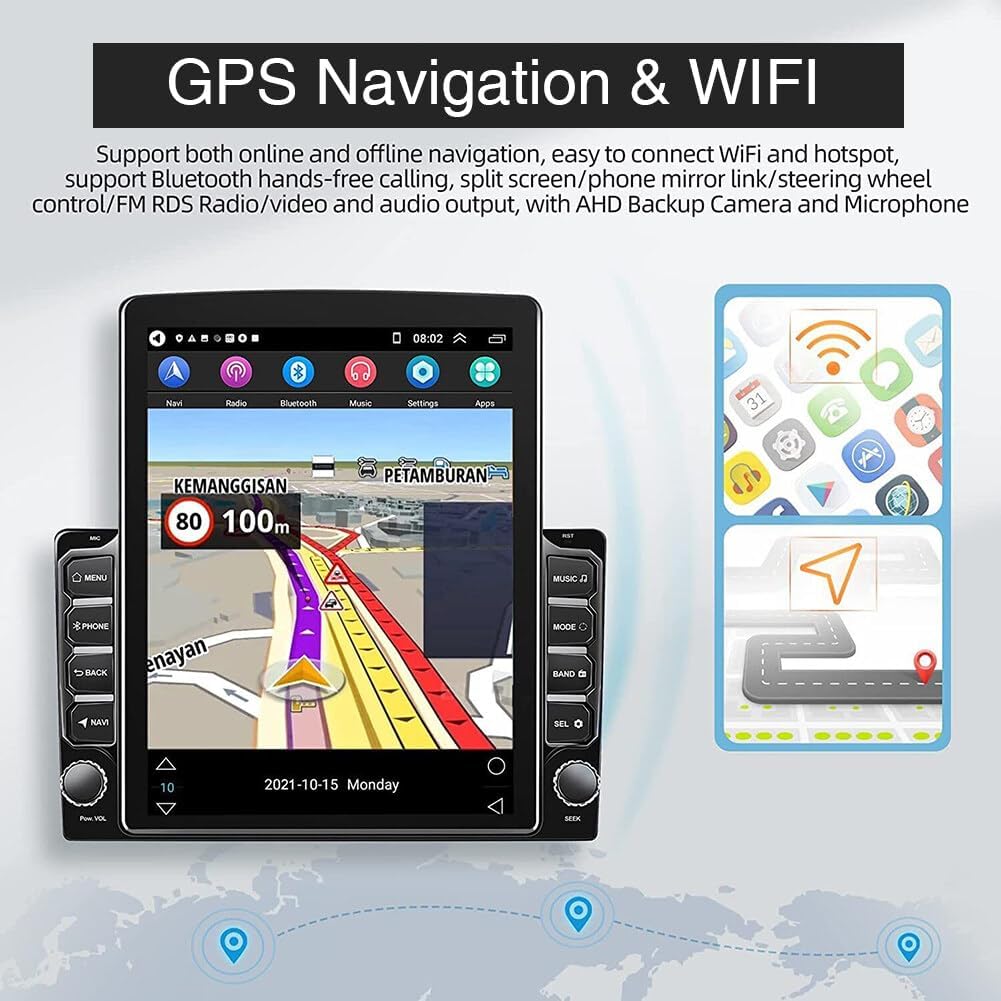
Figure 4.3: GPS navigation screen with real-time road conditions and WiFi status.
4.5 FM/RDS-радио
Enjoy high-quality digital stereo FM radio with RDS (Radio Data System) for automatic station searching and accurate tuning.
4.6 DSP & EQ Sound Effects
Customize your audio experience with the built-in DSP (Digital Signal Processor) and EQ (Equalizer) settings. Choose from various presets like Jazz, Rock, Pop, Classic, or create custom sound profiles.

Figure 4.4: Customizable EQ settings for optimizing audio output.
4.7 Управление на рулевом колесе
The unit supports original steering wheel controls, allowing you to manage the car radio functions without taking your hands off the wheel.

Figure 4.5: Interface for configuring and learning steering wheel controls.
4.8 Поддержка камеры заднего вида
The stereo supports rear camera video input, providing an exceptional visual experience for easier reversing and parking.
5. Техническое обслуживание
Для обеспечения долговечности и оптимальной работы вашей автомобильной стереосистемы следуйте этим рекомендациям по техническому обслуживанию:
- Уборка: Для очистки сенсорного экрана и корпуса устройства используйте мягкую сухую ткань. Избегайте использования абразивных чистящих средств или растворителей.
- Обновления программного обеспечения: Periodically check for software updates via the system settings to ensure you have the latest features and bug fixes.
- Температура: Избегайте длительного воздействия на устройство экстремальных температур.
6. Поиск Неисправностей
Если у вас возникнут какие-либо проблемы, воспользуйтесь следующими распространенными шагами по устранению неполадок:
- Нет питания: Проверьте все силовые соединения и предохранители. Убедитесь, что зажигание автомобиля включено.
- Нет звука: Проверьте подключение динамиков, уровни громкости и настройки эквалайзера. Убедитесь, что функция отключения звука активна.
- Проблемы с сигналом GPS: Убедитесь, что антенна GPS установлена правильно и имеет свободное пространство. view неба.
- Подключение по Bluetooth/Wi-Fi: Ensure Bluetooth and WiFi are enabled on both the stereo and your device. Try restarting both devices.
- Сенсорный экран не отвечает: Perform a system reset (refer to the included manual for reset button location).
7. Технические характеристики
| Особенность | Деталь |
|---|---|
| Размеры продукта | 12.99 x 11.42 x 3.94 дюйма |
| Вес товара | 1.7 фунта |
| Номер модели товара | AUTO-QA1181X-WJYQ-F25005 |
| Операционная система | Андроид 13 |
| Память (RAM + ROM) | 2 ГБ (ОЗУ) + 32 ГБ (ПЗУ) |
| Размер экрана | 9.7 дюймов |
| Разрешение экрана | 1024x600 |
| Технология связи | Bluetooth, USB, Wi-Fi |
| Тип контроллера | Steering Wheel Control, Mobile App |
| Совместимые устройства | Ford F-250 Super Duty 2005-2016 |
| Режим аудиовыхода | Стерео |
| Кодирование видео | MKV, RMVB, AVI, MP4, MDV |
| Рабочая температура | -40℃ - 80℃ |