
1. Введение
The ZUOYA HE30 is a high-performance one-handed gaming keyboard designed for competitive play. It features Hall Effect magnetic switches, rapid trigger technology, adjustable actuation points, and customizable RGB lighting. This manual provides essential information for setting up, operating, maintaining, and troubleshooting your HE30 keyboard.
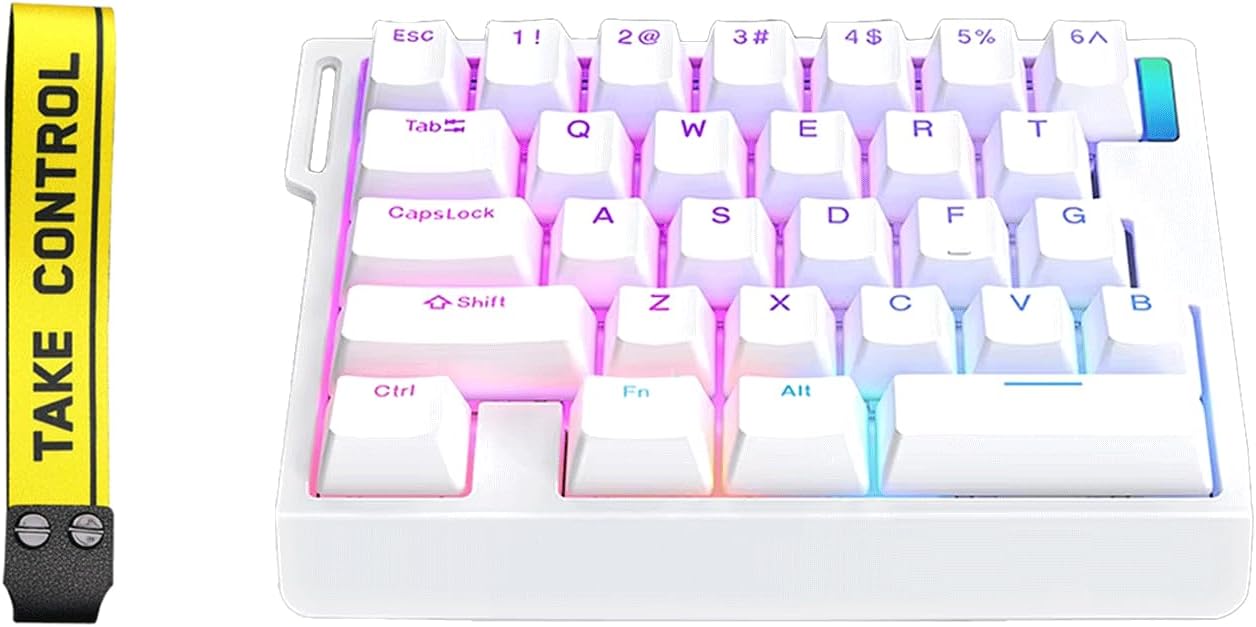
Image 1: ZUOYA HE30 Rapid Trigger Magnetic Switch Gaming Keyboard (White model shown).
2. Содержимое упаковки
Пожалуйста, проверьте наличие всех предметов в упаковке:
- HE30 Magnetic Switch Keyboard
- Съемник Keycap
- Кабель типа C
- Руководство пользователя (этот документ)
Video 1: Unboxing the ZMX HE30 One-Handed Rapid Trigger Gaming Keyboard. This video demonstrates the contents of the package and initial handling of the keyboard.
3. Руководство по установке
3.1 Подключение клавиатуры
- Найдите прилагаемый кабель Type-C.
- Connect one end of the Type-C cable to the port on the ZUOYA HE30 keyboard.
- Подключите другой конец кабеля к свободному USB-порту вашего компьютера.
- Клавиатура должна автоматически распознаваться вашей операционной системой.
3.2 Установка программного обеспечения
For full customization of features such as macro programming, key remapping, actuation point adjustment, and RGB lighting effects, dedicated software is required. Please visit the official ZUOYA website for the latest software download. Refer to the software interface for detailed instructions on customization.
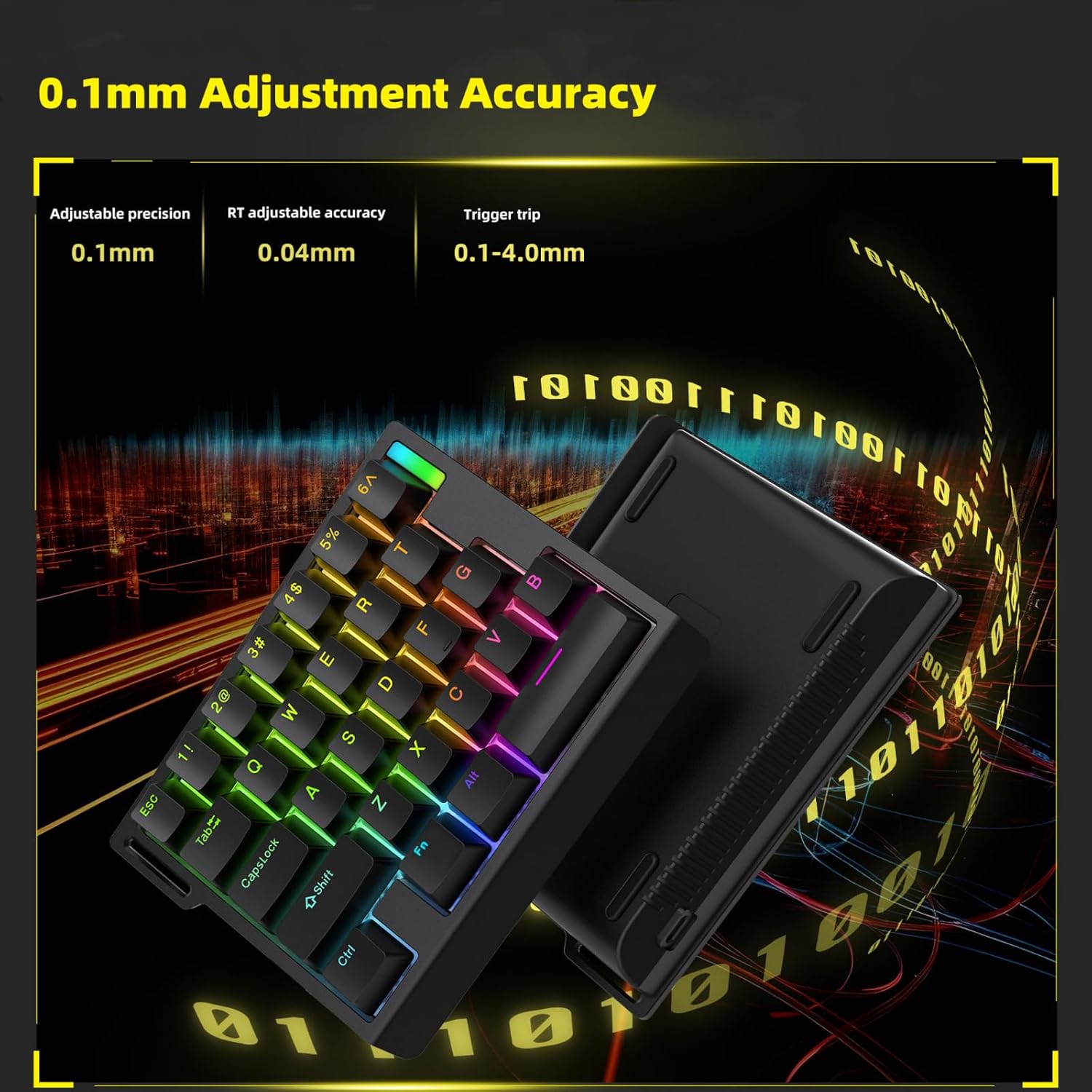
Image 2: Screenshot of the Macro Programming Page within the ZUOYA HE30 keyboard software, illustrating customization options.
4. Инструкция по эксплуатации
4.1 Hall Effect Magnetic Switches & Hot-Swap
The HE30 keyboard utilizes Hall Effect magnetic switches, which offer a zero-contact actuation mechanism for enhanced durability and responsiveness. The full-key hot-swap design allows users to easily replace switches without soldering, enabling personalized tactile preferences.

Image 3: An exploded diagram illustrating the internal components of the ZUOYA HE30 keyboard, highlighting the magnetic switches and gasket-mounted structure.
4.2 Rapid Trigger & Dynamic Keystrokes (DKS/MT)
Rapid Trigger functionality allows keys to reset with minimal upward movement (as low as 0.1mm), providing hyper-fast response times. Dynamic Keystrokes (DKS/MT) enable programming up to four different commands on a single key, facilitating complex in-game actions and combos.

Image 4: A Force-Travel diagram illustrating the actuation characteristics of the magnetic switches, including the rapid trigger reset point.
4.3 Регулируемый привод
The HE30 keyboard offers 40 levels of per-key actuation adjustment, allowing you to set the trigger travel from 0.1mm to 4.0mm with 0.1mm accuracy. This precision enables fine-tuning for optimal response in various gaming scenarios.

Image 5: Visual representation of the 0.1mm adjustment accuracy for key actuation points on the HE30 keyboard.
4.4 8K Hz Hyper-Polling Rate
Experience ultra-low latency with an 8K Hz hyper-polling rate, transmitting keystrokes 8 times faster than standard gaming keyboards. This ensures immediate in-game response, crucial for fast-paced competitive gaming.

Image 6: Feature graphic detailing the 8000Hz polling rate, 0.02mm adjustable precision, and 2000Hz scan rate of the HE30 keyboard.
4.5 RGB-подсветка
The HE30 features 16.8 million customizable RGB presets with north-facing LEDs for vibrant illumination and clear shine-through keycap visibility. Lighting effects can be synchronized with music rhythm via the professional software to enhance your gaming environment.
- Изменение режимов освещения: Use the dedicated software or specific key combinations (e.g., Fn + Esc) to cycle through various RGB lighting modes.
- Регулировка яркости: Use the dedicated software or specific key combinations (e.g., Fn + 5 or Fn + 6) to increase or decrease the backlight brightness.

Image 7: The ZUOYA HE30 keyboard showcasing его настраиваемая RGB-подсветка.
Video 2: A demonstration of the ZUOYA HE30 Rapid Trigger RGB Gaming Keyboard, highlighting its features and RGB lighting effects.
5. Техническое обслуживание
To ensure the longevity and optimal performance of your ZUOYA HE30 keyboard, follow these maintenance guidelines:
- Уборка: Use a soft, dry cloth to wipe the surface of the keyboard. For deeper cleaning, use a can of compressed air to remove dust and debris from between the keycaps. The included keycap puller can be used to carefully remove keycaps for thorough cleaning.
- Избегайте жидкостей: Не допускайте попадания жидкостей на клавиатуру. В случае случайного проливания немедленно отсоедините клавиатуру от компьютера и дайте ей полностью высохнуть, прежде чем подключать её снова.
- Хранилище: Храните клавиатуру в прохладном, сухом месте, вдали от прямых солнечных лучей и экстремальных температур.
6. Поиск Неисправностей
If you encounter issues with your ZUOYA HE30 keyboard, please refer to the following common solutions:
- Клавиатура не отвечает: Ensure the Type-C cable is securely connected to both the keyboard and your computer's USB port. Try connecting to a different USB port.
- Проблемы с программным обеспечением: If you experience difficulties with the customization software, ensure you have downloaded the latest version from the official ZUOYA website. Some user reviews indicate challenges in locating the correct software; please refer to the product packaging or manufacturer's support page for direct links.
- RGB-подсветка не работает: Check if the lighting is simply turned off or set to a very low brightness. Use the Fn + Esc key combination to cycle through lighting modes and Fn + 5/6 to adjust brightness. Ensure the software is correctly configured if custom lighting profiles are not activating.
- Ключи не регистрируются правильно: This could be due to debris under the keycap or a faulty switch. Use the keycap puller to remove the keycap and clean the area. If the issue persists, the hot-swappable design allows for easy switch replacement.
7. Технические характеристики
| Особенность | Деталь |
|---|---|
| Номер модели | HE30 Magnetic Switch Keyboard |
| Бренд | ЗУОЯ |
| Связность | Type C Wired Connection |
| Тип переключателя | Магнитные переключатели Холла |
| Регулировка срабатывания | 0.1-4.0mm (40 levels, 0.1mm accuracy) |
| Скорость опроса | 8 кГц |
| Количество ключей | 29 Keys (One-Handed) |
| Подсветка | RGB (North-facing LEDs) |
| Структура | Прокладка установлена |
| Размеры | Approximately 15cm x 11.5cm x 4cm (L x W x H) |
| Масса | 1.2 фунта |

Image 8: Dimensions of the ZUOYA HE30 keyboard, providing measurements for length, width, and height.
8. Гарантия и поддержка
ZUOYA products are manufactured to high-quality standards. For warranty information, technical support, or service inquiries, please refer to the warranty card included in your package or visit the official ZUOYA webСохраните чек о покупке для предъявления гарантийных претензий.
For further assistance, you may contact ZUOYA customer support through the channels provided on their official webсайт.