
Введение
Thank you for choosing the SHIDU 18W Voice Amplifier. This portable speaker system with a 2.4G wireless lavalier microphone is designed to provide clear and powerful sound amplification for various settings, including classrooms, meetings, training sessions, and outdoor activities. This manual provides detailed instructions on how to set up, operate, and maintain your device to ensure optimal performance.
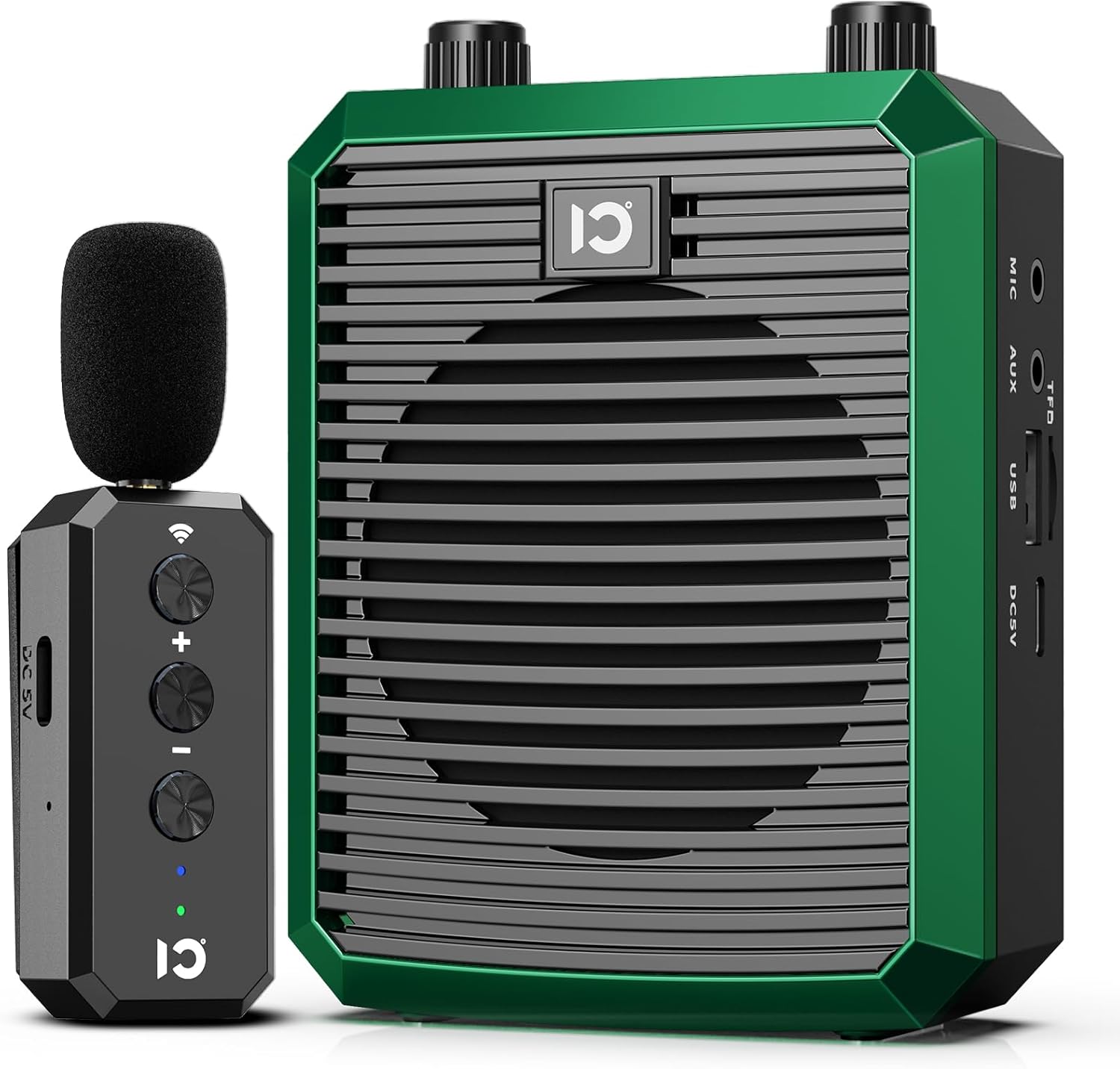
Image: The SHIDU 18W Voice Amplifier (green) and its accompanying wireless lavalier microphone. The amplifier features a large speaker grille and control knobs, while the microphone is compact with volume and power buttons.
Содержимое упаковки
Пожалуйста, проверьте комплектность после распаковки, чтобы убедиться в наличии всех компонентов:
- 1 x SHIDU Voice Ampблок лифта
- 1 x Wireless Lavalier Microphone
- 1 х USB-кабель для зарядки
- Кабель 1 x AUX
- 1 x Руководство пользователя (этот документ)
Компоненты продукта
Familiarize yourself with the main components of your voice amplifier and microphone:
Голос AmpLifier Unit:
- Ручка питания/громкости: Controls power on/off and adjusts ampЛификационный объем.
- Вход микрофона (MIC): Для проводного подключения микрофона (если применимо).
- Вход AUX: Для подключения внешних аудиоустройств через кабель AUX.
- Слот для TF-карты: Для воспроизведения аудио с карты памяти TF (MicroSD).
- USB-порт: For playing audio from a USB flash drive or charging.
- Порт зарядки постоянного тока 5 В: Для зарядки ampпожизненнее.
- Решетка динамика: Output for ampлайфированный звук.
Wireless Lavalier Microphone:
- Кнопка питания: Включает/выключает микрофон.
- Кнопки регулировки громкости (+/-): Adjusts microphone input sensitivity.
- Клип: For attaching the microphone to clothing.
- Головка микрофона: Захватывает аудио.
- Порт зарядки: Для зарядки микрофона.
Настраивать
1. Первоначальная зарядка:
Перед первым использованием полностью зарядите оба устройства. amplifier and the wireless lavalier microphone. The amplifier has a built-in 2500mAh battery, providing up to 10 hours of use on a full charge, which typically takes 3-4 hours.
- Подключите USB-кабель для зарядки к порту DC 5V на устройстве. amplifier and to a USB power adapter (not included) or computer USB port.
- Connect the USB charging cable to the microphone's charging port and to a USB power source.
- Indicator lights will show charging status and turn off or change color when fully charged.
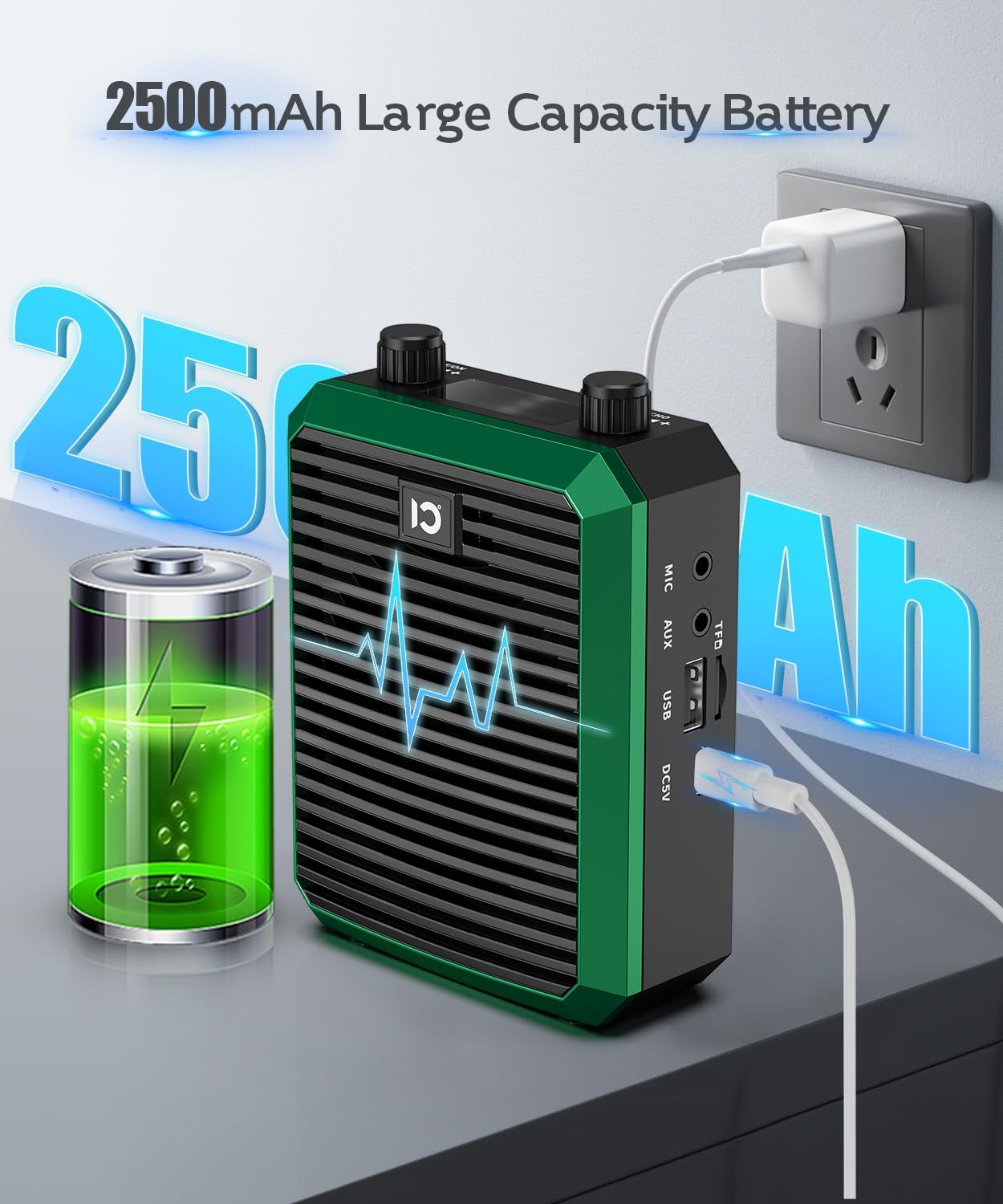
Image: The SHIDU Voice Amplifier connected to a power outlet via a USB charging cable, illustrating the charging process. A battery icon indicates the 2500mAh capacity.
2. Pairing the Wireless Lavalier Microphone:
Беспроводной микрофон и amplifier are typically pre-paired. If re-pairing is needed:
- Включи голос ampусилитель, повернув ручку питания/громкости по часовой стрелке.
- Turn on the wireless lavalier microphone by pressing its power button.
- On the microphone, long press the pairing key (often indicated by a Wi-Fi-like symbol); the blue light will blink.
- На amplifier, select UHF mode (if applicable) and long press the 'M' button. The screen will flash.
- The devices should connect automatically. A solid blue light on the microphone indicates a successful connection.

Image: A visual guide showing the steps to pair the wireless lavalier microphone with the voice amplifier. It highlights pressing the pairing key on the microphone and the 'M' button on the ampпожизненнее.
3. Wearing the Microphone:
Clip the lavalier microphone to your collar or tie, ensuring it is positioned close to your mouth for optimal sound pickup. This design eliminates the need for a headset, providing comfort during extended use.

Image: A teacher demonstrating how to wear the SHIDU wireless lavalier microphone clipped to her collar, highlighting its discreet and comfortable design compared to traditional headsets.
Инструкция по эксплуатации
1. Включение/выключение питания и регулировка громкости:
- Чтобы включить amplifier, rotate the Power/Volume knob clockwise until you hear a click.
- Continue rotating clockwise to increase the volume. Rotate counter-clockwise to decrease the volume.
- Для выключения поверните ручку против часовой стрелки до щелчка.
- Ensure the wireless microphone is also powered on for voice ampлификация.
2. голос Ampлификация:
Как только amplifier and microphone are paired and powered on, speak into the lavalier microphone. Your voice will be amplified through the speaker. The 2.4G wireless technology ensures a stable connection and 360-degree sound pickup, providing clear and loud audio without distortion. The amplifier can cover an area of up to 15,000 sq.ft (1400 ㎡), reaching up to 150 people.

Image: A speaker using the SHIDU Voice Amplifier during a presentation to a group of people, illustrating its powerful sound coverage of 15,000 sq.ft.
3. Multiple Playback Modes:
The amplifier supports various audio playback options:
- Воспроизведение через Bluetooth: Enable Bluetooth on your mobile device and search for "SHIDU" (or similar device name) to pair and play audio wirelessly.
- Воспроизведение TF-карты: Вставьте карту TF (MicroSD) с аудиофайлами в формате MP3. files into the TF card slot. The amplifier will automatically detect and play the files.
- Воспроизведение с USB-диска: Вставьте USB-флешку с аудиофайлами в формате MP3. fileв USB-порт. amplifier will automatically detect and play the files.
- Вход AUX: Connect your cell phone, computer, or other audio devices to the amplifier using the provided AUX cable to use it as an external speaker.
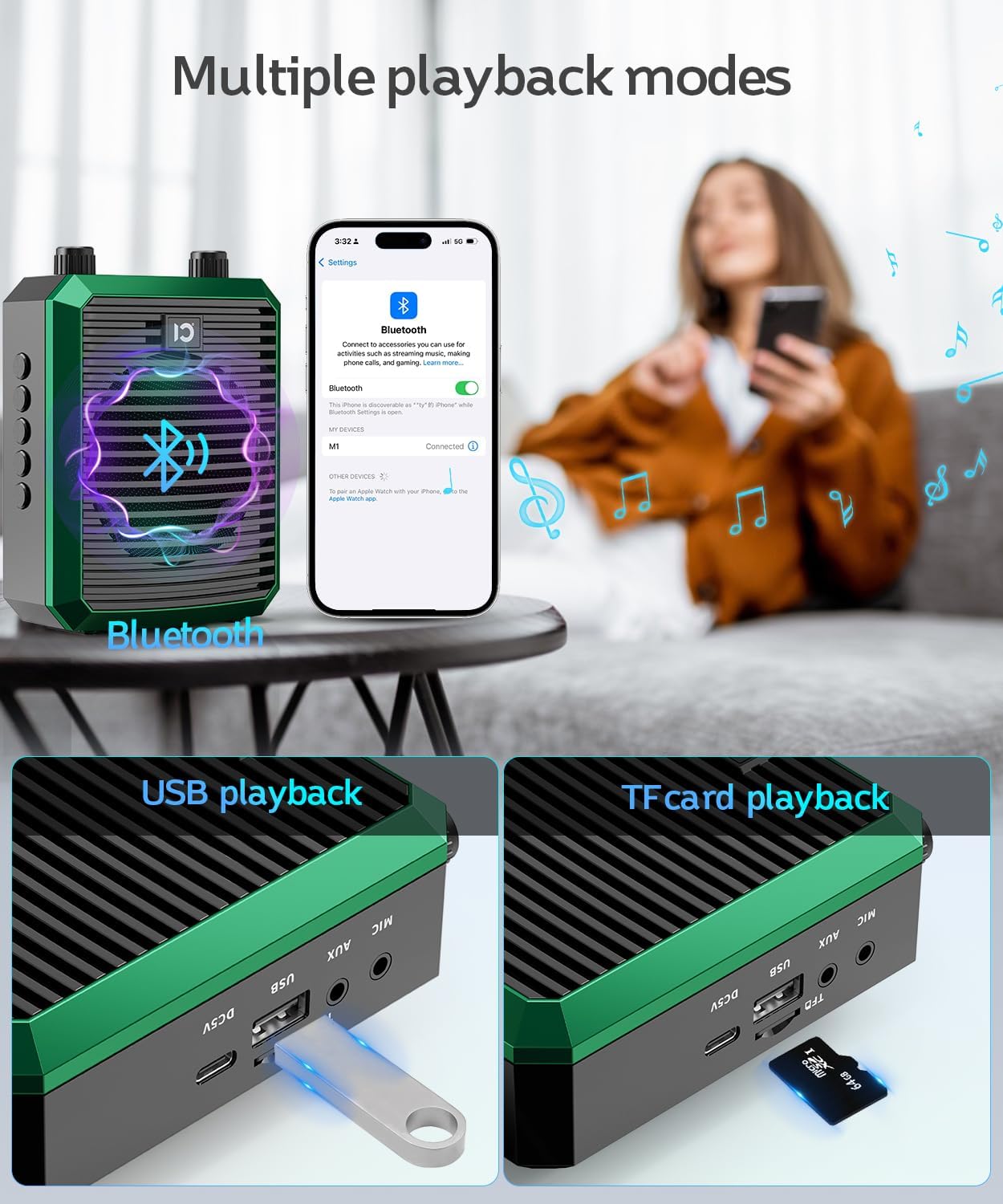
Image: A visual representation of the SHIDU Voice Amplifier's multiple playback modes, including Bluetooth connectivity with a smartphone, USB flash drive insertion, and TF card insertion.
4. Запись и воспроизведение:
The amplifier allows you to record audio and play it back in a loop:
- Insert a USB flash drive or TF card into the respective slot.
- Press the "REC" button to select recording mode.
- Press and hold "REC"; the display will start timing to indicate recording has begun.
- Press "REC" again to end the recording. The device will automatically play back the recorded audio.

Image: A person using the SHIDU Voice Amplifier for recording and looping playback, demonstrating its utility for tour guides or instructors. The image shows the amplifier worn with a strap.
Обслуживание
Proper maintenance ensures the longevity and optimal performance of your SHIDU Voice Ampпожизненнее:
- Уборка: Use a soft, dry cloth to wipe the surface of the amplifier and microphone. Do not use harsh chemicals or abrasive cleaners.
- Хранилище: Храните устройство в прохладном, сухом месте, вдали от прямых солнечных лучей и экстремальных температур.
- Уход батареи: To preserve battery life, avoid fully discharging the battery frequently. Charge the device regularly, even if not in use for extended periods (e.g., once every 3 months).
- Избегайте воды: Устройство не является водонепроницаемым. Беречь от воды и повышенной влажности.
- Обращаться с осторожностью: Не роняйте устройство и не подвергайте его сильным ударам.
Поиск неисправностей
If you encounter issues with your SHIDU Voice Amplifier, ознакомьтесь со следующими распространенными проблемами и решениями:
| Проблема | Возможная причина | Решение |
|---|---|---|
| Нет звука от ampпожизненнее. |
|
|
| Звук искажен или нечеток. |
|
|
| Проблемы с подключением Bluetooth. |
|
|
| Cannot record or play from USB/TF card. |
|
|
Технические характеристики
| Особенность | Деталь |
|---|---|
| Бренд | SHIDU |
| Номер модели | M1-U66-green |
| СКП | 860013203498 |
| Выход Втtage | 18 Вт |
| Технология связи | Bluetooth, беспроводная связь 2.4G |
| Аудиовход | Микрофон, AUX |
| Частотная характеристика | 18 кГц |
| Емкость аккумулятора | 2500 мАч (Ampпожизненнее) |
| Время использования | До 10 часов (Ampпожизненнее) |
| Время зарядки | 3-4 часов (Ampпожизненнее) |
| Зона покрытия | Площадь до 15 000 кв. футов (1400 м²) |
| Receiving Distance (Wireless Mic) | До 30 метров |
| Размеры продукта (Д x Ш x В) | 4.68 x 3.47 x 1.9 дюйма |
| Вес товара | 15.8 унции |
| Материал | Акрилонитрилбутадиенстирол (АБС) |
| Цвет | Зеленый |
Гарантия и поддержка
SHIDU provides a Гарантия 36 месяца on this product, as stated in the product features. This warranty covers manufacturing defects and ensures the quality of your device.
For technical support, warranty claims, or any questions regarding your SHIDU Voice Amplifier, please contact the manufacturer directly through their official support channels. Refer to the product packaging or the SHIDU official webсайт для получения самой актуальной контактной информации.
Политика возврата: This product is subject to a 30-day return policy for refunds or replacements, as per standard retail terms.