
Arikasen A6
Руководство пользователя Bluetooth-гарнитуры Arikasen A6
Model: A6 | Wireless On-Ear Earphones
Введение
Welcome to the user manual for your Arikasen A6 Bluetooth On-Ear Headset. This manual provides detailed instructions on how to set up, operate, maintain, and troubleshoot your new wireless earphones. Designed for comfort and superior sound, the A6 headset features Bluetooth 5.0 for stable connections, deep bass, and 3D stereo sound. Please read this manual carefully to ensure optimal performance and longevity of your device.
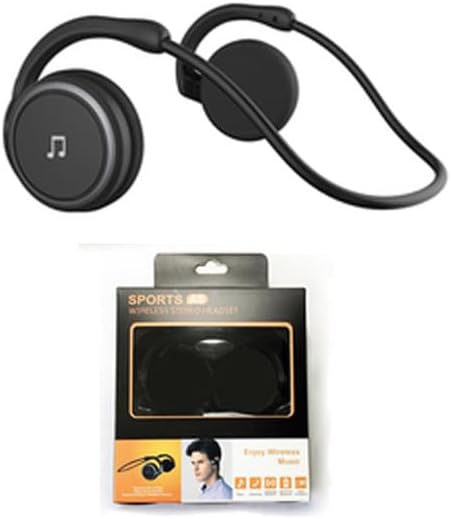
Figure 1: Arikasen A6 Bluetooth Headset. This image displays the overall design of the black on-ear headset, highlighting its lightweight and ergonomic form factor.
Настройка и первое использование
1. Зарядка гарнитуры
Before first use, fully charge your Arikasen A6 headset. The headset charges via a cable connection.
- Подключите зарядный кабель к зарядному порту гарнитуры.
- Другой конец кабеля подключите к источнику питания USB (например, к порту USB компьютера, сетевому адаптеру).
- Индикатор будет показывать состояние зарядки (подробную информацию о работе индикатора см. на самом устройстве).
- A full charge provides approximately 11 hours of music playback time.
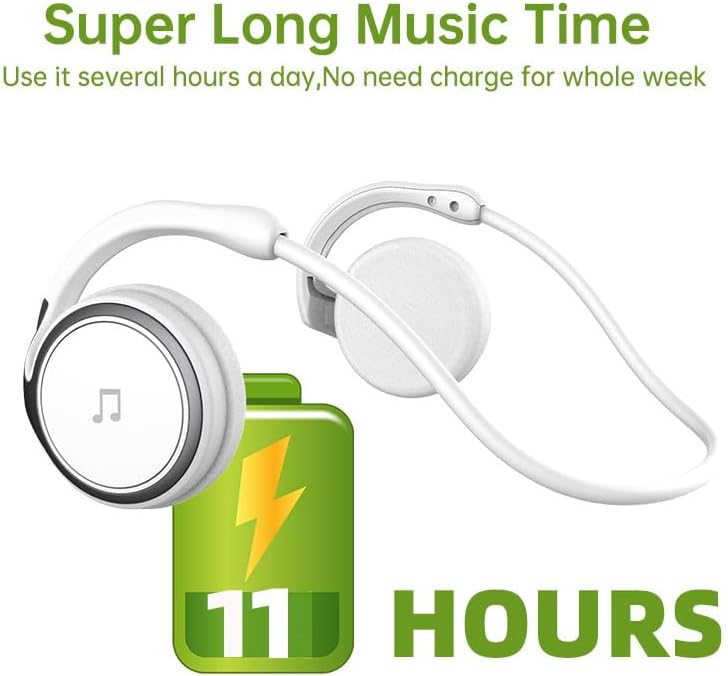
Figure 2: Battery Life Indication. This image illustrates the headset's capability to provide up to 11 hours of continuous music playback on a single charge.
2. Сопряжение по Bluetooth
To connect your headset to a device (smartphone, tablet, computer), follow these steps:
- Убедитесь, что гарнитура заряжена и выключена.
- Press and hold the power button on the headset until the indicator light flashes, indicating pairing mode.
- На вашем устройстве перейдите в настройки Bluetooth и включите Bluetooth.
- Искать available devices. The headset should appear as "Arikasen A6" or similar.
- Select "Arikasen A6" to connect. Once connected, the indicator light will change (e.g., solid blue or off).
- При запросе пароля введите «0000».

Figure 3: Bluetooth 5.0 Connectivity. This image highlights the headset's Bluetooth 5.0 capabilities, ensuring stable and swift connections for both audio and voice calls.
Инструкция по эксплуатации
Контролируетview
The Arikasen A6 headset features intuitive controls located on the earcup. Familiarize yourself with these buttons for easy operation.
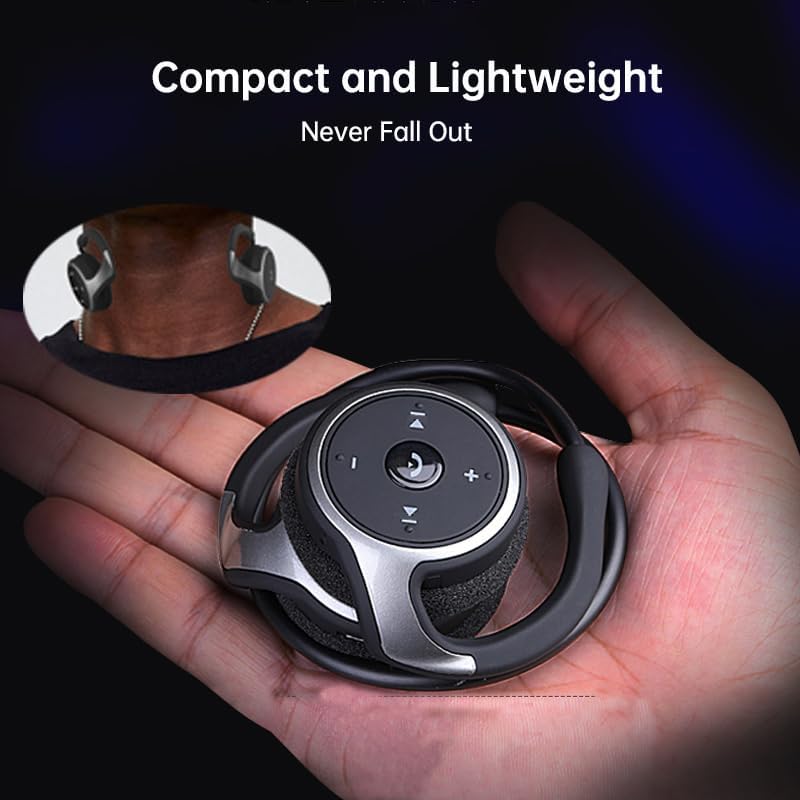
Figure 4: Headset Controls. This image provides a close-up view of the control panel on the headset's earcup, detailing the button layout for music and call management.
- Кнопка питания (многофункциональная кнопка):
- Нажмите и удерживайте кнопку для включения/выключения питания.
- Нажмите один раз, чтобы воспроизвести/приостановить музыку.
- Нажмите один раз, чтобы ответить/завершить вызов.
- Нажмите и удерживайте, чтобы отклонить вызов.
- Увеличение громкости (+): Нажмите, чтобы увеличить громкость.
- Звук тише (-): Нажмите, чтобы уменьшить громкость.
- Следующий трек (>>|): Нажмите, чтобы перейти к следующей песне.
- Предыдущий трек (|<<): Нажмите, чтобы перейти к предыдущей песне.
Ношение гарнитуры
The Arikasen A6 is designed for ultra-comfort, balancing stress on the ear. Its lightweight and compact design ensures it stays securely in place.
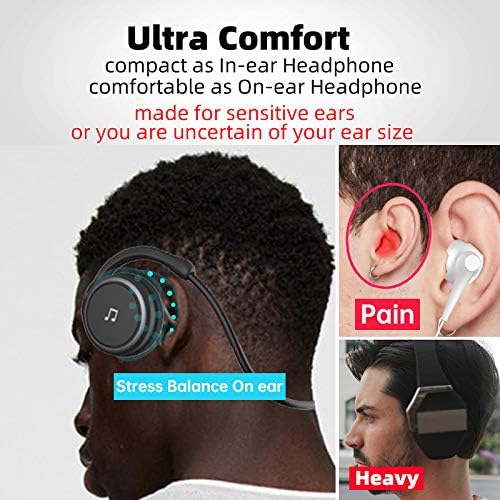
Figure 5: Ultra Comfort Design. This image demonstrates the ergonomic design of the headset, emphasizing its comfortable fit for extended wear, particularly beneficial for sensitive ears.
Техническое обслуживание и уход
Proper maintenance ensures the longevity and optimal performance of your Arikasen A6 headset.
- Уборка: Для протирки гарнитуры используйте мягкую сухую ткань. Не используйте абразивные чистящие средства, растворители или сильнодействующие химикаты.
- Хранилище: Когда гарнитура не используется, храните ее в прохладном, сухом месте, вдали от прямых солнечных лучей и экстремальных температур.
- Избегайте попадания влаги: Не допускайте попадания воды или чрезмерной влажности на гарнитуру. Она не является водонепроницаемой.
- Обращаться с осторожностью: Избегайте падения гарнитуры и сильных ударов.
- Зарядка: Only use the provided charging cable or a certified equivalent. Do not overcharge the battery.
Поиск неисправностей
If you encounter issues with your Arikasen A6 headset, refer to the following common problems and solutions:
| Проблема | Возможная причина | Решение |
|---|---|---|
| Гарнитура не включается. | Низкий заряд батареи. | Полностью зарядите гарнитуру. |
| Невозможно выполнить сопряжение с устройством. | Гарнитура не находится в режиме сопряжения; Bluetooth на устройстве отключен; устройство слишком далеко. | Ensure headset is in pairing mode (flashing light). Turn on Bluetooth on your device. Move headset closer to device (within 10 meters). |
| Нет звука или низкая громкость. | Volume too low on headset or device; headset not connected properly. | Увеличьте громкость как на гарнитуре, так и на подключенном устройстве. Повторно выполните сопряжение гарнитуры. |
| Прерывистое соединение. | Помехи; устройство слишком далеко; низкий заряд батареи. | Move away from other wireless devices. Ensure headset is within range. Charge the headset. |
Если проблема не исчезнет, обратитесь за дополнительной помощью в раздел «Гарантия и поддержка».
Технические характеристики
The following are the technical specifications for the Arikasen A6 Bluetooth Headset:
- Модель: A6
- Бренд: Generic (Arikasen)
- Связь: Блютус 5.0
- Earcups Type: Полуоткрытый
- Звукоизоляция: Нет
- Выходная мощность: 50мВт
- Количество водителей: 2
- Размер драйвера: 18mm (for superior sound and deeper bass)
- Метод зарядки: Кабель
- Headphone Pads Material: Мягкая пена
- Тип магнита: неодимовый
- Материал: Пластик
- Цвет: Black (without box)
- Approximate Music Playback Time: 11 часа

Figure 6: Driver Technology. This image illustrates the internal components of the earcup, highlighting the 18mm driver responsible for delivering superior sound quality and deep bass.
Гарантия и поддержка
Your Arikasen A6 headset comes with dedicated customer support.
If you encounter any issues with your product, such as a damaged product or receiving incorrect items, please contact us directly through the Amazon platform. We are committed to providing the best solution to resolve any issues promptly.
For further assistance or inquiries, please reach out to our customer service team via the Amazon messaging system.
Ask a question about this manual
Ask about setup, troubleshooting, compatibility, parts, safety, or missing instructions. Manuals+ will review the question and use this page’s manual context to help answer it.