
Введение
Thank you for choosing the AWEI T28 Wireless Earbuds. This manual provides detailed instructions for setting up, operating, and maintaining your earbuds to ensure optimal performance and longevity. Please read this manual thoroughly before using the product.
Содержимое упаковки
Проверьте наличие всех предметов в посылке:
- Wireless Bluetooth Headset (Left and Right Earbuds)
- Wireless Bluetooth Headset Charging Case
- Зарядный кабель USB-C
- Инструкция для пользователя (Данное руководство)
Продукт болееview
The AWEI T28 Wireless Earbuds are designed for a comfortable in-ear fit, offering high-fidelity audio and clear call performance. They feature Bluetooth 5.3 technology for stable connectivity and touch controls for easy operation.

Рисунок 1: AWEI T28 Wireless Earbuds and Charging Case. This image displays the white earbuds resting inside their open charging case, highlighting their compact and sleek design.

Рисунок 2: Earbuds and Charging Case. The image shows the earbuds removed from the charging case, which is open, illustrating the product's design and indicating its readiness for use or charging.
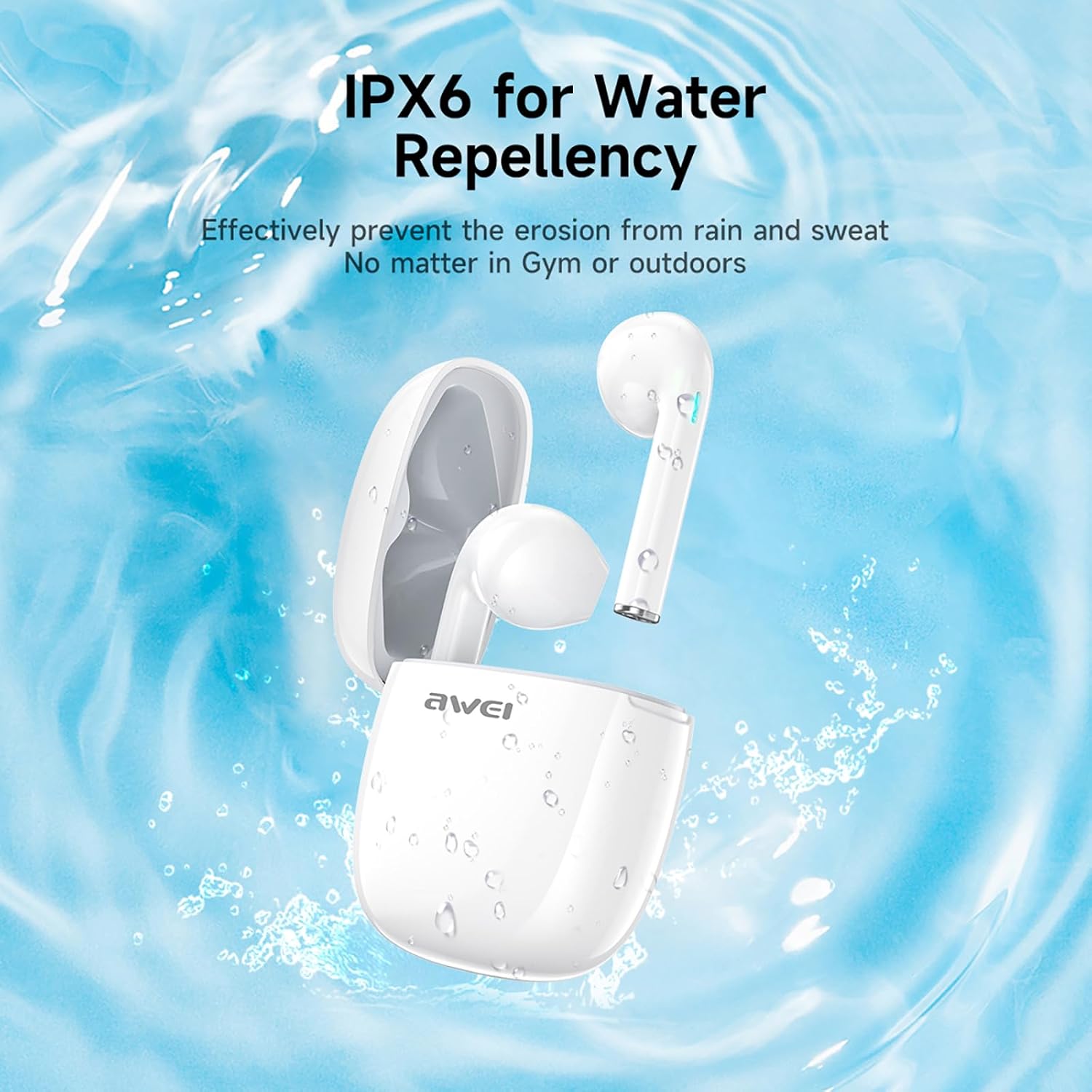
Рисунок 3: IPX6 Water Repellency. This image depicts the earbuds and charging case with water splashes, visually representing their IPX6 waterproof rating, suitable for use during exercise or in light rain.
Настраивать
1. Зарядка наушников и кейса
- Первоначальный сбор: Перед первым использованием полностью зарядите наушники и зарядный чехол.
- Зарядка кейса: Connect the provided USB-C charging cable to the charging port on the case and to a USB power source. The charging time for the case is approximately 1.5 hours.
- Зарядка наушников: Place the earbuds into the charging case. They will automatically begin charging. The earbuds provide approximately 7 hours of continuous use per charge. The charging case extends total playback time to 35 hours in dual-ear mode, or up to 70 hours in single-ear mode by alternating earbuds.
- Индикаторы батареи: Refer to the LED indicators on the case and earbuds for charging status.
2. Сопряжение с устройством
- Включение питания: Откройте зарядный кейс. Наушники автоматически включатся и перейдут в режим сопряжения.
- Активируйте Bluetooth: На смартфоне, планшете или другом устройстве с поддержкой Bluetooth перейдите в настройки Bluetooth и включите Bluetooth.
- Выберите устройство: Look for "AWEI T28" in the list of available devices and select it to connect.
- Подтверждение: Once connected, you will hear an audio prompt from the earbuds, and the device's Bluetooth settings will show "AWEI T28" as connected.
- Автоматическое переподключение: После первоначального сопряжения наушники автоматически подключатся к последнему сопряженному устройству при извлечении из зарядного футляра, при условии, что на устройстве включен Bluetooth.
Инструкция по эксплуатации
Сенсорное управление
The AWEI T28 earbuds feature smart touch controls on each earbud for convenient management of audio playback and calls.
- Воспроизведение/Пауза: Нажмите один раз на любой наушник.
- Следующая песня: Дважды коснитесь правого наушника.
- Предыдущая песня: Дважды коснитесь левого наушника.
- Увеличить громкость: Тройное касание правого наушника.
- Убавить звук: Тройное касание левого наушника.
- Ответить/завершить вызов: Нажмите один раз на любой наушник во время входящего вызова.
- Отклонить вызов: Во время входящего вызова нажмите и удерживайте любой наушник в течение 2 секунд.
- Активировать голосового помощника: Press and hold either earbud for 3 seconds (functionality may vary by device).
Monaural and Binaural Mode
The earbuds support both monaural (single earbud) and binaural (both earbuds) modes. You can seamlessly switch between modes:
- Бинауральный режим: Remove both earbuds from the charging case. They will automatically connect to each other and then to your device.
- Монофонический режим: Remove only one earbud from the charging case. It will connect to your device independently. You can place the other earbud back in the case or keep it off.
- Переключение: If using one earbud, simply remove the other from the case to automatically switch to binaural mode. If using both, place one back in the case to switch to monaural mode.
Обслуживание
Proper maintenance ensures the longevity and performance of your AWEI T28 Wireless Earbuds.
- Уборка: Регулярно протирайте наушники и зарядный кейс мягкой, сухой тканью без ворса. Не используйте абразивные чистящие средства или растворители.
- Советы по уху: If applicable, gently remove ear tips and clean them with mild soap and water, then dry thoroughly before reattaching.
- Зарядные контакты: Для обеспечения надлежащей зарядки убедитесь, что зарядные контакты на наушниках и внутри кейса чистые и не содержат мусора.
- Водостойкость: The earbuds are IPX6 waterproof, meaning they are resistant to strong jets of water. However, they are not designed for swimming or submersion. Ensure they are dry before placing them back in the charging case.
- Хранилище: Когда наушники не используются, храните их в зарядном футляре, чтобы защитить их от пыли и повреждений. Храните в прохладном, сухом месте, вдали от экстремальных температур.
Поиск неисправностей
If you encounter issues with your AWEI T28 Wireless Earbuds, refer to the following common solutions:
- Наушники не подключаются к устройству:
- Убедитесь, что оба наушника полностью заряжены.
- Выключите Bluetooth на вашем устройстве, а затем снова включите его.
- Forget "AWEI T28" from your device's Bluetooth list and attempt to pair again.
- Ensure the earbuds are in pairing mode (usually indicated by flashing LED lights).
- Попробуйте выполнить сопряжение с другим устройством, чтобы исключить проблемы, связанные с самим устройством.
- Работает только один наушник:
- Place both earbuds back into the charging case, close the lid, wait a few seconds, then open the lid and remove both earbuds simultaneously.
- Убедитесь, что оба наушника заряжены.
- Check if the earbuds are connected in monaural mode. If so, try re-pairing both earbuds.
- Наушники не заряжаются:
- Убедитесь, что зарядный футляр заряжен.
- Check that the charging contacts on the earbuds and inside the case are clean and free of obstructions.
- Убедитесь, что наушники правильно установлены в зарядном футляре.
- Попробуйте использовать другой кабель USB-C или адаптер питания.
- Низкая громкость или плохое качество звука:
- Отрегулируйте громкость как на устройстве, так и на наушниках.
- Убедитесь, что наушники плотно прилегают к ушам для обеспечения герметичности.
- Очистите насадки наушников от ушной серы и мусора.
- Try playing different audio sources to determine if the issue is with the earbuds or the audio file.
- Частое обрывание соединения:
- Ensure there are no significant obstacles (walls, large electronic devices) between the earbuds and your connected device.
- Keep the earbuds within the 10-meter Bluetooth range of your device.
- Avoid environments with high Wi-Fi or other wireless interference.
Технические характеристики
| Модель | Т28 |
| Бренд | Авей |
| Технология связи | Беспроводная связь (Bluetooth 5.3) |
| Расположение ушей | В ухо |
| Тип управления | Сенсорное управление |
| Уровень водонепроницаемости | Водонепроницаемость IPX6 |
| Среднее время работы батареи (наушники) | 7 часов |
| Общее время воспроизведения с зарядным чехлом | Up to 35 Hours (Dual-ear), 70 Hours (Single-ear) |
| Время зарядки (кейс) | 1.5 часов |
| Материал | Силикон |
| Вес товара | 150 г |
| Совместимые устройства | Smartphones, Computers, TVs |
Гарантия и поддержка
For warranty information and customer support, please refer to the documentation provided with your purchase or contact the retailer where you purchased the AWEI T28 Wireless Earbuds. Keep your proof of purchase for any warranty claims.
For further assistance, you may also visit the official Awei webсайт или свяжитесь напрямую со службой поддержки клиентов.