
Lamzu Maya X
Инструкция по эксплуатации беспроводной игровой мыши Lamzu Maya X
Model: Maya X
Введение
The Lamzu Maya X is an ultra-lightweight wireless gaming mouse designed for high-performance gaming. Featuring a symmetrical shape, optical switches, and a high-precision PAW3950 sensor, it offers exceptional responsiveness and comfort for various grip styles. This manual provides detailed instructions for setting up, operating, maintaining, and troubleshooting your Lamzu Maya X mouse.

Figure 1: Lamzu Maya X Wireless Gaming Mouse and 8K Polling Dongle.
Содержимое упаковки
Прежде чем начать, убедитесь, что в упаковке присутствуют все предметы:
- Lamzu Maya X Wireless Gaming Mouse
- 8K Polling Dongle
- 1.8m Type-C Paracord Cable (for wired connection and charging)
- PTFE Feet (extra set)
- Бархатная сумка
- MAYA X Mouse Grip Tape
Настраивать
1. Зарядка мыши
The Lamzu Maya X mouse comes with a built-in Lithium Ion battery. For optimal performance, it is recommended to fully charge the mouse before first use.
- Connect the supplied 1.8m Type-C paracord cable to the USB-C port on the front of the mouse.
- Connect the other end of the cable to an available USB port on your computer or a USB wall adapter.
- The mouse's indicator light will show charging status. Once fully charged, the light will change or turn off.
Мышь можно использовать в проводном режиме во время зарядки.
2. Подключение мыши
The Lamzu Maya X supports both 2.4G wireless and wired connectivity.
Wireless Connection (2.4G with 8K Polling Dongle)
- Locate the 8K Polling Dongle.
- Plug the 8K Polling Dongle into an available USB port on your computer. For best performance, use a USB port on the front of your computer or a USB hub placed close to the mouse to minimize interference.
- Включите мышь с помощью переключателя включения/выключения, расположенного в нижней части мыши.
- The mouse should automatically connect to the dongle. If connection is not established, refer to the troubleshooting section.

Figure 2: Wireless Connection with 8K Polling Dongle.
Проводное соединение
- Connect the supplied 1.8m Type-C paracord cable to the USB-C port on the front of the mouse.
- Подключите другой конец кабеля к свободному USB-порту вашего компьютера.
- The mouse will automatically switch to wired mode. In wired mode, the polling rate is 1000 Hz.

Figure 3: Dual Mode Connectivity (2.4G Wireless and Wired).
3 Установка драйверов и программного обеспечения
The Lamzu Maya X mouse is plug-and-play for basic functionality. For advanced customization, including DPI settings, button remapping, macros, and polling rate adjustments, you can download the official Lamzu Aurora Web Driver from the Lamzu webсайт. Этот web-based software eliminates the need for local installation.
- Visit the official Lamzu webсайт (www.lamzu.com) to access the Aurora Web Водитель.
- Follow the on-screen instructions to connect your device and customize settings.
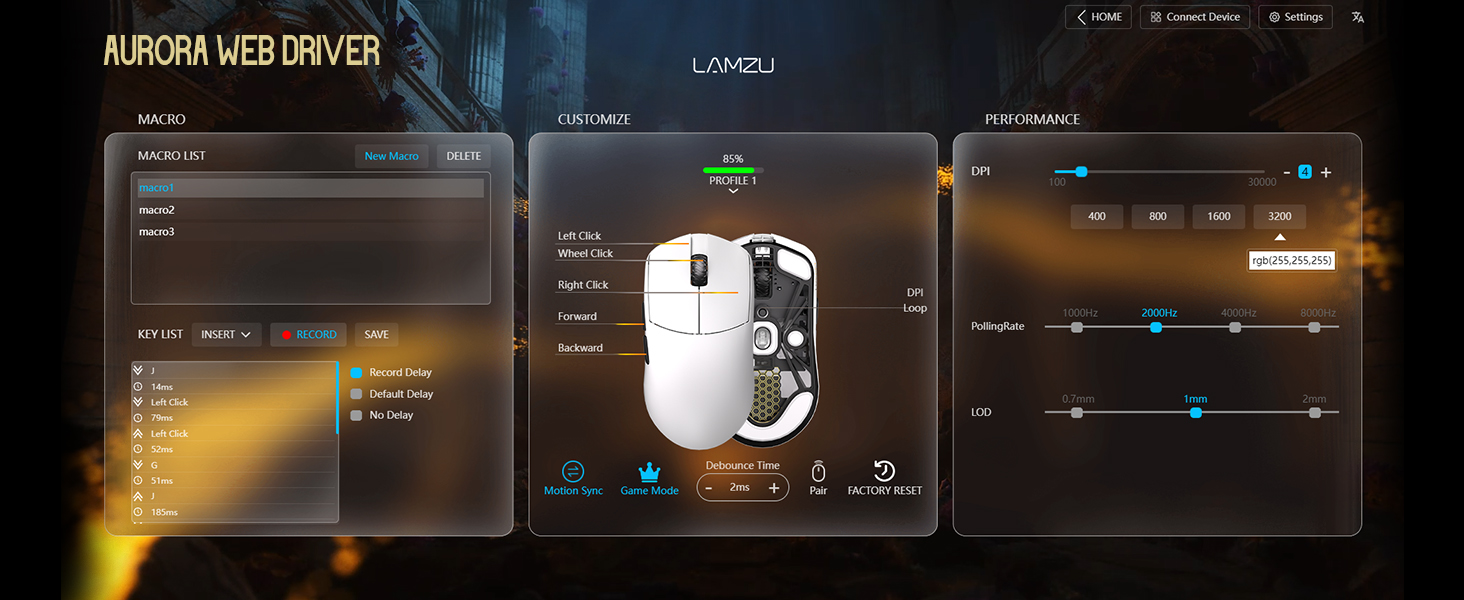
Figure 4: Lamzu Aurora Web Driver Interface.
Управление мышью
Функции кнопок
The Lamzu Maya X is a 6-button gaming mouse. The default functions are as follows:
| Кнопка | Функция по умолчанию |
|---|---|
| Левый щелчок | Основная функция щелчка |
| Щелкните правой кнопкой мыши | Функция вторичного щелчка |
| Колесо прокрутки (нажатие) | Middle click / Universal scroll |
| Scroll Wheel (Up/Down) | Scroll content up/down |
| DPI Button (Bottom) | Cycle through preset DPI levels |
| Боковая кнопка вперед | Перейти вперед в web browsers/applications |
| Кнопка на задней стороне | Перейти назад в web browsers/applications |
| On/Off Switch (Bottom) | Power on/off the mouse |
All buttons, except the On/Off switch, can be remapped using the Aurora Web Программное обеспечение драйвера.

Figure 5: Lamzu Maya X Button Layout.
Adjusting DPI (Dots Per Inch)
The Lamzu Maya X features a Pixart PAW 3950 sensor, supporting up to 30,000 DPI. You can adjust the DPI sensitivity to match your preference and gaming style.
- On-the-fly Adjustment: Press the DPI button located on the bottom of the mouse to cycle through pre-configured DPI stages. The LED indicator on the mouse may change color to indicate the current DPI stage.
- Корректировка программного обеспечения: For precise control and custom DPI stages, use the Lamzu Aurora Web Driver. You can set specific DPI values and assign them to different profiles.
Скорость опроса
The polling rate determines how often the mouse reports its position to the computer. A higher polling rate results in smoother and more responsive cursor movement.
- Wireless (2.4G): The Maya X supports up to 8,000 Hz polling rate when using the included 8K Polling Dongle. This can be configured via the Aurora Web Водитель.
- Проводное (USB-C): In wired mode, the mouse operates at a 1,000 Hz polling rate.
Grip Styles
The symmetrical shape of the Lamzu Maya X is designed to accommodate various grip styles, providing comfort and control for different hand sizes and preferences.
- Хват ладонью: The entire palm rests on the mouse, offering maximum stability.
- Захват когтем: Fingers are arched, and the palm makes minimal contact with the rear of the mouse, allowing for quick, precise movements.
- Хват кончиками пальцев: Only the fingertips touch the mouse, providing the highest degree of maneuverability.

Figure 6: Supported Grip Styles.
Обслуживание
Proper maintenance ensures the longevity and optimal performance of your Lamzu Maya X mouse.
- Уборка: Протрите поверхность мыши мягкой сухой тканью. Для удаления стойких загрязнений используйте слегка мягкую тряпку.amp Можно использовать ткань, но следите за тем, чтобы влага не попала в мышь. Избегайте использования агрессивных химикатов и абразивных материалов.
- Уход за датчиком: Следите за тем, чтобы оптический сенсор на нижней части мыши был чистым и свободным от пыли и мусора. При необходимости используйте ватную палочку или сжатый воздух.
- Mouse Feet (PTFE Skates): The PTFE feet are designed for smooth gliding. If they become worn or damaged, replace them with the extra set provided in the package.
- Хранилище: When not in use for extended periods, store the mouse in a cool, dry place, ideally in the provided velvet bag to protect it from dust and scratches.
- Уход батареи: Avoid fully discharging the battery frequently. For long-term storage, charge the mouse to about 50% to preserve battery health.
Поиск неисправностей
If you encounter issues with your Lamzu Maya X mouse, refer to the following common problems and solutions:
| Проблема | Возможная причина/решение |
|---|---|
| Мышь не отвечает (беспроводная) |
|
| Мышь не отвечает (проводная) |
|
| Движение курсора хаотичное или прерывистое |
|
| Кнопки не реагируют или щелкают дважды |
|
| Аккумулятор быстро разряжается |
|
Технические характеристики
| Особенность | Деталь |
|---|---|
| Модель | Maya X |
| Размеры (Д x Ш x В) | 4.88 x 2.52 x 0.04 дюйма (124 x 64 x 40 мм) |
| Масса | 1.66 унций (приблизительно 47 г) |
| Датчик | Оптический датчик Pixart PAW 3950 |
| Максимальное разрешение DPI | 30,000 точек на дюйм |
| МК | Nordic 52840 |
| Скорость опроса | Up to 8,000 Hz (Wireless with 8K dongle), 1,000 Hz (Wired) |
| Переключатели | Omron Optical Switches (Left/Right buttons) |
| Кодировщик | Dust-Proof Encoder with 30-grid roller |
| Связность | Беспроводное соединение 2.4 ГГц, проводное соединение USB-C. |
| Тип батареи | 1 литий-ионный аккумулятор (входит в комплект) |
| Цвет | Черный (в зависимости от варианта товара) |
| Страна происхождения | Китай |
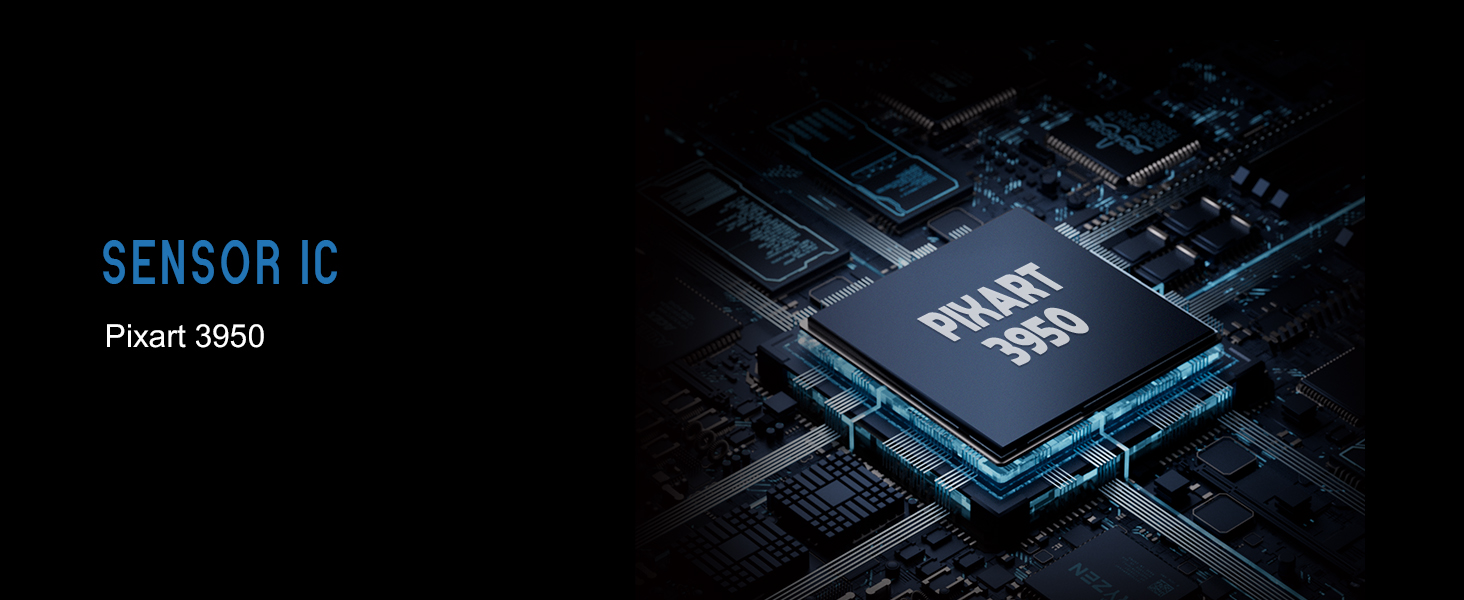
Figure 7: Lamzu Maya X Detailed Specifications.
Гарантия и поддержка
Lamzu products are manufactured to the highest quality standards. For information regarding warranty coverage, technical support, or service inquiries, please visit the official Lamzu webсайте или обратитесь в их отдел обслуживания клиентов.
- Официально Webсайт: www.lamzu.com
- Обслуживание клиентов: Обратитесь к контактной информации, указанной на официальном сайте. webсайт.
Пожалуйста, сохраните документ, подтверждающий покупку, для претензий по гарантии.
Ask a question about this manual
Ask about setup, troubleshooting, compatibility, parts, safety, or missing instructions. Manuals+ will review the question and use this page’s manual context to help answer it.