
АДЖАЗЗ АКП03
Руководство пользователя контроллера потока AJAZZ AKP03
Модель: AKP03
1. Введение
This manual provides detailed instructions for the setup, operation, and maintenance of your AJAZZ AKP03 Stream Controller. Please read this manual thoroughly before using the device to ensure proper functionality and to maximize your user experience. Keep this manual for future reference.
2. Продукт закончилсяview
The AJAZZ AKP03 is a versatile stream controller designed to enhance desktop productivity and control. It features customizable buttons, knobs, and an LCD screen for efficient management of applications, streaming, and system monitoring.
2.1 Содержимое упаковки
- Контроллер потока AJAZZ AKP03
- Кабель USB типа-C
- Руководство по эксплуатации (данный документ)
2.2 Компоненты устройства
The AKP03 Stream Controller includes the following key components:
- 6 Visual Buttons: Customizable buttons with LCD displays for various functions.
- 3 Metal Knobs: For precise control over settings like volume or scrolling.
- 3 Switch Buttons: Дополнительные программируемые кнопки.
- Интерфейс Type-C: Для подключения к компьютеру.
- Detachable 40° Anti-Slip Stand: Provides an ergonomic viewугол поворота и рабочий угол.

Рисунок 1: Вверху view of the AJAZZ AKP03 Stream Controller, showing the 6 visual buttons, 3 metal knobs, and 3 switch buttons.
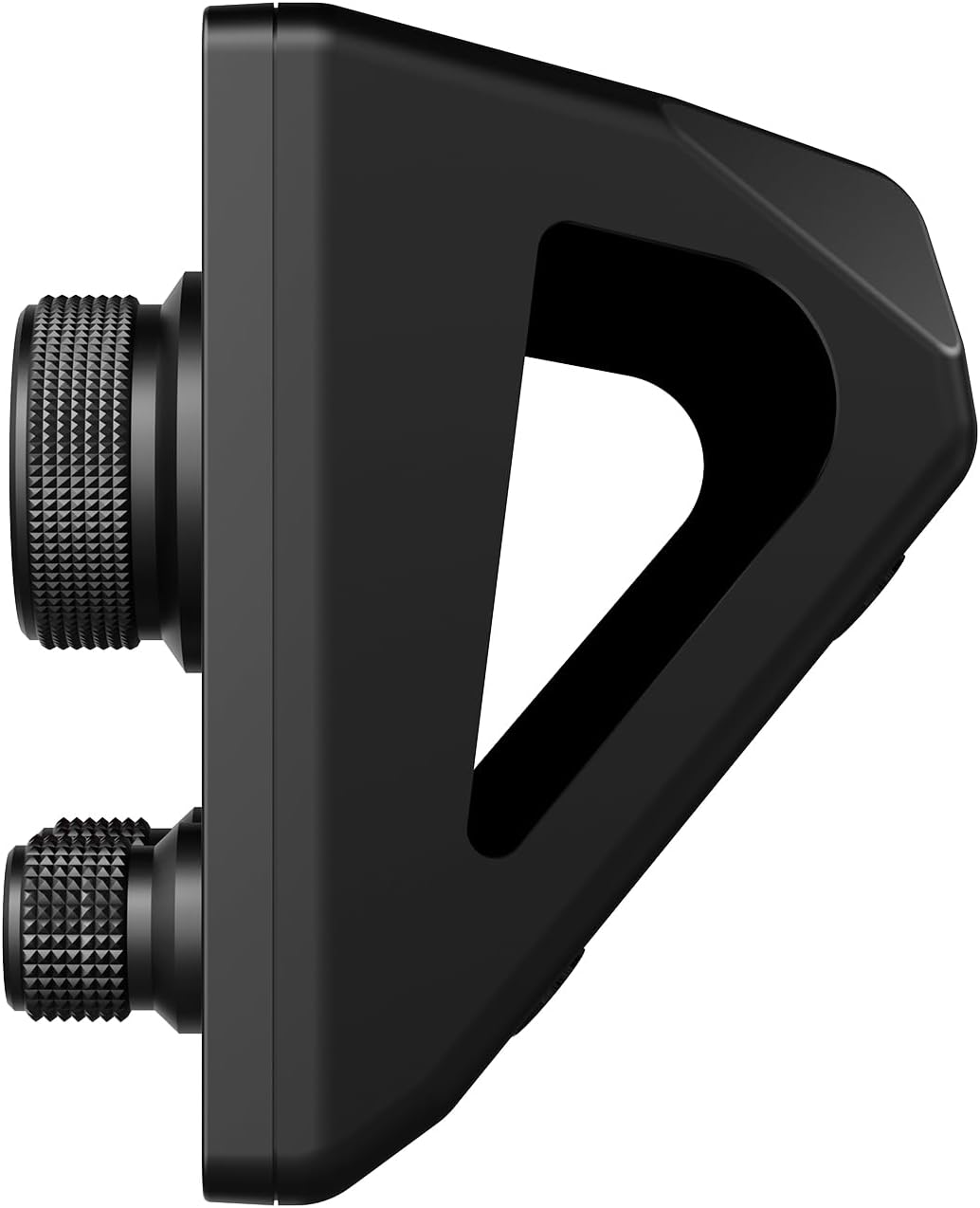
Рисунок 2: Сторона view of the AJAZZ AKP03 Stream Controller, illustrating the detachable 40-degree anti-slip stand and the profile of the knobs.
3. Настройка
3.1 Системные требования
- Windows 7 или выше
- macOS 10.13 или выше
- Доступен порт USB 3.0 (рекомендуется для оптимальной производительности).
3.2 Подключение устройства
- Connect one end of the provided Type-C USB cable to the Type-C port on the AJAZZ AKP03 Stream Controller.
- Connect the other end of the USB cable to an available USB port on your computer. For best results, use a USB 3.0 port (often identified by a blue interior).
- Ваше операционное устройство должно распознавать данное устройство.
3.3 Крепление подставки
The detachable 40° anti-slip stand can be easily attached to the controller. Align the stand with the slots on the bottom of the controller and gently push until it snaps securely into place. This provides an ergonomic angle for use.
3.4 Установка программного обеспечения
To fully customize and utilize the features of the AKP03 Stream Controller, dedicated software is required. Please visit the official AJAZZ website to download the latest version of the control software compatible with your operating system. Follow the on-screen instructions for installation.
Note: Ensure you download software only from the official AJAZZ webсайт, чтобы избежать проблем с совместимостью или рисков безопасности.
4. Инструкция по эксплуатации
Once the software is installed and the device is connected, you can begin customizing and operating your AKP03 Stream Controller.
4.1 Настройка кнопок и регуляторов
- Launch the AJAZZ control software on your computer.
- Within the software interface, you will find options to assign functions to the 6 visual buttons, 3 metal knobs, and 3 switch buttons.
- Визуальные кнопки: These buttons can be programmed for various actions such as launching applications, triggering macros, controlling streaming software, or executing editing shortcuts in programs like Adobe Photoshop. Customizable icons can be assigned for visual identification.
- Металлические ручки: The knobs can be configured for functions such as media control (play/pause, next/previous track), master Windows volume adjustment, or assigning hotkeys.
- Switch Buttons: These provide additional programmable inputs for quick actions.
4.2 LCD Side Screen Functions
The integrated LCD side screen can display real-time information about your computer's performance, such as CPU utilization and memory usage. This feature helps you monitor your system's health during intensive tasks.
4.3 Enhancing Productivity
The AKP03 Stream Controller is designed to streamline workflows in various applications, including:
- Managing desktop applications and webсайты.
- Controlling streaming media and chat platforms.
- Executing editing shortcuts in photo and video editing software.
- Assisting in game production, medical imaging, and music production.
5. Техническое обслуживание
To ensure the longevity and optimal performance of your AJAZZ AKP03 Stream Controller, follow these maintenance guidelines:
- Уборка: Протрите поверхность устройства мягкой сухой тканью. Для удаления стойких загрязнений используйте слегка мягкую ткань.amp Для чистки можно использовать ткань с мягким мылом, следя за тем, чтобы жидкость не попала внутрь устройства. Избегайте абразивных чистящих средств или растворителей.
- Хранилище: When not in use, store the controller in a clean, dry environment away from direct sunlight and extreme temperatures.
- Уход за кабелем: Handle the Type-C USB cable gently. Avoid bending or twisting it excessively to prevent damage.
6. Поиск Неисправностей
If you encounter issues with your AKP03 Stream Controller, refer to the following troubleshooting steps:
6.1 Устройство не отвечает
- Проверьте USB-подключение: Ensure the Type-C USB cable is securely connected to both the controller and your computer. Try a different USB port, preferably a USB 3.0 port.
- Перезагрузить компьютер: Иногда простая перезагрузка компьютера может решить проблемы с подключением.
- Проверьте кабель: Try using a different Type-C USB cable to rule out a faulty cable.
6.2 Проблемы с программным обеспечением
- Переустановите программное обеспечение: If the software is not functioning correctly, uninstall it and download the latest version from the official AJAZZ website, then reinstall.
- Совместимость: Verify that your operating system meets the minimum requirements (Windows 7+ / macOS 10.13+).
- Права администратора: Ensure the software is run with administrator privileges during installation and operation if necessary.
6.3 Knobs Not Performing Desired Functions
- Конфигурация программного обеспечения: Confirm that the knobs are correctly configured within the AJAZZ control software for the desired actions (e.g., media control, master volume, hotkeys).
- Фокус применения: Ensure the target application is in focus when attempting to use knob functions that interact with specific software.
If problems persist after attempting these steps, please contact AJAZZ customer support for further assistance.
7. Технические характеристики
| Модель | АКП03 |
| Размеры продукта | 130 x 80 x 60 мм (5.12 x 3.15 x 2.36 дюйма) |
| Вес товара | 160 г (5.64 унции) |
| Количество кнопок | 6 Visual buttons + 3 Metal knobs + 3 Switch buttons |
| Интерфейс | Тип-C USB |
| Совместимость системы | Windows 7 и выше, macOS 10.13 и выше |
| Материал | Пластик |
| Цвет | Черный |
| Особые возможности | Customizable Display Keys, Macro Keys, LCD Side Screen |
8. Гарантия и поддержка
8.1 Информация о гарантии
AJAZZ provides a 12-month service guarantee for the AKP03 Stream Controller from the date of purchase. This warranty covers manufacturing defects under normal use. It does not cover damage caused by misuse, accidents, unauthorized modifications, or improper installation.
8.2 Поддержка клиентов
If you have any questions, require technical assistance, or experience issues not covered in the troubleshooting section, please contact AJAZZ customer support. Refer to the official AJAZZ webсайт для получения контактной информации и ресурсов поддержки.
Связанные документы - АКП03
 |
AJAZZ AKP03 Desktop Studio Controller User Manual and Quick Start Guide Comprehensive user manual and quick start guide for the AJAZZ AKP03 Desktop Studio Controller, detailing setup, software customization, knob operations, and product warranty information. |
 |
Ajazz N1 Programmable Macro Keyboard Quick Start Guide A concise and SEO-optimized guide to setting up and using the Ajazz N1 Programmable Macro Keyboard, featuring customizable buttons, macro recording, and multimedia shortcuts. |
 |
AJAZZ AJ139 V2 MC Wireless Gaming Mouse User Manual This user manual provides comprehensive information on the AJAZZ AJ139 V2 MC wireless gaming mouse. Learn about its features, specifications, connectivity options (2.4GHz and Bluetooth), RGB lighting, magnetic charging, button functions, and troubleshooting tips. |
 |
Краткое руководство по применению механической клавиатуры Ajazz Black Jazz AK35i Это руководство содержит инструкции по использованию механической клавиатуры Ajazz Black Jazz AK35i, включая функции управления подсветкой, сочетания клавиш и колеса прокрутки, а также клавиши мультимедийных/специальных функций. В нём подробно описывается настройка эффектов подсветки, яркости и скорости, а также управление мультимедиа и системные сочетания клавиш. |
 |
Руководство пользователя двухрежимной механической клавиатуры Bluetooth AJAZZ i610T Руководство пользователя для двухрежимной механической клавиатуры Bluetooth AJAZZ i610T с подробным описанием основных параметров, функций клавиш, индикаторов, работы переключателей и информацией о гарантии. |
 |
Руководство пользователя централизованной настольной консоли AJAZZ AKP153 Руководство пользователя и краткое руководство пользователя для централизованной консоли настольного компьютера AJAZZ AKP153, подробно описывающее установку, конфигурацию программного обеспечения, назначение пользовательских кнопок и информацию о гарантии. |