1. Продукт закончилсяview
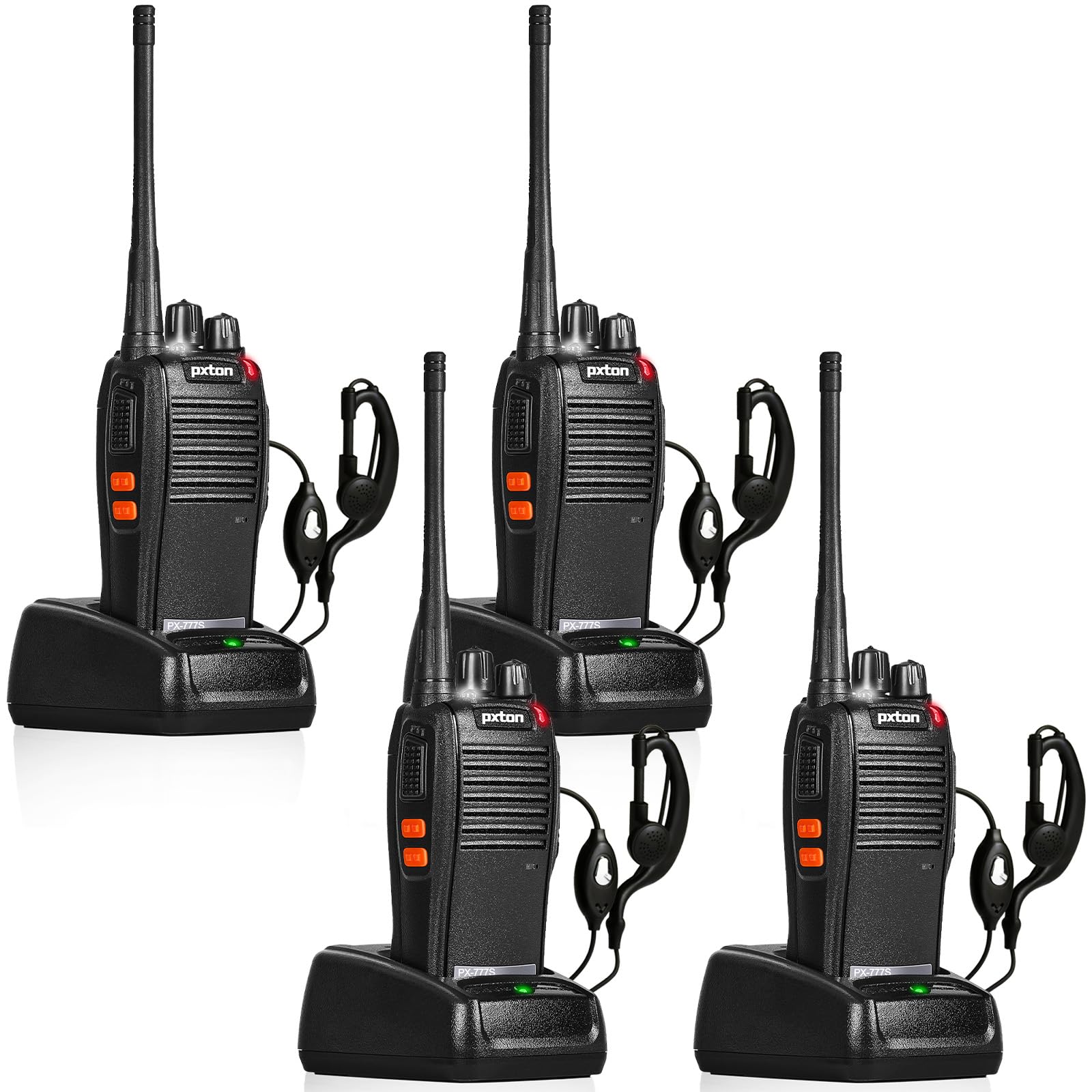
The pxton 777S is a versatile two-way radio designed for reliable communication. It features 16 memory channels, 165 privacy codes, VOX functionality, an emergency alarm, noise reduction, automatic squelch, a low battery alert, power-saving mode, scanning, monitoring, and an LED flashlight.
2. Содержимое упаковки
Перед началом установки убедитесь, что все необходимые элементы присутствуют в вашем комплекте:
- 4 x pxton 777S Walkie Talkies
- 4 зарядных док-станций
- 4 литиевых аккумулятора емкостью 1500 мАч
- 4 x поясные клипы
- 4 х наушники
- 2 руководства пользователя

3. Инструкции по настройке
3.1 Идентификация компонентов
Familiarize yourself with the various parts and controls of your pxton 777S walkie talkie:

3.2 Установка аккумулятора
- Убедитесь, что рация выключена.
- Найдите батарейный отсек на задней панели устройства.
- Align the 1500mAh lithium battery with the contacts and gently push it into place until it clicks securely.
- Закройте крышку батарейного отсека.
3.3 Зарядка аккумулятора
Перед первым использованием полностью зарядите аккумулятор. Полная зарядка обычно занимает 3-4 часа.
- Connect the charging dock to a power outlet using the provided adapter.
- Place the walkie talkie (with battery installed) into the charging dock.
- The LED indicator on the walkie talkie or charging dock will show the charging status (e.g., red for charging, green for fully charged).

3.4 Прикрепление аксессуаров
- Зажим для ремня: Прикрепите зажим для ремня к соответствующему разъему на задней панели рации.
- Наушник: Insert the earpiece plug into the SP/MIC jacks on the side of the walkie talkie.
4. Инструкция по эксплуатации
4.1 Включение/выключение питания и регулировка громкости
Поверните Выключатель питания/регулятор громкости knob clockwise to power on the walkie talkie. Continue rotating to increase the volume. Rotate counter-clockwise to decrease volume and power off the unit.
4.2 Выбор канала
Поверните Переключатель каналов Поверните ручку, чтобы выбрать один из 16 доступных каналов. Убедитесь, что все радиостанции в вашей группе настроены на один и тот же канал для связи.
4.3 Передача и прием
- Для передачи нажмите и удерживайте кнопку Кнопка PTT (нажми и говори) На боковой стороне рации. Говорите четко в микрофон.
- Release the PTT button to receive messages.
4.4 Функция VOX (голосовое управление коммутатором)
Функция VOX позволяет использовать рацию в режиме громкой связи. При активации рация будет автоматически передавать сигнал, когда обнаружит ваш голос.
- The pxton 777S offers 5 levels of VOX sensitivity adjustment. Refer to the full user manual for detailed programming instructions to adjust VOX sensitivity.
4.5 Функция мониторинга
Нажмите и удерживайте MONI Button to temporarily disable the squelch and listen for weak signals on the current channel.
Светодиодный фонарик 4.6
Нажмите Кнопка фонарика Включить или выключить светодиодный фонарик.
4.7 Аварийная сигнализация
The walkie talkie includes an emergency alarm function. Consult the full user manual for specific activation and deactivation procedures.
4.8 Функция сканирования
The scanning function allows the radio to automatically scan through active channels. Refer to the full user manual for details on activating and managing channel scanning.
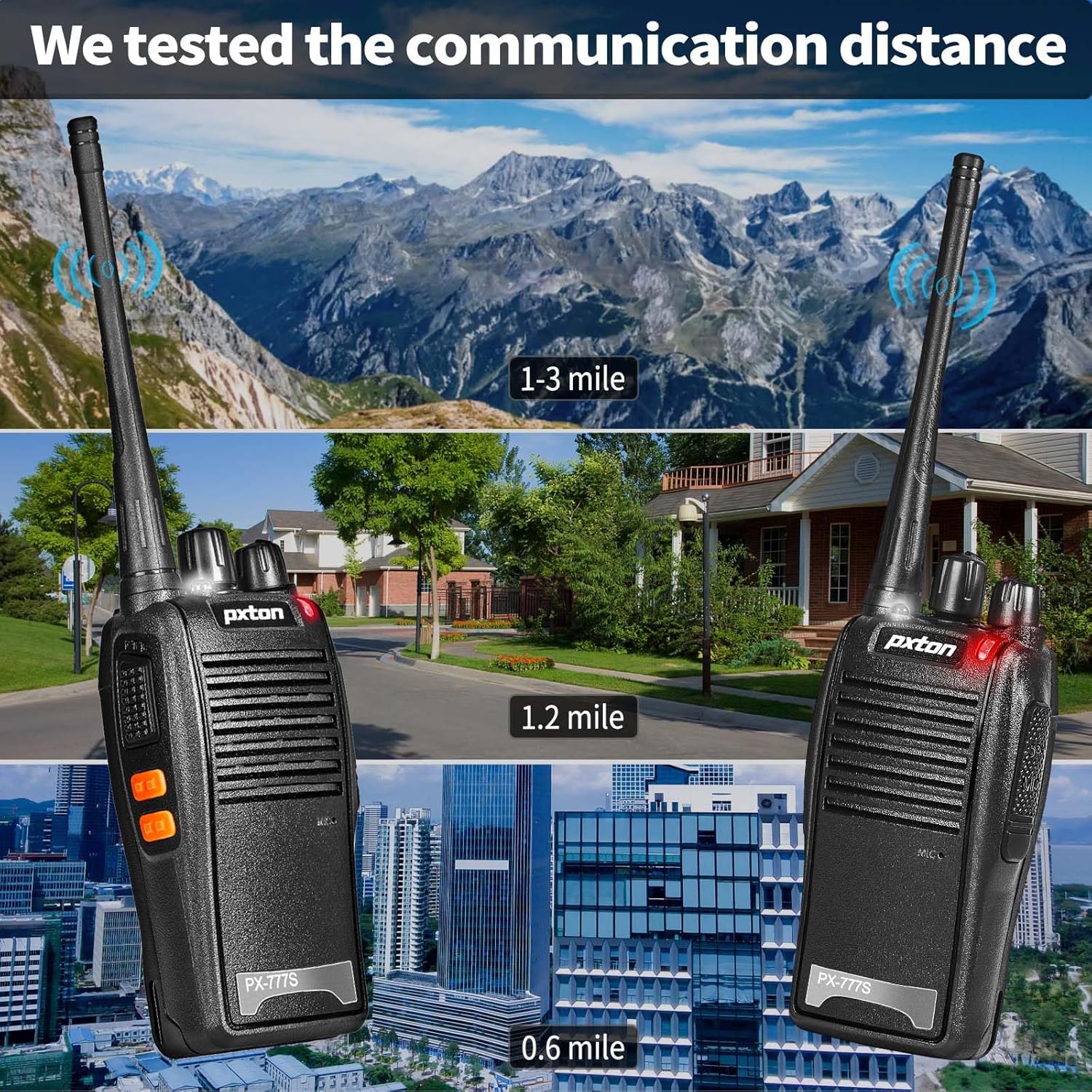
4.9 Дальность связи
The effective communication range varies based on terrain and obstacles:
- Unobstructed Areas (e.g., flat terrains, mountain peaks): До 3 миль.
- Suburban or Rural Areas: Approximately 1.2 miles.
- Within Cities: Approximately 0.6 miles.
Actual range may vary significantly depending on environmental conditions and obstructions.
5. Техническое обслуживание
5.1 Уход за аккумулятором
- To maximize battery life, fully charge the 1500mAh lithium battery before initial use.
- Избегайте перезарядки или полной разрядки аккумулятора.
- If the walkie talkie will not be used for an extended period, remove the battery and store it in a cool, dry place.
- A full charge typically takes 3-4 hours. Under normal usage, the battery can last up to 120 hours on standby or up to 12 hours of continuous usage.
5.2 Очистка
- Очистите внешнюю поверхность рации мягкой тряпкой.amp ткань.
- Не используйте агрессивные химикаты или абразивные чистящие средства.
- Ensure the unit is dry before use or storage.
5.3 Хранение
Store the walkie talkie in a cool, dry environment away from direct sunlight and extreme temperatures.
6. Поиск Неисправностей
If you encounter issues with your pxton 777S walkie talkie, refer to the following common problems and solutions:
| Проблема | Возможная причина | Решение |
|---|---|---|
| Нет электричества | Батарея разряжена или установлена неправильно | Зарядите аккумулятор или правильно установите его на место. |
| Невозможно передать или получить | Incorrect channel, out of range, or squelch too high | Ensure all radios are on the same channel. Move closer to other radios. Adjust squelch level or use MONI button. |
| Плохое качество звука | Weak signal, interference, or low volume | Move to an area with fewer obstructions. Adjust volume. Check earpiece connection if applicable. |
| Аккумулятор быстро разряжается | Frequent transmission, old battery, or high power setting | Reduce transmission time. Consider replacing the battery if it's old. Ensure power-saving mode is active. |
If the problem persists after attempting these solutions, please contact pxton customer support.
7. Технические характеристики
| Особенность | Деталь |
|---|---|
| Номер модели | PX-777S-0002 |
| Идентификатор FCC | 2AX68GTR8 |
| Количество каналов | 16 |
| Коды конфиденциальности | 165 (CTCSS/DCS) |
| Диапазон частот | УВЧ |
| Максимальный диапазон разговора | 3 миль (без препятствий) |
| Тип батареи | 1500 мАч литий-ионный (в комплекте) |
| Томtage | 3.7 Вольт (постоянный ток) |
| Размеры продукта | 9.9 x 4.4 x 6.9 дюйма (25.1 x 11.2 x 17.5 см) |
| Вес товара | 2.82 фунта (1.28 кг) |
| Уровень водонепроницаемости | Водостойкий |
| Особые возможности | Battery Saver Mode, Emergency Alarm, Long Range, Noise Reduction, Rechargeable, VOX, TOT, Flashlight, Scan Function |

8. Гарантия и поддержка
8.1 Информация о гарантии
pxton offers a 30-дневная безусловная политика возврата товара и пожизненное послепродажное обслуживание for the PX-777S walkie talkies.
8.2 Поддержка клиентов
If you have any questions, concerns, or require assistance with your pxton 777S walkie talkies, please contact pxton customer service. Refer to the product packaging or the official pxton webсайт для получения конкретных контактных данных.
8.3 Примечание о совместимости
The PX-777S walkie talkie is compatible with the PX-888S, PX-666S, and PX-888S Pro models. These models can operate together and utilize the same programming tools and cables. Please note that programming cables must be purchased separately and are not included with this product.