
1. Продукт закончилсяview
The Docooler IPX7 Waterproof Bluetooth Portable Shower Speaker is designed for audio playback in various environments, including wet conditions. It features Bluetooth 5.0 connectivity, an LED display, FM radio, and a light show function. The speaker is equipped with a removable suction cup for versatile placement.

Image: Docooler IPX7 Waterproof Bluetooth Portable Shower Speaker, showcasinг его дизайн и особенности.
2. Содержимое упаковки
Проверьте наличие всех предметов в упаковке:
- Docooler IPX7 Waterproof Bluetooth Portable Shower Speaker
- Зарядный кабель USB-C
- Removable Suction Cup
- Руководство пользователя
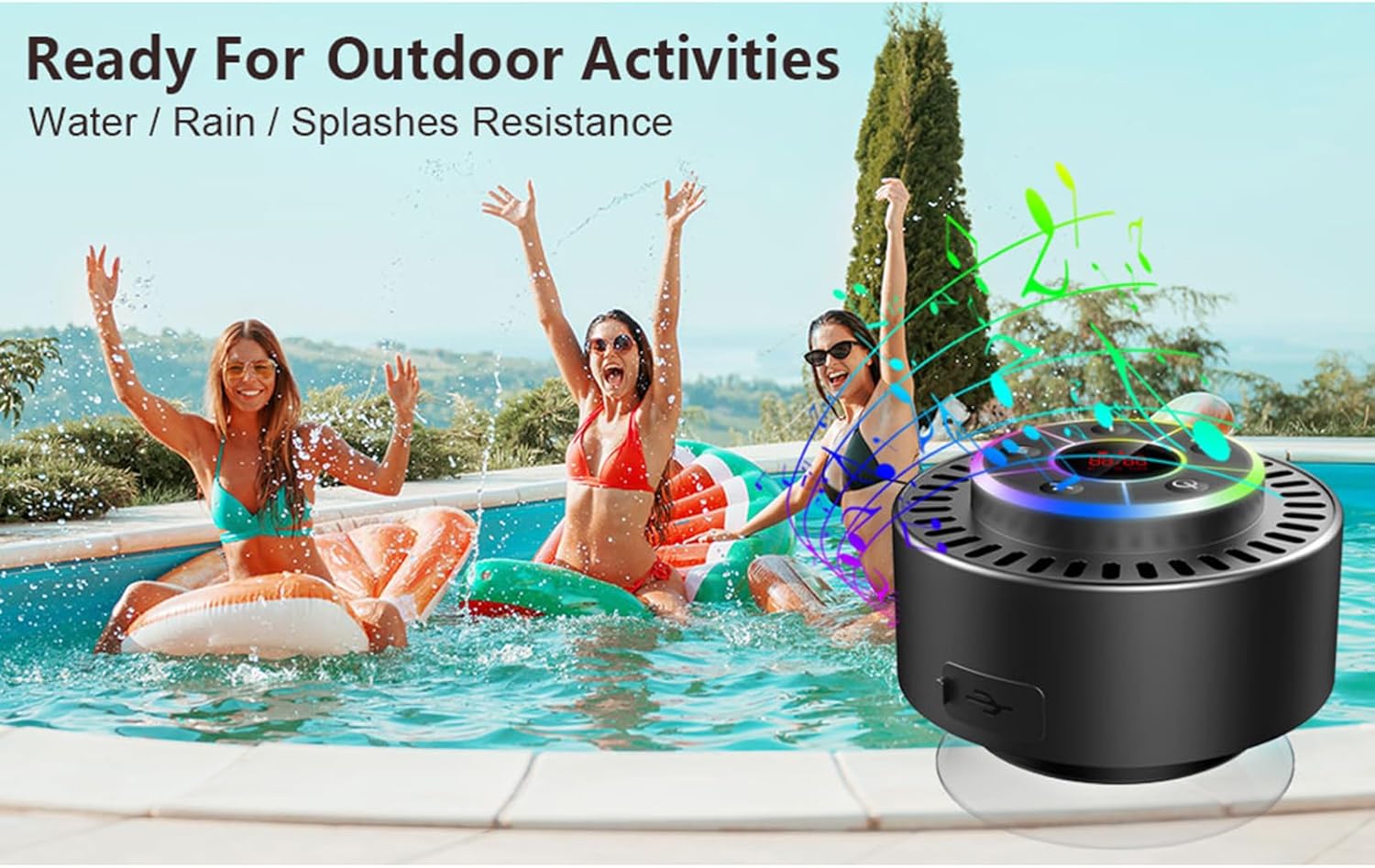
Image: The speaker, USB-C charging cable, and user manual as included in the package.
3. Настройка
3.1 Зарядка динамика
Before initial use, fully charge the speaker. Connect the provided USB-C charging cable to the speaker's charging port and the other end to a USB power adapter (not included) or a computer's USB port. The LED display will indicate charging status.
3.2 Крепление присоски
To attach the suction cup, ensure both the speaker's back surface and the desired mounting surface are clean and dry. Press the suction cup firmly against the surface until it adheres securely. For best results, slightly moisten the suction cup before application.
3.3 Включение/выключение питания
- Для включения: Нажмите и удерживайте Кнопка питания (
 ) for approximately 3 seconds until the LED display illuminates.
 - Чтобы выключить: Нажмите и удерживайте Кнопка питания for approximately 3 seconds until the LED display turns off.
4. Инструкция по эксплуатации
4.1 Функции кнопок
Изображение: подробное view of the speaker's control panel, indicating the function of each button.
| Кнопка | Функция (короткое нажатие) | Функция (длительное нажатие) |
|---|---|---|
| Кнопка питания () | Toggle LED light show modes | Включение/выключение питания |
| Кнопка М | Switch between Bluetooth and FM Radio modes | Н/Д |
| Кнопка «Воспроизведение/Пауза» () | Play/Pause music; Answer/End calls; Auto-scan in FM mode | Отклонить входящий вызов |
| Previous Song / Volume Down (-) | Previous song (Bluetooth); Previous station (FM) | Уменьшить громкость |
| Next Song / Volume Up (+) | Next song (Bluetooth); Next station (FM) | Увеличить громкость |
4.2 Сопряжение по Bluetooth
When powered on, the speaker automatically enters Bluetooth pairing mode. The LED display will show 'BT'.
- Убедитесь, что на вашем устройстве (смартфоне, планшете, ноутбуке) включен Bluetooth.
- Искать available Bluetooth devices and select "Docooler Speaker" from the list.
- Once connected, the speaker will emit an audible confirmation, and the 'BT' indicator on the LED display will stabilize.

Image: The speaker demonstrating connectivity with a phone, tablet, and computer via Bluetooth.
4.3 Сопряжение беспроводных стереонаушников (TWS)
To achieve 3D stereo sound, two Docooler speakers can be paired together.
- Убедитесь, что оба динамика включены и не подключены к другим устройствам Bluetooth.
- На одном динамике (это будет основной динамик) нажмите и удерживайте кнопку Кнопка «Воспроизведение/Пауза» for 2-3 seconds until you hear a pairing tone.
- Два динамика автоматически подключатся друг к другу.
- Once paired, connect your device to the primary speaker via Bluetooth as described in section 4.2. Audio will now play through both speakers in stereo.

Image: Two Docooler speakers wirelessly connected to a computer, illustrating the True Wireless Stereo (TWS) feature.
4.4 Режим FM-радио
To switch to FM Radio mode:
- Нажмите Кнопка M to cycle through modes until 'FM' appears on the LED display.
- Автоматическое сканирование: В режиме FM коротко нажмите кнопку Кнопка «Воспроизведение/Пауза» to automatically scan and save available radio stations.
- Станция пересадки: Используйте Previous Song / Volume Down (-) и Next Song / Volume Up (+) кнопки для навигации по сохраненным станциям.
- Отрегулируйте громкость: Долгое нажатие Previous Song / Volume Down (-) or Next Song / Volume Up (+) кнопки регулировки громкости.
4.5 Светодиодное световое шоу
The speaker features a beat-driven LED light show with seven colors.
- Изменить режим освещения: Короткое нажатие Кнопка питания to cycle through different light show patterns or to lock a single color.
- Выключите свет: Продолжайте нажимать Кнопка питания до тех пор, пока не погаснет свет.
4.6 Звонки в режиме громкой связи
При подключении по Bluetooth встроенный микрофон позволяет совершать звонки в режиме громкой связи.
- Ответ на звонок: Короткое нажатие Кнопка «Воспроизведение/Пауза».
- Завершить звонок: Короткое нажатие Кнопка «Воспроизведение/Пауза» во время разговора.
- Отклонить вызов: Долгое нажатие Кнопка «Воспроизведение/Пауза».
4.7 Информация о светодиодном дисплее
The LED display shows the current time and battery level in Bluetooth mode. In FM radio mode, it displays the frequency.
5. Техническое обслуживание
5.1 Водонепроницаемость (IPX7)
The speaker is IPX7 waterproof, meaning it can be submerged in up to 1 meter (3 feet) of water for up to 30 minutes. Ensure the charging port cover is securely closed before exposing the speaker to water. After exposure to water, wipe the speaker dry with a soft cloth.
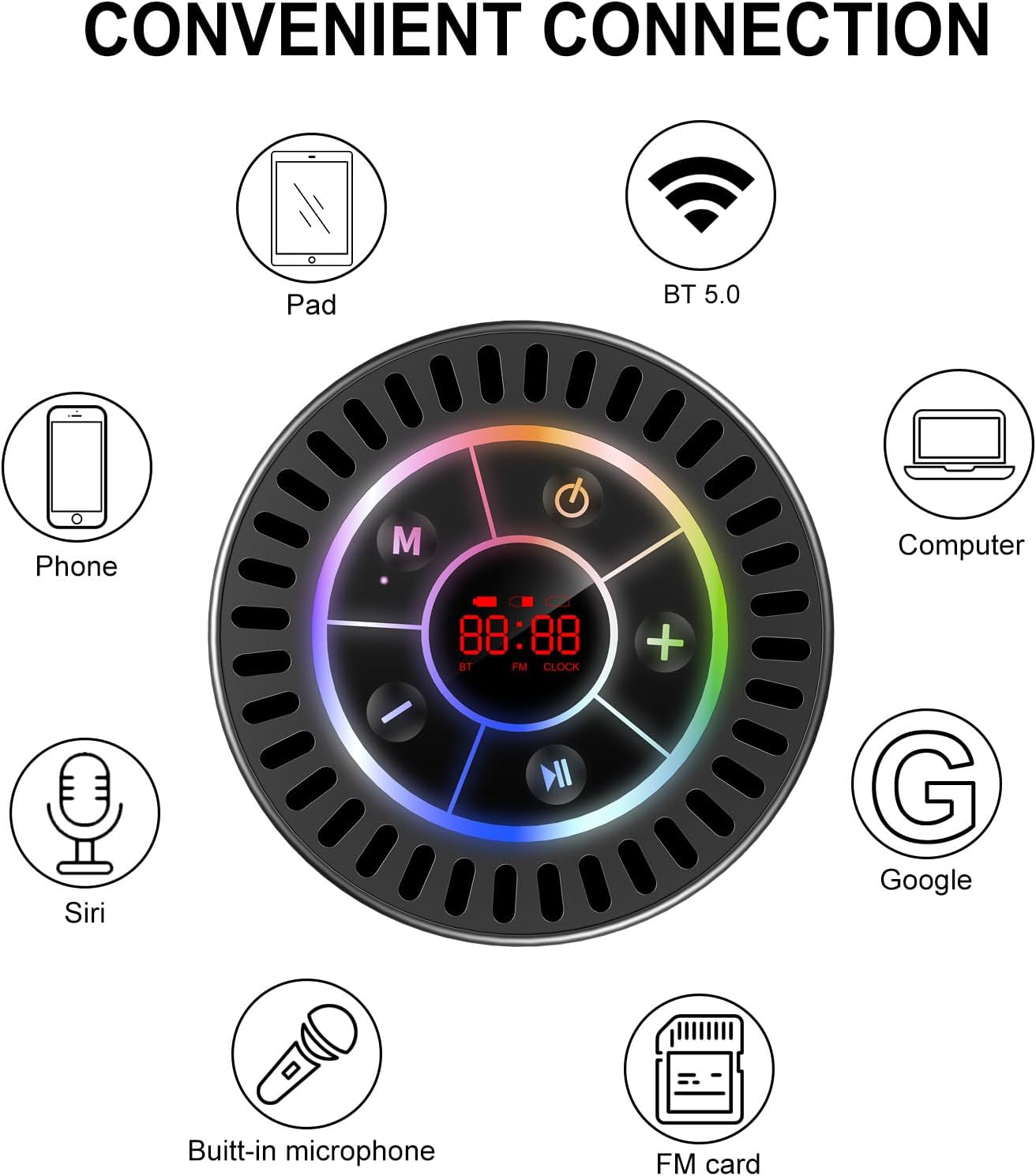
Image: The Docooler speaker attached to a shower wall, demonstrating its waterproof capability.
5.2 Очистка
Очистите динамик мягкой тряпкой.amp Не используйте абразивные чистящие средства, спирт или химические растворители, так как они могут повредить поверхность или внутренние компоненты.
5.3 Хранение
Храните колонку в прохладном, сухом месте, вдали от прямых солнечных лучей и экстремальных температур. При длительном хранении периодически заряжайте аккумулятор, чтобы продлить срок его службы.
6. Поиск Неисправностей
- Динамик не включается: Убедитесь, что аккумулятор заряжен. Подключите динамик к источнику питания с помощью кабеля USB-C и повторите попытку.
- Невозможно подключиться через Bluetooth:
- Ensure the speaker is in Bluetooth pairing mode ('BT' flashing on display).
- Убедитесь, что на вашем устройстве включен Bluetooth и оно находится на расстоянии не более 15 метров от динамика.
- Если устройство ранее было сопряжено, попробуйте «забыть» его на телефоне и выполнить сопряжение заново.
- Перезагрузите динамик и устройство Bluetooth.
- Плохой прием FM-радио: FM radio reception can be affected by location and environmental factors. Try repositioning the speaker or using it in an open area. The charging cable can sometimes act as an antenna to enhance signal.
- Нет звука или низкая громкость:
- Проверьте уровень громкости как на динамике, так и на подключенном устройстве.
- Ensure the speaker is properly paired and not connected to another device.
- При использовании TWS-системы убедитесь, что обе колонки правильно сопряжены друг с другом, а затем с вашим устройством.
- Speaker starts at full volume: Some units may default to a high volume upon power-on. Immediately adjust the volume using the '-' button to a comfortable level after turning the speaker on.
- Suction cup does not hold: Ensure the mounting surface is clean, smooth, and dry. Slightly moisten the suction cup before pressing it firmly onto the surface. Avoid porous or textured surfaces.
7. Технические характеристики

Изображение: взорванный view showing the internal components of the Docooler speaker, highlighting its sound technology.
| Особенность | Деталь |
|---|---|
| Бренд | Докулер |
| Номер модели | SMT4782513347516YX |
| Технология связи | Блютус 5.0 |
| Диапазон Bluetooth | До 15 метров |
| Уровень водонепроницаемости | IPX7 (водонепроницаемый) |
| Максимальная выходная мощность динамика | 5 Вт |
| Частотная характеристика | 100 Гц |
| Режим аудиовыхода | Стерео, объемный звук (с TWS) |
| Отношение сигнал / шум | 95 дБ |
| Количество микрофонов | 1 (встроенный) |
| Источник питания | Питание от батареи |
| Метод контроля | Кнопка |
| Вес товара | 300 грамм |
| Совместимые устройства | Ноутбук, MP3-плеер, смартфон, планшет, телевизор |
8. Гарантия и поддержка
8.1 Информация о гарантии
This Docooler speaker comes with a limited warranty. For specific terms and conditions, please refer to the warranty card included in your package or contact Docooler customer support.
8.2 Поддержка клиентов
For further assistance, technical support, or warranty claims, please visit the official Docooler webОбратитесь на сайт или в службу поддержки клиентов. Контактную информацию обычно можно найти на упаковке продукта или в интернет-магазине бренда.