
1. Введение
The BOOX Note Air3 is a 10.3-inch monochrome ePaper tablet designed for an enhanced reading and note-taking experience. It features a high-resolution E-ink display, a flexible Android 12 operating system, and a suite of tools to support creative and productive tasks. This device aims to provide a paper-like feel while offering the versatility of a modern tablet.
The 227 PPI HD screen resolution ensures clear and sharp visuals for all content, with exceptional contrast. The device is equipped with a G-Sensor for automatic screen rotation and supports Wi-Fi connectivity.
The BOOX Note Air3 comes with one BOOX Pen Plus stylus and a USB cable. No other accessories are included.
2. Настройка
2.1 Первоначальная зарядка
Before first use, fully charge your BOOX Note Air3 using the provided USB cable and a compatible power adapter. The charging indicator will show the charging status.
2.2 Включение/выключение питания
- Для включения: Нажмите и удерживайте кнопку питания, расположенную сбоку устройства, до появления логотипа BOOX.
- Чтобы выключить: Нажмите и удерживайте кнопку питания, затем выберите «Выключить» из предложенных на экране вариантов.
- Начать заново: Нажмите и удерживайте кнопку питания, затем выберите «Перезапустить» из предложенных вариантов.
2.3 Подключение к Wi-Fi
- Перейти к Настройки из главного меню.
- Выбирать Сеть и Интернет.
- Переключать Wi-Fi to 'On'.
- Выберите нужную сеть Wi-Fi из списка.
- Введите пароль, если потребуется, и нажмите Соединять.
2.4 Stylus (BOOX Pen Plus) Usage
The BOOX Pen Plus stylus is included for precise input. It does not require pairing or charging. Simply use it directly on the screen for writing, drawing, and navigation. The stylus offers pressure sensitivity for varied line thickness.
2.5 Настройка учетной записи
For cloud synchronization and access to additional features, you may set up a BOOX account. This typically involves registering through the device's settings or a dedicated BOOX application.
3. Инструкция по эксплуатации
3.1 Навигация
The Note Air3 features a responsive touchscreen. Use finger gestures for navigation:
- Кран: Выберите элементы, откройте приложения.
- Проведите пальцем по экрану: Scroll through pages, lists, or content.
- Масштабирование с помощью жестов сжатия: Adjust text or image size in supported applications.
3.2 Функции ведения заметок
The Note Air3 excels in note-taking with its dedicated Notes application. The BOOX Pen Plus allows for a natural writing experience.

Image: The Note Air3 displaying its note-taking interface, including options for layers, canvas, shapes, lasso, fill, sync, and various insert tools like images, attachments, and links.
Ключевые особенности включают в себя:
- Слои: Organize complex notes with multiple layers.
- Холст: Adjust canvas size and background templates.
- Shapes & Lasso: Draw perfect shapes and select/move content easily.
- Наполнять: Fill enclosed areas with color (monochrome shading).
- Синхронизация: Synchronize your notes with BOOX Cloud or other cloud services.
- Insert Options: Embed images, attachments, links to notes, fileс, или websites, and timestamps into your notes.

Image: A user writing a list of 'DATE IDEAS' on the BOOX Note Air3, demonstrating the natural handwriting experience with the stylus.
3.3 Особенности чтения
The Note Air3 supports various document formats for reading, including PDF and EPUB. The E-ink display minimizes eye strain.

Image: The Note Air3 showing a document open with a toolbar at the bottom, offering options like Undo, Text-to-Speech (TTS), Auto Page-Turn, Preview, Format, Contrast, and Split View.
Available reading tools:
- Преобразование текста в речь (TTS): Have the device read text aloud.
- Auto Page-Turn: Automatically advance pages at a set interval.
- Формат: Adjust font size, line spacing, and margins.
- Контраст: Optimize display contrast for different content types.
- Расколоть View: View two documents or applications side-by-side for multitasking.

Image: The BOOX Note Air3 in split-screen mode, displaying a web page on the left and a document with handwritten annotations on the right, illustrating multitasking capabilities.
3.4 File Управление
Управляйте своим files efficiently on the Note Air3:
- Локальное хранилище: Доступ files stored directly on the device's 64 GB internal memory.
- BOOX Drop: Use the BOOX Drop feature to easily transfer files between your Note Air3 and other devices like laptops or smartphones.
- Облачное хранилище: Utilize the 10 GB of free cloud storage provided by BOOX for backup and synchronization.

Image: The BOOX Note Air3 positioned next to a laptop displaying the 'BOOX Drop' interface, showing files being transferred between the tablet and the computer.
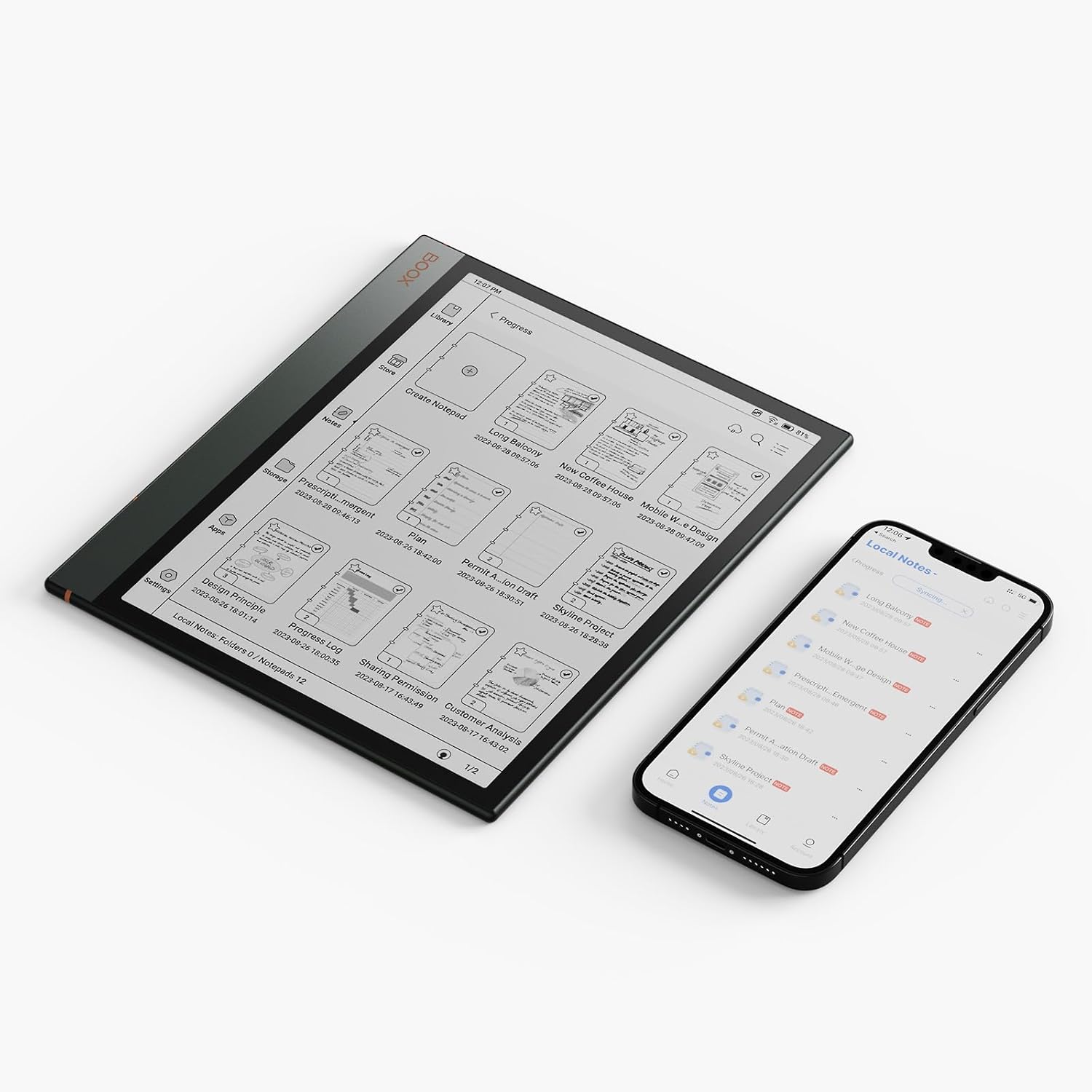
Image: The BOOX Note Air3 displaying a list of notes, positioned next to a smartphone showing a similar list, indicating synchronization capabilities between devices.
3.5 Операционная система Android 12
The Note Air3 runs on Android 12, allowing you to install compatible third-party applications from the app store. This expands the functionality beyond reading and note-taking.
4. Техническое обслуживание
4.1 Очистка экрана
To clean the ePaper screen, use a soft, lint-free cloth. For stubborn smudges, slightly dampen the cloth with water or a screen-cleaning solution specifically designed for electronic displays. Avoid harsh chemicals or abrasive materials.
4.2 Уход за аккумулятором
The Note Air3 is equipped with a 3700 mAh Lithium Polymer battery, offering approximately 2 weeks of battery life under typical usage. To prolong battery lifespan:
- Избегайте экстремальных температур.
- Не оставляйте устройство полностью разряженным на длительное время.
- Charge the device regularly, but avoid overcharging.
4.3 Обновления программного обеспечения
BOOX provides at least 3 years of firmware updates for each product. Regularly check for and install software updates to ensure optimal performance, security, and access to new features. Updates can typically be found in the device's settings under 'System Update'.
4.4 Управление хранением
The device has 64 GB of internal storage. Periodically review и удалить ненужное files to free up space. Utilize the 10 GB of BOOX cloud storage for important documents and backups.
5. Поиск Неисправностей
5.1 Устройство не отвечает
If the device becomes unresponsive, try a forced restart by pressing and holding the power button for approximately 10-15 seconds until the device powers off and then restarts.
5.2 Проблемы с подключением Wi-Fi
- Убедитесь, что Wi-Fi включен в настройках.
- Проверьте правильность пароля Wi-Fi.
- Перезагрузите ваш Wi-Fi-роутер.
- Попробуйте подключиться к другой сети Wi-Fi, чтобы исключить проблемы, связанные с конкретной сетью.
5.3 Стилус не работает
The BOOX Pen Plus does not require charging or pairing. If it is not responding, ensure the nib is properly seated. If issues persist, contact customer support.
5.4 Проблемы с отображением экрана
E-ink screens may occasionally show ghosting or residual images. A full screen refresh (often triggered automatically or manually via settings) can resolve this. If the screen is damaged, contact customer support.
6. Технические характеристики
| Особенность | Деталь |
|---|---|
| Название модели | Note Air3 |
| Размеры | 22.6 х 19.3 х 0.6 см |
| Масса | 430 г |
| Размер экрана | 10.3 дюймов |
| Тип дисплея | Electronic Ink (E-ink) |
| Максимальное разрешение экрана | 1872 x 1404 Pixels (227 PPI) |
| Операционная система | Андроид 12 |
| Внутреннее хранилище | 64 ГБ |
| БАРАН | 4 ГБ |
| Процессор | Qualcomm Snapdragon 888, 2.4 GHz |
| Тип батареи | Литий-полимерный |
| Емкость аккумулятора | 3700 мАч |
| Средний срок службы батареи | 2 недель |
| Связность | Wi-Fi (802.11ac), Bluetooth 5, USB-C |
| Датчик | G-сенсор |
| Включенные аксессуары | BOOX Pen Plus, USB Cable |
7. Информация о гарантии
All BOOX tablets, including the Note Air3, come with an official 2-year customer service warranty. This warranty covers manufacturing defects and ensures support for issues arising from normal use.
8 Поддержка
For any problems or inquiries regarding your BOOX Note Air3 tablet, please visit the official BOOX Help Center. You can submit a support request there for assistance. BOOX is committed to providing timely responses, typically within 24 hours.
Для получения дополнительной информации и ресурсов вы можете посетить [ссылка]. BOOX Brand Store.