
Введение
Thank you for choosing the EKSA USB Gaming Headset E900Pro. This headset is designed to provide an immersive audio experience for gaming across multiple platforms. It features 7.1 virtual surround sound (PC only via USB), a detachable noise-cancelling microphone, and comfortable earcups for extended use. Please read this manual carefully to ensure proper setup and optimal performance of your new headset.
Содержимое упаковки
Upon opening your EKSA E900Pro headset package, you should find the following items:
- EKSA E900Pro Gaming Headset
- Съемный микрофон с шумоподавлением
- USB-C to USB-A Cable (for PC 7.1 surround sound)
- 3.5mm Audio Cable (for console and mobile devices)
- Руководство пользователя
- Carrying Pouch/Bag

Image: The EKSA E900Pro Gaming Headset in yellow, along with its detachable microphone and connection cables.
Настраивать
1. Присоединение микрофона
Locate the detachable microphone. Align the microphone's 3.5mm jack with the port on the left earcup of the headset. Gently push until it clicks into place. The microphone is flexible and can be adjusted to your preferred position.

Image: A close-up of the detachable noise-cancelling microphone being inserted into the headset's earcup.
2. Подключение гарнитуры
The EKSA E900Pro offers dual connectivity options:
- For PC (USB-C to USB-A Cable): Connect the USB-C end to the headset and the USB-A end to an available USB port on your PC. This connection enables 7.1 virtual surround sound and LED lighting.
- For Consoles (PS4, PS5, Xbox One, Nintendo Switch) & Mobile Devices (3.5mm Audio Cable): Connect the 3.5mm audio cable to the headset's 3.5mm port and the other end to your device's 3.5mm audio jack. Note that 7.1 virtual surround sound is not available via 3.5mm connection.
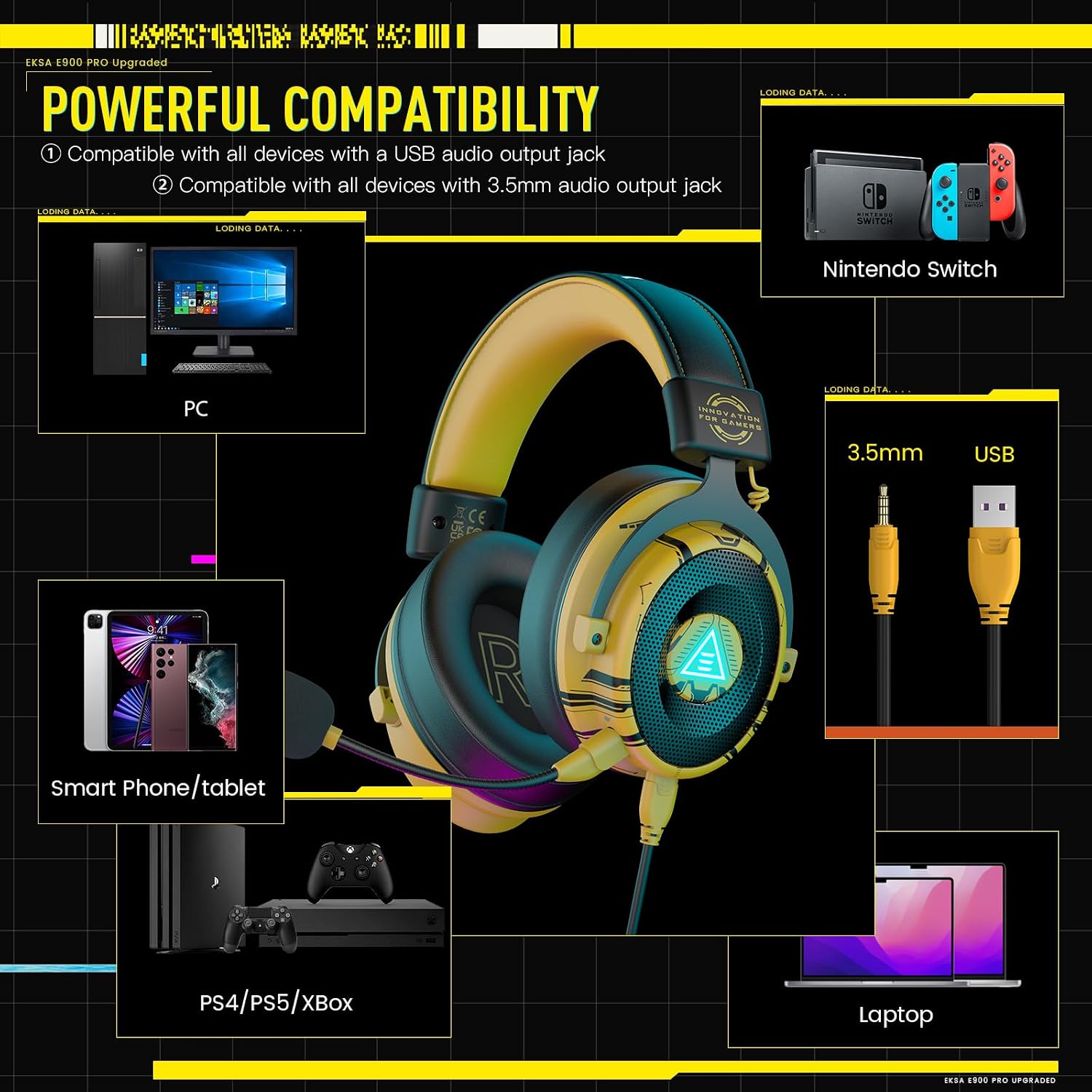
Image: The EKSA E900Pro headset connected to a PC via USB and a smartphone via 3.5mm cable, illustrating multi-platform compatibility.
3. Driver Installation (for PC 7.1 Surround Sound)
For 7.1 virtual surround sound functionality on PC, driver installation is required. Please visit the official EKSA webсайт (www.eksa.net) to download the latest drivers for the E900Pro model. Follow the on-screen instructions to complete the installation.

Image: A computer screen displaying the EKSA SoundBase Software, used for managing 7.1 virtual surround sound settings.
Инструкция по эксплуатации
Управление гарнитурой
The EKSA E900Pro headset features intuitive controls located on the left earcup:
- Колесо регулировки громкости: Rotate up or down to adjust the audio volume.
- Выключатель микрофона: Переключатель позволяет включить или выключить микрофон.
- Кнопка включения/выключения светодиодной подсветки: Press to turn the headset's LED lighting on or off.

Изображение: подробное view of the control buttons and ports on the left earcup of the EKSA E900Pro headset.
7.1 Virtual Surround Sound (PC Only)
After installing the EKSA SoundBase software and connecting via USB, you can activate and customize the 7.1 virtual surround sound. This feature enhances positional audio, providing a more immersive gaming experience by allowing you to pinpoint sound sources from various directions.
Особенности болееview
- Immersive 7.1 Virtual Surround Sound: Experience detailed and pronounced audio cues, crucial for competitive gaming. (PC only via USB connection with driver installation).
- Съемный микрофон с функцией шумоподавления: High-sensitive, unidirectional microphone effectively reduces background noise for clear communication. Features a one-key mic mute switch.
- 50MM Audio Drivers: Equipped with powerful 50mm drivers for high-fidelity sound, delivering clear highs and lows for games, music, and voice chat.
- Комфорт в течение всего дня: Adjustable headband and soft memory protein earmuffs ensure comfort during long gaming sessions by balancing weight distribution and reducing clampсила.
- Removable Dual Interfaces: Includes both USB and 3.5mm audio cables for broad compatibility with PC, PS4, PS5, Xbox One, Nintendo Switch, laptops, and mobile devices.

Image: A visual representation of 7.1 virtual surround sound in a gaming environment, highlighting directional audio.

Image: An illustration of the headset's 50mm high magnetic speaker, emphasizing sound quality.

Image: A person wearing the EKSA E900Pro headset, showcasing its ergonomic design, adjustable headband, and soft memory foam earcups.
Обслуживание
To ensure the longevity and optimal performance of your EKSA E900Pro headset, follow these maintenance guidelines:
- Уборка: Для чистки гарнитуры используйте мягкую сухую ткань. Избегайте использования едких химикатов и абразивных материалов.
- Хранилище: When not in use, store the headset in the provided carrying pouch to protect it from dust and scratches.
- Уход за кабелем: Во избежание повреждений не допускайте резких изгибов или чрезмерного натяжения кабелей.
- Температура: Не подвергайте гарнитуру воздействию экстремальных температур или влажности.
Поиск неисправностей
If you encounter any issues with your headset, please refer to the following common solutions:
- Нет звука:
- Check if the volume control wheel on the headset is turned up.
- Убедитесь, что гарнитура правильно подключена к вашему устройству.
- Verify audio output settings on your device (PC, console, mobile) are set to the headset.
- For PC, check if the EKSA SoundBase software is correctly installed and configured.
- Микрофон не работает:
- Убедитесь, что микрофон надежно прикреплен к гарнитуре.
- Check if the microphone mute switch on the headset is in the 'unmute' position.
- Verify microphone input settings on your device are set to the headset.
- 7.1 Surround Sound Not Active (PC):
- Confirm the headset is connected via the USB-C to USB-A cable.
- Ensure the EKSA SoundBase software is installed and the 7.1 feature is enabled within the software.
If these steps do not resolve your issue, please contact EKSA customer support for further assistance.
Технические характеристики
| Бренд | ЭКСА |
| Номер модели | Е900Про |
| Цвет | Wired Yellow |
| Расположение ушей | Над ухом |
| Размер драйвера | 50 мм |
| Диапазон частот | 20 Гц - 20 000 Гц |
| Технология связи | Wired (USB, 3.5 mm Jack) |
| Тип микрофона | Detachable Noise-Cancelling |
| Особые возможности | 7.1 Virtual Surround Sound (PC only), Adjustable Headband, All-Day Comfort |
| Совместимые устройства | Computers, Gaming Consoles (PS4, PS5, Xbox One, Nintendo Switch), Mobile Devices |
| Вес товара | 480 грамм |
Гарантия и поддержка
Your EKSA E900Pro Gaming Headset comes with a Гарантия 2 год, ensuring peace of mind regarding product quality and performance. Additionally, EKSA offers an unconditional 30-дневная гарантия возврата денег. If you have any questions, suggestions, or require technical assistance, please do not hesitate to contact EKSA customer support. For the most up-to-date support information and contact details, please visit the official EKSA webсайт.