
ROTAI ROTEB004-W
Руководство пользователя эллиптического тренажера ROTAI Under Desk
Model: ROTEB004-W
1. Введение
Thank you for choosing the ROTAI Under Desk Elliptical. This electric seated pedal exerciser is designed to provide a convenient and low-impact workout experience for users of all ages, especially seniors, in both home and office environments. Its compact design and remote control functionality make it an ideal solution for maintaining activity and improving circulation while seated.

Image: The ROTAI Under Desk Elliptical, a compact white and black unit with a remote control shown beside it.
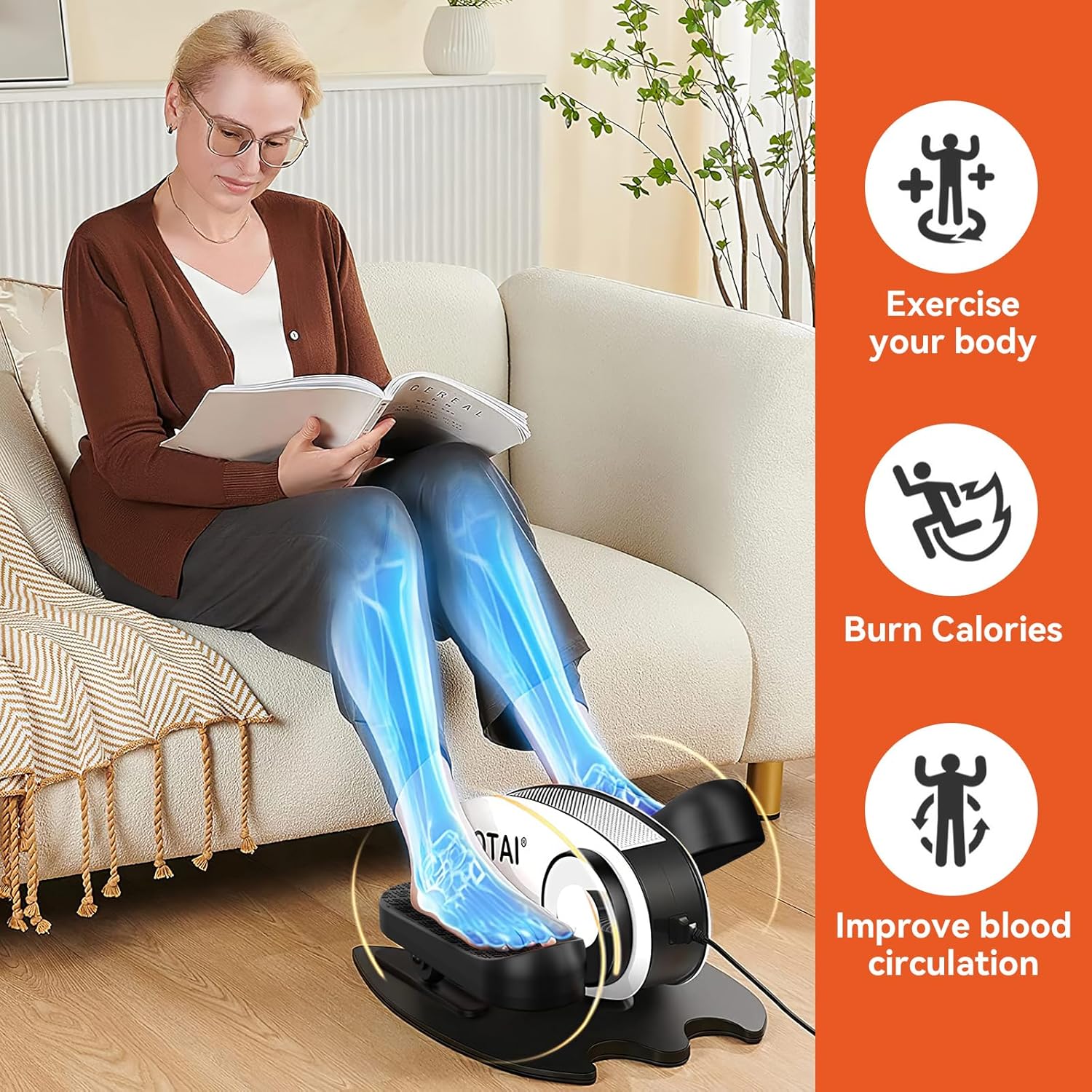
Image: A woman seated on a sofa, using the ROTAI elliptical. Overlays highlight benefits such as "Exercise your body," "Burn Calories," and "Improve blood circulation."
2 Важная информация по безопасности
Please read all instructions carefully before using the ROTAI Under Desk Elliptical. Keep this manual for future reference.
- Проконсультируйтесь с врачом перед началом любой новой программы упражнений, особенно если у вас есть какие-либо заболевания.
- Используйте устройство только так, как описано в данном руководстве.
- Ensure the elliptical is placed on a stable, flat surface during use.
- Держите детей и домашних животных подальше от устройства во время работы.
- Не вставляйте никакие предметы в отверстия устройства.
- Отключайте устройство от розетки, когда оно не используется или перед чисткой.
- Не используйте, если шнур питания или вилка повреждены.
- Не размещайте устройство под прямыми солнечными лучами или вблизи источников тепла.
- This device is intended for seated use only. Do not stand on the pedals.
3. Содержимое упаковки
Проверьте наличие всех предметов в упаковке:
- ROTAI Under Desk Elliptical Unit
- Дистанционное управление
- Адаптер питания
- Руководство пользователя (этот документ)
4. Настройка
The ROTAI Under Desk Elliptical comes largely pre-assembled for your convenience.
- Распаковать: Аккуратно извлеките все компоненты из упаковки.
- Размещение: Place the elliptical on a flat, stable surface under your desk or in your desired exercise area. Ensure there is enough space for your legs to move freely without obstruction.
- Подключение питания: Подключите адаптер питания к входному разъему питания эллиптического тренажера, а затем вставьте его в стандартную электрическую розетку.
- Батареи дистанционного управления: Insert 2 AAA batteries (not included) into the remote control, observing the correct polarity.
5. Инструкция по эксплуатации
Эллиптический тренажер можно управлять с помощью панели управления на самом устройстве или с помощью входящего в комплект пульта дистанционного управления.
5.1 Панель управления и дисплей

Изображение: Крупный план view of the elliptical's intelligent display unit, showing the LCD screen and control buttons.
The LCD display shows various exercise data. The buttons on the unit allow for manual control:
- СКАНИРОВАНИЕ: Cycles through display modes (Time, Distance, Speed, Calories, Count).
- ВРЕМЯ: Displays elapsed exercise time.
- РАСП: Displays distance covered.
- СКОРОСТЬ: Отображает текущую скорость.
- НКТ: Displays pedal count.
- КАЛ: Отображает приблизительное количество сожженных калорий.
- ФН (Функция): Changes between powered and manual pedaling modes.
- DIR (Направление): Changes pedaling direction (forward/backward).
- S (Speed): Adjusts the speed level.
- М (Режим): Selects preset exercise modes.
- Кнопка питания: Включает / выключает устройство.
Пульт дистанционного управления 5.2

Image: A person's feet on the elliptical pedals, with hands holding the remote control, demonstrating its use for massage mode.
The remote control provides convenient access to all functions without bending down.
- ПУСК / СТОП: Begins or pauses the exercise.
- ФУНКЦИЯ: Toggles between powered and manual modes.
- НАПРАВЛЕНИЕ: Изменяет направление вращения педалей.
- РЕЖИМ: Cycles through the 5 powerful preset exercise modes.
- СКОРОСТЬ +/-: Increases or decreases the speed level (0-5).
- ВЛАСТЬ: Включает / выключает устройство.
Note: For optimal remote control performance, point it directly at the elliptical's display unit.
5.3 Exercise Modes and Speed Levels

Image: A visual guide illustrating the 5 speed levels of the elliptical, correlating them with different exercise intensities: Stroll exercise (1-2), Jogging exercise (3-4), and Running exercise (5).
The elliptical offers 5 adjustable speed levels and 5 powerful preset modes to customize your workout intensity and style.
- Speed Levels (0-5): Adjust the motor's speed to match your comfort and fitness level. Lower speeds are ideal for gentle movement and circulation, while higher speeds provide a more vigorous workout.
- Предустановленные режимы: Utilize the 'MODE' button to cycle through pre-programmed exercise routines that vary speed and direction automatically.

Image: A collage showing diverse individuals, including seniors, comfortably using the ROTAI elliptical in various settings such as a living room, office, and next to a rocking chair, emphasizing its versatility.
6. Техническое обслуживание
Регулярное техническое обслуживание обеспечивает долговечность и оптимальную работу вашего эллиптического тренажера.
- Уборка: Протрите устройство мягким, damp Ткань. Не используйте абразивные чистящие средства или растворители. Перед чисткой убедитесь, что устройство отключено от сети.
- Хранилище: Store the elliptical in a cool, dry place away from direct sunlight and extreme temperatures when not in use for extended periods.
- Инспекция: Periodically check the power cord for any damage. Ensure all parts are securely attached.
7. Поиск Неисправностей
If you encounter issues with your ROTAI Under Desk Elliptical, refer to the following common problems and solutions:
| Проблема | Возможная причина | Решение |
|---|---|---|
| Блок не включается. | Не подключено к сети; Проблема с розеткой; Поврежден шнур питания. | Ensure power cord is securely plugged into the unit and a working outlet. Try a different outlet. Inspect power cord for damage. |
| Пульт дистанционного управления не работает. | Dead batteries; Incorrect battery polarity; Remote not pointed at sensor; Obstruction. | Replace batteries. Check battery orientation. Point remote directly at the display unit. Remove any obstructions between remote and unit. |
| Педали вращаются не плавно. | Obstruction; Unit needs cleaning. | Check for any foreign objects obstructing the pedals. Clean the unit, especially around the pedal mechanisms. |
| Устройство издает необычный шум. | Loose part; Internal issue. | Stop use immediately. Check for any loose parts. If noise persists, contact customer support. |
If the problem persists after trying these solutions, please contact ROTAI customer support.
8. Технические характеристики

Image: Diagram showing the dimensions of the ROTAI Under Desk Elliptical: 18.43 inches (length), 15.36 inches (width), and 9.85 inches (height).
| Особенность | Деталь |
|---|---|
| Бренд | РОТАИ |
| Номер модели | ROTEB004-W |
| Вес товара | 19.25 фунта (приблизительно 8.73 кг) |
| Размеры изделия (ДхШхВ) | 18.43 x 15.36 x 9.85 дюйма (прибл. 46.8 x 39 x 25 см) |
| Тип дисплея | ЖК-дисплей |
| Уровни скорости | 5 (0-5) |
| Рабочие направления | 2 (Forward & Backward) |
| Контроль | On-unit buttons, Remote Control |
9. Гарантия и поддержка
ROTAI offers an extended 18-month warranty in addition to Amazon's return policy of 30 days. For warranty registration, technical support, or any inquiries, please contact ROTAI customer service via the email provided in your product packaging or visit the official ROTAI webсайт.
Please have your model number (ROTEB004-W) and purchase date ready when contacting support.