
Введение
This manual provides detailed instructions for setting up, operating, maintaining, and troubleshooting your Amazon Kindle Paperwhite Signature Edition 32GB. Please read this guide thoroughly to ensure optimal use of your device.
1. Настройка
1.1 Распаковка и первоначальная оплата
Upon unboxing, locate the Kindle Paperwhite Signature Edition device and the included USB-C charging cable. It is recommended to fully charge your device before first use.
- В комплект поставки входят: Электронная книга Kindle Paperwhite Signature Edition, зарядный кабель USB-C, краткое руководство пользователя.
- Зарядка: Connect the USB-C cable to the Kindle and a compatible USB power adapter (9W adapter recommended, sold separately). A full charge takes less than 2.5 hours.
- Беспроводная зарядка: The Signature Edition supports wireless charging. Place the device on a compatible wireless charging dock (sold separately).

Image: Kindle Paperwhite Signature Edition charging wirelessly on a dock. The device can be charged via USB-C or wirelessly for extended battery life.
1.2 Включение/выключение питания
- Для включения: Нажмите и удерживайте кнопку питания, расположенную на нижнем торце устройства, пока не загорится экран.
- Чтобы выключить: Press and hold the power button until a power dialog appears, then select 'Power Off'. A short press will put the device to sleep.
1.3 Подключение по Wi-Fi
To access the Kindle Store and download content, connect your device to a Wi-Fi network.
- На главном экране нажмите Настройки icon (gear icon) or swipe down from the top of the screen and tap Все настройки.
- Выбирать Wi-Fi и Bluetooth, затем Сети Wi-Fi.
- Выберите нужную сеть из списка и введите пароль, если будет предложено.
The device supports 2.4 GHz and 5.0 GHz networks with WEP, WPA, WPA2, WPA3, and OWE security.
1.4 Настройка учетной записи
Register your Kindle to your Amazon account to access your content library and the Kindle Store.
- After connecting to Wi-Fi, follow the on-screen prompts to sign in with your Amazon account credentials.
- If you do not have an Amazon account, you can create one during this process.
2. Как пользоваться вашим Kindle
2.1 Basic Navigation and Page Turns
The Kindle Paperwhite Signature Edition features a 7-inch glare-free display designed for comfortable reading.
- Перелистывание страниц: Tap the right side of the screen to turn to the next page, or the left side to go back. Swiping left or right also turns pages.
- Главный экран: Tap the top of the screen to reveal the navigation bar, then tap the Дом icon to return to your library.

Image: A hand holding the Kindle Paperwhite, displaying a book page. The 7-inch Paperwhite display offers fast page turns for an enhanced reading experience.
2.2 Особенности чтения
Customize your reading experience with various display and font settings.
- Adjusting Front Light: The Signature Edition features an auto-adjusting front light. You can also manually adjust the brightness by tapping the top of the screen while reading and using the brightness slider.
- Теплый свет: Adjust the warmth of the screen light for comfortable reading in different environments.
- Темный режим: Invert screen colors for white text on a black background, ideal for low-light conditions. Access this from the quick settings menu.
- Настройки шрифта: While reading, tap the top of the screen, then select the Aa Значок для настройки размера шрифта, типа шрифта, межстрочного интервала и полей.
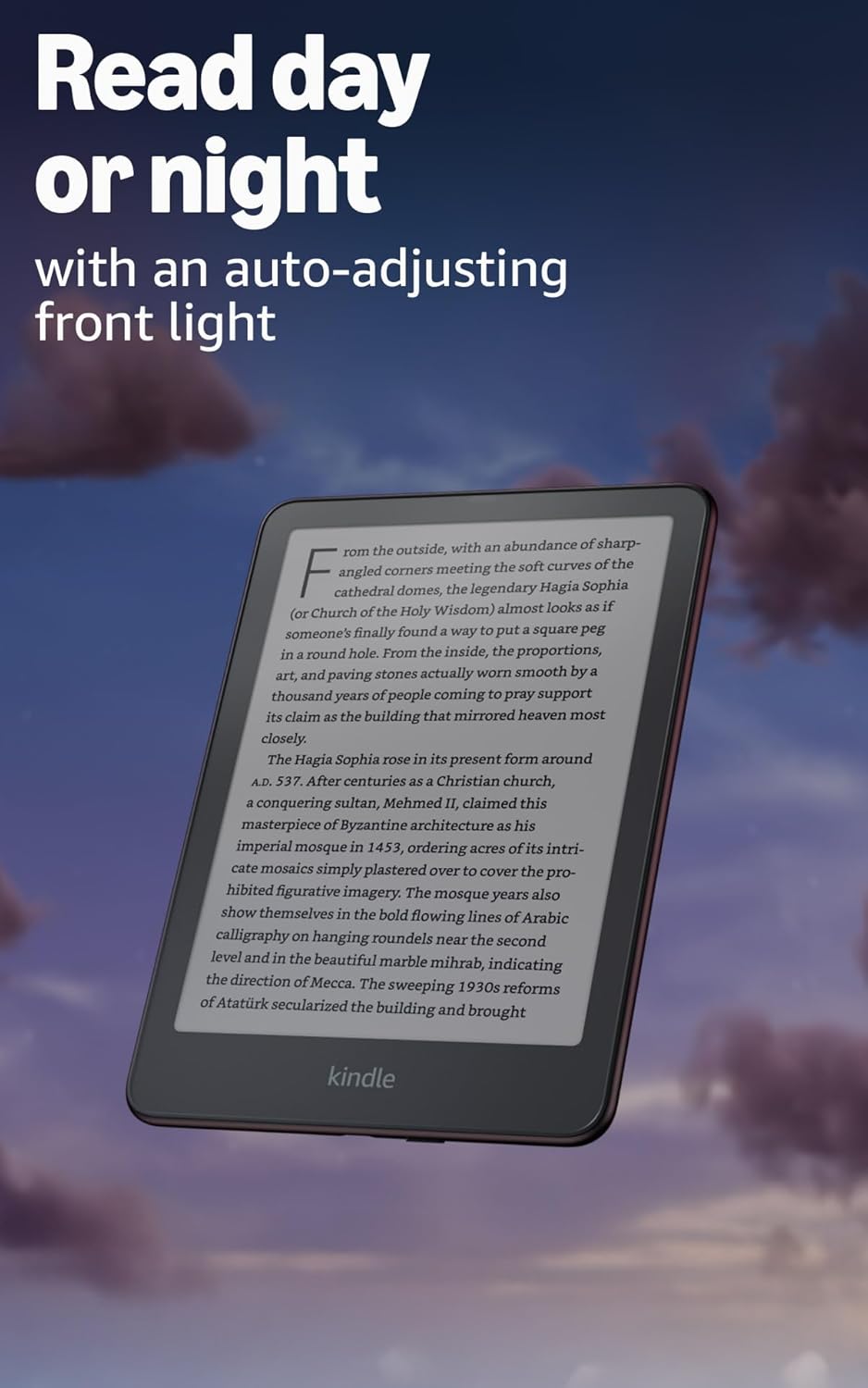
Image: Kindle Paperwhite screen illuminated in a dark room. The auto-adjusting front light allows for comfortable reading day or night.

Image: Close-up of the Kindle Paperwhite screen displaying text. Enjoy a glare-free display without distracting notifications.
2.3 Управление контентом
Your Kindle provides access to a vast library of content.
- Магазин Kindle: На главном экране нажмите Магазин icon to browse and purchase books.
- Библиотека: All purchased content is stored in your library and can be downloaded to your device.
- Облачное хранилище: All Amazon content is stored for free in the cloud, allowing you to access it from any compatible device.
- Поддерживаемые форматы: Формат Kindle 8 (AZW3), Kindle (AZW), TXT, PDF, незащищенный MOBI, PRC изначально; PDF, DOCX, DOC, HTML, EPUB, TXT, RTF, JPEG, GIF, PNG, BMP через преобразование; аудиоформат Audible (AAX).

Image: A collage of various book covers. The Kindle Store offers access to over 15 million titles worldwide.
2.4 Аудиокниги
Listen to Audible audiobooks on your Kindle Paperwhite Signature Edition.
- Bluetooth: Connect Bluetooth headphones or speakers to your Kindle via the Wi-Fi и Bluetooth настройки.
- Воспроизведение аудиокниг: Download Audible audiobooks from the Kindle Store and play them through your connected Bluetooth device.
2.5 Гидроизоляция
Your Kindle Paperwhite Signature Edition is waterproof (IPX8 rated).
- It is tested to withstand immersion in 2 meters of fresh water for 60 minutes.
- This makes it suitable for reading by the pool, in the bath, or at the beach.
- After exposure to water, ensure the USB-C port is dry before charging.
3. Техническое обслуживание
3.1 Очистка устройства
- Use a soft, lint-free cloth to clean the screen and body of your Kindle.
- Избегайте использования абразивных чистящих средств, растворителей и аэрозольных баллончиков.
- If the device has been exposed to water, gently wipe it dry.
3.2 Уход за аккумулятором
- To maximize battery life, avoid exposing your Kindle to extreme temperatures.
- A single charge can last up to twelve weeks, based on half an hour of reading per day with wireless off and the light setting at 13. Heavy use, especially with wireless features or audiobook streaming, will reduce battery life.
- Регулярно заряжайте устройство, но полностью разряжать его перед подзарядкой не обязательно.
3.3 Обновления программного обеспечения
Your Kindle will periodically receive software updates to improve performance and add new features.
- Ensure your Kindle is connected to Wi-Fi to receive automatic updates.
- Вы можете вручную проверить наличие обновлений, перейдя по ссылке Настройки > Параметры устройства > Проверить наличие обновлений.
4. Поиск Неисправностей
4.1 Устройство не отвечает
- Если ваш Kindle завис или не реагирует, нажмите и удерживайте кнопку питания в течение 40 секунд, пока устройство не перезагрузится.
4.2 Проблемы с подключением Wi-Fi
- Убедитесь, что ваш Wi-Fi роутер включен и находится в зоне действия сети.
- Try restarting your Kindle and your Wi-Fi router.
- Убедитесь, что вы вводите правильный пароль Wi-Fi.
4.3 Аккумулятор не заряжается
- Check that the USB-C cable is securely connected to both the Kindle and the power adapter.
- Попробуйте использовать другой кабель USB-C или адаптер питания.
- Ensure the USB-C port on the Kindle is clean and free of debris.
4.4 Content Not Downloading
- Verify your Wi-Fi connection is active and stable.
- Check your Amazon account for any payment issues or content restrictions.
- Ensure your device has sufficient storage space.
5. Технические характеристики
| Особенность | Описание |
|---|---|
| Отображать | 7” Paperwhite display technology with built-in front light, 300 ppi, optimized font technology, 16-level gray scale. |
| Размер | 5” x 7” x 0.3” (127.6 x 176.7 x 7.8 мм) |
| Масса | 7.5 унций (214g) |
| Хранение на устройстве | 32 ГБ; вмещает тысячи книг. |
| Облачное хранилище | Бесплатное облачное хранилище для всего контента Amazon. |
| Срок службы батареи | Up to twelve (12) weeks (based on 30 mins reading/day, wireless off, light setting 13). |
| Время зарядки | Менее 2.5 часов с USB-адаптером питания мощностью 9 Вт. |
| Wi-Fi-подключение | Supports 2.4 GHz and 5.0 GHz networks with WEP, WPA, WPA2, WPA3, and OWE security. |
| Возможности доступности | ГолосView screen reader (Bluetooth audio, English only), dark mode, adjustable font size, font face, line spacing, and margins. |
| Поддерживаемые форматы контента | Формат Kindle 8 (AZW3), Kindle (AZW), TXT, PDF, незащищенный MOBI, PRC изначально; PDF, DOCX, DOC, HTML, EPUB, TXT, RTF, JPEG, GIF, PNG, BMP через преобразование; аудиоформат Audible (AAX). |
| Гидроизоляция | IPX8 rated (withstands immersion in 2 meters of fresh water for 60 minutes). |
| Поколение | 12th Generation (2024 release). |
6. Гарантия и поддержка
6.1 Информация о гарантии
Your Kindle Paperwhite Signature Edition comes with a 1-year limited warranty and service. Extended warranty options may be available for purchase separately in some regions.
6.2 Дополнительная поддержка
Для получения дополнительной помощи и подробной информации, пожалуйста, обратитесь к следующим ресурсам:
- Инструкция по началу работы: Included in your product packaging.
- Kindle User Guide: Accessible on your device or via the Amazon webсайт.
- Accessibility for Kindle: Learn more about accessibility features on the Amazon webсайт.
- Manage Your Content and Devices: Visit your Amazon account online to manage your Kindle content and device settings.