
Введение
This manual provides detailed instructions for the EKSA H1 Plus Bluetooth Trucker Headset. Please read thoroughly to ensure proper setup, operation, and maintenance of your device. This headset is designed for clear communication in various environments, featuring advanced noise-cancelling technology and versatile connectivity options.
Содержимое упаковки
- H1 Plus Headset
- Защитный чехол
- Replacement Ear Pad (Mesh breathable)
- Зарядный кабель типа C
- USB Dongle (PC Adapter)
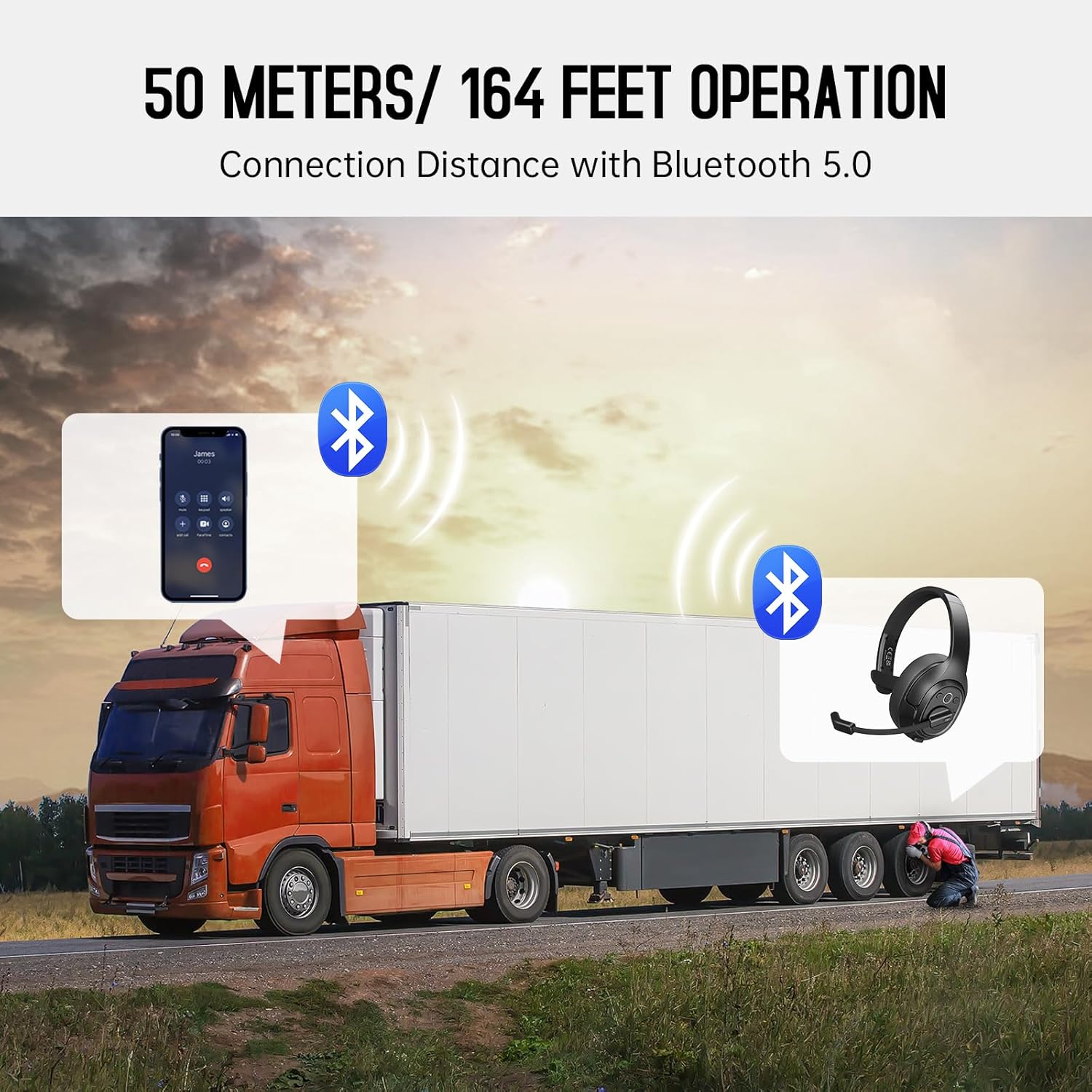
Image: The EKSA H1 Plus headset, USB dongle, and charging cable as typically found in the product packaging.
Настраивать
1. Зарядка гарнитуры
Before first use, fully charge the headset. Connect the provided Type-C charging cable to the headset's charging port and the other end to a USB power source. The charging indicator will show the charging status. A full charge takes approximately 1.5 hours.

Image: Visual representation of the headset's battery life and charging duration.
2. Включение и выключение
Press and hold the Multi-Function Button (MFB) for 3 seconds to power on or off the headset. A voice prompt will indicate the status.
3. Bluetooth Pairing (for Mobile Devices)
- Убедитесь, что гарнитура выключена.
- Press and hold the MFB for 5-7 seconds until the LED indicator flashes blue and red alternately, indicating pairing mode.
- On your mobile device, enable Bluetooth and search for "EKSA-H1PLUS".
- Select "EKSA-H1PLUS" to connect. The LED will turn solid blue once connected.
4. Connecting with USB Dongle (for PC/Mac without Bluetooth)
- Подключите USB-ключ к свободному USB-порту вашего компьютера.
- Включите гарнитуру. Она автоматически попытается подключиться к адаптеру.
- The LED on the dongle and headset will turn solid blue when connected.
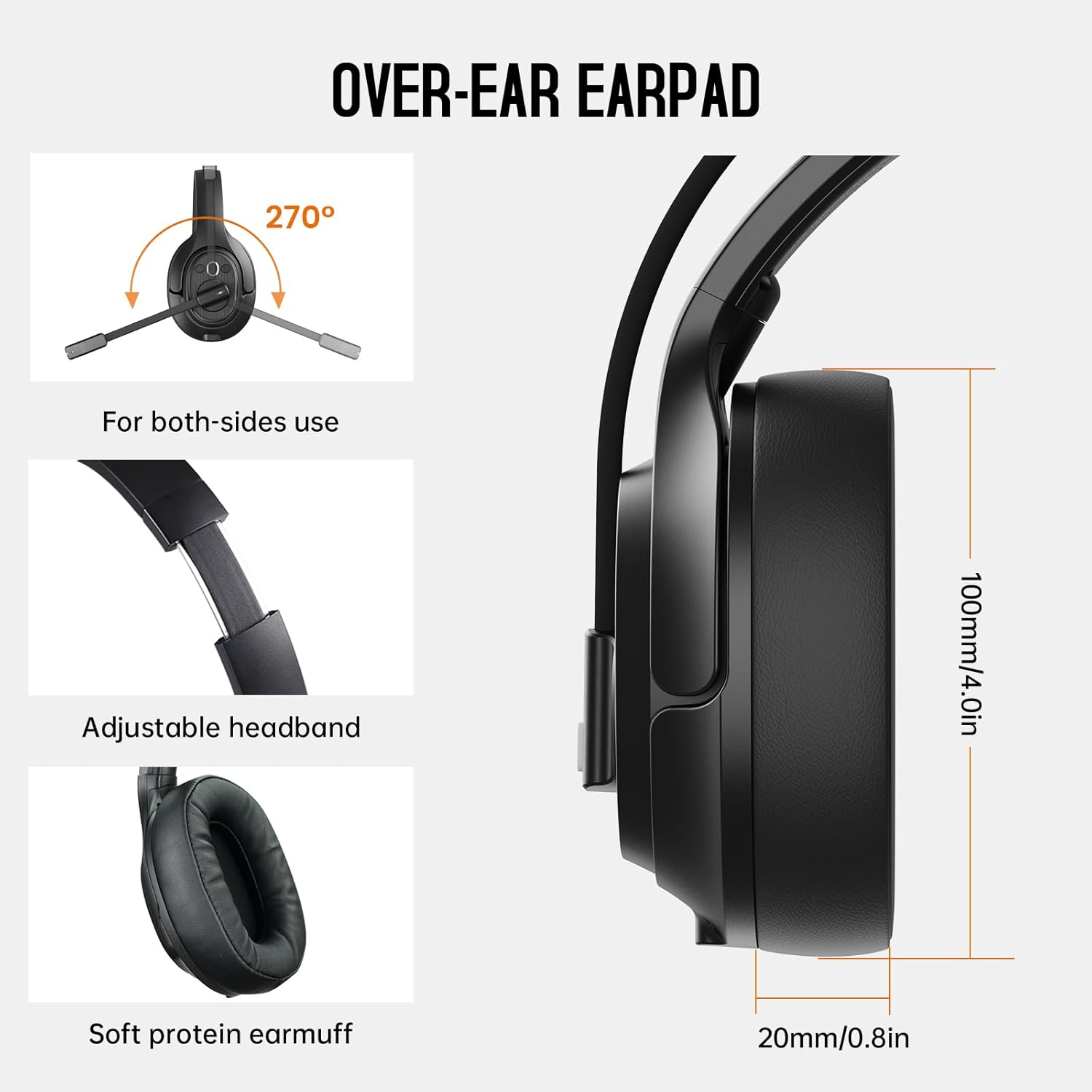
Image: The headset demonstrating simultaneous connection to a phone via Bluetooth and a laptop via USB dongle.
Инструкция по эксплуатации
1. Контроль надview
Гарнитура оснащена интуитивно понятными элементами управления, расположенными на чашке амбушюра:
- Многофункциональная кнопка (МФК): Включение/выключение питания, воспроизведение/пауза музыки, ответ/завершение вызовов.
- Увеличение громкости (+): Увеличьте громкость.
- Звук тише (-): Уменьшите громкость.
- Кнопка выключения звука: Отключить/включить микрофон во время разговора.
- AI Assistant Button: Активируйте голосовой помощник вашего устройства.

Изображение: Крупный план view of the headset's control buttons and ports.
2. Совершение и прием звонков
- Ответить/завершить вызов: Коротко нажмите кнопку MFB.
- Отклонить вызов: Нажмите и удерживайте кнопку MFB в течение 2 секунд.
- Повторный набор последнего номера: Дважды нажмите кнопку MFB.
- Отключение/включение микрофона: Short press the dedicated mute button on the microphone arm.
3. Microphone and Wearing Adjustments
The headset is designed for comfort and versatility:
- Регулируемая повязка на голову: Extend or retract the headband to fit your head comfortably.
- Поворотный микрофон: The microphone arm can rotate 270 degrees, allowing it to be worn on either the left or right ear. Position the microphone close to your mouth for optimal voice pickup.
- Удобные амбушюры: The over-ear design with soft ear pads ensures comfort during extended use.

Image: Features illustrating the ergonomic design of the headset, including adjustable headband and rotatable microphone.
4. Environmental Noise Cancelling (ENC) Microphone
The AI-Powered ENC microphone filters out up to 99.8% of ambient noise, ensuring your voice is transmitted clearly even in noisy environments like call centers, construction sites, or trucks.

Image: A visual explanation of the ENC microphone's function, demonstrating noise reduction.
5. Подключение нескольких устройств
The headset supports simultaneous connection to two different devices, such as a smartphone and a computer, allowing seamless switching between calls and other audio sources.

Image: Illustration of the headset's ability to connect to two devices concurrently.
6. Extended Wireless Range
Utilizing Bluetooth 5.0 technology, the headset offers a stable wireless connection up to 30 meters (99 feet). In unobstructed environments, the range can extend up to 50 meters (164 feet).

Image: Visualizing the headset's long-range wireless capabilities in an outdoor setting.
Обслуживание
- Уборка: Для чистки гарнитуры используйте мягкую сухую ткань. Избегайте использования едких химикатов и абразивных материалов.
- Замена амбушюр: The headset comes with a replacement mesh breathable ear pad. To replace, gently twist and pull off the existing ear pad, then align and press the new ear pad into place.
- Хранилище: Store the headset in its protective case when not in use to prevent damage.

Image: Demonstrating the detachable ear pads and the two types included for different comfort levels.
Поиск неисправностей
| Проблема | Решение |
|---|---|
| Гарнитура не включается. | Ensure the headset is fully charged. Press and hold the MFB for 3 seconds. |
| Невозможно подключиться через Bluetooth. | Убедитесь, что гарнитура находится в режиме сопряжения (мигает синий/красный светодиод). Выключите и включите Bluetooth на вашем устройстве. Подойдите ближе к устройству. |
| Отсутствие звука или плохое качество звука. | Check volume levels on both the headset and connected device. Ensure the headset is selected as the audio output device. Re-pair the headset. |
| Микрофон не работает. | Ensure the microphone is not muted. Check microphone settings on your connected device. Adjust microphone position. |
| USB-адаптер не подключается. | Ensure the dongle is fully inserted. Try a different USB port. Restart your computer. |
Технические характеристики
| Особенность | Деталь |
|---|---|
| Название модели | EKSA-H1PLUS |
| Технология связи | Беспроводная связь (Bluetooth 5.0) |
| Версия Bluetooth | 5.0 |
| Диапазон Bluetooth | 30 Meters (99 feet), up to 50 Meters (164 feet) unobstructed |
| Микрофон | AI-Powered Environmental Noise Cancelling (ENC) |
| Время работы аккумулятора (в режиме разговора) | До 30 часов |
| Время работы от батареи (время воспроизведения музыки) | До 57 часов |
| Время зарядки | Приблизительно 1.5 часа |
| Форма наушника | Над ухом |
| Тип управления | Volume Control, Mute, AI Assistant |
| Масса | 1.01 фунта (приблизительно 458 г) |
Официальные видеоролики о продуктах
EKSA H1 Plus Wireless Bluetooth Headset Overview
Видео: Официальное лицоview of the EKSA H1 Plus Wireless Bluetooth Headset, highlighting its key features and design.
EKSA H1Plus Bluetooth Trucker Headset Features
Video: A detailed look at the features and benefits of the EKSA H1Plus Bluetooth Trucker Headset.
Гарантия и поддержка
EKSA products are designed for durability and performance. For warranty information and customer support, please refer to the official EKSA website or contact their customer service directly. Optional protection plans are available for extended coverage.
Для получения дополнительной помощи посетите: www.eksa.net