
Введение
This user manual provides detailed instructions for the operation and maintenance of your MOBI Connect Smart 4 in 1 Wi-Fi Air Purifier & Humidifier. This device is designed to improve indoor air quality by purifying and humidifying the air, offering a healthier and more comfortable living environment. Please read this manual thoroughly before use to ensure proper function and safety.

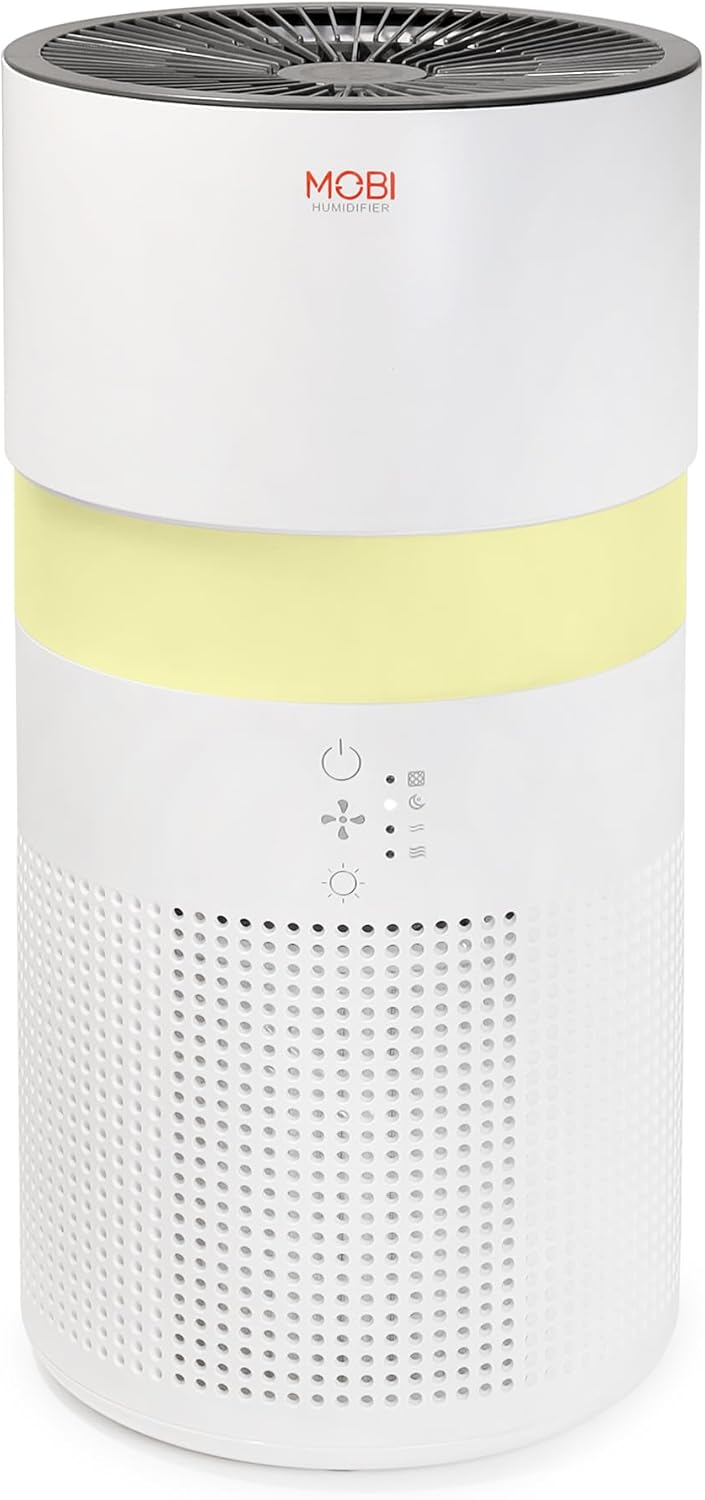
Image: The MOBI Connect Smart 4 in 1 Wi-Fi Air Purifier & Humidifier, a compact white cylindrical device with a light band and control panel.
Важная информация по безопасности
Чтобы снизить риск возгорания, поражения электрическим током или получения травм, всегда соблюдайте основные меры предосторожности при использовании данного прибора.
- Всегда устанавливайте устройство на твердую, ровную поверхность.
- Не блокируйте отверстия для входа и выхода воздуха.
- Берегите устройство от воды и влаги.
- Отключите устройство от сети перед очисткой или обслуживанием.
- Не используйте устройство, если шнур питания или вилка повреждены.
- Хранить в недоступном для детей и домашних животных месте.
- Only use original MOBI replacement filters.
Продукт болееview
Familiarize yourself with the components and controls of your air purifier and humidifier.
Изображение: крупный план view of the control panel on the MOBI Air Purifier, showing power, fan speed, light, and humidifier icons.
Функции панели управления:
- Кнопка питания: Turns the unit on/off and activates pairing mode.
- Индикатор скорости вентилятора: Displays current fan speed (Sleep, Medium, High).
- Humidifier Indicator: Shows humidifier status.
- Кнопка светового режима: Cycles through light modes (Off, Gradient, Fixation).
- Индикатор замены фильтра: Illuminates when filter replacement is needed.
Руководство по настройке
Follow these steps to set up your MOBI Connect Smart 4 in 1 Wi-Fi Air Purifier & Humidifier and connect it to the MOBI Smart App.
Начальная настройка:
- Распакуйте устройство и удалите все упаковочные материалы.
- Ensure the filter is correctly installed inside the unit. Refer to the 'Maintenance' section for filter installation.
- Поместите устройство на устойчивую ровную поверхность.
- Plug the power adapter into the device and then into a wall outlet. The device will enter pairing mode, indicated by a red blinking LED.
Подключение приложения:
- Загрузить MOBI Smart App из магазина приложений вашего устройства.
- Open the app and sign up for an account if you don't have one.
- Accept all requested permissions (Bluetooth, Location, Notifications) for full functionality.
- On the app's home screen, tap 'Add Device' or the '+' icon in the top right corner.
- The app will search for nearby devices. If your device is blinking red, it should appear in the 'Discovering devices' area. Tap 'Add'.
- If not automatically discovered, select 'Mobi Air Purifier' from the 'Add Manually' list.
- Enter your 2.4GHz Wi-Fi network username and password. (Note: 5GHz networks are not supported).
- Follow the on-screen instructions to activate the device for pairing. If the red LED is not blinking, press and hold the power button until it starts blinking.
- Once the device is blinking red, tap 'Finish network configuration' and then 'Next' in the app.
- The app will connect to the device. Once connected, tap the blue button with the white plus sign next to 'MOBI Smart Air Care 4 IN 1' and then 'Done' in the top right corner.
Video: A detailed guide on how to connect and set up the MOBI Smart 4-in-1 Air Purifier & Humidifier using the MOBI Smart App, including app permissions, device discovery, Wi-Fi setup, and pairing instructions.
Инструкция по эксплуатации
Control your MOBI Connect Smart 4 in 1 Wi-Fi Air Purifier & Humidifier using the physical buttons on the device or through the MOBI Smart App.
Using the Device Buttons:
- Включение/выключение питания: Press the power button once to turn the unit on or off.
- Отрегулируйте скорость вентилятора: Press the fan speed button to cycle through Sleep, Medium, and High settings.
- Control Night Light: Press the light button to cycle through Off, Gradient (color flow), and Fixation (single color) modes.
- Функция увлажнителя: Press the humidifier button to activate or deactivate the humidification feature.
Using the MOBI Smart App:
The app provides comprehensive control and additional features.
- Выключатель: Power the device on or off remotely.
- Скорость ветра: Select Sleep, Medium, or High wind speed options.
- Таймер обратного отсчета: Set a timer for 2, 4, or 6 hours for automatic shut-off.
- Настройки: Access advanced options:
- УФ-дезинфекция: Enable or disable the UV disinfection feature.
- Сбросить фильтр: Reset the filter life indicator after replacing the filter.
- Режим освещения: Choose between Off, Gradient (cycling colors), or Fixation (select a single color).
- Расписание: Create custom schedules for when the device should turn on or off.
- Интеграция с умным домом: Monitor your home's air quality and integrate with other MOBI Smart devices.
- Aromatherapy Pad: Add essential oils to the designated pad to diffuse scents into the air.

Image: The MOBI Air Purifier showcasing its 7 color-changing LED night light feature, adding ambiance to any room.

Image: The MOBI Air Purifier next to a smartphone displaying the MOBI Smart App interface, highlighting smart home control features.
Обслуживание
Регулярное техническое обслуживание обеспечивает оптимальную производительность и продлевает срок службы вашего устройства.
Замена фильтра:
The MOBI Connect Smart 4 in 1 Wi-Fi Air Purifier & Humidifier uses a 3-stage filtration system (Pre-Filter, Carbon, and HEPA filter). The filter replacement alert will notify you when it's time to change the filter.

Изображение: Визуальное представление 3-stage HEPA filtration system, showing the layers of the filter.
- Отключите устройство от электрической розетки.
- Remove the bottom cover of the unit.
- Аккуратно извлеките старый фильтр.
- Insert the new MOBI replacement filter, ensuring it is seated correctly.
- Установите нижнюю крышку.
- Подключите устройство обратно.
- In the MOBI Smart App, go to 'Settings' and select 'Reset Filter' to reset the filter life indicator.

Image: The MOBI Air Purifier with a new filter, illustrating the filter replacement alert system.
Очистка устройства:
- Протирайте устройство снаружи мягкой тряпкой.amp Ткань. Не используйте абразивные чистящие средства.
- Clean the water tank regularly to prevent mineral buildup and mold growth. Use a mild detergent and rinse thoroughly.
- Перед сборкой и использованием устройства убедитесь, что все детали полностью сухие.
Поиск неисправностей
Если у вас возникли проблемы с вашим устройством, ознакомьтесь со следующими распространенными проблемами и решениями.
| Проблема | Возможная причина | Решение |
|---|---|---|
| Устройство не включается. | Не подключено к сети; проблема с розеткой; поврежден шнур. | Ensure power cord is securely plugged in. Test outlet with another device. Check for cord damage. |
| Устройство не подключается к Wi-Fi. | Incorrect Wi-Fi password; 5GHz network; device not in pairing mode. | Verify Wi-Fi password. Ensure you are connecting to a 2.4GHz network. Press and hold power button to enter pairing mode (red blinking LED). |
| Качество воздуха не улучшается. | Dirty filter; incorrect fan speed; room size too large. | Check filter indicator and replace if necessary. Increase fan speed. Ensure device is suitable for your room size. |
| Увлажнитель воздуха не производит пар. | Water tank empty; humidifier function off; mineral buildup. | Refill water tank. Activate humidifier function via app or button. Clean water tank and humidifier components. |
Технические характеристики
| Особенность | Деталь |
|---|---|
| Размеры продукта | 6.5 дюймов (Д) x 6.5 дюйма (Ш) x 13 дюйма (В) (6.5 x 6.5 x 13 дюйма) |
| Номер модели товара | 70692 |
| Масса | 3 фунта |
| Цвет | Белый |
| Покрытие площади пола | До 350 квадратных футов |
| Система фильтрации | 3-Сtage (Pre-Filter, Activated Carbon, HEPA) |
| Тип увлажнителя | Forced-air water tank method |
| Ночной Свет | 7 Unique LED Colors, Adjustable Modes (Off, Gradient, Fixation) |
| Уровень шума | 24dB (Sleep Mode) |
| Скорость циркуляции воздуха | 5x per hour |
| Связность | Wi-Fi (2.4GHz required) |
| Сертификаты | UL Certified, RoHS Certified |
| Ватtage | 680 Вт |
Гарантия и поддержка
MOBI products are designed with quality and reliability in mind. For warranty information and customer support, please refer to the official MOBI webсайт или свяжитесь напрямую со службой поддержки клиентов.
For frequently asked questions (FAQ) and feedback, you can also access these sections within the MOBI Smart App under the device settings.