
1. Введение
This manual provides essential information for setting up, operating, maintaining, and troubleshooting your HP ProDesk 600 G4 Mini PC. The HP ProDesk 600 G4 is a compact and powerful micro-form-factor computer designed for various applications, from business to home entertainment. It features an Intel i7 Hexa-Core processor, 32GB DDR4 RAM, and a 512GB NVMe M.2 SSD, running on Windows 11 Pro.

Изображение 1.1: Спереди view of the HP ProDesk 600 G4 Mini PC, showcasinг его компактный дизайн.
2. Содержимое упаковки
Перед началом установки убедитесь, что все необходимые элементы находятся в комплекте.
- HP ProDesk 600 G4 Mini Computer Desktop PC
- Altec Wireless Keyboard Mouse Combo
- TJJ Large Mouse Pad (color may vary)
- Шнур питания
- Адаптер DP-HDMI
3. Особенности продукта
The HP ProDesk 600 G4 Mini PC offers robust performance and connectivity in a small footprint.
- Процессор: Intel i7-8700T (2.40-4.00 GHz, 6 Cores, 12 Threads, 12 MB Cache)
- Операционная система: Windows 11 Профессиональная
- Память: 32 ГБ оперативной памяти DDR4
- Хранилище: 512GB NVMe M.2 Solid State Drive
- Графика: Intel UHD Graphics 630 (supports 4K resolution)
- Беспроводное подключение: Built-in WiFi + Bluetooth 6E AX210 Combo
- Порты:
- 1x USB-C 3.1 Port
- 3 порта USB-A 3.1
- 3 порта USB-A 3.0
- 2x DisplayPort
- 1x Ethernet Port (RJ-45)
- 1x HDMI (via included DP to HDMI Adapter)
- Размеры: 7.1 x 1.3 x 7 дюйма
- Масса: 4.1 фунта

Image 3.1: The HP ProDesk 600 G4 Mini PC is suitable for office, education, and home entertainment.
4. Инструкции по настройке
4.1 Подключение периферийных устройств
Before powering on your Mini PC, connect the necessary peripherals.
- Подключить дисплей: Use a DisplayPort cable or the included DP to HDMI adapter to connect your monitor(s) to the DisplayPort(s) on the back of the Mini PC. The system supports up to two 4K displays.
- Подключите клавиатуру и мышь: Plug the USB receiver for the Altec wireless keyboard and mouse combo into any available USB-A port.
- Подключить сеть (необязательно): For a wired internet connection, connect an Ethernet cable to the RJ-45 port. For wireless, the device has built-in Wi-Fi.
4.2 Включение
- Подключите питание: Plug the power cord into the power connector on the back of the Mini PC, then plug the other end into a power outlet.
- Включение питания: Press the power button located on the front of the Mini PC. The system will boot up, and the Windows 11 Pro operating system will load.
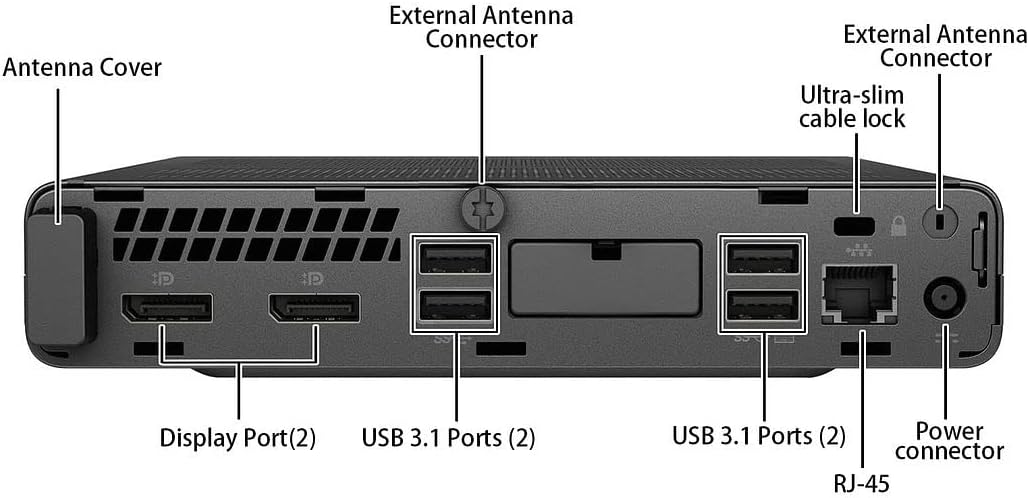
Изображение 4.1: Подробно view of the rear ports, including DisplayPort, USB 3.1, Ethernet, and power connector.
5. Инструкция по эксплуатации
5.1 Начальная настройка Windows 11
Upon first boot, you may be guided through the Windows 11 initial setup process, which includes setting up your region, keyboard layout, network connection, and user account.
5.2 Подключение к Wi-Fi
If you did not connect an Ethernet cable during setup, you can connect to a wireless network:
- Нажмите на Сеть значок (Wi-Fi или Ethernet) на панели задач.
- Выберите нужную сеть Wi-Fi из списка.
- При необходимости введите ключ безопасности сети (пароль), затем нажмите кнопку. Соединять.
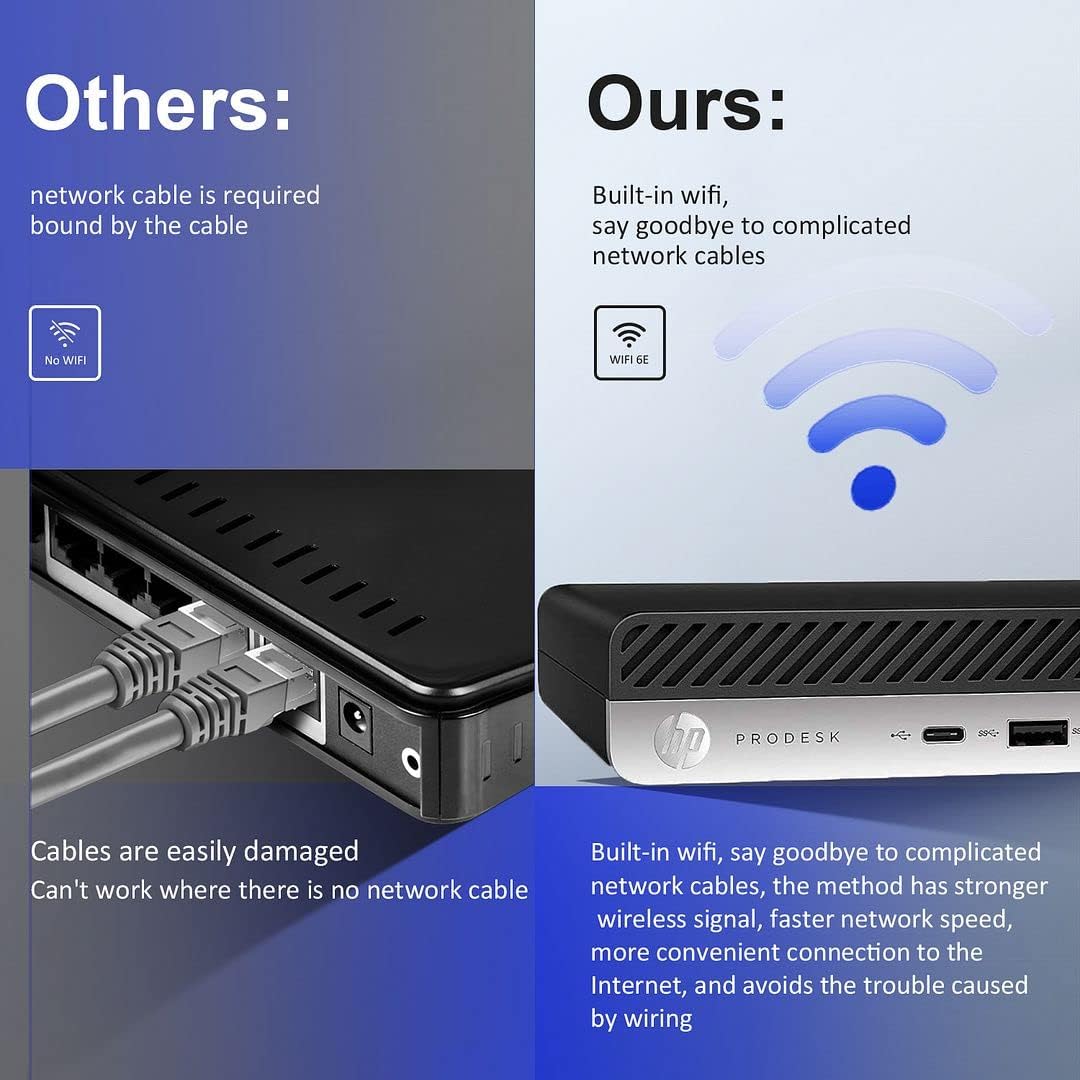
Image 5.1: The HP ProDesk 600 G4 features built-in Wi-Fi 6E for convenient wireless connectivity.
5.3 Using Multiple Displays
The HP ProDesk 600 G4 supports up to two 4K displays simultaneously via its DisplayPort outputs. To configure multiple displays in Windows 11:
- Right-click on an empty area of the desktop and select Настройки дисплея.
- Под Несколько дисплеев section, you can detect, identify, and arrange your displays.
- Choose how you want your desktop to appear: Дублируйте эти дисплеи, Расширить эти дисплеи, или Show only on 1/2.

Image 5.2: The Mini PC supports high-definition dual-screen display setups for enhanced productivity.
5.4 Функции Windows 11
Familiarize yourself with the new features of Windows 11 Pro, including the redesigned Start menu, Snap Layouts for multitasking, and improved widgets.
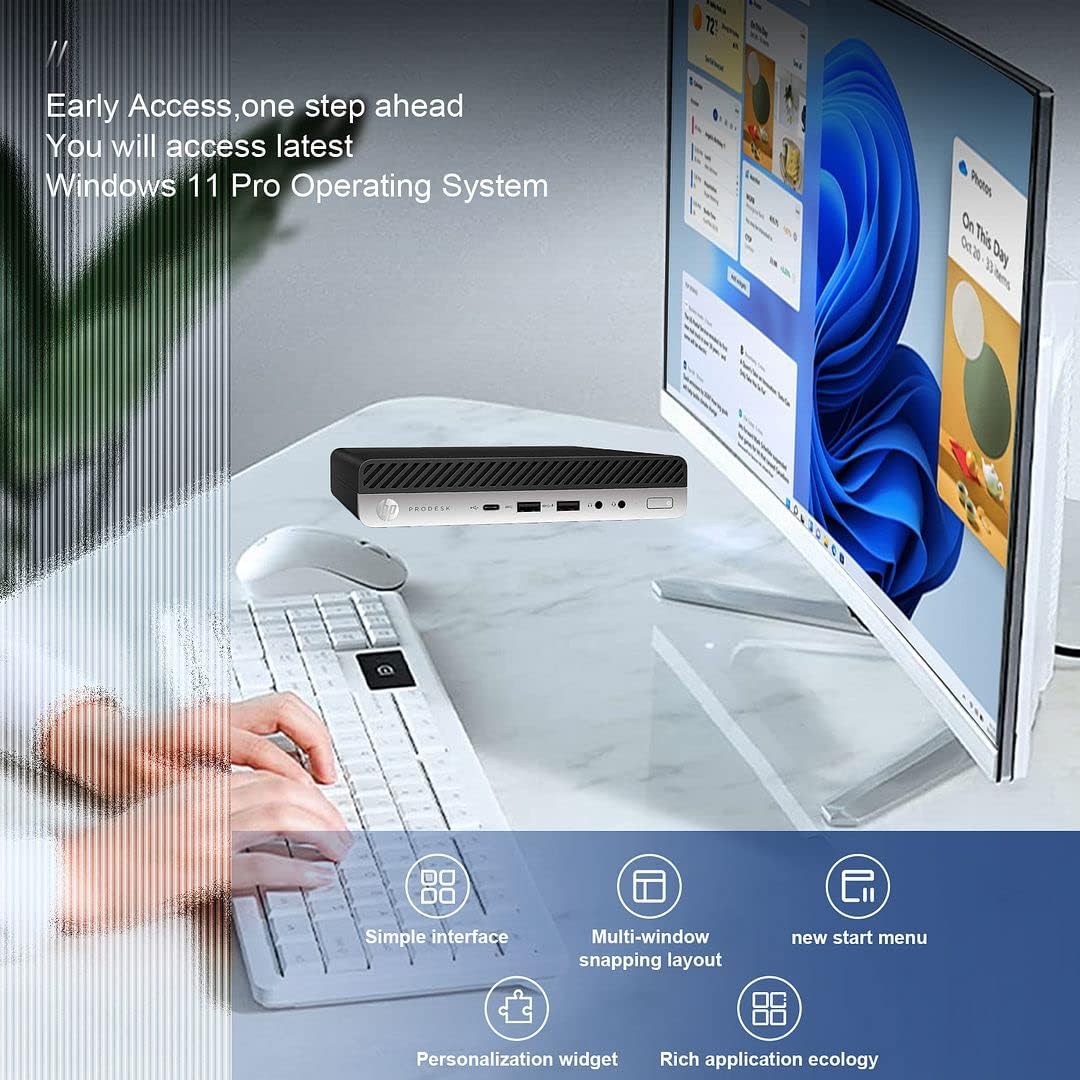
Image 5.3: The HP ProDesk 600 G4 comes pre-installed with Windows 11 Pro, offering a modern and efficient user experience.
6. Техническое обслуживание
Proper maintenance ensures the longevity and optimal performance of your HP ProDesk 600 G4 Mini PC.
- Уборка: Regularly clean the exterior of the PC with a soft, dry cloth. Use compressed air to clear dust from vents to ensure proper airflow and prevent overheating. Do not use liquid cleaners directly on the device.
- Обновления программного обеспечения: Регулярно обновляйте операционную систему Windows 11 и драйверы. Перейти к Настройки > Центр обновления Windows для проверки и установки обновлений.
- Управление хранилищем: Периодически пересматриватьview и удалить ненужное files to free up storage space. Windows 11 includes a Storage Sense feature (Настройки > Система > Хранилище) that can automate this process.
- Резервные данные: Регулярно создавайте резервные копии важных данных на внешнем диске или в облачном хранилище, чтобы предотвратить потерю данных.
7. Поиск Неисправностей
В этом разделе рассматриваются распространенные проблемы, с которыми вы можете столкнуться.
7.1 Нет питания
- Ensure the power cord is securely connected to both the Mini PC and the power outlet.
- Проверьте работоспособность розетки, подключив к ней другое устройство.
- Проверьте адаптер питания на наличие повреждений.
7.2 Нет дисплея
- Confirm that the monitor is powered on and the display cable (DisplayPort or HDMI) is securely connected to both the Mini PC and the monitor.
- Убедитесь, что на мониторе выбран правильный источник входного сигнала.
- Try connecting to a different display or using a different cable/adapter if available.
7.3 Проблемы с подключением Wi-Fi
- Check if Wi-Fi is enabled in Windows settings (Настройки > Сеть и Интернет > Wi-Fi).
- Перезагрузите маршрутизатор и модем.
- Убедитесь, что вы вводите правильный пароль Wi-Fi.
- Update your Wi-Fi drivers through Windows Update or HP's support webсайт.
7.4 Клавиатура или мышь не отвечают
- Ensure the USB receiver is properly plugged into a USB port.
- Check the batteries in the wireless keyboard and mouse and replace them if necessary.
- Попробуйте подключить USB-приемник к другому USB-порту.
8. Технические характеристики
| Особенность | Спецификация |
|---|---|
| Процессор | Intel Core i7-8700T (2.4 GHz, 6 Cores) |
| Операционная система | Windows 11 Профессиональная |
| БАРАН | 32 ГБ DDR4 SDRAM |
| Жесткий диск | 512 ГБ NVMe M.2 SSD |
| Графический сопроцессор | Intel UHD-графика 630 |
| Максимальное разрешение экрана | 3840 x 2160 пикселей (4K) |
| Тип беспроводной связи | 802.11ac (Wi-Fi 6E AX210 Combo) |
| Bluetooth | Yes (BT 6E AX210 Combo) |
| Порты USB-C | 1 (USB-C 3.1) |
| Порты USB-A | 3 (USB-A 3.1) + 3 (USB-A 3.0) |
| Дисплейные порты | 2 |
| Ethernet-порт | 1 (РДЖ-45) |
| HDMI | 1 (via DP to HDMI Adapter) |
| Размеры товара ДxШxВ | 7.1 x 1.3 x 7 дюйма |
| Вес товара | 4.1 фунта |
| Цвет | Черный |
9. Гарантия и техническая поддержка
Your HP ProDesk 600 G4 Mini PC comes with a Гарантия 90 дней. Данная гарантия распространяется на дефекты материалов и изготовления при нормальном использовании.
For technical assistance or warranty claims, please contact the seller directly. They are committed to providing support and will respond to inquiries within 24 hours to ensure customer satisfaction.