
TMEZON MZ-C8
TMEZON 4G LTE Cellular Security Camera User Manual
Model: MZ-C8
1. Введение
This manual provides comprehensive instructions for the installation, operation, and maintenance of your TMEZON 4G LTE Cellular Security Camera. Please read this manual thoroughly before using the product to ensure proper functionality and safety.

Image: The TMEZON 4G LTE Cellular Security Camera, featuring the main camera unit with two antennas and a connected solar panel, designed for outdoor surveillance.
2. Компоненты продукта
Убедитесь, что в упаковке присутствуют все компоненты:
- TMEZON 4G LTE Cellular Security Camera (Model: MZ-C8)
- Солнечная панель
- Монтажный кронштейн и винты
- SIM-карта (предустановлена или входит в комплект отдельно)
- USB-кабель для зарядки
- Руководство пользователя (этот документ)

Изображение: крупный план view of the camera's underside, showing the slots for the Nano SIM card (included) and the Micro SD card (not included, supports up to 128GB).
3. Настройка и установка
3.1 Вставка SIM-карты и SD-карты
- Убедитесь, что камера выключена.
- Locate the SIM card and Micro SD card slots on the camera body.
- Insert the provided Nano SIM card into the SIM card slot. Ensure it is correctly oriented.
- (Optional) Insert a Micro SD card (up to 128GB, not included) into the Micro SD card slot for local video storage.
- Close the protective cover securely to ensure weather resistance.
3.2 Зарядка камеры
Before initial use, fully charge the camera's internal battery using the provided USB cable. Connect the USB cable to the camera's charging port and a standard 5V USB power adapter (not included). The solar panel will provide continuous charging once installed outdoors.

Image: The TMEZON camera connected to its solar panel, illustrating the non-stop solar power charging mechanism.
3.3 Установка камеры и солнечной панели
Choose a location with good 4G LTE signal reception and ample sunlight exposure for the solar panel. The camera is IP65 weatherproof, suitable for outdoor use.

Image: The TMEZON camera mounted on an exterior wall, demonstrating its IP65 weatherproof rating in snowy conditions.
- Прикрепите монтажный кронштейн к нужной поверхности с помощью прилагаемых винтов.
- Закрепите камеру на монтажном кронштейне.
- Position the solar panel to maximize sunlight exposure throughout the day.
- Подключите кабель солнечной панели к зарядному порту камеры.
4. Установка и подключение приложения
The TMEZON camera operates via the UBox app, available for both Android and iOS devices.
- Загрузить UBox app из App Store (iOS) или Google Play Store (Android).
- Зарегистрируйте учетную запись и войдите в систему.
- Включите камеру.
- In the UBox app, tap "Add Device" and follow the on-screen instructions to connect your camera. Ensure your smartphone has an active internet connection.

Image: The UBox app icon, used for controlling the TMEZON security camera.

Image: A smartphone screen showing the UBox app interface, with live camera feed and control options.
5. Эксплуатация камеры
5.1 Прямой эфир View и управление панорамированием/наклоном
Access the live feed from your camera through the UBox app. Use the on-screen controls to pan (355° horizontal) and tilt (90° vertical) the camera remotely, allowing for a comprehensive view контролируемой территории.

Image: An illustration demonstrating the camera's 355-degree horizontal and 90-degree vertical rotation capabilities, controlled via the mobile app.
5.2 Двусторонняя аудиосвязь
The camera features a built-in microphone and speaker, enabling two-way communication. Tap the microphone icon in the app to speak, and listen through the app's speaker.

Image: A user interacting with a delivery person via the camera's two-way audio feature, visible on a smartphone screen.
5.3 Обнаружение движения и оповещения
The camera utilizes PIR (Passive Infrared) motion detection to identify movement. When motion is detected, you will receive instant alerts on your smartphone via the UBox app.

Image: A smartphone displaying a UBox app notification for motion detection, with a visual representation of a person being detected by the camera.
5.4 Ночное видение и прожектор
The camera provides 2K HD color night vision. In low-light conditions, the integrated spotlight can be activated to illuminate the area and deter intruders.
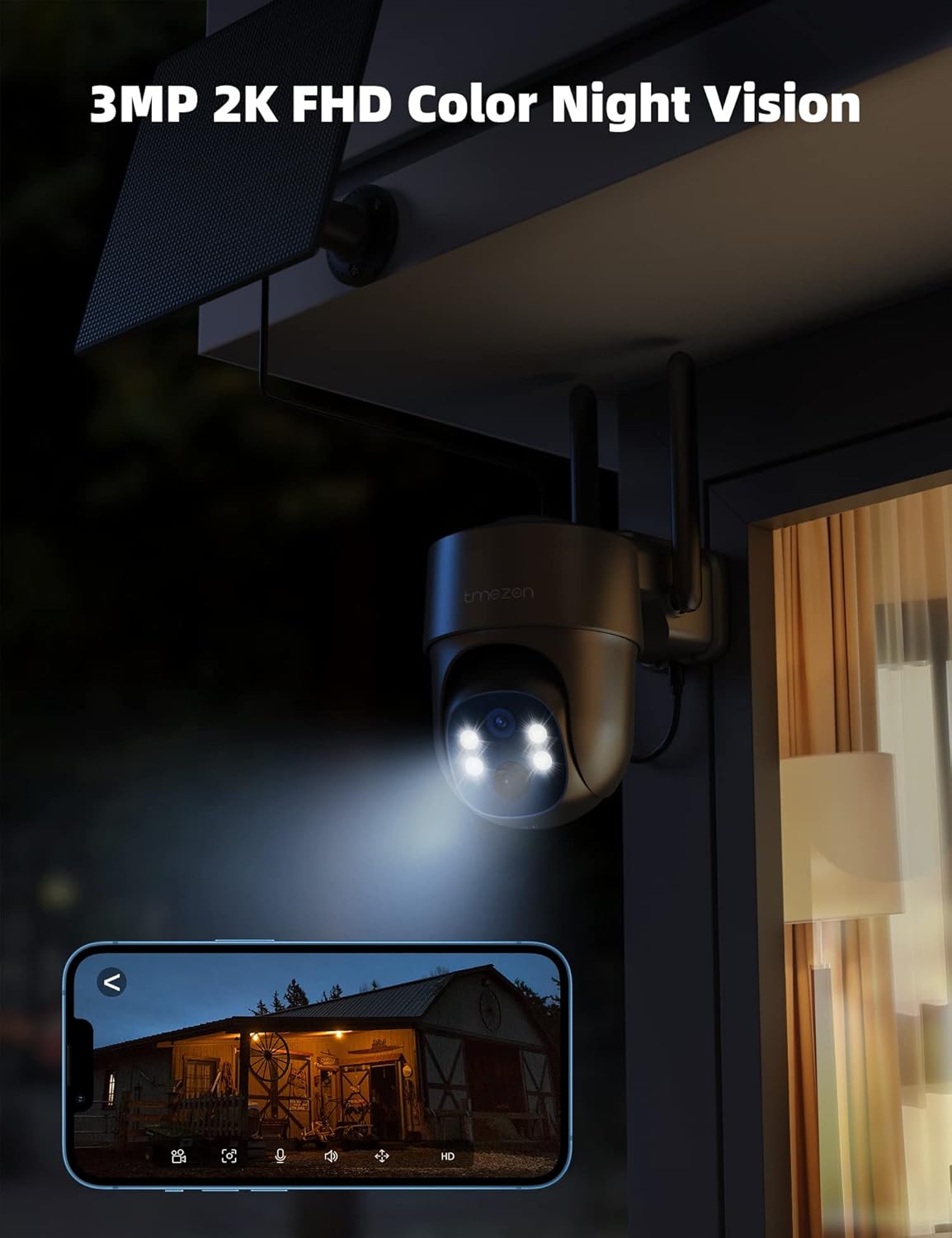
Image: The TMEZON camera operating at night, with its spotlight illuminated, providing clear 2K FHD color night vision.

Image: A split image demonstrating the difference between night vision with spotlights off and spotlights on, highlighting enhanced visibility.
5.5 Siren Alert
In addition to the spotlight, the camera can activate a siren to warn off unwanted visitors. This feature can be triggered manually via the app or automatically upon motion detection.

Image: The camera's spotlight and siren alert system in action, deterring an individual from a property at night.
5.6 Запись и хранение
The camera supports 24/7 recording and playback. Recordings can be stored locally on a Micro SD card (up to 128GB, not included) or via optional cloud storage services.

Image: The UBox app interface displaying video playback options, with icons for Micro SD card storage and cloud storage.
5.7 Scheduling Working Time
You can configure specific working times for the camera's features, such as motion detection and alerts, through the UBox app settings.

Image: The UBox app displaying settings for scheduling working times and siren alerts, allowing users to customize operational periods.
6. Медиаремонии
6.1 4G Cellular Security Camera Overview
Видео: В этом видео представлен краткий обзор.view of the TMEZON 4G Cellular Security Camera, highlighting its key features and wire-free operation.
6.2 TMEZON 4G LTE Cellular Security Camera Features
Video: A detailed demonstration of the TMEZON 4G LTE Cellular Security Camera's functionalities, including solar power, pan/tilt, two-way talk, and motion alerts.
7. Техническое обслуживание
- Очистка солнечной панели: Regularly clean the surface of the solar panel to ensure maximum sunlight absorption. Dust, dirt, or debris can reduce charging efficiency.
- Чистка линз: Gently wipe the camera lens with a soft, clean cloth to maintain clear image quality. Avoid abrasive materials.
- Обновления прошивки: Check the UBox app periodically for firmware updates. Keeping the camera's firmware updated ensures optimal performance and security.
- Состояние аккумулятора: While solar-powered, extreme weather conditions or prolonged periods without sunlight may affect battery levels. Monitor battery status via the app.
- Данные SIM-карты: Ensure your SIM card has sufficient data balance for continuous operation. Running out of data will prevent the camera from connecting to the network.
8. Поиск Неисправностей
| Проблема | Возможная причина/решение |
|---|---|
| Camera cannot connect to the network. |
|
| No video or poor image quality. |
|
| Аккумулятор не заряжается. |
|
| Оповещения об обнаружении движения не принимаются. |
|
| Cannot replace SD card while camera is running. |
|
9. Технические характеристики
| Особенность | Деталь |
|---|---|
| Номер модели | МЗ-С8 |
| Бренд | ТМЕЗОН |
| Связность | 4G LTE Cellular (No Wi-Fi needed) |
| Источник питания | Solar Powered, 10400 mAh Battery |
| Разрешение видео | 2K HD (3 МП) |
| Ночное Видение | Цветное ночное видение, прожектор |
| Диапазон панорамирования/наклона | 355° по горизонтали, 90° по вертикали |
| Аудио | Двусторонний разговор |
| Обнаружение движения | Датчик движения |
| Варианты хранения | Карта памяти Micro SD (до 128 ГБ, не входит в комплект), облачное хранилище (опционально) |
| Устойчивость к погодным условиям | IP65 от атмосферных воздействий |
| Размеры (Д x Ш x В) | 8 x 7 x 5 дюйма |
| Вес товара | 2.4 фунта |
10. Гарантия и поддержка
For warranty information and technical support, please refer to the contact details provided with your product packaging or visit the official TMEZON website. Ensure you have your product model number (MZ-C8) and purchase details ready when contacting support.
TMEZON is committed to providing high-quality products and customer satisfaction. Any item not as described or faulty will be replaced or refunded.