
1. Продукт закончилсяview
The XROUND AERO True Wireless Gaming Earbuds (Model XAW-01) are designed to provide a versatile audio experience for both gaming and music. Featuring 50ms ultra-low latency, XROUND Lite surround sound, and noise-reducing dual-microphones, these earbuds offer immersive sound and clear communication. They are compatible with Android, iOS, PS4, PS5, Switch, and PC, offering a seamless transition between various entertainment platforms.

Figure 1: XROUND AERO True Wireless Gaming Earbuds.
2. Что в коробке
Your XROUND AERO package includes the following items:
- AERO True Wireless Earbuds
- Чехол для беспроводной зарядки
- 15cm Type-C Charging Cable
- Руководство пользователя
- Spinfit Ear Tips (3 pairs: S/M/L Sizes)
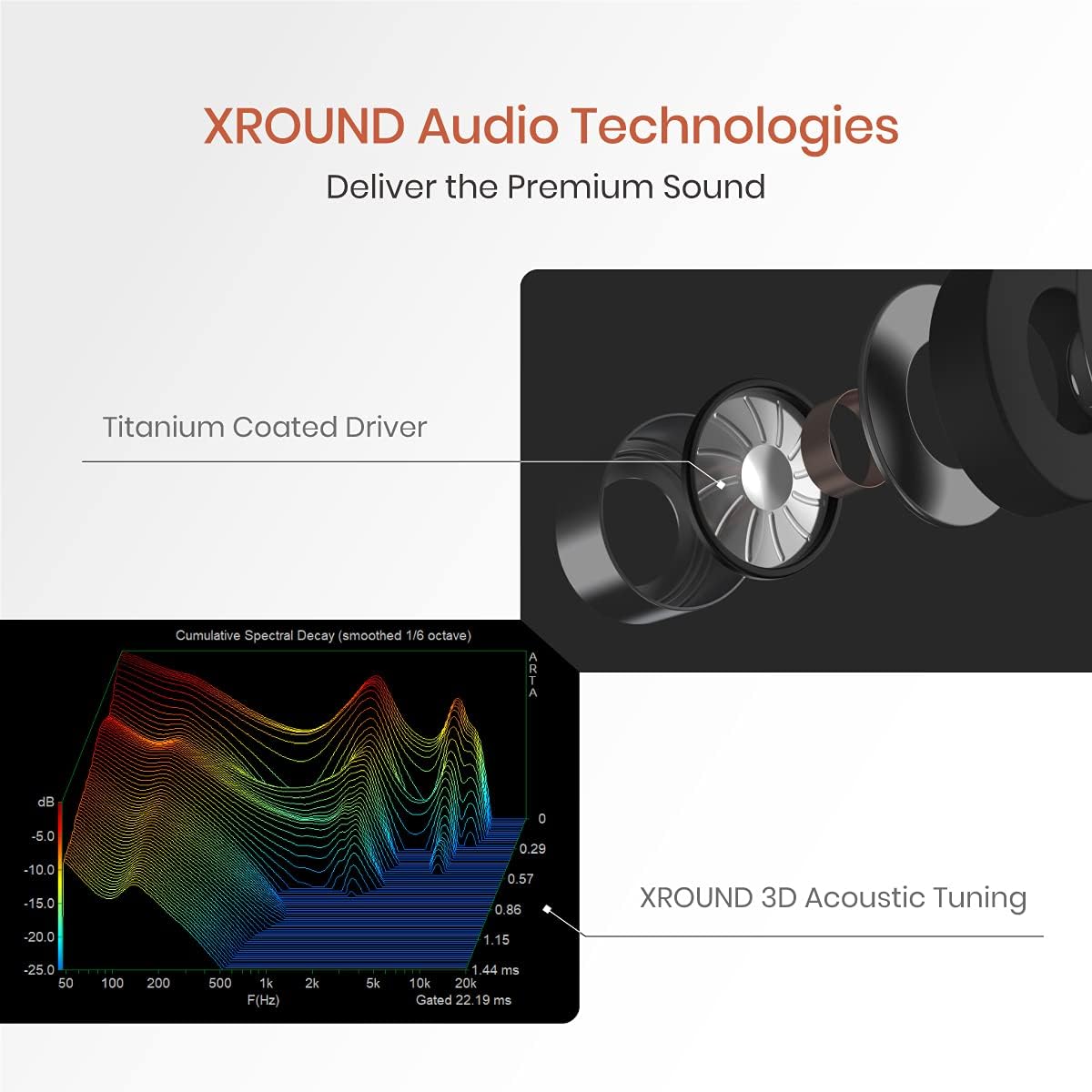
Figure 2: Included components: AERO earbuds, charging case, USB-C cable, and various ear tips.
3. Настройка
3.1 Первоначальная зарядка
Before first use, fully charge your XROUND AERO earbuds and charging case. Connect the provided 15cm Type-C charging cable to the charging case and a compatible USB power source. The LED indicators on the case will show the charging status. A full charge provides up to 24 hours of total battery life with the charging case.
3.2 Выбор амбушюр
For optimal sound quality and comfort, select the ear tips that best fit your ears. The package includes three pairs of Spinfit ear tips (S/M/L sizes). Experiment with different sizes to find a secure and comfortable fit that provides good sound isolation.

Figure 3: Ergonomic design and various Spinfit ear tip sizes for a comfortable and secure fit.
3.3 Сопряжение с устройствами
The XROUND AERO earbuds utilize Bluetooth 5.0 for wireless connectivity.
- Для мобильных устройств (Android/iOS): Open the charging case, and the earbuds will automatically enter pairing mode. On your device, go to Bluetooth settings and select "XROUND_AERO" from the list of available devices.
- For Gaming Consoles (PS4, PS5, Switch) and PC: Use the optional XROUND XT01 Bluetooth Transmitter (sold separately) for optimal low-latency performance. Plug the transmitter into a compatible USB port on your console or PC. The transmitter will enter pairing mode. Open the AERO charging case, and the earbuds will automatically connect to the transmitter.
3.4 Установка приложения
Download the XROUND MyTune APP from your device's app store (Android or iOS). This app allows for full customization of EQ settings, gesture controls, and other features.
4. Инструкция по эксплуатации
4.1 Включение/выключение питания
- Включение питания: Откройте зарядный кейс, и наушники автоматически включатся и попытаются подключиться к последнему сопряженному устройству.
- Выключение: Поместите наушники обратно в зарядный футляр и закройте крышку. Они автоматически отсоединятся и выключатся.
4.2 Управление жестами
The earbuds feature customizable touch controls. Default functions include:
- Воспроизведение/Пауза: Дважды коснитесь сенсорной панели.
- Следующий трек: Swipe the touch panel upward (Right earbud).
- Предыдущий трек: Swipe the touch panel downward (Left earbud).
- Увеличить громкость: Swipe the touch panel upward (Right earbud).
- Убавить звук: Swipe the touch panel downward (Right earbud).
Customize these gestures via the XROUND MyTune APP.

Figure 4: Customize earbud gesture controls using the XROUND MyTune App.
4.3 Gaming Mode / Music Mode
Instantly switch between Gaming Mode and Music Mode using gesture control or the XROUND MyTune APP. Gaming Mode provides 50ms ultra-low latency audio, ideal for competitive gaming. Music Mode optimizes sound for a rich listening experience.

Figure 5: Seamlessly switch between Music Mode and 50ms ultra-low latency Gaming Mode.
4.4 XROUND Lite Surround Sound
The XROUND Lite surround sound system creates an immersive virtual reality 3D sound field, enhancing directional and distance audio cues in games. This feature can be toggled and adjusted (Level 1, Level 2) via the XROUND MyTune APP.
Video 1: XROUND Lite Surround Sound Test. Experience immersive 3D audio.
4.5 Функции вызова
The earbuds feature noise-reducing dual-microphones for clear voice calls. Use the touch controls to manage calls:
- Ответ на звонок: Дважды коснитесь сенсорной панели.
- Завершить звонок: Дважды коснитесь сенсорной панели.
- Отклонить вызов: Long-hold the touch panel for 2 seconds.

Figure 6: Dual-microphone array for effective noise reduction during calls.
4.6 EQ Customization & TailorID Hearing Test
The XROUND MyTune APP allows you to fully customize the equalizer settings to match your preferred music taste. Additionally, the TailorID Hearing Test feature personalizes your hearing profile for an optimized listening experience. You can also share your custom EQ profileс другими.

Figure 7: Adjust your audio equalizer settings via the XROUND MyTune App.

Figure 8: Personalize your hearing profile with the TailorID Hearing Test in the app.
5. Техническое обслуживание
5.1 Очистка
The XROUND AERO earbuds are IP54 water and dust resistant. To clean, gently wipe the earbuds with a soft, damp cloth. Do not submerge the earbuds in water or use harsh cleaning agents. Ensure the charging contacts on both the earbuds and the case are clean and dry before charging.
5.2 Хранение
When not in use, store the earbuds in their charging case to protect them from dust, damage, and to ensure they remain charged.
6. Поиск Неисправностей
- Наушники не подключаются: Ensure both earbuds are in the charging case. Open the lid and check if the indicator lights are flashing, indicating pairing mode. If not, manually initiate pairing mode via the app or by following the instructions in the full user manual. Ensure Bluetooth is enabled on your device.
- Нет звука или плохое качество звука: Check the ear tip fit. An improper seal can significantly affect sound quality. Ensure the earbuds are charged and properly connected to your device. Adjust EQ settings in the XROUND MyTune APP.
- Проблемы с микрофоном: Ensure the dual-microphones are not obstructed. For console gaming, verify the external microphone (if using XT01 transmitter) is properly connected and selected as the input device in your console's audio settings.
- Аккумулятор быстро разряжается: Ensure earbuds are fully seated in the charging case when not in use. Using Gaming Mode or high volume levels will consume battery faster.
7. Технические характеристики
| Особенность | Спецификация |
|---|---|
| Название модели | XAW-01 |
| Технология связи | Беспроводная связь (Bluetooth 5.0) |
| Аудио задержка | 50 миллисекунд (игровой режим) |
| Уровень водонепроницаемости | IP54 (водонепроницаемость) |
| Срок службы батареи | 24 часов (с зарядным чехлом) |
| Тип аудиодрайвера | Dynamic Driver (Titanium-coated) |
| Метод контроля | App (XROUND MyTune APP), Media Control (Gesture) |
| Совместимые устройства | Android, iOS, PS4, PS5, Switch, PC |
| Вес товара | 1.9 унции (54 граммов) |
| Размеры продукта | 2.17 x 2.17 x 0.98 дюйма |
8. Официальное видео о продукте
Посмотрите официальный видеоролик о продукте для болееview of the XROUND AERO True Wireless Gaming Earbuds.
Video 2: XROUND AERO True Wireless Gaming Earbuds Product Overview.