
1. Введение
This manual provides essential information for the installation, operation, maintenance, and troubleshooting of your MAXSUN GeForce RTX 2060 iCraft 6GB graphics card. Please read this manual thoroughly before installing and using the product to ensure proper functionality and safety.
2. Информация по технике безопасности
- Всегда отключайте питание компьютера перед установкой или извлечением каких-либо компонентов.
- Для предотвращения повреждения компонентов в результате электростатического разряда (ESD) используйте антистатический браслет или часто прикасайтесь к заземленному металлическому предмету.
- Держите видеокарту за края, чтобы не касаться чувствительных компонентов.
- Обеспечьте достаточную вентиляцию внутри корпуса компьютера, чтобы предотвратить перегрев.
- Do not attempt to repair the graphics card yourself. Refer to qualified service personnel.
3. Содержимое упаковки
Убедитесь, что ваш пакет содержит следующие предметы:
- 1 x MAXSUN GeForce RTX 2060 iCraft 6GB Graphics Card
Если какие-либо предметы отсутствуют или повреждены, обратитесь к продавцу.
4. Продукт закончилсяview
The MAXSUN GeForce RTX 2060 iCraft 6GB graphics card is designed for gaming PCs, featuring NVIDIA's Turing GPU architecture, 6GB GDDR6 memory, and a 192-bit memory interface. It includes a triple-fan cooling system and RGB lighting.

Рисунок 4.1: Передняя часть view of the MAXSUN GeForce RTX 2060 iCraft 6GB graphics card, showing the three cooling fans and RGB lighting elements.

Рисунок 4.2: Наклонный view of the graphics card, highlighting its robust design and cooling solution.

Рисунок 4.3: Сзади view графической карты, покажитеasing the alloy backplate designed for structural integrity and heat dissipation.

Figure 4.4: Display output ports on the graphics card, including DisplayPort (DP), HDMI, and DVI connectors.
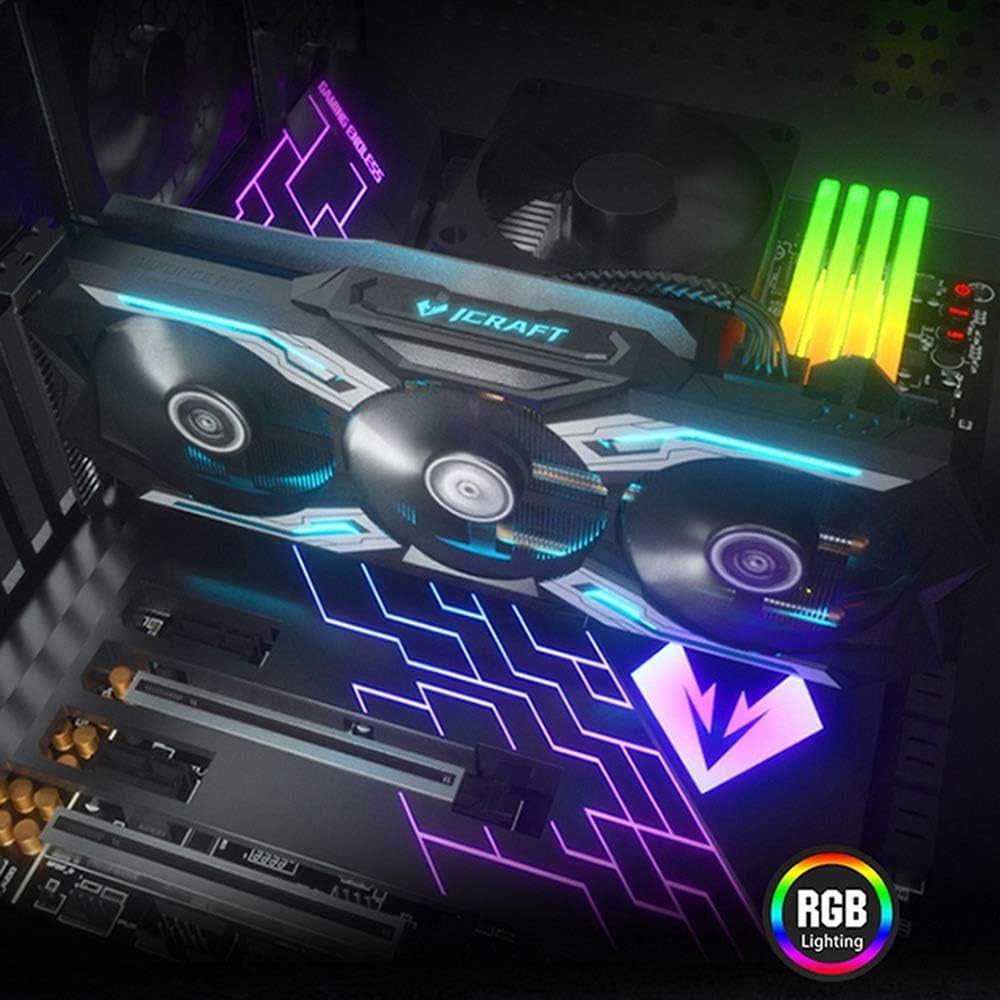
Figure 4.5: The graphics card installed in a PC case, demonstrating its integrated RGB lighting.
Основные характеристики:
- Turing GPU Architecture: Provides enhanced performance for real-time ray tracing and AI capabilities.
- iCraft Series RGB Lighting: Features auto RGB lighting for aesthetic customization within your PC build.
- Triple Fan Cooling: Equipped with 3 MAXSUN Blade II hydro-mechanics low noise fans for efficient heat dissipation.
- Alloy Backplate & Radiator: Includes an alloy backplate and a high-end fin technology radiator with 5 heat pipes for improved thermal performance.
- Производительность: Boost Clock up to 1680 MHz, 6GB GDDR6 memory, 192-bit memory interface.
5. Настройка и установка
5.1 Предварительная установка
- Выключение: Выключите компьютер и отсоедините кабель питания от розетки.
- Открыть дело: Open your computer case to access the motherboard and PCIe slots.
- Статическая защита: Ground yourself by touching a metal part of the computer chassis or wearing an anti-static wrist strap to prevent ESD.
- Удалить старую карту (если применимо): If replacing an existing graphics card, carefully remove it by unscrewing its bracket and releasing the PCIe retention clip.
5.2 Физическая установка
- Найдите слот PCIe: Identify an available PCIe x16 slot on your motherboard. This is typically the topmost long slot.
- Вставьте видеокарту: Align the graphics card with the PCIe slot and press down firmly until it is securely seated. The PCIe retention clip should click into place.
- Безопасная карта: Закрепите видеокарту на корпусе компьютера с помощью винтов.
- Подключите питание: Connect the required PCIe power cables from your power supply to the graphics card. This model typically requires one 8-pin PCIe power connector. Ensure all connections are firm.
- Закрыть дело: Закройте корпус компьютера и снова подключите кабель питания.
5.3 Установка драйвера
- Включение питания: Connect your monitor to one of the graphics card's output ports (HDMI, DisplayPort, or DVI) and power on your computer.
- Скачать драйверы: Перейдите на официальный сайт NVIDIA. webсайт (www.nvidia.com/drivers) для загрузки последних драйверов для GeForce RTX 2060.
- Установите драйверы: Запустите загруженный установщик драйверов и следуйте инструкциям на экране. После установки может потребоваться перезагрузка.
Video 5.1: An official video demonstrating the MAXSUN Nvidia Geforce RTX 2060 iCraft 6GB graphics card, showcasing its design and features. This video provides a visual overview продукта.
6. Инструкция по эксплуатации
6.1 Подключение дисплеев
Connect your monitor(s) to the available display output ports on the graphics card (HDMI, DisplayPort, DVI). The card supports multiple displays simultaneously. Ensure your display cables are securely connected.
6.2 RGB-подсветки
The MAXSUN iCraft series graphics card features automatic RGB lighting. The lighting effects are pre-programmed and activate upon system power-on. Please note that dedicated software for controlling the RGB lighting is not typically provided for this model, and it may not be compatible with third-party motherboard RGB software.
7. Техническое обслуживание
7.1 Очистка
- Частота: Clean your graphics card periodically, especially if you notice dust accumulation on the fans or heatsink.
- Процедура: Disconnect power from your PC. Use compressed air to gently blow dust out of the heatsink fins and fan blades. Hold the fan blades in place while blowing to prevent over-spinning and potential damage.
- Избегать: Do not use liquid cleaners or abrasive materials on the graphics card.
7.2 Техническое обслуживание вентилятора
The Blade II hydro-mechanics fans are designed for durability. If you notice unusual fan noise or reduced cooling performance, ensure there are no obstructions to the fan blades. Do not attempt to lubricate or disassemble the fans.
8. Поиск Неисправностей
8.1 Нет вывода на дисплей
- Убедитесь, что кабель монитора надежно подключен как к видеокарте, так и к монитору.
- Verify that the graphics card is fully seated in the PCIe slot and that all power connectors are properly attached.
- Проверьте, настроен ли ваш монитор на правильный источник входного сигнала.
- Если возможно, попробуйте использовать другой кабель дисплея или монитор.
8.2 Performance Issues or Crashes
- Убедитесь, что у вас установлены последние драйверы NVIDIA.
- Monitor your GPU temperatures using third-party software. High temperatures can lead to throttling or instability. Ensure proper case airflow.
- Убедитесь, что ваш блок питания (БП) соответствует минимальным требованиям по мощности.tagтребования к вашей системе, включая видеокарту.
- Check for any conflicting software or background applications that might be consuming system resources.
8.3 Шум вентилятора
- Убедитесь, что никакие кабели или препятствия не мешают работе лопастей вентилятора.
- Clean any dust accumulation from the fans and heatsink.
- Fan speed will increase under load to maintain optimal temperatures. This is normal operation.
9. Технические характеристики
| Особенность | Спецификация |
|---|---|
| Графический сопроцессор | NVIDIA GeForce RTX 2060 |
| Бренд | maxsun |
| Размер графической памяти | 6 ГБ GDDR6 |
| Интерфейс видеовыхода | DVI, DisplayPort, HDMI |
| Производитель графических процессоров | NVIDIA |
| Размеры продукта | 12.05 x 4.92 x 1.61 дюйма |
| Вес товара | 3.19 фунта |
| Номер модели | NVIDIA Geforce RTX 2060 iCraft 6G |
10. Гарантия и поддержка
For warranty information and technical support, please refer to the documentation provided with your purchase or visit the official MAXSUN webСохраните чек о покупке для предъявления гарантийных претензий.