
Введение
This manual provides essential information for the safe and proper assembly, operation, and maintenance of your ARCADE1UP Frogger Arcade Game with Riser. Please read all instructions carefully before use and retain this manual for future reference.
The ARCADE1UP Frogger Arcade Game brings the classic arcade experience into your home. Navigate Frogger across busy highways and treacherous rivers to reach home safely. This unit features a 17-inch color display, full-size joystick, and buttons, and comes with a matching riser for an authentic arcade height.
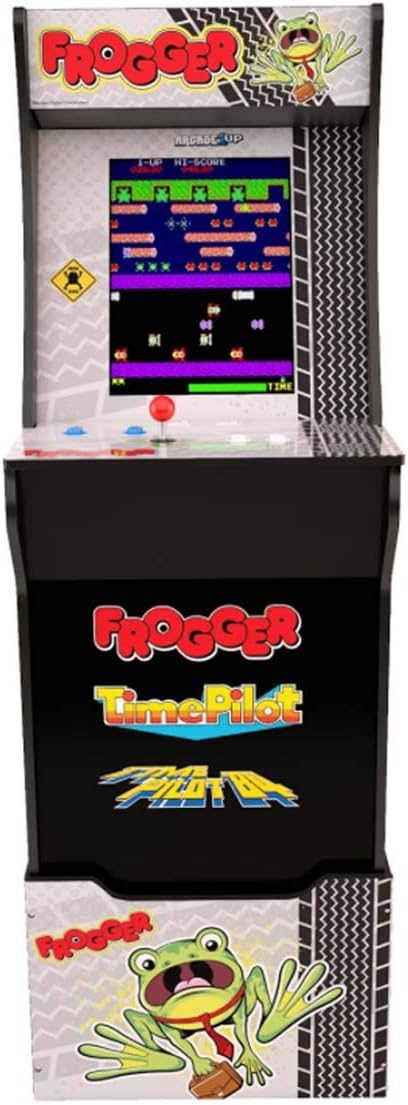
Изображение: Спереди view of the ARCADE1UP Frogger Arcade Game cabinet with its matching riser, showcasing the game screen and control panel.
Информация по безопасности
- Электробезопасность: Always connect the power adapter to a grounded outlet. Do not expose the unit to water or excessive moisture. Disconnect power before cleaning or servicing.
- Сборка: Ensure all components are securely fastened during assembly. Adult supervision is recommended during assembly.
- Размещение: Place the arcade unit on a stable, level surface. Avoid placing it in direct sunlight or near heat sources.
- Дети: This product contains small parts and electrical components. Keep out of reach of small children during assembly.
- Вентиляция: Не закрывайте вентиляционные отверстия. Обеспечьте достаточную циркуляцию воздуха вокруг устройства, чтобы предотвратить перегрев.
Содержимое упаковки
Убедитесь, что в вашей упаковке присутствуют все перечисленные ниже компоненты:
- ARCADE1UP Frogger Arcade Cabinet
- Matching Riser
- Адаптер питания
- Joystick (pre-installed)
- Control Buttons (pre-installed)
- Assembly Hardware (screws, cam locks, etc.)
- Руководство по эксплуатации (данный документ)

Изображение: сбоку view of the ARCADE1UP Frogger Arcade Game cabinet, showing its profile and wooden paneling.
Сборка и настройка
Assembly of the ARCADE1UP Frogger Arcade Game and its riser typically involves connecting pre-fabricated panels using included hardware. Follow the detailed assembly instructions provided in the separate assembly guide that came with your unit.
- Распаковываем компоненты: Осторожно извлеките все детали из упаковки и сверьте их со списком содержимого упаковки.
- Assemble Riser: If using the riser, assemble it first according to its specific instructions. Ensure all connections are tight and stable.
- Assemble Cabinet: Follow the step-by-step instructions to assemble the arcade cabinet. Pay close attention to cable routing and connections for the display and control panel.
- Attach Cabinet to Riser: Once both are assembled, securely attach the arcade cabinet to the riser using the designated hardware.
- Подключение питания: Connect the power adapter to the arcade unit's power input, then plug it into a standard electrical outlet.
The assembled machine stands approximately 57.8 inches tall with the riser. Its dimensions are 45.8 inches H (57.8 inches H with riser) x 22.75 inches D x 19 inches W.
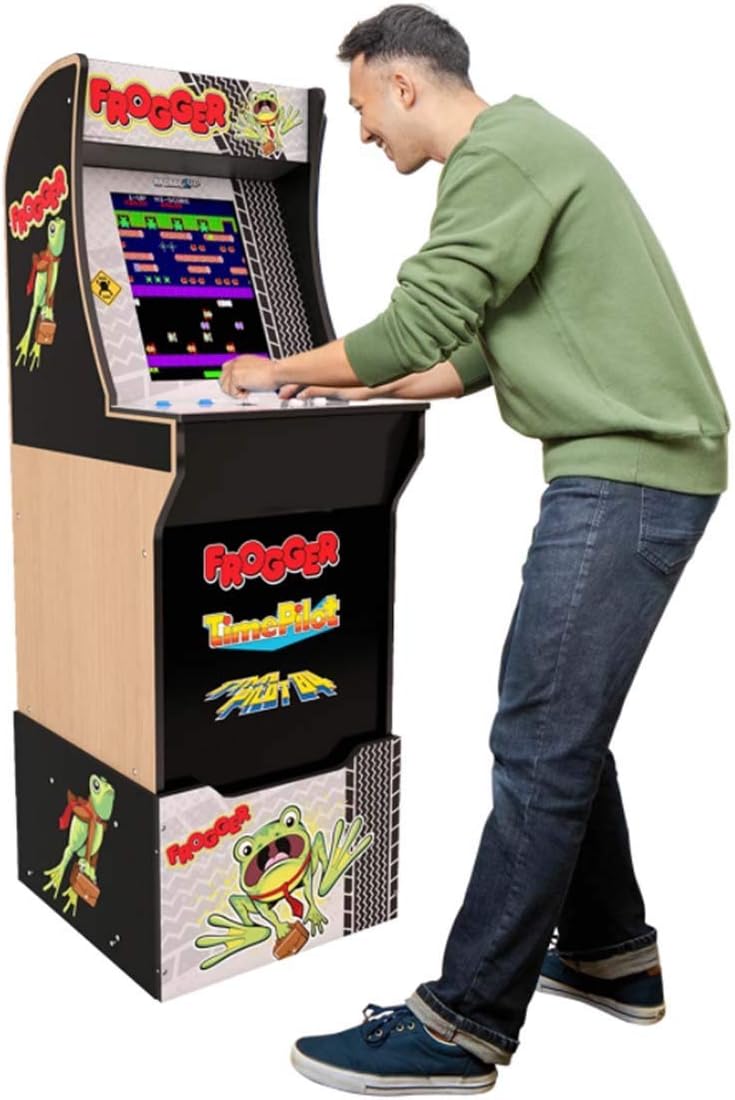
Image: A person standing and playing the ARCADE1UP Frogger Arcade Game, demonstrating the unit's operational height with the riser.
Инструкция по эксплуатации
This section details how to power on, play, and adjust settings on your arcade unit.
- Включение питания: Locate the power switch, usually on the back or bottom of the control panel. Flip the switch to the 'ON' position. The display will illuminate, and the game will start.
- Ход игры:
- Начать игру: Press the '1 Player' or '2 Player' button to begin a game.
- Движение: Use the joystick to control Frogger's movement (up, down, left, right).
- Действие: Frogger typically uses only directional controls. Refer to the on-screen instructions for specific game mechanics.
- Регулятор громкости: A volume control knob or button is typically located on the control panel or behind the unit. Adjust to your preferred sound level.
- Выключение: To turn off the unit, flip the power switch to the 'OFF' position.

Изображение: Крупный план view of the ARCADE1UP Frogger control panel, showing the joystick, player buttons, and volume controls.
Обслуживание
- Уборка: Use a soft, dry cloth to wipe down the cabinet and control panel. For stubborn marks, a slightly damp cloth with mild soap can be used, followed by a dry wipe. Avoid abrasive cleaners or excessive moisture.
- Уход за дисплеем: Clean the screen with a soft, lint-free cloth specifically designed for electronics. Do not spray cleaners directly onto the screen.
- Хранилище: If storing the unit for an extended period, disconnect it from power and cover it to protect against dust. Store in a cool, dry place.
Поиск неисправностей
| Проблема | Возможная причина | Решение |
|---|---|---|
| Нет питания/Устройство не включается. | Power adapter not connected, power outlet not working, power switch off. | Ensure power adapter is securely plugged into the unit and a working outlet. Check power switch position. |
| Ни звука. | Volume turned down, internal speaker connection issue. | Adjust the volume control. If problem persists, contact customer support. |
| Controls (joystick/buttons) not responding. | Loose internal connection, component malfunction. | Ensure all internal connections are secure (refer to assembly guide). If issue continues, contact customer support. |
| Экран пустой или искаженный. | Loose display cable, display malfunction. | Check display cable connections. Power cycle the unit. If problem persists, contact customer support. |
Технические характеристики
- Номер модели: 815221021365
- Бренд: АРКАДА1UP
- Игра: Frogger
- Отображать: 17-inch Color LED
- Тип контроллера: Джойстик
- Количество игроков: 1
- Режим работы: Руководство
- Assembled Dimensions (without Riser): 19 дюймов (Ш) x 22.75 дюйма (Г) x 45.8 дюйма (В)
- Assembled Dimensions (with Riser): 19 дюймов (Ш) x 22.75 дюйма (Г) x 57.8 дюйма (В)
- Материал: Пластик
- СКП: 815221021365
Гарантия и поддержка
For warranty information, technical support, or replacement parts, please refer to the warranty card included with your product or visit the official ARCADE1UP webсайт. Вы также можете посетить Магазин ARCADE1UP на Amazon для получения дополнительной информации о продукте.
При обращении в службу поддержки укажите номер модели (815221021365) и дату покупки.