
Aluratek AWC2KF
Aluratek 2K HD Webкулачок инструкция по эксплуатации
Model: AWC2KF | Brand: Aluratek
Введение
The Aluratek 2K HD Webcam (Model AWC2KF) is designed to provide high-quality video and audio for your communication needs. Featuring 2K HD resolution, dual stereo noise-cancelling microphones, auto-focus, and automatic low-light correction, this webcam ensures clear visuals and crisp audio for video calls, recordings, and live streaming. Its plug-and-play design offers universal compatibility with various operating systems and popular video conferencing applications.
Основные характеристики
- Full HD 2K Video: Delivers high-resolution video for clear and detailed visuals during calls, webinars, and recordings.
- Dual Stereo Noise-Cancelling Microphones: Captures clear audio while reducing background noise, ensuring your voice is heard distinctly.
- Автоматическая коррекция низкой освещенности: Adjusts color and brightness automatically to maintain natural lighting conditions, even in dimly lit environments.
- Автофокус: Ensures a sharp and clear image by automatically adjusting the focus.
- Wide 80-Degree Angle: Охватывает широкий спектр view without distortion, suitable for individual or group presentations.
- Встроенное крепление для штатива: Offers versatile mounting options for stability and optimal positioning.
- Plug-n-Play Ready: Requires no driver installation for quick and easy setup.
Содержимое упаковки
- Aluratek 2K HD Webcam (AWC2KF)
- USB-кабель (прилагается)
- Краткое руководство пользователя (не входит в данное руководство)
Настраивать
The Aluratek 2K HD Webcam is designed for simple plug-and-play installation, requiring no additional drivers for most operating systems.
Монтаж Webкулачок
The webcam features a versatile mounting clip that allows it to be securely placed on various surfaces:
- On a Laptop or Monitor: Gently open the universal mounting clip and place the webcam on top of your laptop screen or desktop monitor. Ensure the front lip of the clip rests securely on the top edge of the screen, and the rear part of the clip is pressed against the back of the screen for stability.
- On a Table Surface: Fold the universal mounting clip to create a stable stand, allowing the webcam to sit upright on any flat surface.
- На штативе: The webcam includes a built-in tripod mount (6 mm / .25 in. screw) on the bottom of the clip, enabling attachment to standard tripods for more flexible positioning.

Рисунок 1: Подробная информация view принадлежащий webcam's components and mounting features.

Рисунок 2: Webcam securely mounted on a laptop.
Подключение к вашему компьютеру
Подключите встроенный USB-кабель от webПодключите камеру к свободному USB-порту вашего компьютера. webcam is plug-and-play, meaning your operating system (Windows or macOS) should automatically detect and install the necessary drivers. No manual driver installation is typically required.
После подключения webcam is ready for use with your preferred video conferencing or recording software.
Инструкция по эксплуатации
The Aluratek 2K HD Webcam is designed for seamless integration with various applications for video communication and content creation.
Using with Video Conferencing Software
The webcam is compatible with popular video calling clients such as Skype, Zoom, WeChat, Google Hangouts, Microsoft Teams, GoToMeeting, and more. To use the webкамера:
- Launch your desired video conferencing application (e.g., Zoom, Skype).
- Navigate to the application's settings or preferences, usually found under "Audio & Video" or "Camera/Microphone" settings.
- Select "Aluratek 2K HD WebИспользуйте "cam" в качестве устройства видеовхода.
- Select "Aluratek 2K HD Web"cam" или аналогичный параметр, указывающий на устройство ввода микрофона.
- Adjust any additional settings within the application, such as video resolution or mirror effects, as desired.

Рисунок 3: Webcam in use for video conferencing.
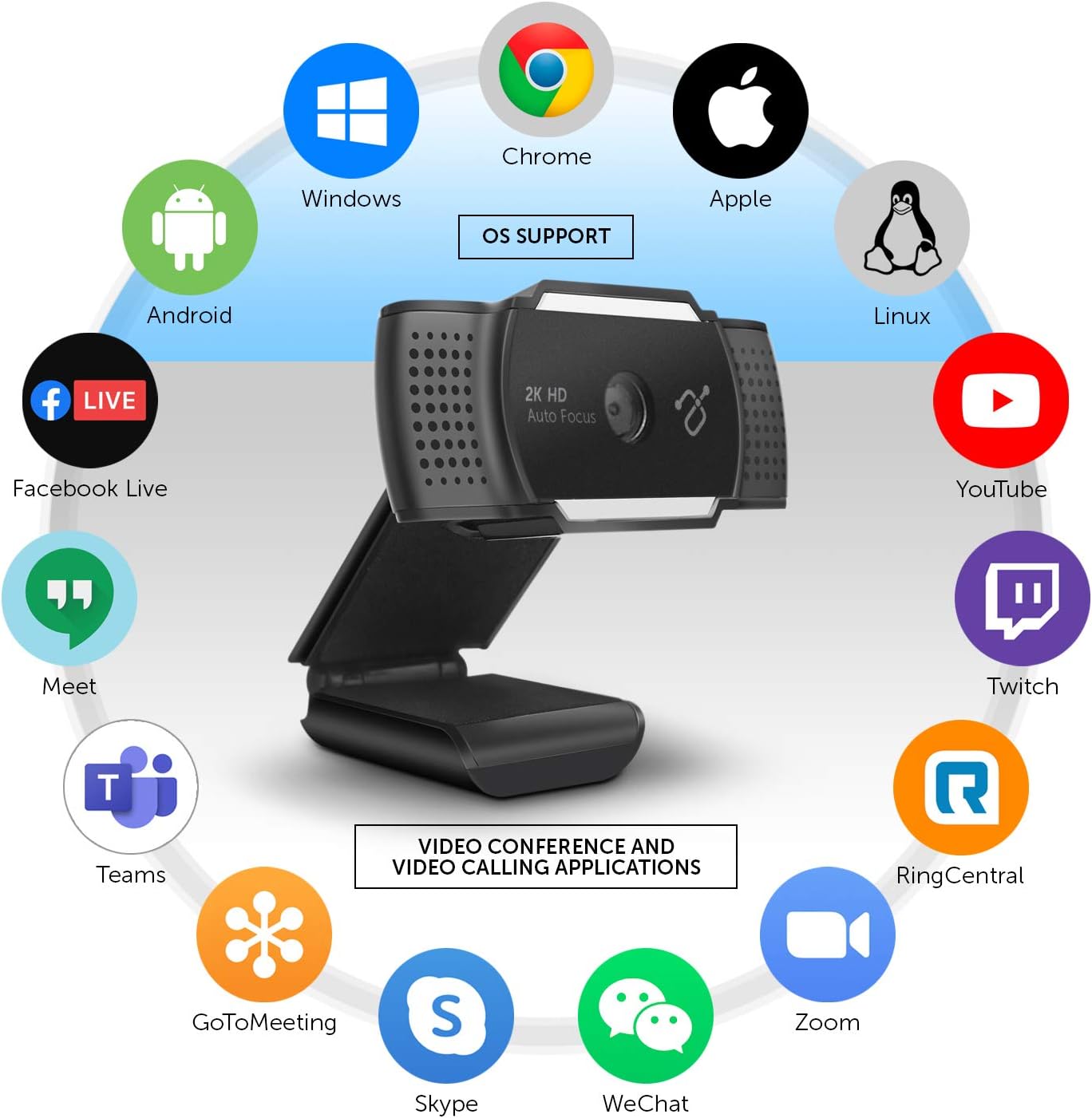
Figure 4: Operating System and Application Compatibility.
Adjusting the Integrated Light
The Aluratek 2K HD Webcam features an integrated light with three adjustable brightness levels to enhance your visibility in various lighting conditions. To cycle through the brightness settings:
- Первое нажатие: Activates the lowest brightness setting.
- Второе нажатие: Increases to medium brightness.
- Третье нажатие: Activates the highest brightness setting.
- Четвертое нажатие: Выключает свет.
This feature is particularly useful for improving image quality in low-light environments or for adding fill light to your face.

Рисунок 5: Передняя часть view принадлежащий webcam, highlighting the integrated light.
The camera eye can also be adjusted up to 30 degrees to perfectly frame your face or desired area.
Обслуживание
To ensure the longevity and optimal performance of your Aluratek 2K HD Webcam, следуйте этим простым рекомендациям по обслуживанию:
- Очистка объектива: Аккуратно протирайте объектив камеры мягкой безворсовой тканью, специально предназначенной для оптики. Избегайте использования абразивных материалов и едких чистящих средств, которые могут поцарапать или повредить объектив.
- Очистка тела: Протрите внешнюю часть webкамера с мягким, дamp Ткань. Не используйте чрезмерное количество влаги и не допускайте попадания воды в отверстия.
- Хранилище: Когда не используется, храните webХранить камеру в чистом, сухом месте, вдали от экстремальных температур и прямых солнечных лучей.
- Уход за кабелем: Avoid bending or crimping the USB cable excessively, as this can damage the internal wires.
- Покрытие конфиденциальности: Utilize the integrated privacy lens cover when the webcam is not in use to protect the lens from dust and ensure privacy.
Поиск неисправностей
If you encounter issues with your Aluratek 2K HD WebДля устранения неполадок, пожалуйста, ознакомьтесь со следующими распространенными шагами по устранению неполадок:
No Image or Video
- Проверьте USB-подключение: Обеспечить webcam's USB cable is securely plugged into a working USB port on your computer. Try a different USB port.
- Перезапустите приложение/компьютер: Close and reopen your video conferencing application. If the issue persists, restart your computer.
- Verify Camera Selection: In your application's video settings, confirm that "Aluratek 2K HD Webcam" is selected as the active camera device.
- Check Privacy Settings: On Windows, go to Настройки > Конфиденциальность > Камера and ensure "Allow apps to access your camera" is enabled. On macOS, go to System Preferences > Security & Privacy > Camera and ensure your application has camera access.
- Покрытие конфиденциальности: Ensure the physical privacy lens cover is open and not obstructing the lens.
Poor Image Quality (Blurry, Dark, Grainy)
- Освещение: Ensure adequate lighting in your environment. Utilize the webcam's integrated light by pressing the button on top of the webcam to cycle through brightness levels.
- Чистая линза: Аккуратно очистите webобъектив камеры мягкой безворсовой тканью.
- Автофокус: The webcam features auto-focus. Ensure there are no obstructions in front of the lens that might interfere with focusing.
- Настройки приложения: Check if your application's video settings allow for resolution adjustments. Higher resolutions require more bandwidth.
No Audio or Poor Audio Quality
- Verify Microphone Selection: In your application's audio settings, confirm that "Aluratek 2K HD Webcam" or a similar entry is selected as the active microphone device.
- Check Microphone Levels: Adjust the microphone input level in your computer's sound settings (Windows: Sound Settings > Sound Control Panel > Recording; macOS: Системные настройки> Звук> Вход).
- Настройки конфиденциальности: On Windows, go to Settings > Privacy > Microphone and ensure "Allow apps to access your microphone" is enabled. On macOS, go to System Preferences > Security & Privacy > Microphone and ensure your application has microphone access.
- Шум окружающей среды: В то время как webcam has noise-cancelling microphones, excessive background noise can still affect audio quality. Try to minimize ambient sounds.
Технические характеристики
| Модель | AWC2KF |
| Разрешение видеозахвата | 2592x1944 (2K HD) |
| Технология фотодатчика | КМОП |
| Поле View | 80 градусов |
| Микрофоны | Dual Stereo Noise Cancelling |
| Особые возможности | Auto Focus, Low Light Correction, Built-in Tripod Mount |
| Технология связи | USB |
| Аппаратная платформа | Мак, ПК, Ноутбук |
| Размеры (ДxШxВ) | 1.25 x 1.25 x 1.25 дюйма |
| Вес товара | 1 унций |
Гарантия и поддержка
Информацию о гарантии и техническую поддержку можно получить на официальном сайте компании Aluratek. webили обратитесь в службу поддержки напрямую. Сохраните чек о покупке в качестве подтверждения покупки на случай предъявления гарантийных претензий.
Aluratek Support: www.aluratek.com/support