
YOGASLEEP 4001220
Руководство пользователя устройства Yogasleep Nod White Noise
Model: 4001220 | Brand: YOGASLEEP
Введение
This manual provides comprehensive instructions for the Yogasleep Nod White Noise Sound Machine, designed to create a peaceful environment for improved sleep for both babies and adults. Please read this manual thoroughly before operating the device.
Основные характеристики
- Soft Amber Night Light: Dimmable night light in a warm amber tone creates a sleep-inducing bedroom environment. Hold button down to turn up the brightness and illuminate the room.
- 20 Sound Settings & Sleep Timer: Sound options include white noise, fan and nature sounds, and 8 classical lullabies. Includes a “shushing” sound and heartbeat setting engineered to soothe infants. Set the sleep timer to 45m, 90m, or 8 hours.
- Unbeatable Quality & Guarantee: For over 60 years, Yogasleep has been the gold standard for white noise machines. Backed by a 30 Day warranty and exceptional Yogasleep customer experience, we stand behind each product.
- Простота использования: No battery required, powered by USB cord and features simple, intuitive design and buttons (power adapter not included).
- Современный вид: Featuring a sleek and neutral design that fits with most nursery themes and bedrooms.

Рисунок 1: Болееview of key features including night light, sound options, and timer.
Настраивать
- Unpack the Yogasleep Nod Sound Machine and Night Light.
- Connect the device to a power source using a USB cord (not included).
- Choose from 20 sound options, including white noise, fan sounds, nature sounds, and lullabies.
- Adjust the brightness of the soft amber night light as desired.
- Set the sleep timer to 45 minutes, 90 minutes, or 8 hours if needed.
- Place the device in the desired location, ensuring it is near the baby or child for optimal sound and light coverage.

Figure 2: The Yogasleep Nod Sound Machine and its USB power connection.
Инструкция по эксплуатации
Включение/выключение питания
Нажимаем кнопку включения (⏻) located on the top panel to turn the device on or off.
Выбор звука
The Yogasleep Nod offers 20 distinct sound options across various categories:
- Белый шум: Includes various white noise and fan sounds. Press the white noise button (☊) repeatedly to cycle through different white noise variations.
- Звуки природы: Features sounds like rain, birds, and other natural environments. Press the nature sound button (☁) repeatedly to cycle through different nature sound variations.
- Lullabies & Soothing Sounds: Includes 8 classical lullabies, a "shushing" sound, and a heartbeat setting. Press the lullaby button (👶) repeatedly to cycle through these options.
Регулятор громкости
Adjust the sound volume using the volume up (🔊+) и уменьшения громкости (🔊-) buttons on the top panel. The device can reach a volume of up to 79dB, effective for masking ambient noise.

Figure 3: The sound machine's ability to provide significant sound output.
Операция ночного света
Нажмите кнопку подсветки (💡) to turn the soft amber night light on or off. To adjust the brightness, press and hold the light button until the desired brightness level is reached. Release the button to set the brightness.
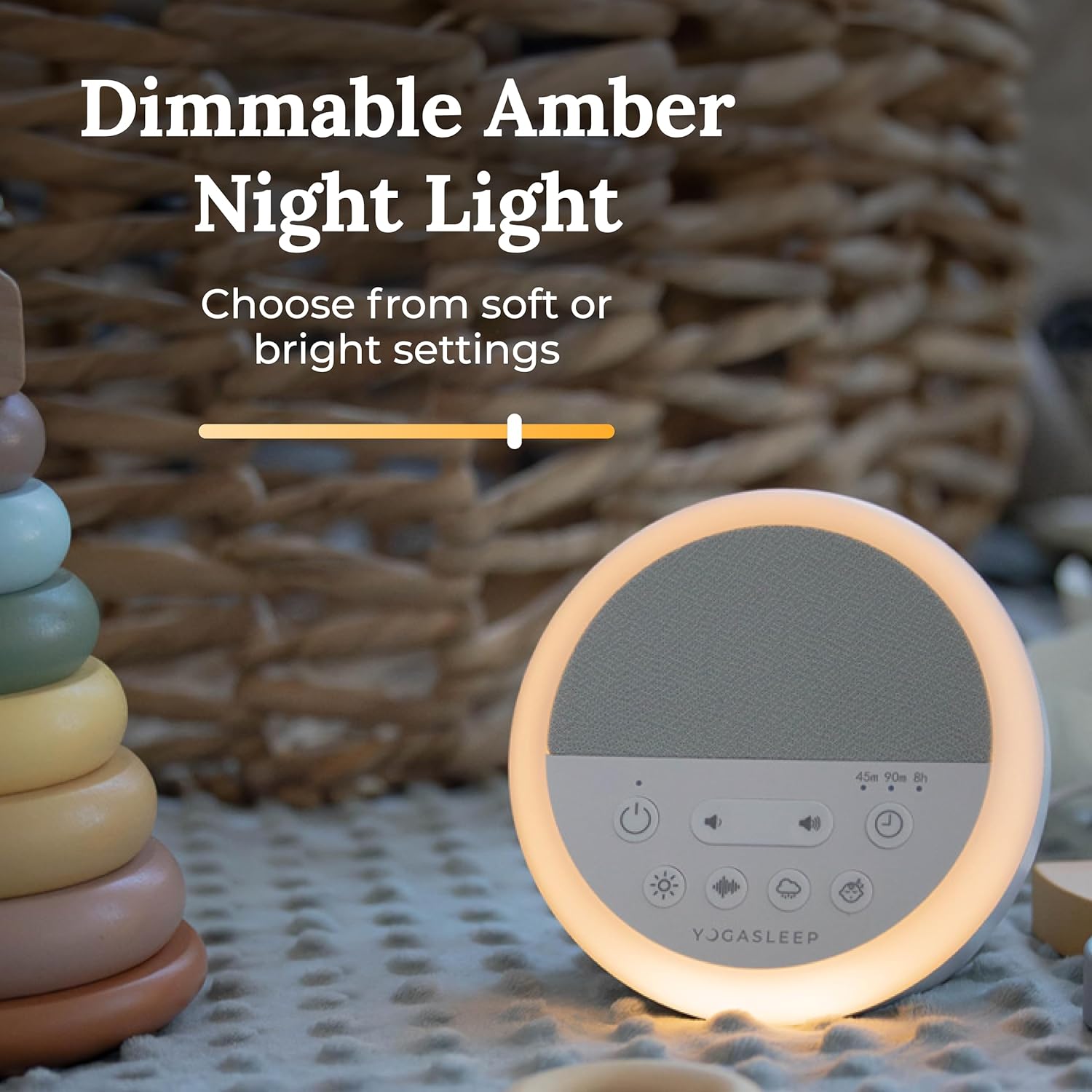
Figure 4: The dimmable amber night light feature.
Таймер сна
The sleep timer allows you to set the device to automatically turn off after a specified duration. Press the timer button (⏱) repeatedly to cycle through the available timer options: 45 minutes, 90 minutes, or 8 hours. The corresponding indicator light will illuminate to show the selected timer setting.

Figure 5: The control panel of the Yogasleep Nod Sound Machine.
Обслуживание
To ensure the longevity and optimal performance of your Yogasleep Nod Sound Machine, follow these simple maintenance guidelines:
- Содержите устройство в чистоте и сухости.
- Для очистки внешней поверхности используйте мягкую сухую ткань. Не используйте абразивные чистящие средства, растворители или агрессивные химикаты.
- Не погружайте устройство в воду или любую другую жидкость.
- Если устройство не используется в течение длительного времени, храните его в прохладном, сухом месте.
Поиск неисправностей
| Проблема | Возможная причина | Решение |
|---|---|---|
| Устройство не включается. | Проблема либо в отсутствии подключения к источнику питания, либо в отсутствии подключения к нему. | Ensure the USB cord is securely connected to the device and a working USB power adapter (not included). Try a different power outlet or USB adapter. |
| Нет звука или искаженный звук. | Volume too low, incorrect sound selected, or speaker obstruction. | Increase the volume using the volume up button. Cycle through sound options to ensure the desired sound is selected. Check for any obstructions on the speaker grille. |
| Ночной свет не работает. | Свет выключен или яркость установлена на минимум. | Press the light button to turn it on. Press and hold the light button to increase brightness. |
| Таймер работает некорректно. | Incorrect timer setting selected. | Press the timer button repeatedly to select the desired duration (45m, 90m, or 8h). Ensure the corresponding indicator light is on. |
В случае возникновения постоянных проблем, не описанных здесь, пожалуйста, обратитесь к разделу «Гарантия и поддержка».
Технические характеристики
| Атрибут | Деталь |
|---|---|
| Вес товара | 0.917 унции |
| Размеры продукта | 4.6 x 3.4 x 4.4 дюйма |
| ASIN | B08FMTY28V |
| Номер модели товара | 4001220 |
| Название цвета | Белый |
| Тип разъема | USB |
| Тип материала | Plastic or Polymer |
| Размер | 1 шт. (Упаковка из 1 шт.) |
| Источник питания | Проводной электрический |
| Бренд | йогаспать |
Гарантия и поддержка
The Yogasleep Nod White Noise Sound Machine is backed by a 30-day warranty, ensuring quality and customer satisfaction. For detailed warranty information, please refer to the official Warranty PDF document.
For further assistance, troubleshooting, or to access the complete user guide, please refer to the following resources:
- Гарантийный документ (PDF)
- Руководство пользователя (PDF)
- Visit the official Yogasleep store for more information and support: YOGASLEEP Store
Yogasleep is committed to providing an exceptional customer experience. Do not hesitate to reach out if you have any questions or concerns.
Ask a question about this manual
Ask about setup, troubleshooting, compatibility, parts, safety, or missing instructions. Manuals+ will review the question and use this page’s manual context to help answer it.