
1. Введение
The FreedConn TCOM-SC is a Bluetooth communication system designed for motorcycle helmets. It allows for wireless communication, music streaming, FM radio, and GPS voice instructions, enhancing safety and convenience during rides. This manual provides detailed instructions for installation, operation, and maintenance of your TCOM-SC unit.
2. Особенности продукта
- Bluetooth 3.0 For stable wireless connections.
- Функция внутренней связи: Supports pairing of up to 3 riders, with 2 riders communicating simultaneously over a range of up to 800 meters.
- ЖК-дисплей: Provides clear visual information on status, battery, and FM radio frequency.
- Водонепроницаемый дизайн: Обеспечивает надежную работу в различных погодных условиях.
- FM-радио: Встроенное FM-радио для развлечения.
- Улучшенная система шумоподавления: Reduces background noise for clear audio.
- Воспроизведение музыки: Stereo music streaming with playback control.
- Аккумуляторная батарея: Long standby time and usage duration.
- Универсальная совместимость: Suitable for full-face and flip-up helmets.

Изображение: Оверview of FreedConn TCOM-SC product features, including 3-rider connection, 800m duplex intercom, phone connectivity, last number redial, FM radio, advanced noise control, stereo music, playback control, individual volume control, rechargeable battery, waterproof, sunproof, dustproof, and hard & soft microphone options.
3. Содержимое упаковки
Пожалуйста, проверьте комплектацию, чтобы убедиться в наличии всех предметов:
- 1 x Intercom Host
- 1 x Headset (Soft Mic/Hard Mic options)
- 1 х USB-кабель
- 1 x 3M Clip
- 1 х зажима
- 1 х Отвертка
- 1 х Руководство пользователя
- 6 x Headset Velcro Pads

Image: Visual representation of the FreedConn TCOM-SC package contents, including the intercom host, headset with microphone, USB cable, mounting clips, screwdriver, user manual, and headset velcro pads.
4. Продукт закончилсяview и компоненты
Familiarize yourself with the main components of the TCOM-SC unit:
- ЖК-экран: Показывает рабочее состояние.
- Колесо Jog: Multi-function control for volume, track skipping, and menu navigation.
- Многофункциональная кнопка: For power, intercom, and phone calls.
- Разъем для зарядного устройства и гарнитуры: For connecting the charging cable and headset.
- Стереодинамики: Для аудиовыхода.
- Микрофон с функцией шумоподавления: Available in hard cable (boom mic) and soft cable (flexible mic) versions.

Image: Diagram illustrating the components of the FreedConn TCOM-SC headset, including stereo ear speakers, power on/off and intercom button, LCD display screen, jog wheel, multi-function button, charger and headset socket, noise canceling microphone (hard and soft cable options), and slot cable.
5. Установка
Follow these steps to install the TCOM-SC unit on your helmet:
- Выберите способ крепления: Выберите между вариантамиamp mount (for helmets with an edge) or the adhesive mount (for helmets without a suitable edge).
- Прикрепить крепление: Securely attach the chosen mount to the left side of your helmet.
- Insert Intercom Unit: Slide the TCOM-SC unit onto the mount until it clicks into place.
- Установка динамиков: Attach the Velcro pads to the inside of your helmet, then place the stereo speakers over the Velcro pads, aligning them with your ears.
- Установить микрофон: For full-face helmets, use the soft cable microphone and position it inside the chin bar. For open-face or flip-up helmets, use the hard cable boom microphone and position it in front of your mouth.
- Подключить гарнитуру: Plug the headset cable into the headset socket on the TCOM-SC unit.
- Проложите кабели: Neatly tuck all cables under the helmet padding to avoid obstruction and ensure comfort.
6. Зарядка аккумулятора
The TCOM-SC unit is powered by a rechargeable battery. Ensure it is fully charged before first use.
- Connect the provided USB cable to the charging port on the TCOM-SC unit.
- Подключите другой конец USB-кабеля к USB-адаптеру питания (не входит в комплект) или к USB-порту компьютера.
- На ЖК-дисплее будет отображаться состояние зарядки.
- Обычно зарядка занимает около 2.5 часов.
- A full charge provides up to 10 hours of phone calling time, 8 hours of intercom time, and up to 300 hours of standby time.
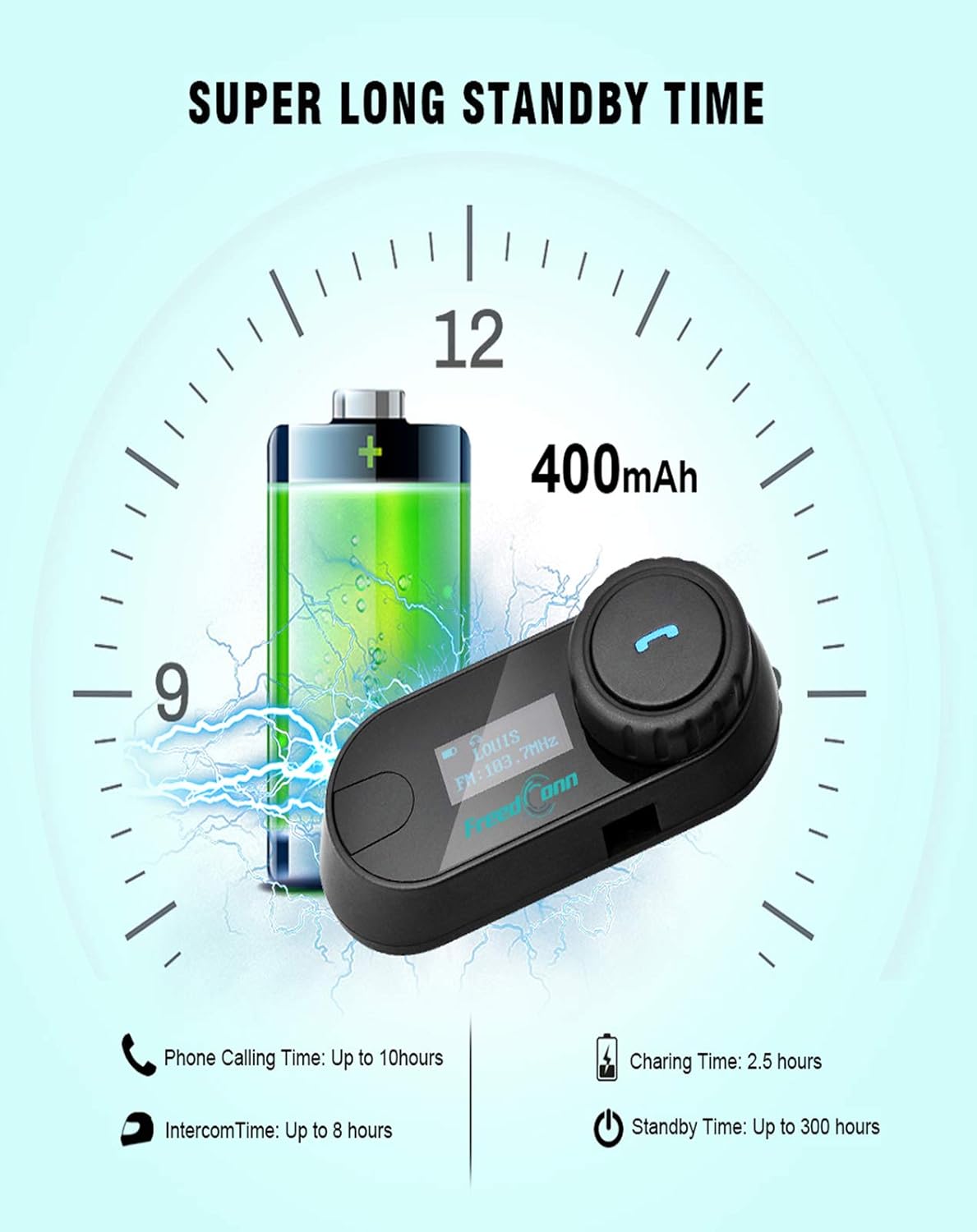
Image: Illustration of FreedConn TCOM-SC battery life and charging details, showing a 400mAh battery, 2.5 hours charging time, up to 10 hours phone calling time, up to 8 hours intercom time, and up to 300 hours standby time.
7. Основные операции
7.1 Включение/выключение питания
- Включение питания: Press and hold the Multi-function Button for approximately 3 seconds until you hear a voice prompt and the LCD screen illuminates.
- Выключение: Press and hold the Multi-function Button for approximately 5 seconds until you hear a voice prompt and the LCD screen turns off.
7.2 Регулировка громкости
- Rotate the Jog Wheel forward to increase volume.
- Rotate the Jog Wheel backward to decrease volume.
8. Сопряжение по Bluetooth
8.1 Сопряжение с мобильным телефоном
- Убедитесь, что устройство TCOM-SC выключено.
- Press and hold the Multi-function Button for approximately 5-7 seconds until the LCD screen shows "Pairing" and the indicator light flashes red and blue alternately.
- На своем мобильном телефоне включите Bluetooth и выполните поиск устройств.
- Select "FreedConn TCOM-SC" from the list of available devices.
- If prompted, enter the PIN code "0000".
- Once paired, the LCD will show "Connected" and the indicator light will flash blue slowly.
8.2 Сопряжение с другим устройством TCOM-SC (домофоном)
To establish intercom communication between two TCOM-SC units:
- Убедитесь, что оба блока TCOM-SC выключены.
- On both units, press and hold the Multi-function Button for approximately 5-7 seconds until they enter pairing mode (red and blue indicator lights flashing alternately).
- Briefly press the Multi-function Button on один of the units. It will search for the other unit.
- Once connected, both units will show "Intercom" on their LCD screens and the indicator lights will flash blue slowly.
For multi-rider intercom (up to 3 units), repeat the pairing process with the third unit, ensuring only two units are actively communicating at any given time.
9. Функции управления
9.1 Телефонные звонки
- Ответ на звонок: Кратковременно нажмите многофункциональную кнопку.
- Завершить звонок: Кратковременно нажмите многофункциональную кнопку.
- Отклонить вызов: Нажмите и удерживайте многофункциональную кнопку в течение 2 секунд.
- Повторный набор последнего номера: Дважды нажмите многофункциональную кнопку.
9.2 Воспроизведение музыки
- Воспроизведение/Пауза: Кратковременно нажмите многофункциональную кнопку.
- Следующий трек: Rotate the Jog Wheel forward and hold for 2 seconds.
- Предыдущий трек: Rotate the Jog Wheel backward and hold for 2 seconds.
9.3 FM-радио
- Включить/выключить FM: Double-press the Multi-function Button to switch between music/intercom and FM radio.
- Станции сканирования: Для смены станции вращайте ползунок вперед или назад.
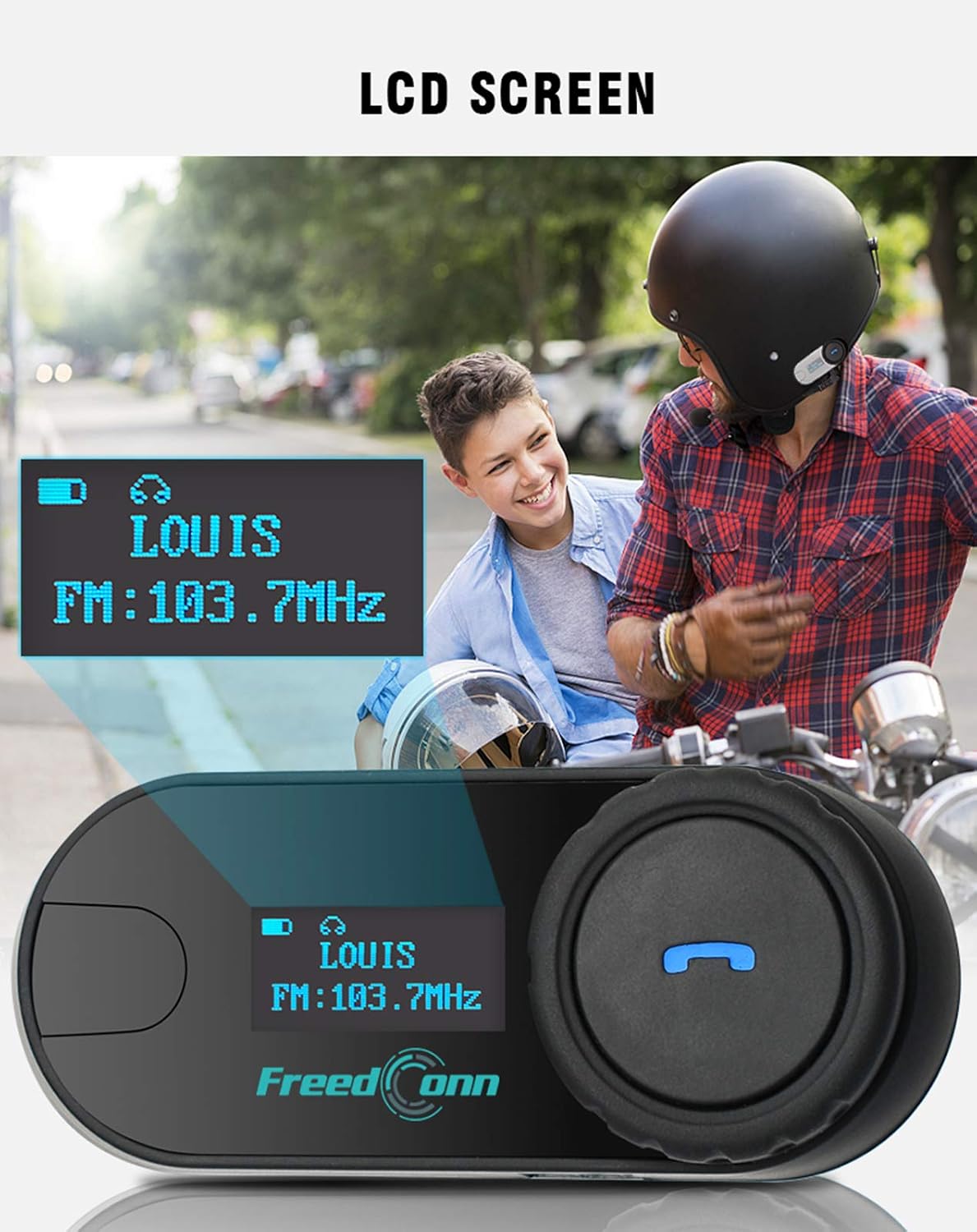
Изображение: Крупный план view of the FreedConn TCOM-SC LCD screen, displaying information such as connected device name (e.g., LOUIS) and FM radio frequency (e.g., FM: 103.7MHz).
10. Техническое обслуживание
- Очистите устройство мягким, damp ткань. Не используйте агрессивные химикаты или растворители.
- Для обеспечения водонепроницаемости убедитесь, что крышка зарядного порта плотно закрыта, когда зарядка не производится.
- Когда устройство не используется, храните его в сухом прохладном месте.
- Не подвергайте устройство воздействию экстремальных температур.

Image: The FreedConn TCOM-SC unit shown with water splashing around it, illustrating its waterproof, sun protection, and dust-proof capabilities, highlighting its durable and protective design.
11. Поиск Неисправностей
- Нет питания: Убедитесь, что аккумулятор заряжен. Подключите зарядное устройство и повторите попытку.
- Невозможно выполнить сопряжение: Make sure both devices are in pairing mode. Turn off and restart both devices, then try pairing again. Ensure no other Bluetooth devices are interfering.
- Нет звука: Check volume levels on both the TCOM-SC and the connected device. Ensure the headset is properly plugged into the unit.
- Отключение домофона: Ensure units are within the 800m range and there are no major obstructions. Re-establish the intercom connection.
- Плохое качество звука: Check microphone placement. Ensure speakers are correctly positioned over your ears. Reduce background noise if possible.
12. Технические характеристики
| Номер модели | ТКОМ-СК |
| Версия Bluetooth | 3.0 |
| Диапазон внутренней связи | До 800 метров (2 всадников) |
| Емкость аккумулятора | 400мАч |
| Время телефонного разговора | До 10 часов |
| Время внутренней связи | До 8 часов |
| Время в режиме ожидания | До 300 часов |
| Время зарядки | Примерно 2.5 часа |
| Уровень водонепроницаемости | Водонепроницаемый |
| Размеры продукта | 1.22 x 0.98 x 3.19 дюйма |
| Вес товара | 10.2 унции |
13. Гарантия и поддержка
Информацию о гарантии и техническую поддержку можно получить на официальном сайте FreedConn. webна сайте или обратитесь к продавцу. Сохраните чек в качестве подтверждения покупки.