
Введение
This manual provides essential information and instructions for using your new OPPO F23 5G smartphone. Please read this manual thoroughly before using the device to ensure proper operation and to maximize its features. Keep this manual for future reference.
1. Настройка
1.1 Распаковка и комплектация
Проверьте наличие всех предметов в упаковке:
- OPPO F23 5G Smartphone
- Адаптер
- USB-кабель
- Чехол для телефона
- Выталкиватель лотка SIM-карты
- Защитная пленка для экрана (предварительно нанесенная или в коробке)

Image: Contents of the OPPO F23 5G retail box, showing the smartphone, charger, USB cable, protective case, and SIM ejector tool.
1.2 Установка SIM-карты
The OPPO F23 5G supports Dual Hybrid 5G SIM cards (Nano-SIM size).
- Найдите лоток для SIM-карты на боковой панели устройства.
- Вставьте инструмент для извлечения лотка SIM-карты в небольшое отверстие рядом с лотком и аккуратно нажмите, пока лоток не выдвинется.
- Place your Nano-SIM card(s) and/or microSD card (for storage expansion up to 1TB) into the tray with the gold contacts facing down. Ensure they are correctly seated.
- Аккуратно вставьте лоток обратно в телефон.

Изображение: крупный план view of the side of the OPPO F23 5G, highlighting the SIM card tray slot.
1.3 Первоначальное включение и настройка
To power on your device, press and hold the Power button located on the side until the OPPO logo appears. Follow the on-screen instructions to complete the initial setup, which includes selecting your language, connecting to Wi-Fi, and setting up your Google account.
1.4 Зарядка аккумулятора
The OPPO F23 5G is equipped with a 5000 mAh battery and supports 67W SUPERVOOC charging. Use the provided adapter and USB Type-C cable for optimal charging speed.
- Connect the USB cable to the adapter and then to the phone's USB Type-C port.
- Подключите адаптер к розетке.
- На экране появится анимация зарядки.

Image: The OPPO F23 5G connected to its 67W SUPERVOOC charger, displaying a fast-charging animation on the screen.
2. Управление вашим устройством
2.1 Дисплей и навигация
The device features a 6.72-inch FHD+ display with a 120Hz refresh rate, providing a smooth visual experience. Navigate using touch gestures or the on-screen navigation bar.
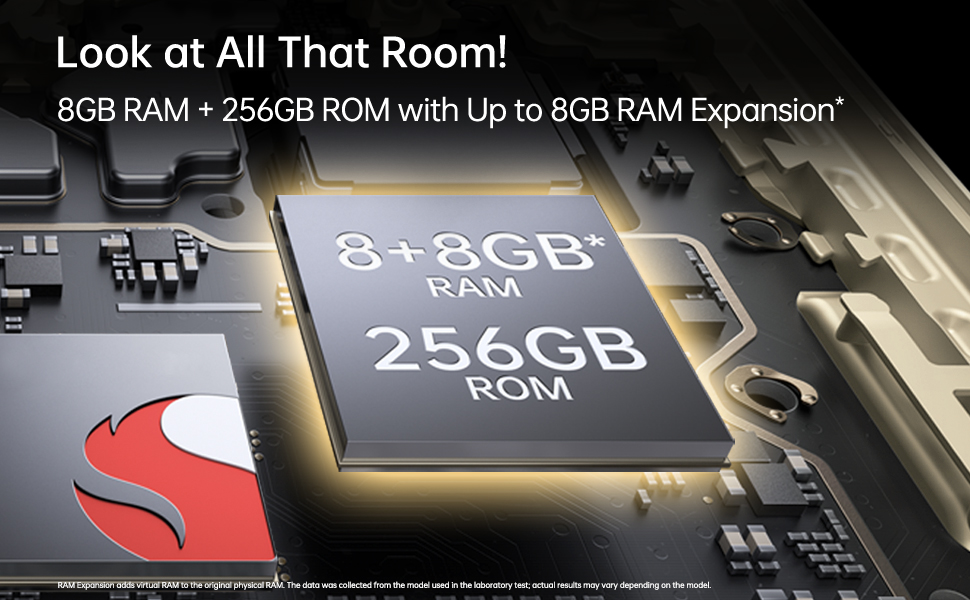
Image: The OPPO F23 5G display showcasing its 120Hz refresh rate and 6.72-inch FHD+ screen.
2.2 Функции камеры
The OPPO F23 5G is equipped with a versatile camera system:
- Задняя камера: 64MP Main, 2MP Monochrome, 2MP Microscope lens. Features include AI Color Portrait and Dual View Видео.
- Фронтальная камера: 32 Мп для селфи высокого разрешения.
To access the camera, tap the Camera icon on your home screen. Select different modes like Photo, Video, Portrait, and Microscope from the interface.
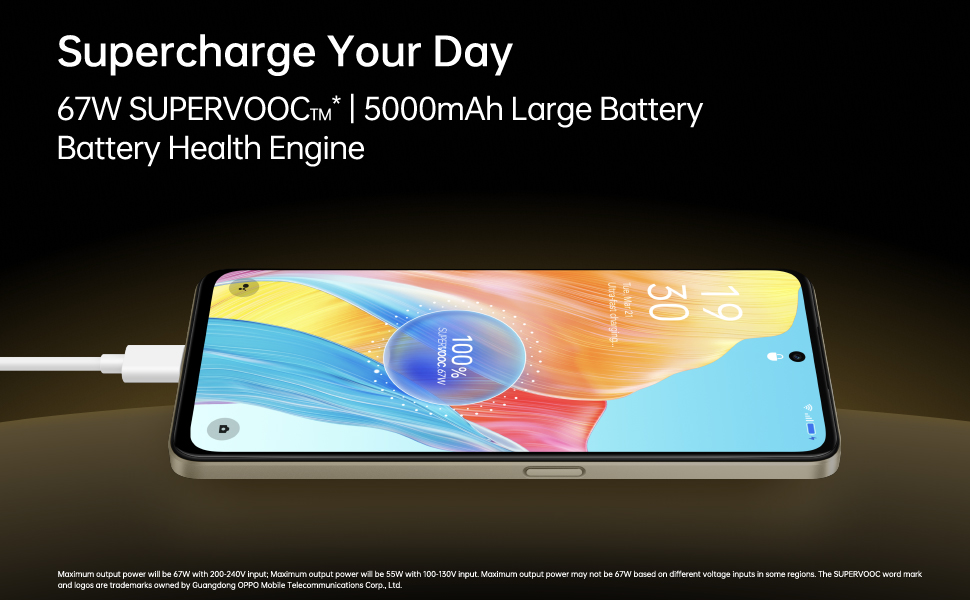
Image: A composite image demonstrating the OPPO F23 5G's camera capabilities, including a person taking a selfie with the 32MP front camera, a sample image from the 64MP AI camera, and a close-up shot using the 40x microlens.

Изображение: Подробный view of the OPPO F23 5G's rear camera module, highlighting the triple camera setup and the 40x microscope lens.
2.3 Память и хранилище
The device comes with 8GB RAM and 256GB internal storage (ROM). RAM can be expanded virtually by up to an additional 8GB. Storage is expandable up to 1TB via a microSD card.
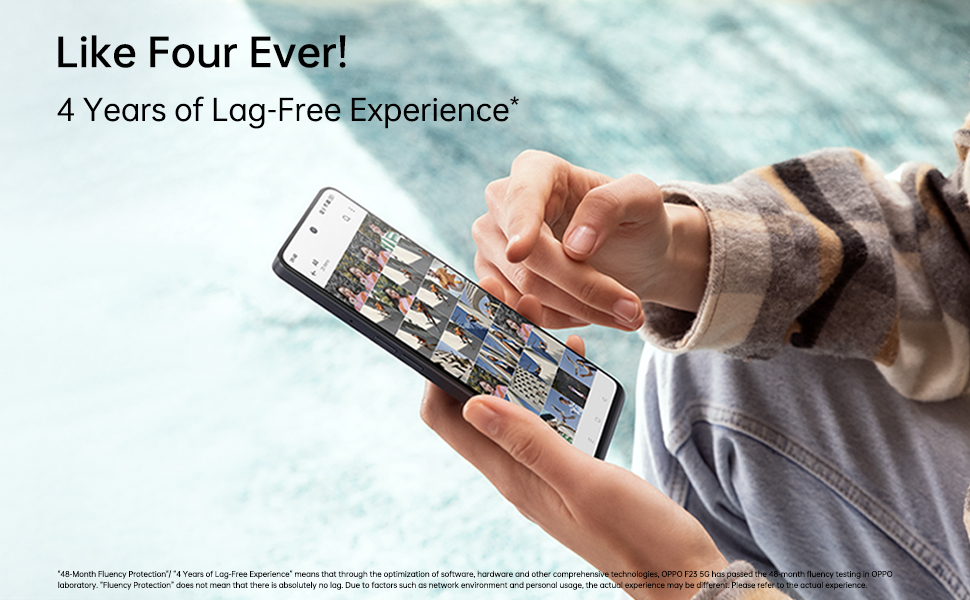
Image: An illustration depicting the OPPO F23 5G's memory and storage capabilities, showing 8GB RAM, 256GB ROM, and the option for 8GB RAM expansion.
2.4 Функции безопасности
Unlock your phone securely using:
- Датчик отпечатков пальцев: Integrated into the power button for quick and convenient access.
- Распознавание лица: Используйте распознавание лица для разблокировки устройства.
Set up these features in Настройки > Пароль и биометрия.
2.5 Связь
The OPPO F23 5G supports various connectivity options:
- Сотовая связь: 5G network compatibility.
- Беспроводная связь: Wi-Fi и Bluetooth.
- Wired: USB Type-C port for charging and data transfer, 3.5 mm headphone jack.
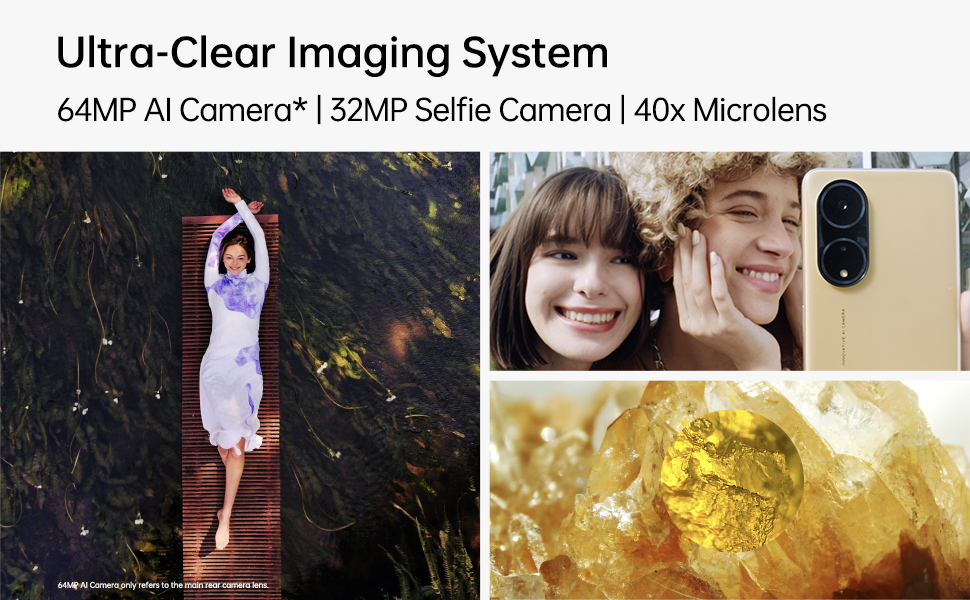
Image: A person interacting with the OPPO F23 5G, demonstrating the device's smooth performance and user experience.
3. Техническое обслуживание
3.1 Уход за аккумулятором
To prolong battery life and maintain performance:
- Избегайте экстремальных температур.
- Use only the original OPPO charger and cable.
- The device features a Battery Health Engine to optimize charging and extend battery lifespan.
3.2 Обновления программного обеспечения
Регулярно проверяйте наличие обновлений программного обеспечения и устанавливайте их, чтобы ваше устройство имело новейшие функции, исправления безопасности и улучшения производительности. Перейти к Настройки > Об устройстве > Актуально для проверки обновлений.
3.3 Очистка устройства
Use a soft, lint-free cloth to clean the screen and body of your phone. Avoid using harsh chemicals or abrasive materials. The device has a Water Resistant level, but avoid submerging it in water.
4. Поиск Неисправностей
4.1 Общие проблемы и решения
- Устройство не включается: Убедитесь, что аккумулятор заряжен. Нажмите и удерживайте кнопку питания не менее 10 секунд, чтобы принудительно перезагрузить устройство.
- Проблемы с зарядкой: Check if the charger and cable are securely connected. Try a different power outlet.
- Проблемы с сетевым подключением: Ensure SIM card is correctly inserted. Try restarting the device. Check network settings in Настройки > Мобильная сеть.
- Приложения вылетают или зависают: Закройте и снова откройте приложение. Очистите кэш приложения (Настройки > Приложения > Управление приложениями > [Название приложения] > Использование хранилища > Очистить кэш). Перезагрузите телефон.
4.2 Сброс к заводским настройкам
Если у вас постоянно возникают проблемы, их может решить сброс настроек к заводским настройкам. Предупреждение: Это приведет к удалению всех данных на вашем телефоне. Перед продолжением сделайте резервную копию важных данных. Перейдите по ссылке: Настройки > Системные настройки > Резервное копирование и сброс > Сброс телефона > Удалить все данные.
5. Технические характеристики
| Особенность | Деталь |
|---|---|
| Бренд | ОППО |
| Модель | Ф23 5Г |
| Операционная система | Андроид 13.0 |
| БАРАН | 8 GB (+ up to 8GB RAM Expansion) |
| Внутреннее хранилище | 256 ГБ ПЗУ (расширяемое до 1 ТБ) |
| Модель ЦП | Snapdragon (2.4 GHz) |
| Емкость аккумулятора | 5000 мАч литий-ион. |
| Зарядка | 67W SUPERVOOC (approx. 18 mins for full charge) |
| Задняя камера | 64MP Main + 2MP Monochrome + 2MP Microscope |
| Передняя камера | 32МП |
| Размер дисплея | 6.72 inches (17.07 cm) FHD+ Punch-hole |
| Частота обновления | 120 Гц |
| Разрешение | 2400 x 1080 пикселей (1080p) |
| Тип SIM-карты | Dual Hybrid 5G SIM (Nano) |
| Связность | 5G, Wi-Fi, Bluetooth, USB Type C, 3.5 mm Jack |
| Безопасность | Fingerprint Sensor, Face Recognition |
| Водостойкость | Водостойкий |
| Размеры | 16.6 x 7.6 x 0.8 сантиметров |
| Масса | 192 грамм |
6. Гарантия и поддержка
6.1 Информация о гарантии
Your OPPO F23 5G comes with a limited warranty:
- Телефон: 12 месяцев с момента покупки.
- Adapter & Cable: 6 месяцев с момента покупки.
Пожалуйста, сохраните документ, подтверждающий покупку, для претензий по гарантии.
6.2 Поддержка клиентов
За технической помощью, обслуживанием или другими вопросами обращайтесь в службу поддержки клиентов OPPO:
- Производитель: OPPO Mobiles India Pvt Ltd
- Адрес: 5-й ЭТАЖ, Башня B, ЗДАНИЕ, N-8, DLF Cyber City, DLF Phase 2, Гургаон, Харьяна 122002
- Бесплатный номер: 18001032777