
Введение
This manual provides detailed instructions for the installation, operation, and maintenance of your Foscam D2EP IP Camera. The D2EP is a high-definition 2-megapixel outdoor security camera designed for reliable surveillance with features such as infrared night vision, smart motion detection, and wired connectivity. Please read this manual thoroughly before using the product to ensure correct setup and optimal performance.
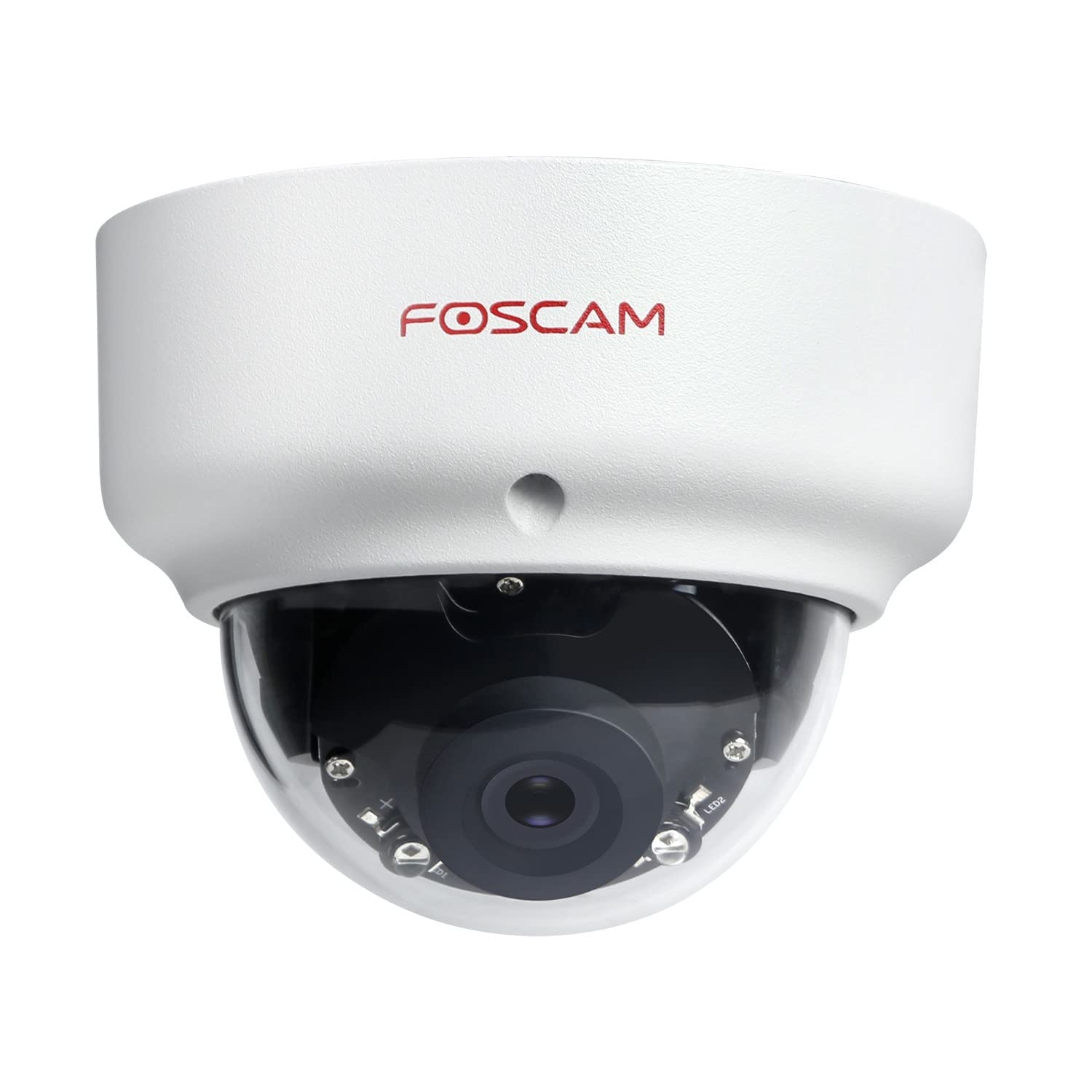
Image: The Foscam D2EP IP Camera, showcasing its compact, dome-shaped design suitable for outdoor environments.
1. Настройка и установка
1.1 Содержимое упаковки
Перед началом установки убедитесь, что в упаковке присутствуют все компоненты:
- Foscam D2EP IP Camera
- Монтажные винты и дюбели
- Ethernet-кабель
- Адаптер питания
- Краткое руководство по установке

Image: Foscam D2EP IP Camera with its power and Ethernet cables, illustrating the main components included in the box.
1.2 Физическая установка
The Foscam D2EP camera is designed for outdoor use with an IP66 waterproof rating. Choose a suitable location that provides the desired viewing angle and is within reach of a power source and network connection.
- Место установки: Identify a secure mounting surface, such as a wall or ceiling, that offers a clear view территории, которую вы хотите контролировать.
- Отверстия для сверления: Use the provided mounting template (if included) or the camera base to mark and drill pilot holes for the mounting screws. Insert wall plugs if mounting on masonry.
- Безопасная камера: Надежно закрепите основание камеры на монтажной поверхности с помощью прилагаемых винтов.
- Отрегулируйте угол: Loosen the adjustment screws on the camera body to position the lens for the optimal viewing angle. Tighten the screws once the desired angle is achieved.

Image: Foscam D2EP IP Camera mounted under an outdoor patio roof, demonstrating a typical installation scenario for outdoor surveillance.
1.3 Подключение к сети и электропитанию
- Подключите кабель Ethernet: Подключите один конец кабеля Ethernet к сетевому порту камеры, а другой конец — к маршрутизатору или сетевому коммутатору.
- Подключите адаптер питания: Plug the power adapter into the camera's power input and then into a suitable electrical outlet.
- Световой индикатор: Wait for the camera's indicator light to show a stable status, indicating it is powered on and connected to the network. Refer to the Quick Installation Guide for specific indicator light behaviors.
1.4 Начальная конфигурация
To access and configure your camera, download the Foscam app on your smartphone or use the Foscam client software on your computer.
- Скачать приложение/программу: Искать "Foscam" in your app store (iOS/Android) or visit the official Foscam website for desktop software.
- Добавить камеру: Follow the in-app or software instructions to add your D2EP camera. This typically involves scanning a QR code on the camera or manually entering its UID.
- Установка пароля: В целях безопасности немедленно меняйте пароль по умолчанию при первом доступе.
- Настройки сети: Configure any necessary network settings, such as static IP (if required by your network).
2. Инструкция по эксплуатации
2.1 Прямой эфир View и запись
Once configured, you can access the live video feed from your Foscam D2EP camera through the Foscam app or desktop client.
- Жить View: Выберите свою камеру из списка устройств, чтобы view the real-time 1080p HD video stream.
- Ручная запись: Most Foscam applications allow you to manually start and stop video recordings directly from the live view интерфейс.
- Снимок: Снимайте неподвижные изображения из прямой трансляции.
2.2 Обнаружение движения
The D2EP features smart motion detection to alert you to activity in the monitored area.
- Включить обнаружение движения: Navigate to the camera settings in the Foscam app/software and enable motion detection.
- Configure Detection Area: Определите конкретные области в пределах камеры view where motion should be detected, ignoring irrelevant zones.
- Отрегулируйте чувствительность: Set the motion detection sensitivity to minimize false alarms while ensuring important events are captured.
- Настройки уведомлений: Configure how you receive alerts (e.g., push notifications, email).
2.3 Дневное и ночное видение
The camera automatically switches between day (color) and night (infrared black and white) vision modes based on ambient light conditions. The infrared LEDs provide clear vision up to 20 meters in low-light environments.
2.4 Amazon Alexa Compatibility
The Foscam D2EP camera is compatible with Amazon Alexa, allowing for voice control and integration into your smart home system. Refer to the Foscam website or Alexa app for detailed instructions on linking your Foscam account and controlling your camera via Alexa commands.
3. Техническое обслуживание
3.1 Чистка камеры
Regularly clean the camera lens and housing to ensure optimal image quality and prevent debris buildup, especially for outdoor installations.
- Используйте мягкий, damp тряпочка для протирки корпуса фотоаппарата.
- Для чистки линз используйте специальную салфетку и раствор, чтобы избежать царапин.
- Не используйте агрессивные химикаты или абразивные материалы.
3.2 обновлений прошивки
Foscam regularly releases firmware updates to improve camera performance, add new features, and enhance security. It is recommended to keep your camera's firmware up to date.
- Check for updates through the Foscam app or desktop client.
- Follow the on-screen instructions carefully during the update process. Do not power off the camera during an update.
4. Поиск Неисправностей
4.1 Камера не подключается к сети
- Проверьте кабели: Ensure the Ethernet cable is securely connected to both the camera and the router/switch.
- Власть: Verify the camera is powered on and the power adapter is working correctly.
- Статус маршрутизатора: Confirm your router is functioning and providing network access.
- Конфликт IP-адресов: If using a static IP, ensure it does not conflict with other devices on your network. Try DHCP first.
- Сбросить настройки камеры: If issues persist, perform a factory reset (refer to the Quick Installation Guide for reset button location and procedure).
4.2 Плохое качество изображения
- Чистая линза: Убедитесь, что объектив камеры чистый и на нем нет грязи или пятен.
- Освещение: Verify adequate lighting in the monitored area during the day.
- Ночное видение: In night mode, ensure there are no obstructions blocking the infrared LEDs.
- Настройки разрешения: Check that the camera's resolution is set to 1080p (2MP) in the app/software settings.
4.3 Обнаружение движения не работает или слишком много ложных срабатываний
- Включить функцию: Confirm motion detection is enabled in the camera settings.
- Зона обнаружения: Adjust the detection zone to cover only relevant areas.
- Чувствительность: Increase sensitivity if events are missed; decrease if there are too many false alarms (e.g., from moving trees, shadows).
- Расписание: Check if motion detection is scheduled to be active during the desired times.
5. Технические характеристики
| Название модели | D2EP |
| Бренд | Фоскам |
| Разрешение | 2 мегапикселя (1080p) |
| Технология связи | Проводной |
| Рекомендуемое использование | Уличная камера безопасности |
| Устойчивость к погодным условиям | Водонепроницаемость IP66 |
| Диапазон ночного видения | До 20 метров (инфракрасное излучение) |
| Основные характеристики | Motion Sensor, Day/Night Vision, Amazon Alexa Compatible |
6. Информация о гарантии
The Foscam D2EP IP Camera comes with a Гарантия 2 год from the date of purchase. This warranty covers manufacturing defects and ensures the product functions as described under normal use. Please retain your proof of purchase for warranty claims. For detailed warranty terms and conditions, please visit the official Foscam webсайт.
7. Поддержка клиентов
If you encounter any issues or have questions regarding your Foscam D2EP IP Camera that are not covered in this manual, please refer to the following resources:
- Официальный Foscam Webсайт: Посещать www.foscam.com for FAQs, support articles, and the latest firmware.
- Техническая поддержка: Contact Foscam technical support directly via their webсайт или контактную информацию, указанную на упаковке вашего продукта.