
1. Введение
This manual provides essential information for setting up, operating, maintaining, and troubleshooting your Samsung Galaxy A20e smartphone. Please read this manual carefully to ensure proper use and to maximize the device's features.
The Samsung Galaxy A20e offers an immersive 5.8-inch Infinity-V display, a versatile dual rear camera system, and a secure fingerprint reader. It is designed for everyday use with expandable storage and fast charging capabilities.
2. Что в коробке
Upon unboxing your Samsung Galaxy A20e, verify that all the following components are included:
- Смартфон Samsung Galaxy A20e
- Адаптер для зарядки
- USB Type-C Кабель
- Audio Headphones with Microphone
- Штифт для извлечения SIM-карты
- Краткое руководство и информация о гарантии
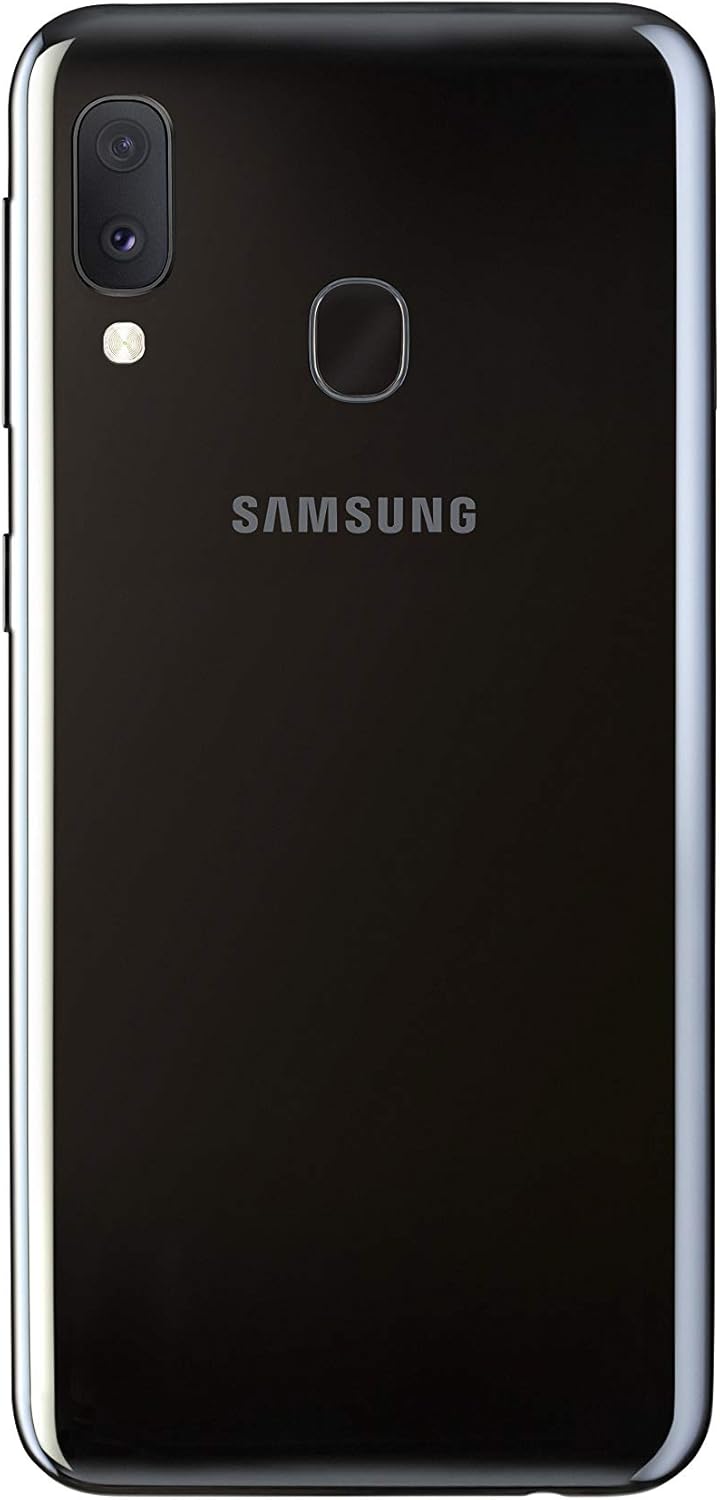
Image: Samsung Galaxy A20e smartphone and its standard accessories.
3. Начальная настройка
3.1 Установка SIM-карты и карты MicroSD
- Найдите лоток для SIM-карты на боковой панели устройства.
- Вставьте штифт для извлечения SIM-карты в небольшое отверстие на лотке, чтобы открыть его.
- Place your Nano-SIM card(s) and/or microSD card into the tray with the gold contacts facing down. The Galaxy A20e supports two SIM cards and one microSD card simultaneously.
- Аккуратно задвиньте лоток обратно в гнездо до щелчка.

Image: SIM and microSD card tray for the Galaxy A20e.
3.2 Зарядка аккумулятора
Before first use, fully charge the device battery. Connect the USB Type-C cable to the charging adapter and then to the phone's charging port. Plug the adapter into a power outlet. The device supports 15W fast charging.
3.3 Включение/выключение питания
- Включение: нажмите и удерживайте клавишу питания, пока не появится логотип Samsung.
- Чтобы выключить устройство: нажмите и удерживайте клавишу питания, затем нажмите «Выключить» на экране.
4. Основные операции
4.1 Навигация по интерфейсу
The Galaxy A20e runs on Android 9.0 (Pie). Use touch gestures to navigate:
- Кран: Выберите элемент или откройте приложение.
- Проведите пальцем по экрану: Перемещайтесь между экранами или прокручивайте списки.
- Ущипнуть: Увеличивайте или уменьшайте масштаб фотографий и web страниц.
4.2 Совершение звонков и отправка сообщений
Use the Phone app to make calls and the Messages app to send and receive text messages. Ensure your SIM card is properly inserted and activated.
4.3 Подключение к Wi-Fi и Bluetooth
Access the Quick Settings panel by swiping down from the top of the screen. Tap the Wi-Fi or Bluetooth icons to enable/disable and connect to available networks or devices.
5. Характеристики камеры
The Galaxy A20e is equipped with a dual rear camera system and a front camera for capturing various moments.
- Двойная задняя камера: Capture detailed photos and wider landscapes with the ultra-wide-angle lens. The main optical sensor resolution is 13 MP.
- Фронтальная камера: The front camera is ideal for selfies and video calls.
- Видеозапись: Record videos in 1080p resolution.
Изображение: сзади view of the Galaxy A20e, showing the dual camera.
6. Функции дисплея
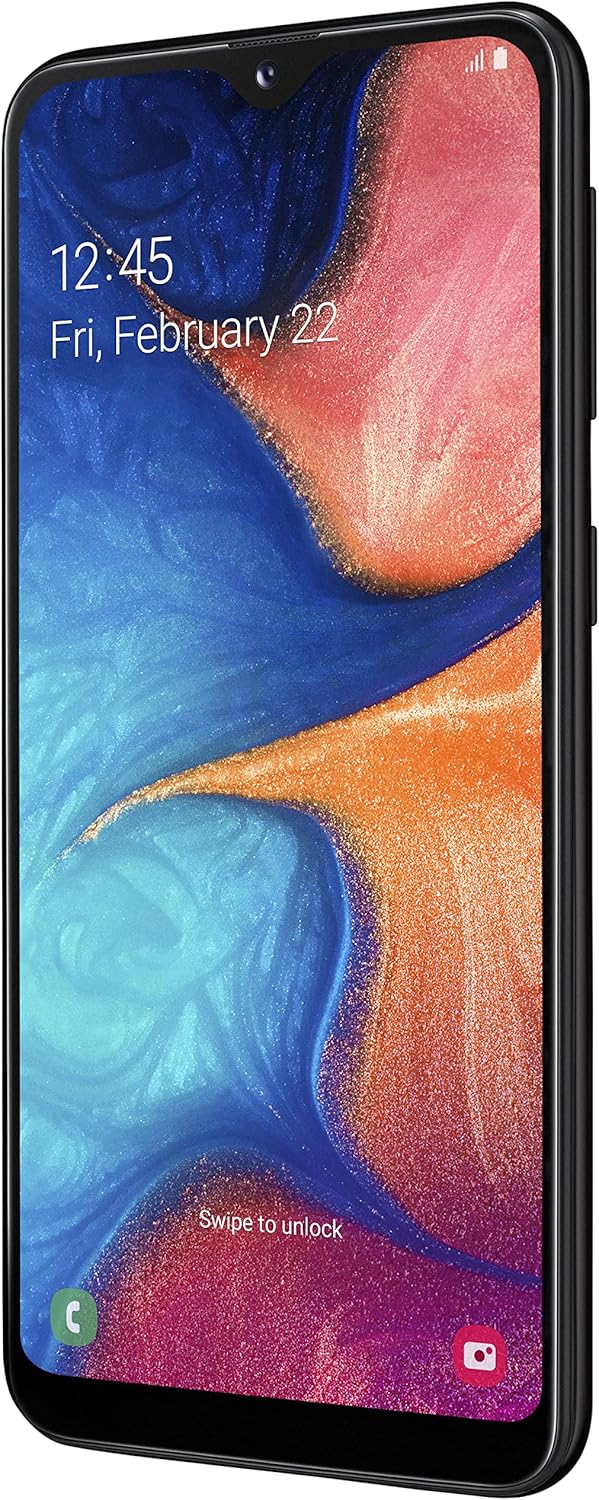
The device features a 5.8-inch Infinity-V HD+ display, providing an immersive viewing experience for your content.
- Тип дисплея: AMOLED
- Размер экрана: 5.8 дюймов
- Разрешение: 720 x 1520 пикселей

Изображение: Спереди view of the Galaxy A20e display.
7. Аккумулятор и зарядка
The Galaxy A20e is equipped with a 3000 mAh Lithium-ion battery and supports 15W fast charging.
- Емкость аккумулятора: 3000 мАч
- Быстрая зарядка: The 15W fast charging technology allows for quick recharging of your device.
8. Функции безопасности
Protect your valuable content with the integrated fingerprint reader, offering fast and secure unlocking.
- Датчик отпечатков пальцев: Located on the rear of the device for convenient and secure access.
- Распознавание лиц: Set up facial recognition for an alternative unlocking method.
9. Storage and Connectivity
The Galaxy A20e provides ample storage and various connectivity options.
- Внутренняя память: 32 GB, with 3 GB RAM.
- Расширяемое хранилище: Expandable via microSD card up to 512 GB.
- Две сим-карты: Supports two Nano-SIM cards for flexible usage.
- Беспроводное подключение: Wi-Fi 802.11 b/g/n and Bluetooth 5.0.
- Сотовая технология: 4G LTE.
10. Техническое обслуживание
To ensure the longevity and optimal performance of your Samsung Galaxy A20e, follow these maintenance guidelines:
- Обновления программного обеспечения: Регулярно проверяйте наличие обновлений программного обеспечения и устанавливайте их для повышения безопасности и производительности.
- Уборка: Для очистки экрана и корпуса устройства используйте мягкую безворсовую ткань. Избегайте использования агрессивных химикатов.
- Уход батареи: Avoid extreme temperatures and do not allow the battery to fully discharge frequently.
- Управление хранилищем: Периодически очищайте ненужное fileи приложения для освобождения места в хранилище и поддержания производительности.
11. Поиск Неисправностей
Если у вас возникли проблемы с вашим устройством, попробуйте выполнить следующие распространенные действия по устранению неполадок:
- Устройство не отвечает: Нажмите и удерживайте одновременно клавишу питания и клавишу уменьшения громкости более 7 секунд, чтобы перезагрузить устройство.
- Батарея быстро разряжается: Check background app usage, reduce screen brightness, and disable unused features like Wi-Fi or Bluetooth.
- Проблемы с подключением: Restart your device, toggle Wi-Fi/Bluetooth on and off, or reset network settings.
- Сбои приложения: Очистите кэш и данные приложения или удалите и переустановите приложение.
- Низкая производительность: Close unused apps, clear cache, or perform a factory reset (back up your data first).
12. Технические характеристики
| Особенность | Спецификация |
|---|---|
| Бренд | Samsung |
| Название модели | А20е |
| Номер модели товара | SM-A202FZKDITV |
| Размеры продукта | 14.74 x 6.97 x 0.84 см; 141 грамм |
| Операционная система | Андроид 9.0 |
| Скорость процессора | 1.6 ГГц |
| Тип процессора | Двухъядерный процессор серии А A4-3420 |
| Размер установленной оперативной памяти | 3 ГБ |
| Емкость памяти | 32 ГБ |
| Maximum RAM Size | 512 ГБ (расширяемая память с помощью карты MicroSD) |
| Размер экрана | 5.8 дюйма |
| Тип дисплея | AMOLED |
| Разрешение | 720 х 1520 |
| Разрешение оптического датчика | 13 МП |
| Разрешение видео | 1080p |
| Емкость аккумулятора | 3000 миллиampэр-час (мАч) |
| Тип беспроводной связи | 802.11a, 802.11b, 802.11g |
| Сотовые технологии | 4G |
| Поддержка Bluetooth | Да (Bluetooth 5.0) |
| Автофокус | Да |
13. Видеоролики о продуктах
Samsung Galaxy A20e Features Overview
В этом видео представлен краткий обзорview of the Samsung Galaxy A20e's key features, including its display, camera capabilities, and security options. (Duration: 0:37)
14. Гарантия и поддержка
Your Samsung Galaxy A20e smartphone comes with a standard manufacturer's warranty. Please refer to the warranty card included in the product packaging for detailed terms and conditions, including coverage period and service procedures.
Для получения технической поддержки, сервисного обслуживания или дополнительной помощи, пожалуйста, посетите официальный сайт поддержки Samsung. webПосетите сайт или обратитесь в службу поддержки. Сохраните чек о покупке при обращении за помощью.
Важное примечание: To use this [Italian Version] smartphone in a non-European country, you must first make at least 5 minutes of calls with a European SIM card.