
1. Введение
This manual provides comprehensive instructions for the Huawei P Smart Plus 2019 smartphone. It covers essential information regarding product features, setup, operation, maintenance, and troubleshooting to ensure optimal use of your device. Please read this manual thoroughly before using your smartphone.
2. Продукт закончилсяview
Familiarize yourself with the physical components of your Huawei P Smart Plus 2019 smartphone.
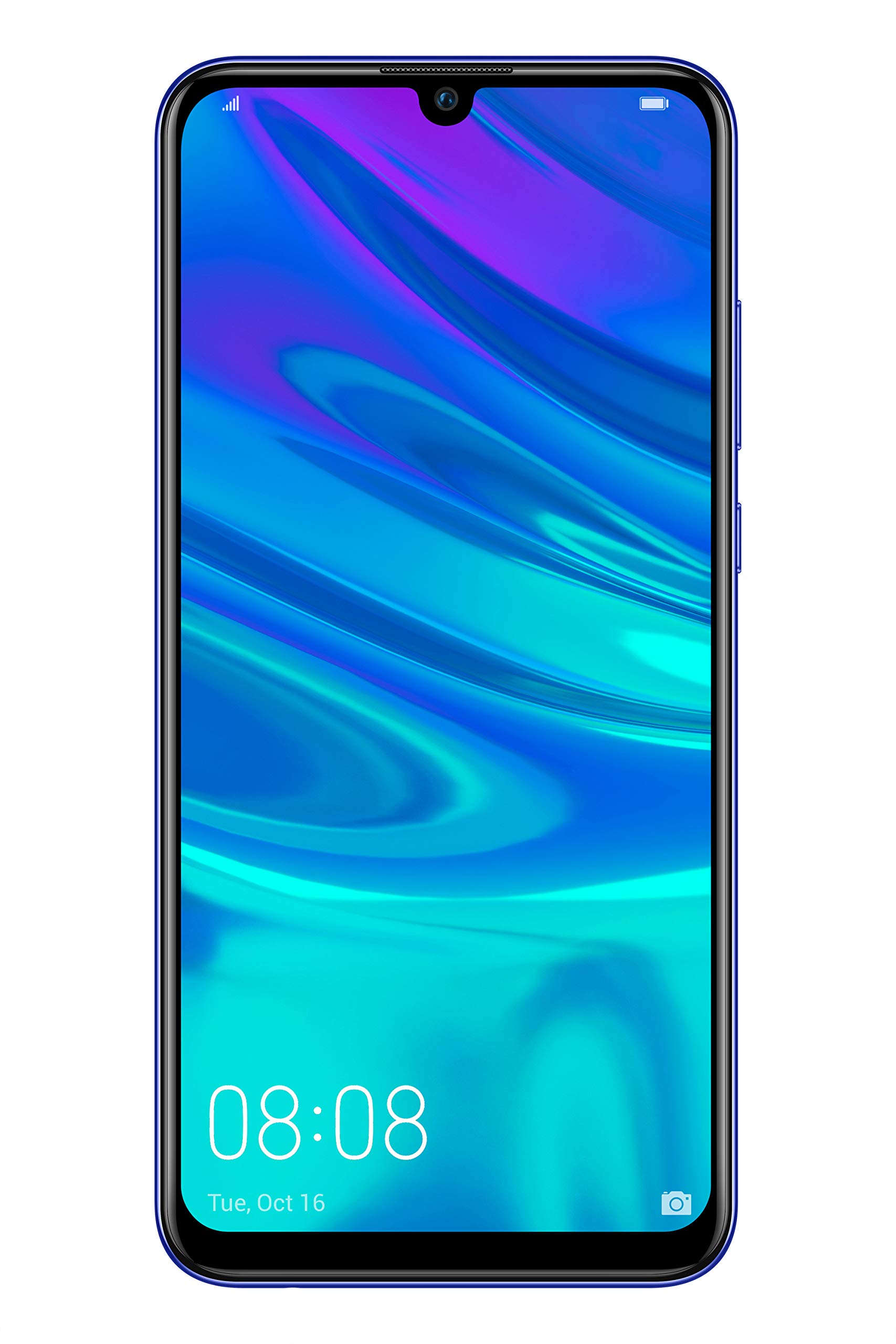
Рисунок 2.1: Задний view of the Huawei P Smart Plus 2019 smartphone, showing the triple camera module, fingerprint sensor, and HUAWEI branding.
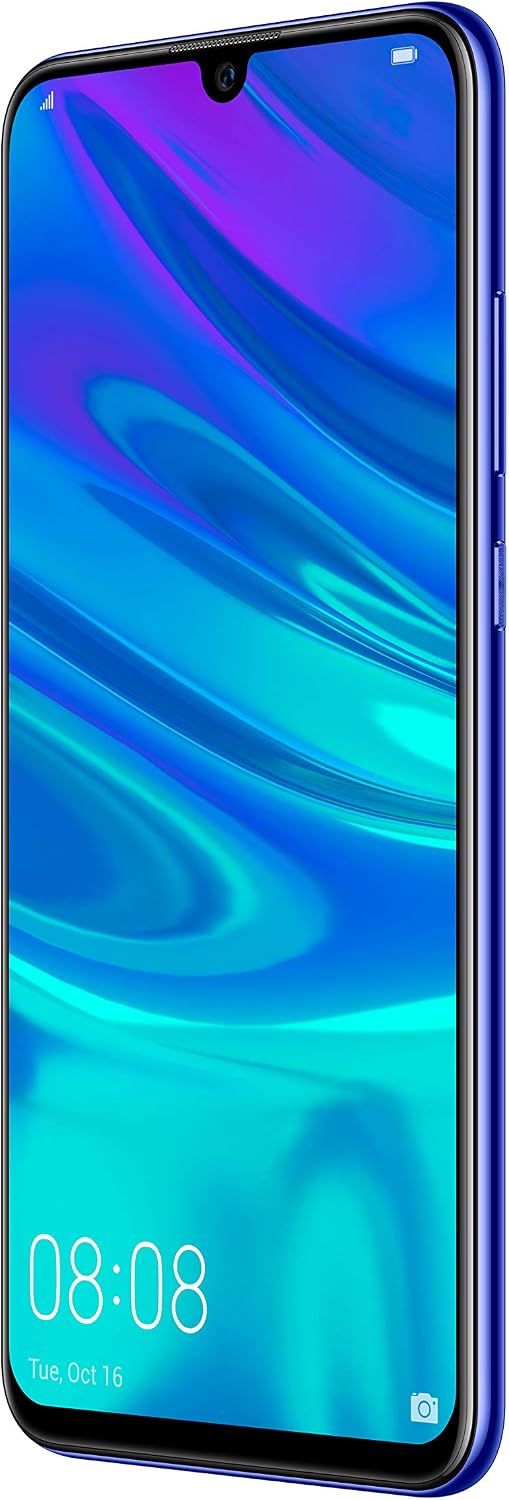
Рисунок 2.2: Передний view of the Huawei P Smart Plus 2019 smartphone, displaying the 6.21-inch screen with a small notch for the front camera.

Рисунок 2.3: Сторона view of the Huawei P Smart Plus 2019 smartphone, highlighting the power and volume buttons.
Ключевые компоненты:
- Отображать: 6.21-inch FHD+ LCD screen.
- Фронтальная камера: Расположен в вырезе дисплея.
- Задние камеры: Triple camera module on the back.
- Датчик отпечатков пальцев: Circular sensor on the rear panel.
- Кнопка питания: На правой стороне устройства.
- Кнопки громкости: Above the power button on the right side.
- Слот для SIM-карты/MicroSD: Typically on the left side or top edge.
- Порт зарядки: USB Type-C, usually at the bottom.
- Динамик/Микрофон: Расположен внизу.
3. Настройка
3.1 Установка SIM-карты и карты MicroSD
- Найдите лоток для SIM-карты на боковой панели устройства.
- Вставьте инструмент для извлечения SIM-карты в небольшое отверстие рядом с лотком, чтобы открыть его.
- Place your Nano-SIM card(s) and/or microSD card into the tray, ensuring correct orientation as indicated on the tray. This device supports Dual SIM functionality and expandable storage up to 512GB.
- Осторожно задвиньте лоток обратно в слот, пока он не встанет на один уровень с устройством.
3.2 Первоначальное включение и зарядка
- To power on, press and hold the Power button until the HUAWEI logo appears.
- Следуйте инструкциям на экране, чтобы завершить первоначальную настройку, включая выбор языка, подключение к Wi-Fi и создание учетной записи Google.
- Before first use, it is recommended to fully charge the device. Connect the provided USB Type-C cable to the phone's charging port and the other end to a power adapter.
4. Инструкция по эксплуатации
4.1 Основные функции
- Power On/Off/Restart: Press and hold the Power button. Select the desired option from the menu.
- Блокировка/разблокировка экрана: Press the Power button to lock/unlock the screen. Use Face Recognition or the Fingerprint Sensor for secure unlocking.
- Звонки и сообщения: Use the Phone and Messaging applications for communication.
- Сетевое подключение: Access Wi-Fi settings from the Quick Settings panel or Settings app. Enable mobile data for internet access via your SIM card.
4.2 Использование камеры
The Huawei P Smart Plus 2019 features a versatile camera system.
- Задняя камера: The triple camera setup includes a 24MP main sensor, a 16MP ultra-wide sensor, and a 2MP bokeh sensor. Open the Camera app and select modes like Automatic, Portrait, or Sport.
- Фронтальная камера: An 8MP front camera is available for selfies and video calls. Switch to the front camera within the Camera app.
- Возможности ИИ: The camera utilizes AI to optimize scene recognition and enhance photo quality.
4.3 Хранилище и память
Your device comes with 64GB of internal storage, which can be expanded up to 512GB using a microSD card. It has 3GB of RAM for smooth multitasking.
4.4 Управление аккумулятором
The device is equipped with a 3400 mAh Lithium-Polymer battery. To optimize battery life, manage background apps, adjust screen brightness, and utilize power-saving modes available in the Settings app.
4.5 Операционная система
The smartphone runs on Android 9 (Pie) with Huawei's EMUI 9 interface, offering a range of features and customization options.
5. Техническое обслуживание
5.1 Очистка устройства
Используйте мягкую безворсовую ткань, чтобы аккуратно протереть экран и корпус телефона. Избегайте использования агрессивных химикатов или абразивных материалов, которые могут повредить покрытие устройства или экран.
5.2 Обновления программного обеспечения
Regularly check for and install software updates to ensure your device has the latest features, security patches, and performance improvements. You can usually find this option in Settings > System > Software update.
5.3 Уход за аккумулятором
To prolong battery lifespan, avoid extreme temperatures. Do not leave the phone fully charged or fully discharged for extended periods. Use only approved chargers and cables.
5.4 Резервное копирование данных
Регулярно создавайте резервные копии важных данных (фотографий, контактов, документов) в облачном сервисе или на компьютере, чтобы предотвратить потерю данных.
6. Поиск Неисправностей
This section addresses common issues you might encounter with your Huawei P Smart Plus 2019.
6.1 Устройство не включается
- Убедитесь, что аккумулятор заряжен. Подключите зарядное устройство и подождите несколько минут, прежде чем пытаться включить устройство.
- Нажмите и удерживайте кнопку питания не менее 10–15 секунд, чтобы принудительно перезагрузить компьютер.
6.2 Плохое время работы от батареи
- Закройте неиспользуемые приложения, работающие в фоновом режиме.
- Уменьшите яркость экрана и установите более короткое время ожидания экрана.
- Отключайте Wi-Fi, Bluetooth и GPS, когда они не используются.
- Проверьте использование батареи в настройках, чтобы определить энергоемкие приложения.
6.3 Network Issues (No Signal/Wi-Fi Disconnection)
- Перезагрузите устройство.
- Ensure your SIM card is correctly inserted and your mobile data plan is active.
- For Wi-Fi, try restarting your router. Forget the network on your phone and reconnect.
6.4 Приложения аварийно завершают работу или зависают
- Принудительно закройте приложение и откройте его снова.
- Очистите кэш и данные приложения в разделе «Настройки» > «Приложения».
- Убедитесь, что приложение обновлено до последней версии.
- Если проблема не исчезнет, попробуйте удалить и переустановить приложение.
6.5 Сброс к заводским настройкам (крайняя мера)
If other troubleshooting steps fail, a factory reset may resolve persistent issues. Предупреждение: This will erase all data on your device. Back up your data before proceeding. Go to Settings > System > Reset > Factory data reset.
7. Технические характеристики
| Особенность | Деталь |
|---|---|
| Номер модели | POT-LX1T, 51093RVX |
| Отображать | 6.21 inches, LCD, FHD+ (2340 x 1080 pixels), 415 PPI |
| Процессор | Kirin 710 Octa-core (4 x 2.2 GHz, 4 x 1.7 GHz) |
| БАРАН | 3 ГБ |
| Внутреннее хранилище | 64 ГБ |
| Расширяемое хранилище | MicroSD до 512 ГБ |
| Задняя камера | Triple: 24 MP (main) + 16 MP (ultra-wide) + 2 MP (bokeh) |
| Передняя камера | 8 МП |
| Аккумулятор | 3400 мАч литий-полимерн. |
| Операционная система | Android 9 (Pie) with EMUI 9 |
| Тип SIM-карты | Nano-SIM (поддержка двух SIM-карт) |
| Связность | LTE, GSM, Wi-Fi, Bluetooth, USB Type-C |
| Биометрическая безопасность | Fingerprint Sensor, Face Recognition |
| Размеры | 8 х 155 х 73 мм |
| Масса | 160 грамм |
| Средний срок службы батареи | 25 часа |
8. Информация по технике безопасности
Пожалуйста, соблюдайте следующие правила техники безопасности, чтобы предотвратить травмы или повреждение вашего устройства:
- Не подвергайте устройство воздействию экстремальных температур, прямых солнечных лучей или влаги.
- Используйте только одобренные зарядные устройства и аксессуары.
- Не допускайте падений устройства и не подвергайте его сильным ударам.
- Не пытайтесь разбирать или ремонтировать устройство самостоятельно. Обратитесь к авторизованному сервисному специалисту.
- Во избежание помех держите устройство вдали от медицинских приборов.
- Утилизируйте устройство и его батарею ответственно в соответствии с местными правилами.
9. Гарантия и поддержка
Your Huawei P Smart Plus 2019 smartphone is covered by a limited warranty. For detailed warranty terms and conditions, please refer to the warranty card included in the product packaging or visit the official HUAWEI webсайт.
For technical support, service, or further assistance, please contact HUAWEI customer service or visit an authorized service center. Contact information can typically be found on the official HUAWEI support webсайт.


