
1. Введение
The AXIS T8351 Mk II Microphone 3.5 mm is a high-performance analog microphone designed for integration into video surveillance systems. It provides superior audio monitoring and recording capabilities, particularly in environments with low ambient noise. This manual provides essential information for the proper installation, operation, and maintenance of your AXIS T8351 Mk II Microphone.
2. Информация по технике безопасности
- Перед установкой и использованием внимательно прочтите все инструкции.
- Do not expose the microphone to extreme temperatures, humidity, or corrosive environments.
- Ensure the microphone is securely mounted to prevent accidental falls.
- Only use accessories and power sources specified by Axis Communications.
- Перед чисткой или выполнением любого технического обслуживания отключите питание.
3. Содержимое упаковки
Проверьте наличие всех предметов в упаковке:
- AXIS T8351 Mk II Microphone 3.5 mm
- Installation Guide (if separate)
Note: Additional mounting accessories may be sold separately.
4. Настройка и установка
4.1 Установка микрофона
The AXIS T8351 Mk II Microphone offers flexible mounting options for walls, ceilings, or covert areas. Choose a location that allows optimal sound capture for your surveillance needs.
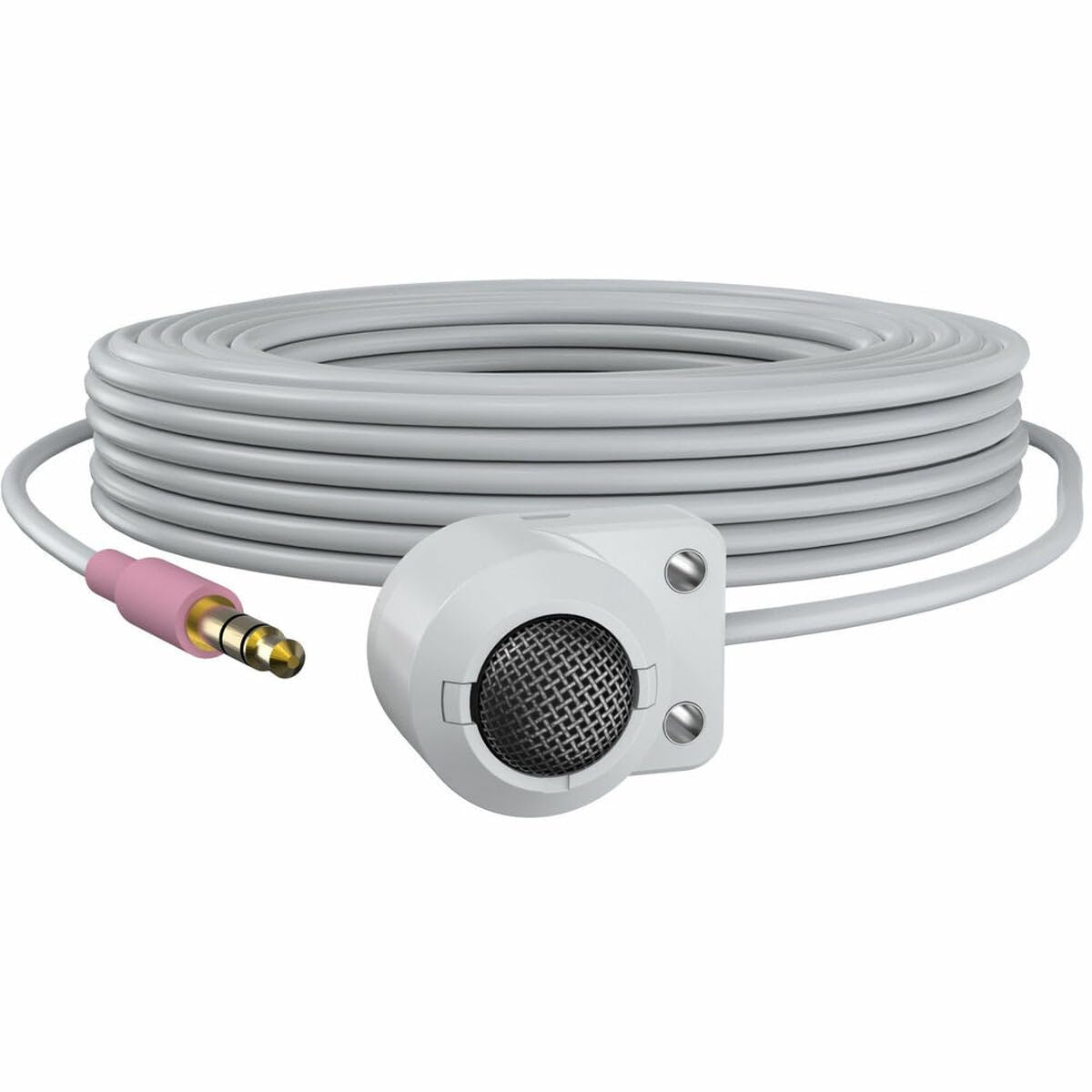
Figure 1: The AXIS T8351 Mk II Microphone, illustrating its compact design and the 3.5 mm connector for integration into surveillance systems. This image highlights the microphone's small form factor, making it suitable for discreet placement.
Consider the following when selecting a mounting location:
- Близость к источнику звука: For best results, position the microphone close to the intended sound source.
- Окружающий шум: While designed for low ambient noise environments, avoid placing the microphone near sources of constant noise (e.g., air conditioning vents, loud machinery).
- Осмотрительность: The compact size allows for subtle concealment if required.
4.2 Подключение микрофона
The AXIS T8351 Mk II Microphone connects to compatible network products via a 3.5 mm microphone input jack or a 4-pin audio connector.
- Locate the 3.5 mm microphone input jack or 4-pin audio connector on your network product (e.g., IP camera, audio encoder).
- Insert the microphone's connector firmly into the corresponding port.
- Ensure a secure connection. The microphone is powered directly by the network product, eliminating the need for additional power cables.
5. Использование микрофона
5.1 Audio Capture
The AXIS T8351 Mk II is a hemispherical, omni-directional microphone, meaning it captures sound from all directions. This characteristic makes it effective for monitoring general ambient sound within a room.
- Once connected, the microphone will begin capturing audio as configured by your network product's settings.
- Adjust audio input levels and sensitivity through the interface of your connected network device to achieve optimal sound quality and prevent distortion.
5.2 Integration with Surveillance Systems
The microphone is designed to complement video surveillance by providing synchronized audio. Refer to your network product's documentation for specific instructions on:
- Enabling audio recording.
- Configuring audio triggers or events.
- Live audio monitoring.
6. Техническое обслуживание
6.1 Очистка
Для поддержания оптимальной производительности и внешнего вида:
- Gently wipe the exterior of the microphone with a soft, dry cloth.
- Не используйте едкие химикаты, растворители или абразивные чистящие средства.
- Ensure no moisture enters the microphone's openings.
6.2 Экологические соображения
The microphone is designed for indoor use. Protect it from:
- Direct sunlight or extreme heat.
- Избыточное количество пыли или грязи.
- Strong vibrations or impacts.
7. Поиск Неисправностей
7.1 Нет аудиовыхода
- Проверьте подключение: Ensure the 3.5 mm connector is fully inserted into the network product's audio input.
- Verify Network Product Settings: Confirm that audio input is enabled and configured correctly in your network product's software interface. Check volume levels.
- Власть: Since the microphone is powered by the network product, ensure the network product itself is powered on and functioning correctly.
- Совместимость: Confirm your network product supports a 3.5 mm microphone input or 4-pin audio connector.
7.2 Poor Audio Quality (Distortion, Low Volume, Noise)
- Размещение микрофона: Reposition the microphone closer to the sound source or away from sources of ambient noise.
- Входные уровни: Adjust the audio input sensitivity and gain settings on your network product. Too high a gain can cause distortion; too low can result in faint audio.
- Шум окружающей среды: Identify and mitigate external noise sources in the environment.
- Целостность кабеля: Осмотрите кабель на наличие повреждений или перегибов.
8. Технические характеристики
| Особенность | Деталь |
|---|---|
| Название модели | T8351 Mk II Microphone 3.5 mm |
| Форм-фактор микрофона | Мини |
| Полярная диаграмма | Hemispherical, Omni-directional |
| Тип разъема | Audio Line Out (3.5mm jack) |
| Технология связи | XLR (Note: Product description mentions 3.5mm, please verify specific model variant if XLR is primary) |
| Источник питания | Corded Electric (powered by network product) |
| Частотная характеристика | 16 кГц |
| Отношение сигнал / шум | 76 дБ |
| Аудио Чувствительность | 22 децибел |
| Размеры изделия (Д x Ш x В) | 1.1 x 0.8 x 0.8 дюйма |
| Вес товара | 3.2 унции |
| Совместимые устройства | Camera (with 3.5mm mic input or 4-pin audio connector) |
9. Гарантия и поддержка
For information regarding the product warranty, technical support, and additional resources, please visit the official Axis Communications webОбратитесь на сайт или к авторизованному дилеру. Сохраните чек о покупке для предъявления гарантийных претензий.
Официальный представитель Axis Communications Webсайт: www.axis.com